Freedom251 › Video Downloaders
MediaGrabber
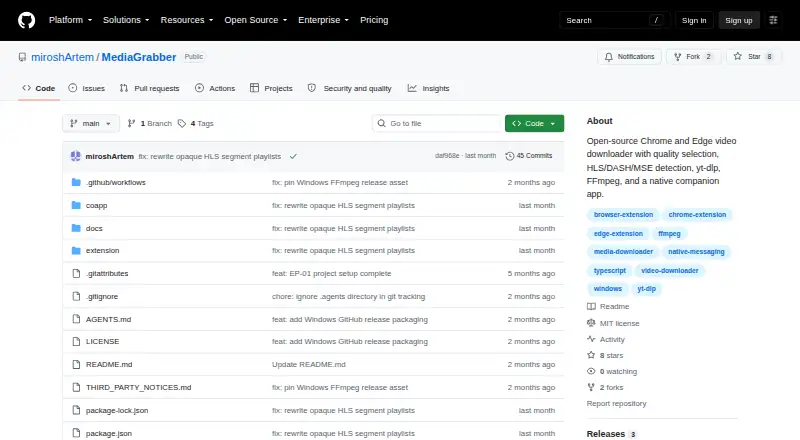
What MediaGrabber is
MediaGrabber is a free, open-source Chrome and Edge extension with a native companion app for downloading video. It detects HLS, DASH, direct MP4 or WebM, and MSE-blobbed streams, then lists available quality variants, audio tracks, and subtitles when provided. YouTube downloads use yt-dlp and expose formats from 144p through 4K; output is MP4. The extension shows a badge count and download progress in its popup, with optional desktop notifications. HLS and DASH conversion and YouTube downloading require the companion, which uses FFmpeg and yt-dlp. Windows release installers bundle CoApp, FFmpeg, ffprobe, and yt-dlp. The project states that it has no tracking or analytics and that only requested video files leave the machine. Releases come through GitHub rather than the Chrome Web Store. Installation requires Developer mode and loading the extracted folder as an unpacked extension. SHA256SUMS.txt files support integrity checks, and the project uses the MIT license.
Who it suits
It suits Chrome and Edge users who want a free downloader for supported web streams and YouTube. Users should be comfortable installing an unpacked extension and, for some downloads, the native companion.
What it does well
- Supports HLS, DASH, MP4, WebM, and MSE streams
- Offers formats up to 4K for YouTube
- Includes subtitle downloads when available
- Reports progress in the extension popup
- No tracking or analytics stated
What to know first
- Requires Developer mode installation
- Distributed through GitHub, not Chrome Web Store
- Companion required for HLS/DASH and YouTube
- Detection may fail on some sites
Verdict
MediaGrabber combines broad stream detection with selectable quality, subtitles, and a companion for conversions. Its GitHub-based installation and companion requirement are important considerations before use.
Facts from MediaGrabber's own pages
- Audience
- The README presents MediaGrabber as a side project and asks users to submit issue reports when site detection does not work. · github.com, 12 Oct 2026
- Browser support
- The extension runs in Chrome and Edge and is distributed through GitHub Releases rather than the Chrome Web Store. · github.com, 12 Oct 2026
- Device platforms
- Chrome,Edge,Windows,macOS,Linux · github.com, 22 Sept 2026
- Download progress
- The extension shows a badge count and popup download progress, with optional desktop notifications. · github.com, 12 Oct 2026
- Free plan
- Yes · github.com, 22 Sept 2026
- Installation
- Chrome and Edge users must enable Developer mode and load the extracted extension folder as an unpacked extension. · github.com, 12 Oct 2026
- Integrations
- The native companion uses FFmpeg for HLS/DASH conversion and yt-dlp for YouTube downloads. · github.com, 12 Oct 2026
- Integrity
- The release instructions recommend verifying downloaded files with SHA256SUMS.txt. · github.com, 12 Oct 2026
- License
- The project is distributed under the MIT license. · github.com, 12 Oct 2026
- Limit
- HLS/DASH conversion and YouTube downloads require the native companion; FFmpeg and yt-dlp are used for those tasks. · github.com, 12 Oct 2026
- Maximum video quality
- 4k · github.com, 22 Sept 2026
- Output formats
- MP4 · github.com, 22 Sept 2026
- Platforms
- The README provides companion setup instructions for Windows, macOS, and Linux, while the current release installation assets are for Windows x64. · github.com, 12 Oct 2026
- Privacy
- The README says MediaGrabber has no tracking or analytics and that only requested video files leave the user's machine. · github.com, 12 Oct 2026
- Progress
- The extension shows a badge count and download progress in its popup, with optional desktop notifications. · github.com, 12 Oct 2026
- Purpose
- MediaGrabber is an open-source Chrome and Edge video downloader with quality selection and a native companion app. · github.com, 12 Oct 2026
- Quality selection
- It lists available quality variants, audio tracks, and subtitles when a stream offers them. · github.com, 12 Oct 2026
- Release requirements
- The Windows release installer bundles CoApp, FFmpeg, ffprobe, and yt-dlp; release users do not need to install Node.js, Python, FFmpeg, or yt-dlp separately. · github.com, 12 Oct 2026
- Stream detection
- It detects HLS, DASH, direct MP4/WebM, and MSE-blobbed video. · github.com, 12 Oct 2026
- Subtitle downloads
- Yes · github.com, 22 Sept 2026
- Support
- The maintainer invites users to report sites where detection fails by opening an issue with the site URL, and welcomes pull requests. · github.com, 12 Oct 2026
- Supported sources
- HLS (.m3u8),DASH (.mpd),direct MP4/WebM,MSE-blobbed video,YouTube · github.com, 22 Sept 2026
- YouTube
- YouTube downloads use yt-dlp and expose available formats from 144p through 4K. · github.com, 12 Oct 2026
Where MediaGrabber stands on Freedom251
- Video Downloaders#60 of 135