Freedom251 › Audio Mastering Software
Matchering
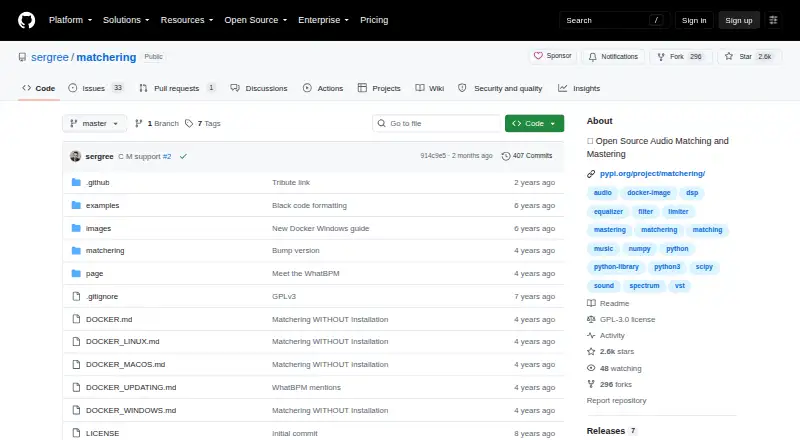
What Matchering is
Matchering is free, open-source software for matching and mastering audio. Provide a target track and a reference track, and it produces a mastered target adjusted to match the reference’s RMS, frequency response, peak amplitude, and stereo width. Matchering 2.0 is available as a containerized web application, Python library, and ComfyUI node, and it is integrated into the UVR5 Desktop App. The Python library includes a command-line application and can connect with the Python ecosystem; it requires Python 3.8.0 or higher and a machine with 4 GB of RAM. WAV and MP3 are listed as input formats, though MP3 loading requires a separate FFmpeg installation. The project uses digital signal processing rather than a neural network. Its maker says the algorithm works well with almost all genres, particularly EDM, but identifies experimental music with a very specific musical form as an exception. The Python package is licensed under GPLv3, and no paid plans are published. The web application is intended for home or in-house use; public Internet hosting requires security and scalability changes.
Who it suits
It suits people who want to match a track’s sound characteristics to a reference, including users working with the Python library, command line, or ComfyUI node. Those planning public hosting should account for the maker’s security warning.
What it does well
- Matches RMS, frequency response, peak, and stereo width.
- Available as a web app, library, and ComfyUI node.
- Includes a Python command-line application.
- Free under the GPLv3 license.
What to know first
- MP3 loading requires a separate FFmpeg installation.
- Python library needs 4 GB of RAM.
- Python library requires Python 3.8.0 or higher.
- Web app is not suited to public hosting as-is.
Limits
The Python library requires 4 GB of RAM and Python 3.8.0 or higher; MP3 loading additionally requires FFmpeg. The web application is designed for home and in-house use, and needs security and scalability changes before public Internet hosting.
Plans
| Plan | Billed and limits | Price |
|---|---|---|
| Open-source software | GPLv3 license · no published paid plans | Free |
As github.com lists them, read 1 Oct 2026. The maker's own page has the final word.
Getting started
- Visit the Matchering project website on GitHub.
- Choose the containerized web application, Python library or ComfyUI node, or use the UVR5 Desktop App integration.
- For the Python library, use a machine with at least 4 GB of RAM and Python 3.8.0 or higher.
- Install FFmpeg separately if you need to load MP3 files.
- Provide a TARGET track and a REFERENCE track for matching.
Matchering is an open-source mastering tool that shapes a target recording toward a reference track. It suits musicians seeking reference-led results and developers who want to integrate audio processing into Python workflows. Its focused matching approach is useful, but it is not a substitute for a broadly configurable mastering environment.
Overview
Supply a TARGET and a REFERENCE, and Matchering produces a mastered target aimed at matching the reference’s RMS, frequency response, peak amplitude and stereo width. That makes it most useful when a known recording is the desired benchmark; it offers less direction when you want to define a sound without a reference.
Matchering 2.0 comes as a containerized web application, Python library and ComfyUI node, and it is integrated into the UVR5 Desktop App. Songmastr, MVSEP and Moises host it for users who want to try it without installing software. The project describes its method as digital signal processing rather than neural-network processing, and says users may use their mastered tracks wherever they want.
Key features
Reference matching is the defining feature. Matching loudness, tonal response, peak level and stereo width to another track can help pursue a consistent sound, but the outcome depends on choosing an appropriate reference. The algorithm is described as working well with almost all genres, especially EDM, while experimental music with a particularly specific musical form is a weaker fit.
The Python library can connect to the broader Python ecosystem and includes a command-line application, making it the natural choice for developers automating or incorporating the process into other software. It requires Python 3.8.0 or higher and a machine with 4 GB of RAM. WAV and MP3 are supported, though MP3 loading requires FFmpeg installed separately.
ComfyUI and UVR5 integrations provide other ways to use Matchering, while the hosted options remove the need to install it locally. Those forms make the project accessible beyond Python, though the available facts do not establish that every hosted integration has the same workflow or terms.
Pricing
Matchering’s Open-source software plan costs nothing under the GNU General Public License v3 (GPLv3). It includes reference-track matching and WAV export, with WAV and MP3 input formats; there are no published paid plans. That makes it a clear fit for users comfortable installing or integrating open-source software, rather than buyers seeking a paid tier with defined support or service levels.
The Python package’s GPLv3 license matters if you plan to distribute software that incorporates it. The project says users may use tracks produced by Matchering wherever they want. No subscription or renewal cost is attached to the free plan.
Platforms
Matchering is available for Linux, macOS and Windows, as well as through web and self-hosted forms. The Python library needs Python 3.8.0 or higher and 4 GB of RAM; MP3 input requires a separate FFmpeg installation. These requirements are manageable for a developer or technically comfortable user, but add setup work for someone expecting a conventional desktop installer.
The web application is designed for home and in-house use, not public Internet hosting without security and scalability changes. Its current setup puts Django, SQLite, Redis and the Matchering worker in one container; the maker cites non-scalable SQLite, DEBUG enabled and the absence of a production web server among the reasons not to expose it publicly. This is a significant constraint for anyone considering a public service.
Who it's for
Matchering makes sense for musicians who have a suitable reference and want to bring a target track toward its level, tonal response and stereo presentation. It is particularly promising for EDM according to the project’s genre guidance. It is a less convincing choice for experimental music with a highly specific form, or for anyone who needs mastering decisions made without a reference.
Developers may value the Python library and command-line application, while ComfyUI users can choose the node and desktop users can access the UVR5 integration. If installation is a barrier, Songmastr, MVSEP and Moises provide hosted ways to try the project. Those seeking to deploy the web app publicly should look elsewhere unless they are prepared to make security and scaling changes.
Pros and cons
- Pros: Free, open-source access includes reference matching and WAV export, with no published paid plans.
- Pros: Multiple forms—Python library, command-line application, containerized web app and ComfyUI node—suit different technical workflows.
- Pros: The focused matching targets RMS, frequency response, peak amplitude and stereo width, and the project says output tracks may be used wherever users want.
- Cons: Results are guided by a reference, so it is not the right tool for open-ended mastering without a target sound in mind.
- Cons: Python use requires a compatible runtime and 4 GB of RAM, while MP3 loading needs separately installed FFmpeg.
- Cons: The web application should not be exposed publicly as-is because of its stated security and scalability shortcomings.
Alternatives
For a broader starting point, browse Audio Mastering Software or AI Music Mastering Software.
- IK Multimedia ReSing is worth considering if you want voice and instrument tools: its free plan includes 2 voices, 2 instruments and 1 RVC import, while its 129.99 USD one-time plan includes 10 voices.
- DSP-Quattro is a macOS alternative with a free trial; its new-license plan is $99 a month and its upgrade plan is $49 a month.
- Tunr is another free option for macOS and Windows, with a free key by email counted per machine and a three-master limit before the licence key.
- Voxengo SPAN may suit readers looking for a free real-time FFT spectrum analyzer plugin rather than reference-based mastering.
- oXygen Mastering Suite is a free alternative for Linux, macOS and Windows.
- StudioZIO Mastering Suite is a free macOS option for readers seeking AU, VST3, AAX or standalone formats; it requires macOS 11 or later and no licence key or account.
- Acustica Audio Erin Studio is a paid option for Windows and macOS.
- Sonoris DDP Creator is a paid alternative with a free trial and Standard and Pro licenses priced at 249.00 EUR and €349 as a one-time purchase, respectively, before VAT.
Verdict
Choose Matchering if you want free, reference-based mastering, especially for EDM, or need an open-source audio-matching component for a Python workflow. Its multiple software forms and clear output targets are its strongest reasons to choose it. Look elsewhere if you need an open-ended mastering tool, work mainly with highly experimental forms, or intend to host the web application publicly without undertaking security and scalability changes.
Verdict
Matchering offers reference-based audio matching in several software forms, with no published paid plans. Note the Python runtime requirements, separate FFmpeg requirement for MP3, and the warning against exposing the web app publicly without changes.
Questions
How much does Matchering cost?
The open-source plan is free. No paid plans are published.
What platforms or forms does Matchering support?
It is listed for Linux, macOS, Windows, web and self-hosted use. Matchering 2.0 comes as a containerized web application, Python library and ComfyUI node, and it is integrated into the UVR5 Desktop App.
What audio formats can it load?
WAV and MP3 are listed as input formats. MP3 loading requires a separate FFmpeg installation.
Does Matchering use a neural network?
No. Its FAQ says it uses digital signal processing instead of a neural network.
What license does Matchering use?
The Python package is distributed under the GNU General Public License v3 (GPLv3).
Can I host the web application publicly?
The maker says it is intended for home and in-house use. Public Internet hosting requires security and scalability changes.
Facts from Matchering's own pages
- Album consistency
- The documentation presents using one reference across multiple tracks as a way to make an album sound more cohesive. · saxtalk.com, 21 Oct 2026
- Audio-format limit
- MP3 loading requires installing FFmpeg separately. · github.com, 1 Oct 2026
- Audio formats
- An independent software directory describes WAV and FLAC input/output support and professional WAV output. · toolstock.net, 21 Oct 2026
- ComfyUI integration
- A ComfyUI-Matchering node is offered as an integration route. · github.com, 21 Oct 2026
- Command line
- The repository points developers to a separate Matchering CLI and an enhanced fork of that CLI. · github.com, 21 Oct 2026
- Desktop integration
- Matchering is integrated into the UVR5 Desktop App. · github.com, 1 Oct 2026
- Developer integration
- The Python library can be connected to everything in the Python ecosystem and has a command-line application. · github.com, 1 Oct 2026
- Docker deployment
- The repository provides separate Docker instructions for Windows, macOS and Linux, plus an update guide. · github.com, 21 Oct 2026
- Documentation
- The repository includes a README, FAQ wiki, Docker guides, examples, log-code documentation and limiter testing material. · github.com, 21 Oct 2026
- Genre guidance
- The algorithm is described as working well with almost all genres, especially EDM, except experimental music with a very specific musical form. · github.com, 1 Oct 2026
- Hosted access
- The project README identifies Songmastr, MVSEP and Moises as services that host Matchering for browser-based trials. · github.com, 21 Oct 2026
- Hosted integrations
- The project says users can try it without installation through Songmastr, MVSEP and Moises hosting. · github.com, 1 Oct 2026
- Independent assessment
- Hysen Labs describes the project as matching four measurements with a project-specific limiter and notes that the newest tagged release is from 2022. · hysenlabs.com, 21 Oct 2026
- License
- Matchering is distributed under the GNU GPL version 3.0 license. · github.com, 21 Oct 2026
- Limiter
- Version 2 introduced the project’s own open-source Hyrax brickwall limiter. · github.com, 21 Oct 2026
- Limit: interface and controls
- Beathoven characterizes Matchering as having a less polished interface and fewer adjustable parameters than commercial services such as LANDR or eMastered. · beathoven.tv, 21 Oct 2026
- Limit: reference dependence
- Beathoven warns that good results depend on choosing a suitable reference track. · beathoven.tv, 21 Oct 2026
- Limit: service outage
- A Songmastr user reported that the hosted site had gone down, while another later comment said it was back online. · reddit.com, 21 Oct 2026
- Limit: setup knowledge
- ToolStock says self-hosting requires basic technical knowledge for installation. · toolstock.net, 21 Oct 2026
- Limit: upload errors
- Reddit commenters reported browser bad-request errors and later said they could not upload songs to the hosted service. · reddit.com, 21 Oct 2026
- Linux dependency
- Linux installations require the system libsndfile library to be installed separately. · github.com, 21 Oct 2026
- Maker identity
- The package credits Sergree as author and lists one maintainer on PyPI. · pypi.org, 21 Oct 2026
- Maker location
- The maintainer’s GitHub profile identifies Sergey Grishakov and lists Moscow, Russian Federation. · github.com, 21 Oct 2026
- Matching method
- It takes a TARGET track and a REFERENCE track and produces a mastered TARGET matching the reference’s RMS, frequency response, peak amplitude and stereo width. · github.com, 1 Oct 2026
Where Matchering stands on Freedom251
- Audio Mastering Software#1 of 33
- AI Music Mastering Software#2 of 50