Freedom251 › Keyboard and Mouse Customization Software
mantle
What mantle is
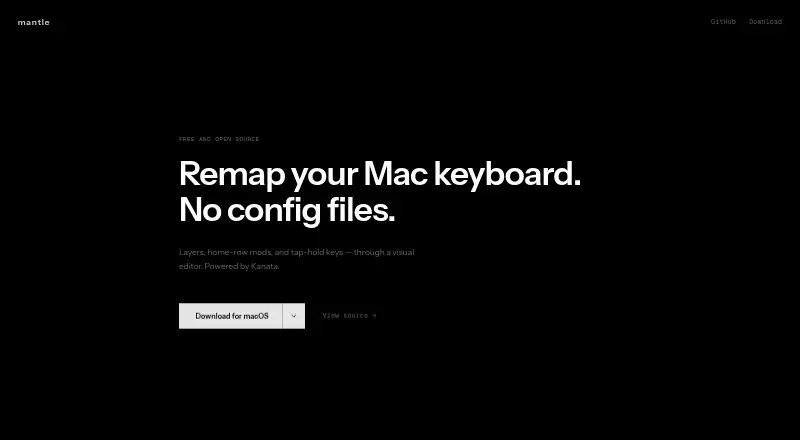
Mantle is a free, open-source visual keyboard remapper for macOS, powered by Kanata. Its editor lets you click a key and assign an action without using a terminal, adding dependencies, or learning Kanata. You can create multiple keyboard layouts and switch between them with a key. Home-row modifiers map Shift, Control, Option, or Command to home-row keys. Tap-hold mappings let one key perform one action when tapped and another when held, with timing adjustable to the millisecond. Mantle imports existing .kbd files and exports configurations. After you select Apply, Kanata reloads changes instantly without a restart. The maker says the app runs entirely on the Mac, with no internet connection, telemetry, or accounts, and that keystrokes are never logged or transmitted. Mantle is described as auditable on GitHub. It supports Apple Silicon Macs from M1 through M4 and Intel Macs. Downloads are .dmg files for macOS 13 or later, with separate Apple Silicon and Intel options.
Who it suits
Mantle suits Mac users who want visual keyboard remapping and multiple layouts without terminal configuration. It is intended for Apple Silicon or Intel Macs running macOS 13 or later.
What it does well
- Free and open source
- Visual key-to-action editor
- Supports multiple switchable layouts
- Tap-hold timing adjustable to milliseconds
- No accounts, telemetry, or internet required
What to know first
- macOS only
- Requires macOS 13 or later
- Separate downloads for Apple Silicon and Intel Macs
Plans
| Plan | Billed and limits | Price |
|---|---|---|
| Free | Free · open source · macOS 13+ | Free |
As getmantle.app lists them, read 12 Oct 2026. The maker's own page has the final word.
Verdict
Mantle offers detailed Kanata-based remapping through a visual Mac editor. Local operation, import/export, and immediate reloads make it practical for users who want configurable layouts without command-line setup.
Facts from mantle's own pages
- Apply changes
- After a user hits Apply, Kanata reloads instantly without a restart. · getmantle.app, 12 Oct 2026
- Compatibility
- The site says Mantle supports Apple Silicon Macs from M1 through M4 and Intel Macs. · getmantle.app, 12 Oct 2026
- Ease of use
- The maker says Mantle requires no terminal, dependencies, or Kanata knowledge to configure keyboard mappings. · getmantle.app, 12 Oct 2026
- Free plan
- Yes · getmantle.app, 22 Sept 2026
- Home-row mods
- Mantle can map Shift, Control, Option, and Command to home-row keys. · getmantle.app, 12 Oct 2026
- Import and export
- Mantle can import existing .kbd files and export configurations. · getmantle.app, 12 Oct 2026
- Layers
- Users can create multiple keyboard layouts and switch between them with a key. · getmantle.app, 12 Oct 2026
- Performance
- The maker says Kanata processes key events in under a millisecond and Mantle adds no measurable overhead. · getmantle.app, 12 Oct 2026
- Privacy
- Mantle says it runs entirely on the Mac with no internet, telemetry, or accounts, and that keystrokes are never logged or transmitted. · getmantle.app, 12 Oct 2026
- Purpose
- Mantle is a visual Mac keyboard remapper powered by Kanata. · getmantle.app, 12 Oct 2026
- Requirements and download
- The download is a .dmg for macOS 13 or later, with Apple Silicon and Intel Mac options. · getmantle.app, 12 Oct 2026
- Security
- The maker says Mantle is open source and auditable on GitHub. · getmantle.app, 12 Oct 2026
- Supported operating systems
- macos · getmantle.app, 22 Sept 2026
- Tap-hold
- Keys can perform one action when tapped and another when held, with timing configurable to the millisecond. · getmantle.app, 12 Oct 2026
- Visual editor
- The visual editor lets users click a key and assign an action. · getmantle.app, 12 Oct 2026