Freedom251 › Operating Systems
Manjaro Linux
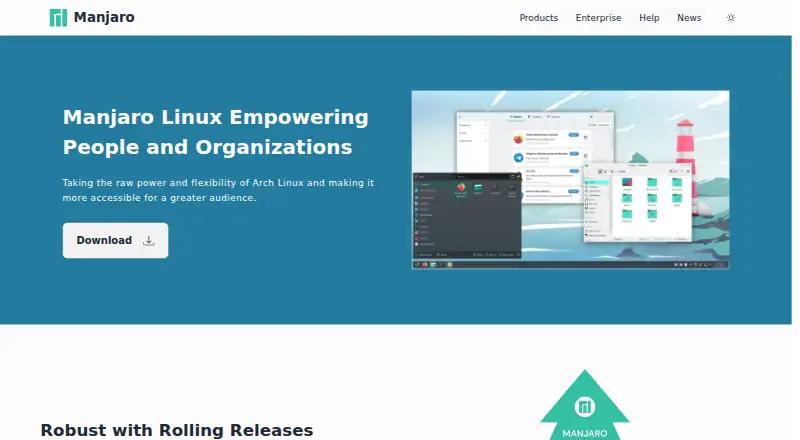
What Manjaro Linux is
Manjaro Linux is a free Linux distribution based on Arch Linux, designed to make Arch’s power and flexibility more accessible. It uses rolling releases, with updates tested through dedicated repositories before delivery. For x86 workstations and laptops, it offers install media and official GNOME, KDE, and Xfce editions; ARM images are available for selected mobile and embedded devices. During setup, Manjaro can detect computer hardware and install software such as graphics drivers. Pamac provides package management and updates, while Manjaro Settings Manager includes controls for kernels, graphics drivers, languages, and keyboard layout. Manjaro Hardware Detection supports hardware and drive management. Users can install applications from Manjaro repositories using graphical software managers, and can access the Arch User Repository unofficially. Multiple Linux kernels can be installed and used. The recommended system has a dual-core processor, 4 GB of memory, and 30 GB of disk space. Manjaro officially supports 64-bit systems; 32-bit systems are unsupported. Businesses can seek professional services for setup, management, conversions, and maintenance. Free help resources include Manjaro documentation, its user-to-user forum, and the Arch Wiki.
Who it suits
Manjaro suits newcomers and experienced Linux users who want an Arch-based system for home or business use. Its workstation, laptop, and selected ARM images offer options for different supported devices, while businesses can request professional services.
What it does well
- Free Linux distribution with install media for x86 PCs.
- Official GNOME, KDE, and Xfce editions.
- Hardware detection can install software such as graphics drivers.
- Graphical software managers provide access to Manjaro repositories.
- Supports installing and using multiple Linux kernels.
- Free help is available through documentation, forums, and the Arch Wiki.
What to know first
- Official support is limited to 64-bit systems.
- The recommended setup calls for 4 GB memory and 30 GB disk space.
- ARM images are available only for selected devices.
Limits
Manjaro officially provides a 64-bit version, and 32-bit systems are unsupported. The About page recommends at least 4 GB of memory, 30 GB of disk space, and a dual-core processor.
Plans
| Plan | Billed and limits | Price |
|---|---|---|
| Manjaro Linux | x86 workstation/laptop ISO · ARM images for selected devices · official and community editions | Free |
| Enterprise Services | Contact for details and a quote · Full service · conversions · aftermarket maintenance · optional business cloud | On request |
As manjaro.org lists them, read 15 Oct 2026. The maker's own page has the final word.
Getting started
- Visit the Manjaro website and choose an install image for a supported device.
- For an x86 workstation or laptop, choose among the GNOME, KDE, and Xfce editions.
- Install Manjaro from the selected image.
- Use the graphical software manager to install or update software.
- Use Manjaro Settings Manager to manage kernels, graphics drivers, languages, or keyboard layout.
Verdict
Choose Manjaro if you want a free Arch-based Linux distribution with tested rolling updates, graphical software management, and several official desktop editions. Its 64-bit-only support and recommended hardware baseline may make it a poor fit for older systems; businesses needing assistance can seek its professional services.
Questions
Is Manjaro Linux free?
Yes. The Manjaro Linux plan is free, at no cost.
Which devices can run Manjaro?
Manjaro offers x86 install media for workstations and laptops, plus ARM images for selected mobile and embedded devices.
Which desktop editions are official?
The official editions listed are GNOME, KDE, and Xfce.
Does Manjaro support 32-bit systems?
No. Manjaro officially offers a 64-bit version; 32-bit systems are unsupported.
What help is available?
Free resources include Manjaro documentation, its user-to-user forum, and the Arch Wiki. Businesses can also seek professional setup, management, conversion, and maintenance services.
What system does Manjaro recommend?
The recommended baseline is a dual-core processor, 4 GB of memory, and 30 GB of disk space.
Facts from Manjaro Linux's own pages
- Architecture limit
- Official Manjaro releases support 64-bit systems only and do not support 32-bit hardware. · wiki.manjaro.org, 15 Oct 2026
- ARM devices
- Manjaro offers ARM install images for a selection of embedded and mobile devices. · manjaro.org, 4 Oct 2026
- ARM support
- The project publishes ARM images for devices such as phones and embedded hardware. · manjaro.org, 15 Oct 2026
- AUR access
- Manjaro supports access to the Arch User Repository for additional community packages. · wiki.manjaro.org, 15 Oct 2026
- Business integrations
- Manjaro says it has packaged business-critical applications and can package requested Linux software; its enterprise page displays Zscaler, SentinelOne and Microsoft 365 logos. · manjaro.org, 4 Oct 2026
- Business support
- The company offers professional support for businesses, including system setup, management, conversions and maintenance services. · manjaro.org, 4 Oct 2026
- Community help
- Free help resources include Manjaro documentation, its user-to-user forum and the Arch Wiki. · manjaro.org, 4 Oct 2026
- Company facts
- LinkedIn lists Manjaro Linux as a Berlin-based nonprofit founded in 2011 with 11–50 employees. · linkedin.com, 15 Oct 2026
- Company identity
- The official site says the project is backed by Manjaro GmbH & Co. KG. · manjaro.org, 15 Oct 2026
- Desktop editions
- The official editions are GNOME, KDE Plasma and Xfce, with additional community editions. · wiki.manjaro.org, 15 Oct 2026
- Developer packaging
- Developers create packages with PKGBUILD shell scripts and the makepkg utility. · wiki.manjaro.org, 15 Oct 2026
- Documentation
- The official wiki exposes hundreds of articles covering installation, package management, hardware, security, networking and troubleshooting. · wiki.manjaro.org, 15 Oct 2026
- Driver setup
- The distribution can automatically install required hardware drivers. · wiki.manjaro.org, 15 Oct 2026
- Enterprise offering
- The project advertises business versions and enterprise services for organizational IT infrastructure. · manjaro.org, 15 Oct 2026
- Hardware detection
- Manjaro automatically detects computer hardware, including graphics cards. · wiki.manjaro.org, 15 Oct 2026
- Hardware partnerships
- Manjaro lists partner hardware from Slimbook, Orange Pi, Zotac and Star Labs. · manjaro.org, 15 Oct 2026
- Hardware setup
- The About page says Manjaro can automatically detect computer hardware and install necessary software such as graphics drivers. · wiki.manjaro.org, 4 Oct 2026
- Installation
- The project provides a simplified graphical installer and a CLI-based Manjaro Architect installer. · wiki.manjaro.org, 15 Oct 2026
- Intended users
- Manjaro describes itself as suitable for newcomers and experienced Linux users, as well as home and business use. · wiki.manjaro.org, 4 Oct 2026
- ISO integrity
- Official ISO downloads include checksums and signatures, and the wiki documents GPG verification against developer or build-server keys. · wiki.manjaro.org, 15 Oct 2026
- Kernel choices
- Manjaro supports installing and using multiple Linux kernels. · wiki.manjaro.org, 4 Oct 2026
- Kernel management
- Users can install and switch between multiple kernels through Manjaro tooling. · wiki.manjaro.org, 15 Oct 2026
- Limit: application bugs
- A G2 reviewer reports frequent updates but says some applications feel buggy. · g2.com, 15 Oct 2026
- Limit: Pamac Flatpak behavior
- Tux Machines reports that Pamac can become unreliable when Flatpak support is enabled. · news.tuxmachines.org, 15 Oct 2026
Where Manjaro Linux stands on Freedom251
- Operating Systems#6 of 42