Freedom251 › Vulnerability Scanning Software

ManageEngine Vulnerability Manager Plus
Visit ManageEngine Vulnerability Manager Plus Alternatives Pricing
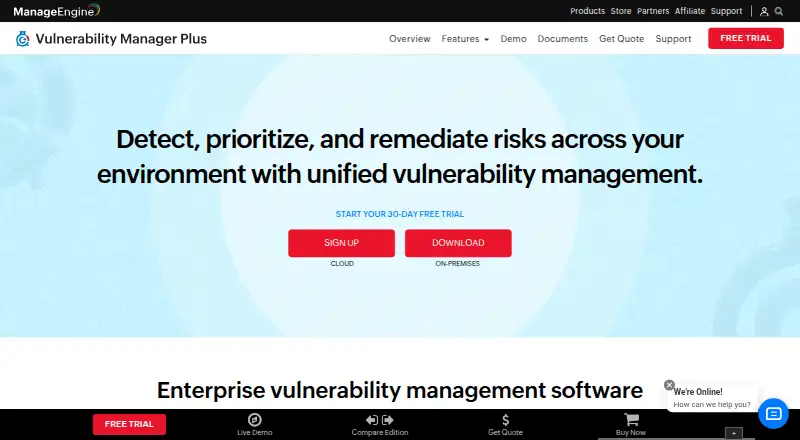
What ManageEngine Vulnerability Manager Plus is
ManageEngine Vulnerability Manager Plus identifies and assesses network vulnerabilities and helps teams prioritize and remediate them. Its risk scoring draws on AI-based scores, CVSS severity, EPSS, and active attack trends. Compliance policies cover more than 130 CIS benchmarks. Administrators can download, test, and deploy patches across operating systems and more than 1,500 third-party applications; pre-built, tested scripts can mitigate zero-day vulnerabilities. The product can discover network devices, scan for firmware vulnerabilities, and remediate identified threats, but network-device management is on-premises only and requires additional licenses. Vulnerability scanning supports Windows and Linux; macOS support is limited to patch management. Deployment is hybrid, with authenticated scanning, agent-based assessment, and remediation tracking. A free edition is available, and the 30-day free trial includes unlimited endpoints. Professional On-Premises starts at $695 a year for 100 workstations and one technician. Professional Cloud is $895 a year, Enterprise On-Premises is $1,195 a year, and Enterprise Cloud is $1,545 a year, each listed for 100 workstations and one technician.
Who it suits
It suits security and IT teams responsible for vulnerability assessment, prioritization, patching, and remediation across Windows and Linux systems. Teams managing network devices should note the on-premises and additional-license requirements.
What it does well
- Prioritizes risk using CVSS, EPSS, and attack trends.
- Includes policies for more than 130 CIS benchmarks.
- Patch management covers over 1,500 third-party applications.
- 30-day trial includes unlimited endpoints.
- Tracks remediation progress.
What to know first
- macOS support is limited to patch management.
- Network-device management is on-premises only.
- Network-device management requires additional licenses.
Limits
The free edition is available at $0.00 per year. The 30-day trial is limited to 30 days. Paid Professional plans start at $695 per year for 100 workstations and one technician; macOS support is for patch management alone, and network-device management requires an on-premises setup and additional licenses.
Plans
| Plan | Billed and limits | Price |
|---|---|---|
| Free | Free edition; $0.00 annual subscription price | Free |
| Free Edition | permanent · all features · 25 endpoints · 1 admin user | Free |
| Enterprise — On-Premises | Annual subscription; 100 workstations, single technician · 100 workstations · 1 technician | $1,195 a year |
| Enterprise On-Premises (100 workstations) | annual subscription · 100 workstations · 1 technician | $1,195 a year |
| Enterprise Cloud (100 workstations) | annual subscription · 100 workstations · 1 technician | $1,545 a year |
| Enterprise — Cloud | Annual subscription; 100 workstations, single technician · 100 workstations · 1 technician · Cloud service available only on subscription | $1,545 a year |
| Enterprise Cloud (100 workstations) | monthly subscription · 100 workstations · 1 technician | $155 a month |
| Professional On-Premises (100 workstations) | perpetual license · 100 workstations · 1 technician | $2,085, paid once |
The first 8 of 13 plans, as manageengine.com lists them, read 29 Sept 2026. The maker's own page has the final word. Every plan
Getting started
- Visit the ManageEngine Vulnerability Manager Plus website.
- Choose the free edition or start the 30-day trial with unlimited endpoints.
- Select a deployment plan: Professional or Enterprise, on-premises or cloud.
- Set up vulnerability assessment for supported Windows and Linux systems.
- Use patch management for macOS if needed.
Overview
ManageEngine Vulnerability Manager Plus brings vulnerability assessment and remediation into a single platform for security and IT teams. It is a strong fit for organizations managing Windows and Linux endpoints that want prioritization, patching, and compliance tools together. Its breadth is useful, but macOS support stops at patch management, and managing network devices requires an on-premises deployment and extra licenses.
Key features
Assessment and remediation
Authenticated scanning and agent-based assessment give teams two ways to evaluate systems, while remediation tracking helps carry findings through to action. The product ranks vulnerabilities using AI-based risk scores, CVSS severity, EPSS, and active attack trends. This combination helps teams weigh both severity and signs of active exploitation when deciding what to address first.
Patching and zero-day response
Teams can download, test, and deploy patches across operating systems and more than 1,500 third-party applications. Pre-built, tested scripts can mitigate zero-day vulnerabilities, giving teams a remediation path beyond standard patch cycles. The range makes the product appealing to teams that want assessment tied to operational fixes, though its platform coverage still matters: vulnerability scanning is for Windows and Linux, while macOS is supported for patch management only.
Compliance and integrations
Out-of-the-box policies cover more than 130 CIS benchmarks, a practical starting point for organizations aligning endpoint management with common configuration standards. Integrations include Splunk and ServiceDesk Plus, alongside syslog forwarding for audit logs. Syslog-compatible SIEM tools such as QRadar, Splunk, LogRhythm, and Elastic Security can receive logs using RFC 5424.
Network devices
The product can discover network devices, scan for firmware vulnerabilities, and help remediate identified threats. This extends its scope beyond endpoints, but network-device management is on-premises only and needs additional licenses. Organizations seeking a cloud-only approach to this work should look elsewhere.
Pricing
The Free edition costs nothing. Paid annual subscriptions start at $695 a year, and a 30-day trial includes unlimited endpoints.
| Plan | Price and terms | Fit |
|---|---|---|
| Free | free; free edition | A no-cost starting point for teams evaluating the product. |
| Professional — On-Premises | $695 a year; 100 workstations, 1 technician | The lowest-cost paid option for a team managing up to 100 workstations on premises. |
| Professional — Cloud | $895 a year; 100 workstations, 1 technician | For teams that want the cloud service, which is available only on subscription. |
| Enterprise — On-Premises | $1,195 a year; 100 workstations, 1 technician | For teams choosing the Enterprise edition with an on-premises deployment. |
| Enterprise — Cloud | $1,545 a year; 100 workstations, 1 technician | For teams choosing the Enterprise edition as a cloud subscription. |
The published paid tiers share a 100-workstation and single-technician allowance; the cloud tiers cost more and require a subscription. Email technical support is available to on-premises and cloud customers, with regional support phone numbers as well.
Platforms
Deployment is hybrid, with web and self-hosted options, and the platform list includes Windows, Linux, and macOS. In practice, vulnerability management coverage is focused on Windows and Linux; macOS support applies to patch management only. Network-device management is restricted to on-premises deployments.
Who it's for
Vulnerability Manager Plus suits organizations that want vulnerability assessment, risk-based prioritization, remediation tracking, patch deployment, and CIS benchmark policies in one product. It is particularly relevant to teams responsible for Windows and Linux endpoints and large third-party application estates. It is a less natural fit for macOS-heavy vulnerability programs or teams that need cloud-based network-device management.
Pros and cons
Pros
- Risk ranking uses multiple signals: AI-based scores, CVSS, EPSS, and active attack trends help teams distinguish urgent findings.
- Assessment connects to remediation: patch workflows, zero-day scripts, and remediation tracking keep fixes within the same product.
- Broad application patching: support for more than 1,500 third-party applications can help teams manage patch work beyond operating-system updates.
- Compliance policies are built in: coverage for more than 130 CIS benchmarks gives compliance teams a ready policy base.
Cons
- Uneven platform coverage: macOS gets patch management, not vulnerability scanning.
- Network-device work adds constraints: it is on-premises only and requires extra licenses.
- Paid tiers have a defined allowance: each listed paid plan covers 100 workstations and one technician.
Alternatives
For a different approach to vulnerability discovery, compare Vulnerability Scanning Software, Network Vulnerability Scanners, and Vulnerability Management Software.
- Intruder is worth considering if its free plan's five infrastructure targets, weekly external scans, and single connected cloud account suit a smaller scope; web apps are excluded from that free plan.
- Nmap is a free alternative for end users who can work within its license, which does not permit redistribution in commercial software or hardware products.
- NSAuditor AI is another freemium option for teams comparing network vulnerability scanners.
- Nuclei is a free, MIT-licensed CLI primarily intended as a standalone tool, making it a different fit from an integrated assessment and patching product.
- OpenVAS may suit teams considering a free virtual appliance, with a community feed, limited enterprise features, and no default support.
- OWASP Nettacker is a free, Apache License 2.0 open-source option.
- Qualys External Attack Surface Management offers a 30-day no-cost period for CyberSecurity Asset Management 3.0 with External Attack Surface Management.
- Pentest-Tools Port Scanner includes open-port and service discovery in its free plan; its NetSec plan starts at $95 a month.
Verdict
Choose ManageEngine Vulnerability Manager Plus if your team needs Windows and Linux vulnerability assessment linked to patching, remediation tracking, and CIS-oriented compliance policies. Its strongest case is the breadth of remediation in one product; look elsewhere if macOS vulnerability scanning or cloud-based network-device management is essential.
Verdict
Vulnerability Manager Plus combines risk prioritization with patching, compliance policies, and remediation tracking. Its listed platform support distinguishes vulnerability scanning on Windows and Linux from patch management on macOS.
Questions
Is there a free plan?
Yes. The Free edition is listed at $0.00 per year.
How much do paid plans cost?
Professional On-Premises is $695 per year. Professional Cloud is $895 per year, Enterprise On-Premises is $1,195 per year, and Enterprise Cloud is $1,545 per year. Each listed plan covers 100 workstations and one technician.
Is there a free trial?
Yes. The vendor offers a 30-day trial with unlimited endpoints.
Which platforms does it support?
Vulnerability Manager Plus supports Windows and Linux. macOS support is for patch management alone; the listed platforms also include API, web, and self-hosted.
Does it integrate with SIEM tools?
It lists Splunk, ServiceDesk Plus, and syslog integrations. Audit logs can be forwarded using RFC 5424 to syslog-compatible SIEM tools including QRadar, Splunk, LogRhythm, and Elastic Security.
Who makes Vulnerability Manager Plus?
ManageEngine was founded in 1996 and is headquartered in Pleasanton, California, United States.
Facts from ManageEngine Vulnerability Manager Plus's own pages
- AI risk prioritization
- Its risk scoring uses AI and machine-learning signals including CVSS, vulnerability age and active attack trends. · manageengine.com, 15 Oct 2026
- API edition limit
- The documented patch-details API is unavailable in the Professional edition. · manageengine.com, 15 Oct 2026
- API implementation
- The detailed-vulnerability API documents pagination with cursors, page limits up to 5,000 and sample Python requests using authorization tokens. · manageengine.com, 15 Oct 2026
- API vulnerability data
- Threat APIs return vulnerability, affected-system and misconfiguration data with filters for CVE, CVSS, severity, platform, exploit status and patch availability. · manageengine.com, 15 Oct 2026
- Audit log forwarding
- It can forward audit logs to syslog-compatible SIEM tools, including QRadar, Splunk, LogRhythm, and Elastic Security, using RFC 5424. · manageengine.com, 29 Sept 2026
- Company founded
- Gartner lists ManageEngine's founding year as 2002. · gartner.com, 15 Oct 2026
- Company headquarters
- LinkedIn lists headquarters at Del Valle, Texas, United States. · linkedin.com, 15 Oct 2026
- Company ownership
- ManageEngine is the enterprise IT-management division of Zoho Corporation. · gartner.com, 15 Oct 2026
- Company size
- LinkedIn lists ManageEngine as having 5,001–10,000 employees. · linkedin.com, 15 Oct 2026
- Compliance
- The product audits against more than 130 CIS benchmarks plus UK Cyber Essentials and NIST policies. · manageengine.com, 15 Oct 2026
- Compliance certification
- ManageEngine says Vulnerability Manager Plus is CIS-certified for the listed benchmark audits. · manageengine.com, 15 Oct 2026
- Documentation depth
- The help center covers architecture, installation, Windows/Mac/Linux agents, roaming users, cloud hosting, vulnerability remediation, patch deployment, compliance, exceptions and troubleshooting. · manageengine.com, 15 Oct 2026
- Founded
- 1996 · manageengine.com, 23 Sept 2026
- Headquarters
- Pleasanton, California, United States · manageengine.com, 23 Sept 2026
- High-risk software audit
- Administrators can find and remove unauthorized, peer-to-peer, remote-desktop and end-of-life software. · manageengine.com, 15 Oct 2026
- Integrations
- The integrations page advertises endpoint-vulnerability ingestion, endpoint-management workflows and forwarding audit logs to SIEM tools. · manageengine.com, 15 Oct 2026
- Licence
- The EULA restricts copying, sublicensing, modification, reverse engineering and third-party access, indicating proprietary commercial software rather than open source. · manageengine.com, 15 Oct 2026
- Limit: G2 deployment model
- G2 reviewers report that on-premises distribution-server requirements can fit poorly with remote or hybrid businesses and that there is no MSP offering. · g2.com, 15 Oct 2026
- Limit: Gartner Peer Insights
- Gartner reviewers cite a slow, dated interface and manual patch deployment that limits immediate selection to 50 clients. · gartner.com, 15 Oct 2026
- Limit: GetApp
- GetApp reviewers mention higher-tier feature costs, vague chat-support endings and a desire for more explanatory videos and learning paths. · getapp.com, 15 Oct 2026
- Limit: Software Advice
- Software Advice reviewers report that advanced functions need better guidance, patch approvals can be cumbersome and source-code security review is missing. · softwareadvice.com, 15 Oct 2026
- Limit: Trustpilot
- Trustpilot reviews of ManageEngine as a company include complaints about breaking patches, slow support and reports that require complex queries for drill-downs. · trustpilot.com, 15 Oct 2026
- Network devices
- On-premises deployments can inventory network devices, scan firmware vulnerabilities and apply firmware remediation. · manageengine.com, 15 Oct 2026
- Patch management
- Native patching can download, test and deploy updates for Windows, macOS, Linux and more than 1,100 third-party applications. · manageengine.com, 15 Oct 2026
Where ManageEngine Vulnerability Manager Plus stands on Freedom251
- Vulnerability Scanning Software#3 of 35
- Vulnerability Management Software#3 of 33
- Network Vulnerability Scanners#3 of 23
- Vulnerability Scanner Software#4 of 29