Freedom251 › Data Loss Prevention Software
ManageEngine Endpoint DLP Plus
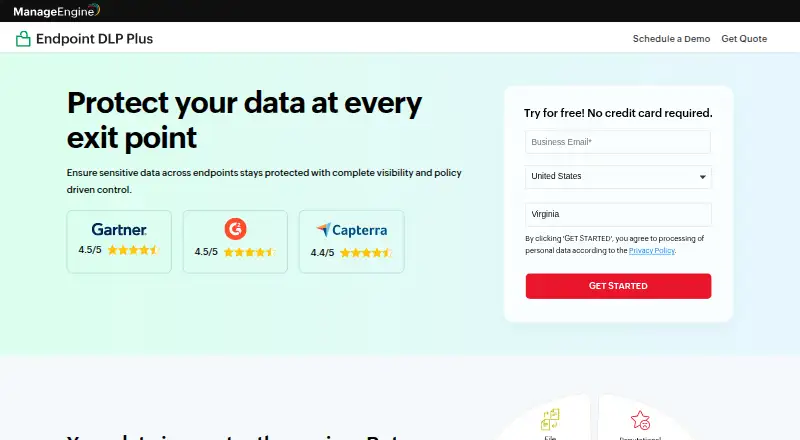
What ManageEngine Endpoint DLP Plus is
ManageEngine Endpoint DLP Plus helps IT administrators and security leaders find and protect sensitive data on endpoint devices. It scans endpoints for personal and financial information, classifies data by sensitivity, and applies policies defined for users, roles, devices, or locations. Those policies can be deployed across endpoints. The product monitors transfers through USB devices, browsers, cloud apps, and email, and can block unauthorized movement. File inspection can follow sensitive data when files are renamed, compressed, or moved; OCR detects it in images and scans. Listed capabilities include insider threat controls, cloud protection, device control, false-positive remediation, data containerization, and reports. Email policies cover Outlook desktop, including Outlook 2013, 2019, 2021, and Microsoft 365, but not web-based email clients. Active Directory integration supports domain-based computers and directory resources. The on-premises version keeps customer data in the customer's environment. Pricing includes a free edition for up to 25 devices and a Professional Edition at $795 a year for 100 workstations and one technician; a 30-day trial is listed.
Who it suits
It suits IT administrators and security leaders who need to locate sensitive endpoint data and control its movement. The free edition is listed for up to 25 Windows devices; Outlook policies apply to desktop Outlook, not web-based email.
What it does well
- Scans and classifies sensitive endpoint data.
- Can block unauthorized transfers across listed channels.
- OCR detects sensitive data in images and scans.
- Supports Active Directory integration.
- Free Edition covers up to 25 devices.
What to know first
- Web-based email clients are not supported.
- No per-file encryption for cloud-app shares.
- No controls for mapped or UNC network-drive transfers.
Limits
The Free Edition is limited to 25 devices. The listed Professional Edition is US$795 per year for 100 workstations and one technician.
Plans
| Plan | Billed and limits | Price |
|---|---|---|
| Free Edition | Up to 25 devices · LAN and WAN · Windows | Free |
| Professional Edition | Annual subscription; the page shows US$795 for 100 workstations. · 100 workstations · 1 technician | $795 a year |
As manageengine.com lists them, read 7 Oct 2026. The maker's own page has the final word.
Getting started
- Visit the ManageEngine Endpoint DLP Plus website.
- Choose the Free Edition or Professional Edition; a 30-day trial is available.
- Deploy the on-site server and endpoint agents.
- Access the web console with Edge, Firefox, Chrome, or Zoho Ulaa.
- Connect Active Directory if you manage domain-based computers and directory resources.
ManageEngine Endpoint DLP Plus is endpoint data-loss prevention software for IT administrators and security leaders who need to find and control sensitive data on Windows devices. It is strongest for organizations seeking centrally managed endpoint policies and monitoring; browser-based email and network-drive limitations make it a poor fit for some environments.
Overview
The deployment brings together an on-site server, endpoint agents, a web console, and Active Directory integration. Endpoint scans locate and classify sensitive information, including personal and financial records, while administrators can apply policies by user, role, device, or location. For organizations that want the on-premises version’s customer data to remain in their own environment, this is a focused endpoint security approach. Its Windows-centered scope and channel gaps limit how broadly it can protect data movement.
Key features
Discovery and content inspection
Scanning and classification help teams find sensitive data before setting controls. Content inspection can track files even when they are renamed, compressed, or moved, and OCR support detects sensitive content in images and scans. That gives policies more context than file-name rules alone, though the product’s value depends on endpoints being within its managed environment.
Policy and channel controls
Policies can be deployed across endpoints and tailored by user, role, device, or location. Endpoint DLP Plus monitors movement through USB devices, browsers, cloud apps, and email, and can block unauthorized transfers. Listed capabilities also include device control, cloud protection, email security, insider-threat controls, data containerization, false-positive remediation, and reports. These controls suit teams that need several endpoint channels governed from one product; they do not close every transfer path.
Email and remote access
Email DLP policies cover Microsoft Outlook desktop, including Outlook 2013, 2019, 2021, and Microsoft 365, but not web-based email clients. That is a meaningful constraint for organizations whose users rely on webmail. Secure login uses HTTPS, and a Secure Gateway Server is offered for roaming users and remote offices. Edge, Firefox, Chrome, and Zoho Ulaa can access the console.
Important coverage gaps
The FAQ says the product does not provide per-file encryption for cloud-app shares or controls for transfers to mapped or UNC network drives. Those omissions matter if cloud sharing or network-drive movement is central to a DLP program: endpoint discovery and USB controls cannot substitute for those missing protections.
Pricing
The Free Edition costs nothing and covers up to 25 devices over LAN and WAN on Windows. It is a practical starting point for small Windows environments, but its device cap makes it unsuitable for larger deployments.
The Professional Edition costs $795 a year, billed annually, for 100 workstations and 1 technician. This is the stated paid entry point for teams that need a larger managed fleet; the single-technician allowance is a consideration for organizations sharing administration across a team. A 30-day trial lets buyers evaluate the product before committing. Support is available by web request and email, and ManageEngine offers personalized product demos.
Platforms
The product is listed for self-hosted, web, and Windows use. Its server and agents support specified Windows versions, while the web console runs in several named browsers. That combination makes it suited to Windows endpoint estates with browser-based administration, not a cross-platform endpoint fleet.
Who it's for
Endpoint DLP Plus is best for IT and security teams managing Windows devices that need data discovery, classification, policy enforcement, and controls across removable media, browsers, cloud apps, and desktop Outlook. Active Directory support helps manage domain-based computers and directory resources. Organizations that depend on webmail DLP, mapped or UNC drive controls, or cloud-share per-file encryption should look elsewhere.
Pros and cons
- Pros: Scans and classifies sensitive endpoint data, including through OCR for images and scans, before policies are applied.
- Pros: Policies can be targeted by user, role, device, or location, with monitoring across USB, browsers, cloud apps, and supported Outlook desktop clients.
- Pros: The on-premises version keeps customer data in the customer’s own environment, and a Secure Gateway Server supports roaming users and remote offices.
- Cons: Email DLP does not support web-based email clients, ruling it out for teams that need webmail coverage.
- Cons: It lacks controls for mapped or UNC network-drive transfers and per-file encryption for cloud-app shares, leaving important routes uncovered.
- Cons: Windows support narrows its fit for organizations with mixed-platform endpoints.
Alternatives
For a broader data loss prevention software comparison, consider how each product’s platform and deployment scope matches your environment.
- Cloudflare Data Loss Prevention is worth considering for buyers seeking a free plan for up to 50 users or a no-user-limit pay-as-you-go plan at $7 a month, with platforms spanning Android, iOS, Linux, macOS, web, and Windows.
- InfoWatch Traffic Monitor may suit organizations seeking Linux, macOS, API, or self-hosted support and willing to obtain a commercial offer tailored to scale and requirements.
- Trellix Data Loss Prevention is an option for enterprise teams seeking coverage across endpoints, email, web, networks, and data storage, with on-premises or SaaS management.
- FortiDLP is another paid option to compare.
- Siberson Verikor DLP suits buyers comparing enterprise licensing offered annually or perpetually on-premises, or annually as SaaS, with licensing per unique user.
- Mimecast Data Leak Prevention is a web-based alternative with Professional and Enterprise plans.
- Netskope One Data Loss Prevention is another paid option to compare.
- Netskope One Private Access is an enterprise product to consider separately.
Verdict
Choose ManageEngine Endpoint DLP Plus if you need Windows-focused endpoint discovery and policy controls across common device and cloud channels, with on-premises data remaining in your environment. Its inspection, targeting, and monitoring capabilities make that case clearly. Look elsewhere if webmail, network-drive transfers, or per-file encryption for cloud shares are requirements rather than nice-to-haves.
Verdict
Endpoint DLP Plus combines data discovery, policy controls, and monitoring across several endpoint channels. Check its email and network-drive limitations against the environments you need to protect.
Questions
Is there a free plan?
Yes. The Free Edition costs nothing and covers up to 25 devices.
How much does the Professional Edition cost?
It is listed at US$795 per year for 100 workstations and one technician.
Is a trial available?
Yes, a 30-day trial is listed.
Which platforms are supported?
The listed platforms are self-hosted, web, and Windows.
Does it work with web-based email clients?
No. Email DLP policies apply to Microsoft Outlook desktop; web-based email clients are not supported.
Does it integrate with Active Directory?
Yes. Active Directory integration supports management of domain-based computers and directory resources.
Facts from ManageEngine Endpoint DLP Plus's own pages
- Access security
- The product supports secure login over HTTPS and offers a Secure Gateway Server for roaming users and remote offices. · manageengine.com, 7 Oct 2026
- Content inspection
- It inspects file contents and can track sensitive data when files are renamed, compressed, or moved. · manageengine.com, 7 Oct 2026
- Data channels
- It monitors data movement across USB devices, browsers, cloud apps, and email, and can block unauthorized transfers. · manageengine.com, 7 Oct 2026
- Data discovery
- It scans endpoints to locate sensitive data, identify PII and financial records, and classify data by sensitivity. · manageengine.com, 7 Oct 2026
- Deployment
- The architecture guide describes an on-site server, endpoint agents, a web console, and Active Directory as components. · manageengine.com, 7 Oct 2026
- Directory integration
- Endpoint DLP Plus supports Active Directory integration for managing domain-based computers and directory resources. · manageengine.com, 7 Oct 2026
- Email integration
- Email DLP policies apply to Microsoft Outlook desktop, including Outlook 2013, 2019, 2021, and Microsoft 365; web-based email clients are not supported. · manageengine.com, 7 Oct 2026
- Features
- Listed capabilities include insider threat controls, cloud protection, email security, device control, false-positive remediation, data containerization, and reports. · manageengine.com, 7 Oct 2026
- Founded
- 1996 · manageengine.com, 28 Sept 2026
- Headquarters
- Pleasanton, California, USA · manageengine.com, 28 Sept 2026
- Notable limits
- The FAQ says it does not provide per-file encryption for cloud-app shares or controls for transfers to mapped or UNC network drives. · manageengine.com, 7 Oct 2026
- OCR
- The product page says OCR support detects sensitive data in images and scans. · manageengine.com, 7 Oct 2026
- Policy controls
- Policies can be defined by users, roles, devices, or locations and automatically deployed across endpoints. · manageengine.com, 7 Oct 2026
- Purpose
- Endpoint DLP Plus helps IT administrators and security leaders discover, monitor, and protect sensitive data on endpoints. · manageengine.com, 7 Oct 2026
- Security
- The security policy says customer data for the on-premises version resides in the customer's own environment. · manageengine.com, 7 Oct 2026
- Support
- ManageEngine lists technical support by web request and email, and offers personalized product demos. · manageengine.com, 7 Oct 2026
- Supported systems
- The server and agents are supported on specified Windows versions; the console is accessed using Edge, Firefox, Chrome, or Zoho Ulaa. · manageengine.com, 7 Oct 2026
Where ManageEngine Endpoint DLP Plus stands on Freedom251
- Data Loss Prevention Software#2 of 27
- Data Loss Protection Software#2 of 18