Freedom251 › Minecraft Shader Packs
MakeUp - Ultra Fast
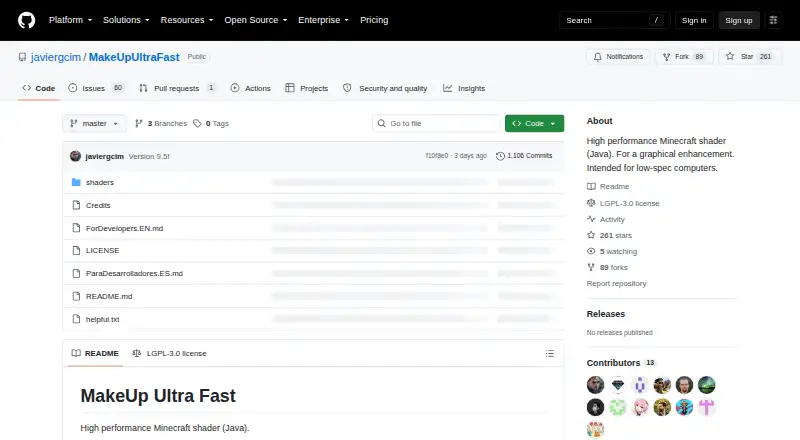
What MakeUp - Ultra Fast is
MakeUp - Ultra Fast is a free shader for Minecraft Java that adds configurable visual effects, with a focus on computers with limited hardware. It aims to balance image quality and performance by letting players enable only the effects they want. Options include shadows, volumetric clouds, temporal anti-aliasing, depth of field, ambient occlusion, water reflection and refraction, motion blur, bloom, chromatic aberration, and auto-exposure. Players can choose and change color schemes. The shader works with OptiFine and Iris, and the repository specifies Iris 1.5.1 or higher. The project says it has been tested with Minecraft Java 1.12 and later; its version listings include releases through 26.x. Windows and Linux are the tested operating systems. Nvidia, AMD, and Intel GPUs are listed as tested, though compatibility is not guaranteed for every model. Shadows and depth of field use more resources and can be disabled for more performance. To install it, place the shader pack in Minecraft's shaderpacks folder. It is licensed under LGPL-3.0, and the project permits use, forking, and modification for any purpose, with credit requested for modifications or use. Downloads are listed on Modrinth and CurseForge, with source on GitHub.
Who it suits
MakeUp - Ultra Fast suits Minecraft Java players who want configurable shader effects on a low-spec computer. It may also suit players who want to adjust the visual effects and color scheme, provided they use OptiFine or Iris.
What it does well
- Free to use under the LGPL-3.0 license.
- Lets players enable only selected visual effects.
- Includes a wide range of configurable effects.
- Color schemes can be changed.
- Works with OptiFine and Iris.
- Tested with Nvidia, AMD, and Intel GPUs.
What to know first
- Requires OptiFine or Iris.
- Windows and Linux are the tested operating systems.
- Compatibility is not guaranteed for every GPU model.
- Shadows and depth of field use more resources.
Limits
The project says shadows and depth of field are resource-intensive and can be disabled for more performance. GPU compatibility is not guaranteed for every model.
Getting started
- Download the shader pack from Modrinth or CurseForge, or use the source linked on GitHub.
- Install OptiFine or Iris; Iris 1.5.1 or higher is specified by the repository.
- Place the shader pack in Minecraft's shaderpacks folder.
- Enable the effects and color scheme you want.
Verdict
Choose MakeUp - Ultra Fast if you want a free Minecraft Java shader with optional effects and adjustable color schemes. Look elsewhere if you need compatibility guarantees for a particular GPU or do not use OptiFine or Iris.
Questions
Is MakeUp - Ultra Fast free?
Yes. It is listed as free, and the project uses the LGPL-3.0 license.
Which Minecraft edition does it support?
The shader is for Minecraft Java. The project says it has been tested with version 1.12 and later.
Does it work with OptiFine or Iris?
It works with both. The repository specifies Iris 1.5.1 or higher.
Which operating systems are supported?
The project says it has been tested on Windows and Linux.
Which GPUs does it support?
Nvidia, AMD, and Intel GPUs are listed as tested, but compatibility is not guaranteed for every model.
Where can I download it?
The shader is listed on Modrinth and CurseForge, with its source linked on GitHub.
Facts from MakeUp - Ultra Fast's own pages
- Adaptable effects
- The shader’s effects are optional so users can adapt it to their resources. · modrinth.com, 7 Oct 2026
- Color schemes
- Users can choose and change color schemes. · modrinth.com, 7 Oct 2026
- Compatibility
- The project says it works with OptiFine and Iris; version 8.7 or higher requires Iris 1.5.1 or higher according to its CurseForge description. · curseforge.com, 7 Oct 2026
- Downloads
- The shader is listed on Modrinth and CurseForge, with source linked on GitHub. · github.com, 7 Oct 2026
- Effects
- Optional effects include shadows, volumetric clouds, TAA antialiasing, depth of field, ambient occlusion, water reflection and refraction, motion blur, bloom, chromatic aberration, and auto-exposure. · github.com, 7 Oct 2026
- Hardware
- The project lists Nvidia, AMD, and Intel GPUs as tested, while noting compatibility is not guaranteed for every model. · modrinth.com, 7 Oct 2026
- Hardware support
- The project lists Nvidia, AMD, and Intel GPUs as tested, while cautioning that it is not guaranteed to work on every model. · modrinth.com, 7 Oct 2026
- Installation
- Use requires OptiFine or Iris, and the instructions say to place the shader pack in the Minecraft shaderpacks folder. · curseforge.com, 7 Oct 2026
- Integrations
- The shader works with OptiFine and Iris; the repository specifies Iris 1.5.1 or higher. · github.com, 7 Oct 2026
- License and use
- The project is licensed LGPL-3.0 and says users may use it without restrictions, fork it, and modify it for any purpose, with credit requested for modifications or use. · github.com, 7 Oct 2026
- Minecraft compatibility
- The project lists testing with Minecraft Java versions 1.12 and later, and Modrinth lists versions through 26.3. · modrinth.com, 7 Oct 2026
- Minecraft versions
- The GitHub README says it was tested with Minecraft 1.12+ through 26.x. · github.com, 7 Oct 2026
- Operating systems
- The project says it has been tested on Windows and Linux; CurseForge marks macOS compatibility as unknown. · curseforge.com, 7 Oct 2026
- Performance
- The shader aims to provide a strong quality-to-performance ratio and lets users enable only the effects they want. · modrinth.com, 7 Oct 2026
- Performance limits
- The maker says shadows and depth of field are resource-intensive and can be removed for more performance. · modrinth.com, 7 Oct 2026
- Purpose
- MakeUp Ultra Fast is a high-performance Minecraft Java shader for graphical enhancement, intended for low-spec computers. · github.com, 7 Oct 2026
- Resource demands
- The project says shadows and depth of field are resource-intensive and can be disabled for more performance. · modrinth.com, 7 Oct 2026
- Support
- Bug reports should identify the relevant mod or resource pack and give step-by-step reproduction instructions; the maker says a report does not guarantee resolution. · curseforge.com, 7 Oct 2026
- Visual features
- Features include shadows, volumetric clouds, TAA antialiasing, depth of field, ambient occlusion, water reflections and refractions, motion blur, bloom, chromatic aberration, and auto-exposure. · github.com, 7 Oct 2026
Where MakeUp - Ultra Fast stands on Freedom251
- Minecraft Shader Packs#12 of 38