Mailspring
by Mailspring
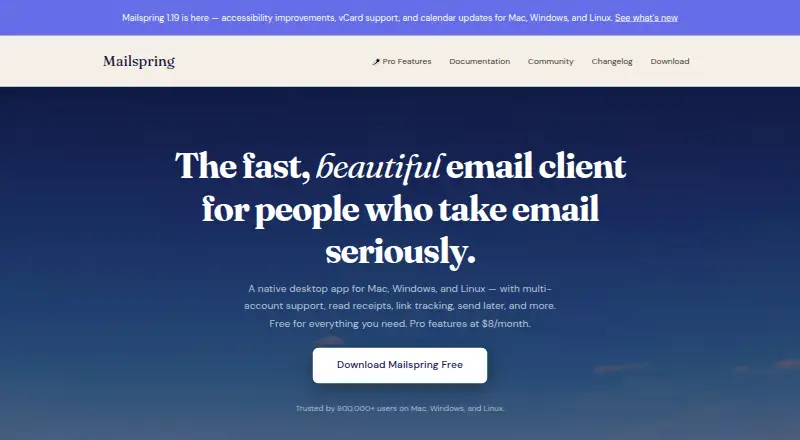
What Mailspring is
Mailspring is a desktop email client for Linux, macOS, and Windows, with a unified inbox for multiple accounts. It supports Gmail, iCloud, Office 365, Fastmail, Outlook.com, Yahoo!, and IMAP/SMTP providers, and indexes messages for advanced Gmail-style searches across connected accounts. The client also works offline. Free features include undo send, spell and grammar checking, custom themes, dark mode, and localization. Mailspring Pro adds read receipts, link tracking, send later, follow-up reminders, templates, contact profiles, snoozing, and mailbox insights; it costs $8 a month, billed monthly. Mailspring connects to email providers through IMAP and to calendars and contacts through CalDAV and CardDAV. It can translate draft messages into Spanish, Russian, simplified Chinese, French, and German, and can offer translations of incoming messages. Credentials are stored in the system keychain. Mailspring says it does not transmit, store, or process email in the cloud, and that its full codebase is open source under the MIT license.
Who it suits
Mailspring suits desktop users who manage several email accounts and want them in one inbox. It may also suit people who need offline access or searchable mail across accounts.
What it does well
- Supports Linux, macOS, and Windows.
- Unified inbox supports multiple accounts.
- Indexed mail enables advanced Gmail-style searches.
- Free client includes spell and grammar checking.
What to know first
- Calendar tools are not included in the app.
- Pro costs $8 a month, billed monthly.
- Several listed features are Pro-only.
Limits
The free plan allows Pro features to be tried a few times each week. Mailspring Pro costs $8 a month, billed monthly.
Plans
| Plan | Billed and limits | Price |
|---|---|---|
| Basic | Unlimited accounts | On request |
| Free | Free email client and features · Pro features can be tried a few times each week | Free |
| Mailspring Pro | $8/mo · Templates · contact profiles · follow-up reminders · read receipts · link tracking · send later · grammar check · company overviews · snooze messages · mailbox insights | $8 a month |
As getmailspring.com lists them, read 21 Sept 2026. The maker's own page has the final word.
Getting started
- Visit the Mailspring website.
- Download the client for Linux, macOS, or Windows.
- Connect accounts from supported providers, including Gmail, iCloud, Office 365, Fastmail, Outlook.com, Yahoo!, or IMAP/SMTP providers.
- Use the free plan, or choose Mailspring Pro for its additional email features.
Mailspring is a desktop email client for people who manage several accounts and want a single, searchable workspace. It suits professionals on Linux, macOS, or Windows who value local access and provider flexibility. The main choice is whether its paid workflow tools justify a recurring subscription when the free client already handles core mail.
Overview
Mailspring brings Gmail, iCloud, Office 365, Fastmail, Outlook.com, Yahoo!, and other IMAP/SMTP accounts into one unified inbox. That is a practical fit for anyone tired of switching between services, although its desktop-only scope is a poor match for readers who need a browser or mobile-first client.
Messages are indexed for advanced Gmail-style searches across connected accounts, making archives easier to query from one place. Offline access supports work when a connection is unavailable. Mailspring syncs directly with providers over IMAP and connects calendars and contacts through CalDAV and CardDAV, but it has no built-in calendar tools, so it is not a complete personal-information manager.
Credentials are kept in the system keychain. Mailspring says it does not transmit, store, or process email in the cloud, and it provides a way to delete cloud-stored information for GDPR compliance. The full codebase is open source under the MIT license. Foundry376, the small independent team behind the product, provides a security vulnerability contact at [email protected] and says replies should arrive within a few hours.
Key features
Inbox and composition
The free client includes undo send, spell checking, grammar checking, custom themes, dark mode, and localization. Scheduled sending is available, while translation can convert drafts into Spanish, Russian, simplified Chinese, French, or German and can offer translations for incoming messages. These tools cover everyday writing and international correspondence without requiring a separate service.
Pro workflow tools
Mailspring Pro adds read receipts, link tracking, send later, follow-up reminders, templates, contact profiles, snoozing, and mailbox insights. They are useful for sales follow-ups, recruiting, client work, and anyone who needs reminders and message analytics. Users who only need consolidated inboxes and search may find the subscription unnecessary, since those fundamentals remain in the free client.
Pricing
| Plan | Price | What you get |
|---|---|---|
| Free | free | Free email client and features; Pro features can be tried a few times each week. |
| Mailspring Pro | $8 a month, billed monthly | Unlimited snooze and send later, follow-up reminders, read receipts, link tracking, and templates. |
| Basic | Custom pricing | Unlimited accounts. |
The Free plan is the sensible starting point for occasional or light email users, with limited weekly opportunities to sample Pro tools. At $8 monthly, Pro fits people who will routinely use scheduling, reminders, tracking, and templates; monthly billing avoids a long commitment but costs more over time than an annual term would if one were offered. Basic has custom pricing and unlimited accounts, making it relevant to account-heavy use where the standard options do not fit.
Platforms
Mailspring runs on Linux, macOS, and Windows as a desktop application. There is no listed Android, iOS, or web client, so people who expect the same mailbox on phones or in a browser should choose a cross-platform alternative.
Who it's for
Choose Mailspring if several providers need to be managed from one desktop inbox, fast cross-account search matters, and offline work is part of the routine. It is particularly well suited to professionals who can turn Pro's follow-up, snooze, template, receipt, and tracking tools into daily productivity gains. It is less suitable for calendar-centric workflows, mobile-only users, or readers who want advanced features without a subscription.
Pros and cons
- Pros: Unified support for major providers and IMAP/SMTP accounts reduces account switching.
- Pros: Indexed Gmail-style search spans connected accounts, while offline access keeps desktop work moving.
- Pros: Keychain credential storage, stated no-cloud email processing, and MIT-licensed code provide a clear privacy and transparency position.
- Pros: Free writing tools, themes, dark mode, localization, and limited Pro trials make the entry tier useful.
- Cons: Calendar tools are absent; CalDAV and CardDAV integrations connect data but do not provide a calendar workspace.
- Cons: Pro workflow features require $8 monthly, which is hard to justify for users who only need inbox consolidation and search.
- Cons: Desktop-only availability excludes users seeking mobile or browser access.
Alternatives
Browse Email clients for a wider comparison. Choose Mozilla Thunderbird instead if you want a free, open-source client with email, calendar, contacts, and Android support. Zoho Mail suits small teams needing a forever-free hosted mailbox for up to five users, one domain, and 5 GB per user.
Spark Mail is the better choice when smart inbox features, notifications, calendar support, and mobile apps matter. Pick eM Client if two accounts on one device are enough on its free tier and you prefer a registered desktop client with paid personal plans. Mailbutler Smart Assistant is an alternative for users who want an email productivity assistant across desktop, mobile, web, and extension platforms.
Newton Mail fits readers comfortable with a free plan capped at two accounts and monthly usage limits for read receipts and AI actions. BlueMail is worth considering for broad platform coverage and unlimited accounts on its Personal plan. Spike is aimed at team-style communication, with a free Starter tier for three members, one teamspace, 60 days of search history, and 15 GB per member.
Verdict
Mailspring is a strong choice for desktop professionals who need multiple-provider email, dependable cross-account search, offline access, and optional follow-up automation. Its main reason to look elsewhere is the combination of no built-in calendar and a monthly Pro fee for features that matter mainly to high-volume or workflow-driven users.
Verdict
Mailspring brings multi-account email, offline access, and indexed search to desktop platforms. The free client covers core email tools, while several listed productivity features require Pro.
Questions
Is Mailspring free?
Yes. Its Free plan is listed as free and includes the free email client and features. Pro features can be tried a few times each week.
How much does Mailspring Pro cost?
Mailspring Pro costs $8 a month, billed monthly.
Which platforms does Mailspring support?
Mailspring is a desktop app for Linux, macOS, and Windows.
Which email accounts can I connect?
It supports Gmail, iCloud, Office 365, Fastmail, Outlook.com, Yahoo!, and IMAP/SMTP providers.
Is Mailspring open source?
Yes. Its maker says the full codebase is open source under the MIT license.
Who makes Mailspring?
Mailspring is built and maintained by Foundry376, an independent team based in San Francisco, California.
Facts from Mailspring's own pages
- Accounts
- It supports multiple accounts, including Gmail, iCloud, Office 365, Fastmail, Outlook.com, Yahoo!, and IMAP/SMTP providers, in a unified inbox. · getmailspring.com, 4 Oct 2026
- App coverage
- desktop · getmailspring.com, 21 Sept 2026
- Calendar tools
- No · getmailspring.com, 21 Sept 2026
- Cloud data
- Mailspring says it provides a way to delete information it stores in the cloud in compliance with GDPR. · getmailspring.com, 4 Oct 2026
- Company
- Mailspring is built and maintained by Foundry376, described by the maker as a small, independent team with no outside investors. · getmailspring.com, 4 Oct 2026
- Free features
- The free client includes undo send, spell checking, grammar checking, custom themes, dark mode, and localization. · getmailspring.com, 4 Oct 2026
- Free plan
- Yes · getmailspring.com, 21 Sept 2026
- Headquarters
- San Francisco, California, United States · getmailspring.com, 28 Sept 2026
- Integrations
- Mailspring syncs directly with mail providers using IMAP and with calendars and contacts using CalDAV and CardDAV. · getmailspring.com, 4 Oct 2026
- Offline access
- Yes · getmailspring.com, 21 Sept 2026
- Open source
- The maker says the full codebase is open source under the MIT license. · getmailspring.com, 4 Oct 2026
- Platforms
- Downloads are offered for Windows, macOS, and Linux, including Windows ARM64, Apple Silicon, and Linux ARM packages. · getmailspring.com, 4 Oct 2026
- Product
- Mailspring is a native desktop email client for people who take email seriously. · getmailspring.com, 4 Oct 2026
- Pro features
- Pro includes read receipts, link tracking, send later, follow-up reminders, templates, contact profiles, snoozing, and mailbox insights. · getmailspring.com, 4 Oct 2026
- Search
- Mailspring indexes email to support advanced Gmail-style searches across connected accounts. · getmailspring.com, 4 Oct 2026
- Security
- Email credentials are stored in the system keychain, and Mailspring says it does not transmit, store, or process email in the cloud. · getmailspring.com, 4 Oct 2026
- Scheduled sending
- Yes · getmailspring.com, 21 Sept 2026
- Support
- For security vulnerability reports, the maker gives [email protected] and says users can expect a response within a few hours. · getmailspring.com, 4 Oct 2026
- Translation
- Mailspring can translate draft messages into Spanish, Russian, simplified Chinese, French, and German, and can offer to translate incoming messages. · getmailspring.com, 4 Oct 2026
- Unified inbox
- Yes · getmailspring.com, 21 Sept 2026
Where Mailspring stands on Freedom251
- Email clients#16 of 142