MacKiosk
What MacKiosk is
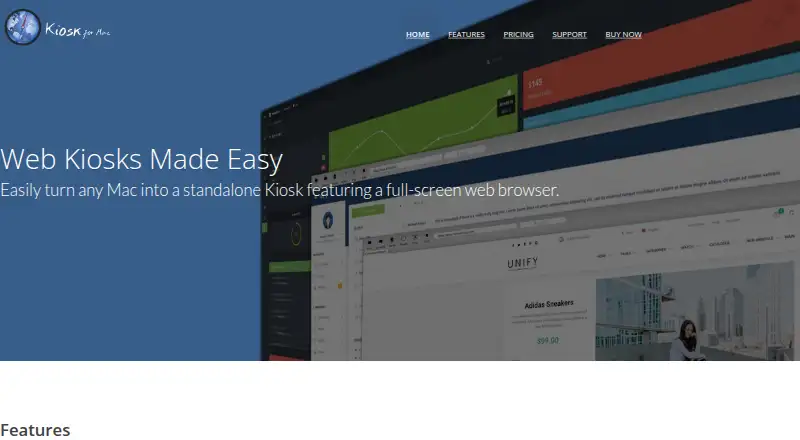
MacKiosk’s Kiosk app turns a Mac into a full-screen web browser for controlled displays, including unattended marketing screens. Site access can be limited with a whitelist or blacklist, and the app can prevent visitors from switching applications or leaving the kiosk. Presentation Mode hides browser controls and the mouse cursor. Kiosk can reload pages automatically, cycle through tabs, and open configured pages at startup. It can display on the main screen, mirror across displays, or use a selected display. The app can also show local files, though access to them is disabled by default for security. MacKiosk documents how to launch Kiosk at login and restrict access to the desktop; its guidance cautions that macOS login hooks run scripts as root and suggests considering regular login items or a dedicated user. The app is available for macOS through the Mac App Store for $4.99, paid once, with free upgrades for existing customers. There is no free plan. A support center offers FAQs, product information, and a way to ask questions.
Who it suits
MacKiosk suits Mac users setting up controlled, unattended displays, such as marketing screens. Its display options also address setups using more than one screen.
What it does well
- Restricts sites with a whitelist or blacklist.
- Can block application switching and kiosk exit.
- Automatically reloads pages and cycles through tabs.
- Offers main-display, mirrored, and selected-display modes.
- Existing customers receive free upgrades.
What to know first
- Available for macOS only.
- No free plan is listed.
- Local file access is disabled by default.
Limits
There is no free plan. Local file access is disabled by default; enabling it is required to display local files.
Plans
| Plan | Billed and limits | Price |
|---|---|---|
| App Store | Available on the Mac App Store · free upgrade for existing customers | $4.99, paid once |
As mackiosk.com lists them, read 8 Oct 2026. The maker's own page has the final word.
Getting started
- Visit the MacKiosk website.
- Get Kiosk through the Mac App Store for $4.99, paid once.
- Configure a whitelist or blacklist for the sites visitors can access.
- Choose the display and configure pages, reloads, or tab cycling.
- Configure launch at login and desktop restrictions as needed.
Verdict
MacKiosk focuses on turning a Mac into a restricted browser display, with controls for site access, unattended presentation, and multi-display setups. The maker’s guidance notes that login hooks run scripts as root, so deployment choices deserve attention.
Questions
How much does MacKiosk cost?
The App Store plan costs $4.99, paid once. Existing customers receive free upgrades.
Is there a free plan?
No, MacKiosk has no free plan.
Which platform does Kiosk support?
Kiosk is available for macOS through the Mac App Store.
Can it restrict which sites visitors open?
Yes. Kiosk can use a whitelist or blacklist to restrict sites.
Can Kiosk display local files?
Yes, but local file access is disabled by default for security reasons.
How can I get support?
MacKiosk offers a support center with FAQs, product information, and a way to ask questions.
Facts from MacKiosk's own pages
- App restrictions
- Kiosk can prevent users from switching applications or exiting the kiosk. · mackiosk.com, 8 Oct 2026
- Automatic updates to display
- Kiosk can automatically reload pages, cycle through tabs, and open configured pages at startup. · mackiosk.com, 8 Oct 2026
- Deployment
- The maker documents configuring Kiosk to launch at login and prevent access to the desktop environment. · mackiosk.com, 8 Oct 2026
- Display options
- Users can show Kiosk on the main display, mirror it on all displays, or choose a specific display. · mackiosk.com, 8 Oct 2026
- Headquarters
- Salt Lake City, Utah, United States · mackiosk.com, 28 Sept 2026
- Intended use
- The maker describes Kiosk as suitable for non-interactive settings such as an unattended marketing display. · mackiosk.com, 8 Oct 2026
- Keyboard shortcut
- The default shortcut to close the browser window is Command + Shift + B, and it can be changed. · mackiosk.com, 8 Oct 2026
- Local files
- Kiosk can display content from local files, with local file access disabled by default for security reasons. · mackiosk.com, 8 Oct 2026
- Presentation mode
- Presentation Mode hides browser controls and the mouse cursor for unattended displays. · mackiosk.com, 8 Oct 2026
- Purpose
- Kiosk turns a Mac into a standalone kiosk with a full-screen web browser. · mackiosk.com, 8 Oct 2026
- Security guidance
- The maker warns that macOS login hooks run scripts as root and recommends considering regular login items or a dedicated user instead. · mackiosk.com, 8 Oct 2026
- Site controls
- Users can restrict sites with a whitelist or blacklist. · mackiosk.com, 8 Oct 2026
- Support
- The maker offers a support center with FAQs, product information, and a way to ask questions. · mackiosk.com, 8 Oct 2026
Where MacKiosk stands on Freedom251
- Kiosk Browsers#17 of 20