Freedom251 › Monitor Control Software
m1ddc
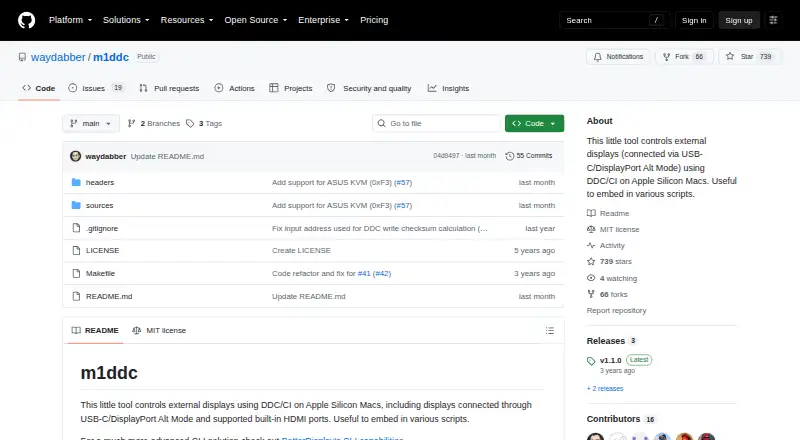
What m1ddc is
m1ddc is a command-line utility for controlling external displays from Apple Silicon Macs. It uses DDC/CI commands to set or read luminance, contrast, RGB gain, volume, mute, and input source, provided the display supports those controls. It works with displays connected through USB-C or DisplayPort Alt Mode, and with supported built-in HDMI ports. Certain Dell displays also allow commands for configuring PIP/PBP and KVM functions.
The command-line interface makes display controls available to scripts; the README links to a Hammerspoon script example. It also links to a Raycast Display Input Switcher extension, which covers some but not all of m1ddc’s features. The tool runs on macOS with Apple Silicon and does not support Intel Macs. Building requires clang from Apple’s Command Line Tools, which install automatically if absent. The repository includes an MIT License. The free plan costs nothing and is for Apple Silicon Macs with DDC/CI-compatible external displays.
Who it suits
m1ddc suits Apple Silicon Mac users who want command-line control of external displays or want to use display commands in scripts. It may also suit users of supported Dell displays who need PIP/PBP or KVM controls.
What it does well
- Controls luminance, contrast, RGB gain, volume, mute, and input source.
- Works with USB-C and DisplayPort Alt Mode displays.
- Supports certain built-in HDMI ports.
- Can configure PIP/PBP and KVM on certain Dell displays.
- Includes an MIT License.
What to know first
- Does not support Intel Macs.
- Display controls depend on the display supporting them.
- Raycast extension does not cover every m1ddc feature.
Limits
The free plan is for Apple Silicon Macs and DDC/CI-compatible external displays. Available controls depend on display support; PIP/PBP and KVM commands apply to certain Dell displays.
Plans
| Plan | Billed and limits | Price |
|---|---|---|
| m1ddc | Apple Silicon Macs only · DDC/CI-compatible external displays | Free |
As github.com lists them, read 8 Oct 2026. The maker's own page has the final word.
Getting started
- Visit the m1ddc project website.
- Use a macOS device with Apple Silicon.
- Connect a DDC/CI-compatible display through USB-C, DisplayPort Alt Mode, or a supported built-in HDMI port.
- Build with clang from Apple’s Command Line Tools; those tools install automatically if absent.
Verdict
Choose m1ddc if you use an Apple Silicon Mac and want DDC/CI display controls from the command line or scripts. Look elsewhere if you use an Intel Mac or need controls unsupported by your display.
Questions
How much does m1ddc cost?
The listed plan is free.
Which Macs does it support?
It supports macOS on Apple Silicon and does not support Intel Macs.
What display controls can it use?
It can set or read luminance, contrast, RGB gain, volume, mute, and input source when the display supports them.
Can m1ddc be used in scripts?
Yes. The command-line tool is described as useful in scripts, and the README links to a Hammerspoon example.
Is m1ddc open source?
The repository includes an MIT License.
Facts from m1ddc's own pages
- Automation
- The README describes the tool as useful to embed in scripts and links to a Hammerspoon script example. · github.com, 8 Oct 2026
- Build requirement
- Building requires clang from Apple's Command Line Tools, which the README says installs automatically if absent. · github.com, 8 Oct 2026
- Compatibility limit
- The README says m1ddc does not support Intel Macs. · github.com, 8 Oct 2026
- Connection support
- It supports displays connected through USB-C/DisplayPort Alt Mode and supported built-in HDMI ports. · github.com, 8 Oct 2026
- Display controls
- Commands can set or read luminance, contrast, RGB gain, volume, mute, and input source when the display supports them. · github.com, 8 Oct 2026
- Display features
- On certain Dell displays, commands can configure PIP/PBP and KVM functions. · github.com, 8 Oct 2026
- Intended users
- The README presents m1ddc as a command-line tool for Apple Silicon Mac users who want to control external displays or use display controls in scripts. · github.com, 8 Oct 2026
- License
- The repository includes an MIT License. · github.com, 8 Oct 2026
- Purpose
- m1ddc controls external displays with DDC/CI on Apple Silicon Macs. · github.com, 8 Oct 2026
- Raycast integration
- The README links to a Raycast Display Input Switcher extension for m1ddc and says it does not yet cover all m1ddc features. · github.com, 8 Oct 2026
Where m1ddc stands on Freedom251
- Monitor Control Software#14 of 24