Freedom251 › Dyslexia Learning Apps

Lumira
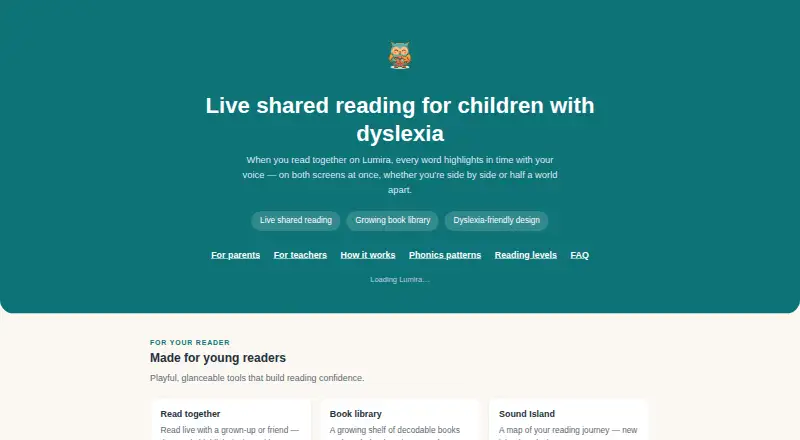
What Lumira is
Lumira is a free browser-based reading and phonics app for children with dyslexia. During shared reading, the current word highlights on each participant’s screen as a child reads aloud; sessions include built-in voice, so no separate video call is needed. Live reading features require a microphone. Its curriculum offers 136 structured phonics lessons across a 24-phase scope and sequence, alongside 76 original decodable books that Lumira says are free to use. Teachers can create classrooms, invite students, assign books or lessons and schedule sessions. A worksheet can be photographed and turned into an editable whiteboard for shared work. Accessibility options include dyslexia-friendly typography and spacing, high-contrast and reduced-motion modes, and colour-coded vowels. Lumira runs in a browser on a laptop, tablet or phone. Its readers, lessons and shared reading sessions are available at no cost, and the project is supported by optional donations.
Who it suits
Lumira suits children with dyslexia who are learning to read, as well as teachers who want to organize lessons, books and shared reading sessions. It may also suit users seeking browser access across a laptop, tablet or phone.
What it does well
- Free decodable readers, phonics lessons and shared sessions.
- Word highlighting syncs across participants’ screens.
- Teachers can assign lessons and schedule sessions.
- Includes dyslexia-friendly display options.
What to know first
- Live reading features require a microphone.
- Available on the web only.
Plans
| Plan | Billed and limits | Price |
|---|---|---|
| Lumira | Decodable readers · phonics lessons · shared reading sessions | Free |
As lumirareads.com lists them, read 7 Oct 2026. The maker's own page has the final word.
Getting started
- Open the Lumira website in a browser on a laptop, tablet, or phone.
- Use the decodable readers, phonics lessons, or shared reading sessions at no cost.
- For live reading features, use a device with a microphone.
- Teachers can create a classroom, invite students, and assign lessons or books.
Lumira is a browser reading app that combines live read-aloud sessions with a structured phonics course for children with dyslexia. It suits families, tutors, and teachers who need guided practice, classroom organization, and decodable material without a subscription. The main qualification is practical: live reading depends on a working microphone.
Overview
Lumira puts shared reading and phonics instruction in the same web app. During a read-aloud, the current word highlights on every participant’s screen, giving the group a common visual pace. Voice is built into the session, so a teacher and learner do not need to arrange a separate video call. That combination is a good fit for guided practice rather than a child working entirely alone.
Its reading course has 136 structured phonics lessons arranged over a 24-phase scope and sequence, with 76 original decodable books included at no cost. Lumira says the curriculum draws on structured-literacy frameworks used across the US, UK, Ireland, Australia, New Zealand, Canada, South Africa, Kenya, and the Philippines. The broad framework base may help educators working across regions, while the fixed sequence gives practice a clearer progression than an unstructured library.
Key features
Shared reading and teacher controls
Teachers can create classrooms, invite students, assign lessons or books, and schedule sessions. Those controls support recurring instruction and make the app more useful to a teaching team than a simple story reader. Word-synced highlighting helps participants stay on the same line and word during live correction or modelling.
Shared-session audio goes directly between participants rather than through a server, according to Lumira. The app also provides progress reports, phonics practice, and decoding practice, giving adults a way to connect assigned work with reading development.
Worksheet and accessibility tools
A user can photograph a worksheet and convert it into an editable whiteboard for collaborative work. This extends sessions beyond the built-in books, although it is most valuable when an adult is present to guide the shared activity.
Dyslexia-friendly typography and spacing, high-contrast and reduced-motion modes, and colour-coded vowels address common presentation needs. These settings can make longer practice more comfortable, but they do not remove the need for an appropriate teaching approach or microphone-equipped device for live reading.
Pricing
Lumira has one free plan: Lumira — free. It includes decodable readers, phonics lessons, and shared reading sessions. Lumira also states that its decodable readers, lessons, and shared sessions are free, with optional donations supporting the project. There is no paid tier, subscription renewal, seat charge, usage quota, or trial period to weigh. That makes it straightforward for a family or school to start, though organizations seeking paid support arrangements or differentiated administrative plans will need another product.
Platforms
Lumira runs in a browser on a laptop, tablet, or phone. No native app platform is specified. A microphone is required for the live reading features, so a device without one—or a setting where microphone access is restricted—cannot deliver the complete shared-session experience.
Who it's for
Lumira is aimed at children with dyslexia and the adults who teach them. It is particularly suitable for families wanting free structured practice, tutors running small-group read-alouds, and teachers who need assignments and scheduled sessions in one place. The decodable books and phased lessons also suit learners who benefit from explicit phonics and decoding work.
It is less suitable when the priority is an offline or microphone-free experience, a native mobile application, or a commercial plan with formal service and account-management options.
Pros and cons
Pros
- Completely free core access: readers, 136 phonics lessons, 76 decodable books, and shared sessions carry no listed charge.
- Coherent guided workflow: classrooms, assignments, invitations, scheduling, and progress reports support ongoing instruction.
- Useful live-reading aids: synchronized word highlighting and built-in voice keep participants aligned without a separate call.
- Flexible presentation: dyslexia-friendly spacing, high contrast, reduced motion, and colour-coded vowels provide multiple access adjustments.
- Collaborative worksheet work: the scan-to-editable-whiteboard tool can bring existing homework into a shared session.
Cons
- Microphone dependency: live reading cannot be used fully without microphone access.
- Browser-only delivery: users looking for a dedicated native app or offline workflow may prefer another option.
- Single free offering: there are no paid tiers for organizations that need different seats, controls, or service arrangements.
Alternatives
Lexy is the better choice for families wanting AI tutoring, voice-based learning, and adaptive phonics across iOS, macOS, and the web; its free tier supports up to five students, with Premium at $3.99 per month.
Reading Mountain suits readers who want Android, iOS, and web access plus a separate free phonemic-awareness app, with paid individual and other options beyond its Basecamp tier.
DytectiveU is an alternative for users seeking a freemium dyslexia-focused service on Android, iOS, or the web.
Cody Reading fits a single learner who wants three decodable stories per week and phonetic pattern matching free forever on the web; its Individual plan adds more.
EduFlip is worth considering for self-paced practice, with a free Level 1 and one student profile before its broader paid tiers.
Grafari is an alternative for users prepared to pay for a broader multi-platform plan, including Android, iOS, macOS, web, and Windows.
Legasthenie & LRS Trainer offers a freemium option with a one-time premium package for users who prefer that model.
OgStar Reading is another web and iOS option, including annual per-student school licensing.
The broader Dyslexia Learning Apps list is useful when Lumira's shared-session approach or browser requirement is not the right fit.
Verdict
Lumira is a strong choice for families and educators who want structured phonics, decodable reading, and live collaboration at no cost. Choose it for its unusually complete free teaching workflow and accessibility settings. Look elsewhere if microphone-free use, offline access, a native app, or paid administrative plans matters more than shared browser sessions.
Verdict
Lumira brings structured phonics and shared reading together in a free browser app. Its microphone requirement applies to live reading, and it is listed for web access.
Questions
How much does Lumira cost?
Lumira's decodable readers, phonics lessons, and shared reading sessions are available at no cost. Optional donations support the project.
Is there a free trial?
No free trial is listed; the readers, lessons, and shared sessions are available at no cost.
What platforms can I use Lumira on?
Lumira runs in a browser on a laptop, tablet, or phone. Its listed platform is web.
Does live reading need a microphone?
Yes. A microphone is required for live reading features.
What does Lumira include for phonics practice?
It provides 136 structured phonics lessons mapped to a 24-phase scope and sequence, as well as 76 original decodable books.
How does Lumira handle shared-session audio?
Lumira says shared-session audio goes directly between participants rather than through a server.
Facts from Lumira's own pages
- Accessibility
- The app includes dyslexia-friendly typography and spacing, high-contrast and reduced-motion modes, and colour-coded vowels. · lumirareads.com, 7 Oct 2026
- Browser access
- Lumira runs in a browser on a laptop, tablet, or phone and requires a microphone for live reading features. · lumirareads.com, 7 Oct 2026
- Built-in voice
- Shared reading sessions include voice, so participants do not need a separate video call. · lumirareads.com, 7 Oct 2026
- Decodable books
- Lumira says its 76 original decodable books are free to use. · lumirareads.com, 7 Oct 2026
- Homework scan
- Users can photograph a worksheet and turn it into an editable whiteboard for shared work. · lumirareads.com, 7 Oct 2026
- Integrations
- Lumira says shared-session audio goes directly between participants rather than through a server. · lumirareads.com, 7 Oct 2026
- Phonics curriculum
- Lumira provides 136 structured phonics lessons mapped to a 24-phase scope and sequence. · lumirareads.com, 7 Oct 2026
- Pricing
- Lumira says its decodable readers, phonics lessons, and shared reading sessions are available at no cost and that the project is supported by optional donations. · lumirareads.com, 7 Oct 2026
- Purpose
- Lumira provides live shared reading and structured phonics for children with dyslexia. · lumirareads.com, 7 Oct 2026
- Research basis
- Lumira says its curriculum draws on structured literacy frameworks from the US, UK, Ireland, Australia, New Zealand, Canada, South Africa, Kenya, and the Philippines. · lumirareads.com, 7 Oct 2026
- Teacher tools
- Teachers can create classrooms, invite students, assign lessons or books, and schedule sessions. · lumirareads.com, 7 Oct 2026
- Word-synced reading
- As a reader reads aloud, the current word highlights on every participant’s screen. · lumirareads.com, 7 Oct 2026
Where Lumira stands on Freedom251
- Dyslexia Learning Apps#9 of 23