Lucki Mod Manager
What Lucki Mod Manager is
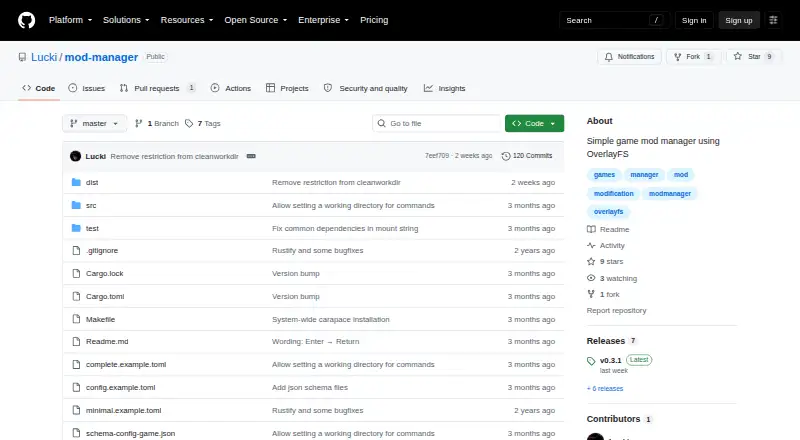
Lucki Mod Manager is a free Linux utility that applies game modifications through OverlayFS. It layers selected changes over game files when activated, in a way described as transparent to launchers such as Steam. After a session, it removes the overlay and restores the original files. The setup command gathers a game’s changes into a modification folder. TOML configurations stored in $XDG_CONFIG_HOME/mod-manager can group mods into sets, nest those sets, and choose a set during activation or command wrapping. The wrap command runs another command between activation and deactivation, including a Steam startup-parameter workflow. Activate and wrap provide a --writable option for write-enabled mounts. Installation uses source builds with Rust and Make or Cargo, followed by make install. The repository includes zsh and carapace completions; tomlq is optional for them. Do not alter original or mod files while mounted because OverlayFS behavior is undefined.
Who it suits
This manager suits Linux players who want temporary mod sets for games, including Steam titles, without permanently replacing original files. It also fits users comfortable building software from source.
What it does well
- Free Linux mod manager
- Overlay activation restores original files afterward
- Supports grouped and nested mod sets
- Wraps external commands between activation and deactivation
- Includes zsh and carapace completions
What to know first
- Linux only
- Requires source build and installation steps
- Mounted file changes have undefined behavior
- Manual mod import is required
Verdict
Lucki Mod Manager offers temporary, configurable overlays for Linux game modifications and can wrap launcher commands. Its source-build setup and strict mounted-file caution require command-line comfort.
Facts from Lucki Mod Manager's own pages
- Command wrapping
- The wrap command runs an external command between mod activation and deactivation. · github.com, 11 Oct 2026
- Configuration
- Game configurations use TOML and are placed in $XDG_CONFIG_HOME/mod-manager. · github.com, 11 Oct 2026
- Deployment method
- virtual · github.com, 23 Sept 2026
- Free plan
- Yes · github.com, 23 Sept 2026
- How it works
- It mounts game files in place with configured modifications layered on top, then unmounts the overlay and restores the original files after the session. · github.com, 11 Oct 2026
- Installation
- The README gives source build instructions using Rust and Make or Cargo, followed by installation with make install. · github.com, 11 Oct 2026
- Intended use
- The README demonstrates applying modifications to a Steam game by adding a mod-manager wrap command to the game's startup parameters. · github.com, 11 Oct 2026
- Known limitation
- The README warns users not to change original game files or mod files while they are mounted because OverlayFS behavior is undefined. · github.com, 11 Oct 2026
- Launcher compatibility
- The on-demand file replacement is described as transparent to launchers such as Steam. · github.com, 11 Oct 2026
- Launch options
- The wrap command runs an external command between mod activation and deactivation. · github.com, 11 Oct 2026
- Maker
- The repository is under the GitHub account Lucki. · github.com, 11 Oct 2026
- Mod profiles
- Yes · github.com, 23 Sept 2026
- Mod sets
- Configurations can group modifications into sets, nest sets, and select a set when activating or wrapping a game command. · github.com, 11 Oct 2026
- Mod setup
- Its setup command collects changes made to a game into a folder containing the modification files. · github.com, 11 Oct 2026
- Mod source access
- manual import · github.com, 23 Sept 2026
- Operational limitation
- The README warns that changing original game files or mod files while mounted has undefined behavior, so mods should be deactivated before those files are altered. · github.com, 11 Oct 2026
- Purpose
- Lucki Mod Manager is described as a simple game mod manager using OverlayFS. · github.com, 11 Oct 2026
- Restore originals
- When a session ends, the manager unmounts the overlay and moves the original files back to their original place. · github.com, 11 Oct 2026
- Security
- The README does not state any security certification or compliance claim. · github.com, 11 Oct 2026
- Shell completion
- The repository includes zsh and carapace completions; tomlq is optional for these completions. · github.com, 11 Oct 2026
- Supported platforms
- linux · github.com, 23 Sept 2026
- Transparent activation
- It layers configured modifications over game files on demand, which the README says is transparent to launchers such as Steam. · github.com, 11 Oct 2026
- Writable mode
- The activate and wrap commands provide a --writable option for mounting with write access. · github.com, 11 Oct 2026
Where Lucki Mod Manager stands on Freedom251
- Mod managers#75 of 78
- Game Mod Managers#76 of 79