Linux NM Mod Manager
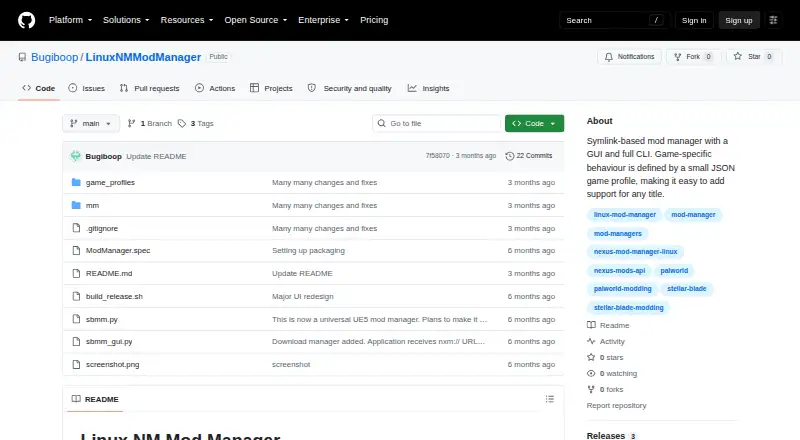
What Linux NM Mod Manager is
Linux NM Mod Manager is a free, open-source Linux tool for managing game mods through graphical and command-line interfaces. Mods are installed as symbolic links rather than directly replacing the game directory. When a real file must be displaced, it is renamed with a .bak extension and restored when mods are disabled or uninstalled. Built-in profiles cover Stellar Blade, Fallout 4, and Palworld; more profiles can download from GitHub on first launch or be added by users. The manager detects conflicts and supports priorities or allowing conflicts to coexist. With a Nexus Mods API key, it fetches names, descriptions, authors, and cover art, then caches that information per game. It handles nxm:// links, includes a FOMOD wizard, and supports version subfolder choices. Bethesda features include plugin load-order management, an INI editor, and launching BodySlide, Outfit Studio, Nemesis, and LOOT through Wine or Proton. The recommended download is a Linux ModManager-<version>-linux.zip archive.
Who it suits
This manager suits Linux players who organize mods for supported games, especially Bethesda titles. It is useful for users wanting symlink-based file handling, conflict controls, and Nexus integration.
What it does well
- Free and open source under MIT License
- Symlink installation with .bak restoration
- Conflict detection and priority controls
- Nexus metadata and nxm:// handling
- Bethesda load-order and INI tools
What to know first
- Linux-only platform
- Nexus features require an API key
- Some archives require p7zip-full
- Source installation requires Python, pip, and virtual environment
Verdict
Linux NM Mod Manager focuses on safer, reversible mod installation while adding profiles, conflict handling, and Nexus support. Its Linux-only scope and extra requirements for certain archives or source installs should guide setup decisions.
Facts from Linux NM Mod Manager's own pages
- Bethesda tools
- For Bethesda games, features include plugin load order management, an INI settings editor, and launching detected tools such as BodySlide, Outfit Studio, Nemesis, and LOOT through Wine or Proton. · github.com, 12 Oct 2026
- Conflict detection
- It reports symlink target conflicts for all games and can detect overlapping internal assets for UE5 mods by reading .utoc files. · github.com, 12 Oct 2026
- Deployment method
- link · github.com, 22 Sept 2026
- Downloads
- The Releases page lists version 1.2.0 as the latest release and the README recommends downloading a Linux zip executable. · github.com, 12 Oct 2026
- File handling
- Mods are installed as symlinks, and real game files that must be displaced are renamed with a .bak extension and restored when mods are disabled or uninstalled. · github.com, 12 Oct 2026
- Game profiles
- Additional game profiles download from GitHub on first launch, and users can add their own profiles. · github.com, 12 Oct 2026
- Game support
- Built-in profiles are listed for Stellar Blade, Fallout 4, and Palworld; additional profiles can be downloaded automatically or added by users. · github.com, 12 Oct 2026
- Installers and conflicts
- The app includes a FOMOD installation wizard and can detect mod conflicts, with options to set priorities or allow conflicting mods to coexist. · github.com, 12 Oct 2026
- Install options
- The app includes a FOMOD wizard for mods containing fomod/ModuleConfig.xml and supports selecting among mod version subfolders. · github.com, 12 Oct 2026
- License
- The project is licensed under the MIT License. · github.com, 12 Oct 2026
- Linux distribution
- The recommended prebuilt download is a Linux zip archive named ModManager-<version>-linux.zip. · github.com, 12 Oct 2026
- Mod source access
- external links · github.com, 22 Sept 2026
- Nexus downloads
- The app can register as an nxm:// handler so Nexus Mod Manager Download links send files to its download manager. · github.com, 12 Oct 2026
- Nexus integration
- With a Nexus API key, the app fetches mod names, descriptions, authors, and cover art, and caches the results locally per game. · github.com, 12 Oct 2026
- Nexus Mods
- With an API key, the app fetches mod names, descriptions, authors, and cover art from Nexus Mods and caches the data locally per game. · github.com, 12 Oct 2026
- Purpose
- Linux NM Mod Manager is a symlink-based mod manager with a graphical interface and command-line interface. · github.com, 12 Oct 2026
- Requirements
- p7zip-full is needed only for .rar and .7z archives; Python, pip, and a virtual environment are needed only when running from source. · github.com, 12 Oct 2026
- Safer file handling
- Mod files are installed as symlinks, and game files that need to be displaced are renamed to .bak and restored when mods are disabled or uninstalled. · github.com, 12 Oct 2026
- Security
- The README says the game directory is never directly overwritten: displaced real game files are backed up and restored when mods are disabled or uninstalled. · github.com, 12 Oct 2026
- Support and contributions
- The project welcomes issues and pull requests. · github.com, 12 Oct 2026
- Supported platforms
- linux · github.com, 22 Sept 2026
- What it does
- Linux NM Mod Manager is a symlink-based mod manager with a graphical interface and a command-line interface. · github.com, 12 Oct 2026
Where Linux NM Mod Manager stands on Freedom251
- Mod managers#77 of 78
- Game Mod Managers#78 of 79