Freedom251 › Operating Systems
Lubuntu
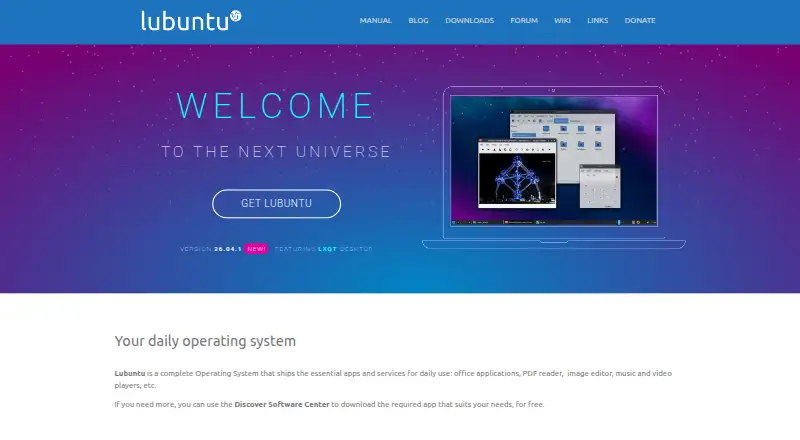
What Lubuntu is
Lubuntu is a free Linux distribution built around the LXQt desktop and designed as a lightweight, functional operating system. It is available as an installable desktop ISO for PCs and laptops, with Raspberry Pi also mentioned. The 26.10 beta lists Firefox, LibreOffice, VLC, Featherpad, and Discover Software Center among its default applications; Discover provides free access to additional software. Lubuntu supports common image, music, film, spreadsheet, text, and internet-radio formats, while ubuntu-restricted-extras adds codecs for less common formats. LTS releases receive three years of support, and Lubuntu 26.04.1 LTS is supported until April 2029. Interim releases receive nine months. The 26.10 beta includes experimental Wayland support, while X11 remains default; the project warns about nonworking features and substantial theming issues there. Manuals cover stable, LTS, and development versions, and users can seek help through Matrix chat.
Who it suits
Lubuntu suits people wanting a free, lightweight Linux desktop for PCs or laptops. It also provides an option for users considering Raspberry Pi hardware.
What it does well
- Free Linux desktop operating system
- LXQt desktop with common applications
- Discover installs additional software
- Supports common media and document formats
- LTS support listed through April 2029
What to know first
- Experimental Wayland session has known issues
- Interim releases receive only nine months support
- Additional codecs require ubuntu-restricted-extras
- 26.10 beta has substantial theming issues
Limits
The 26.04.1 LTS release is supported until April 2029, while interim releases receive nine months of support. The 26.10 beta's Wayland session is experimental, with possible feature failures and substantial theming issues.
Plans
| Plan | Billed and limits | Price |
|---|---|---|
| Lubuntu | Linux operating system · desktop 64-bit ISO · 26.04.1 LTS supported until April 2029 | Free |
As lubuntu.me lists them, read 11 Oct 2026. The maker's own page has the final word.
Getting started
- Open lubuntu.me and choose an official download
- Select the desktop ISO for a PC, laptop, or Raspberry Pi image where offered
- Use the recommended magnet link for an auto-verified download
- Check the download with SHA256SUMS and confirm it came from an official source
- Install the ISO as a Lubuntu desktop operating system
- Use Discover Software Center to download additional applications
Verdict
Lubuntu combines a lightweight LXQt desktop with familiar applications and broad everyday file support. Choosing an LTS release avoids the shorter interim support period.
Questions
Is Lubuntu free?
Yes. Lubuntu has a free plan priced at $0.
Which platforms does Lubuntu support?
Its listed platform is Linux. The project provides ISOs for standard PCs, laptops, and mentions Raspberry Pi.
What applications are included?
The 26.10 beta lists LXQt, Firefox, LibreOffice, VLC, Featherpad, and Discover Software Center.
How long is LTS support?
Lubuntu 26.04.1 LTS is listed as supported until April 2029. LTS releases receive three years of support.
Can I install more software?
Yes. Discover Software Center can download additional applications for free.
Does Lubuntu use Wayland?
The 26.10 beta includes an experimental Wayland session, but X11 remains the default display server.
Facts from Lubuntu's own pages
- Additional apps
- The homepage says users can download additional applications for free through Discover Software Center. · lubuntu.me, 11 Oct 2026
- Codecs
- The homepage says users can install ubuntu-restricted-extras for additional codecs, including for less common file formats. · lubuntu.me, 11 Oct 2026
- Community support
- The project invites users to join its Matrix chat, report bugs, and seek help filing bug reports. · lubuntu.me, 11 Oct 2026
- Documentation
- The project provides stable, LTS, and development versions of the Lubuntu Manual, which covers installation and system use. · lubuntu.me, 11 Oct 2026
- Download verification
- The downloads page recommends the magnet link for auto-verified downloads and advises checking download integrity using SHA256SUMS. · lubuntu.me, 11 Oct 2026
- File compatibility
- Lubuntu says it supports common formats including images, music, films, spreadsheets, text documents, and internet radio streams. · lubuntu.me, 11 Oct 2026
- Hardware
- Lubuntu says it offers ISOs for standard PCs, laptops, and Raspberry Pi, and that its QA team checks releases across architectures. · lubuntu.me, 11 Oct 2026
- Included software
- The 26.10 beta release lists LXQt, Firefox, LibreOffice, VLC, Featherpad, and Discover Software Center among its default applications. · lubuntu.me, 11 Oct 2026
- Interim support
- The 26.10 beta announcement says the interim release is expected to receive nine months of support, until July 2027. · lubuntu.me, 11 Oct 2026
- Known beta issues
- The 26.10 beta announcement warns that some features may not work in its Wayland session and that it has substantial theming issues. · lubuntu.me, 11 Oct 2026
- LTS support
- The downloads page lists Lubuntu 26.04.1 LTS as supported until April 2029. · lubuntu.me, 11 Oct 2026
- Purpose
- Lubuntu is an official Ubuntu flavor using the LXQt desktop, designed as a lightweight but functional Linux distribution. · lubuntu.me, 11 Oct 2026
- Security guidance
- The downloads page advises users to verify download integrity and ensure downloads come from an official source. · lubuntu.me, 11 Oct 2026
- Wayland status
- The 26.10 beta includes an experimental Wayland session, while X11 remains the default desktop display server. · lubuntu.me, 11 Oct 2026
Where Lubuntu stands on Freedom251
- Operating Systems#24 of 42