LTeX+
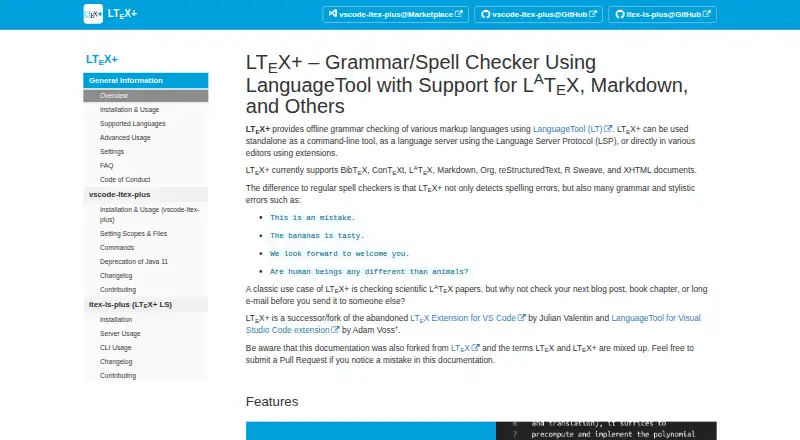
What LTeX+ is
LTeX+ is a free, open-source writing checker for markup documents. Its bundled LanguageTool checker works offline, so document text is not uploaded to the internet by default. It identifies spelling, grammar, and stylistic problems, highlights them with hover descriptions, and provides replacement suggestions through quick fixes. Supported formats include LaTeX, Markdown, Typst, Org, BibTeX, reStructuredText, and XHTML. Natural-language support follows LanguageTool and can change when the bundled version changes. You can instead configure an external LanguageTool server. Official extensions are available for Visual Studio Code and Emacs; LTeX+ also runs through the Language Server Protocol or command line. Documentation lists integrations for Neovim, Sublime Text, and Emacs eglot, with other LSP-compatible editors able to use the language server. User dictionaries and multilingual checking through LaTeX babel commands or magic comments add customization. Scientific papers, blog posts, book chapters, and long emails are cited use cases. The Free plan costs nothing.
Who it suits
LTeX+ suits people writing LaTeX and other markup documents, including scientific papers, blog posts, book chapters, and long emails. It fits users who want offline checking in supported editors or through LSP and command-line workflows.
What it does well
- Offline checker does not upload documents
- Supports LaTeX, Markdown, Typst, and XHTML
- Quick fixes suggest replacement text
- Official Visual Studio Code and Emacs extensions
- User dictionaries support customization
What to know first
- Initial checks may take up to two minutes
- Natural-language support can change with releases
- VS Code extension requires a 64-bit system
- External server use requires configuration
Plans
| Plan | Billed and limits | Price |
|---|---|---|
| Free | Offline grammar and spelling checking · use in supported editors, as an LSP language server, or from the command line | Free |
As ltex-plus.github.io lists them, read 5 Oct 2026. The maker's own page has the final word.
Verdict
LTeX+ combines offline spelling, grammar, and style feedback with broad markup-format support. Its editor integrations and customization options suit technical writers, while check times and changing language coverage are worth noting.
Facts from LTeX+'s own pages
- Customization
- Features include user dictionaries and multilingual document checking through LaTeX babel commands or magic comments. · ltex-plus.github.io, 5 Oct 2026
- Document formats
- It supports formats including LaTeX, Markdown, Typst, Org, BibTeX, reStructuredText, and XHTML. · ltex-plus.github.io, 5 Oct 2026
- External service option
- Users can configure LTeX+ to use an external LanguageTool server. · ltex-plus.github.io, 5 Oct 2026
- Integrations
- Official editor extensions are available for Visual Studio Code and Emacs; LTeX+ also works through the Language Server Protocol or command line. · ltex-plus.github.io, 5 Oct 2026
- Intended users
- The project cites scientific LaTeX papers as a classic use case and also suggests blog posts, book chapters, and long emails. · ltex-plus.github.io, 5 Oct 2026
- Languages
- The supported natural languages are the same as LanguageTool’s and can vary when a release updates the LanguageTool version. · ltex-plus.github.io, 5 Oct 2026
- Offline privacy
- The bundled offline checker does not upload anything to the internet. · ltex-plus.github.io, 5 Oct 2026
- Other editor support
- The documentation lists third-party integrations for Neovim, Sublime Text, and Emacs eglot, and says LSP-compatible editors can use the language server. · ltex-plus.github.io, 5 Oct 2026
- Performance note
- The FAQ says an initial check usually takes around 30 seconds and may take up to two minutes, depending on document length and computer power. · ltex-plus.github.io, 5 Oct 2026
- Purpose
- LTeX+ provides offline grammar checking for markup languages using LanguageTool. · ltex-plus.github.io, 5 Oct 2026
- Security support
- By default, only the latest published version receives security updates, and vulnerability reports should be submitted through GitHub Security Advisories. · github.com, 5 Oct 2026
- Style suggestions
- Yes · ltex-plus.github.io, 21 Sept 2026
- Support channel
- The FAQ directs users with unanswered questions to the project’s GitHub repository and asks them to read the contribution instructions before opening an issue. · ltex-plus.github.io, 5 Oct 2026
- System requirements
- The VS Code extension requires a 64-bit Linux, Mac, or Windows system and VS Code 1.82.0 or later, with extra language extensions needed for some document formats. · ltex-plus.github.io, 5 Oct 2026
- Writing feedback
- It detects spelling, grammar, and stylistic errors, highlights issues with hover descriptions, and offers replacement suggestions through quick fixes. · ltex-plus.github.io, 5 Oct 2026
Where LTeX+ stands on Freedom251
- Grammar checkers#30 of 88