Freedom251 › Software Asset Management Software
License Patrol Server
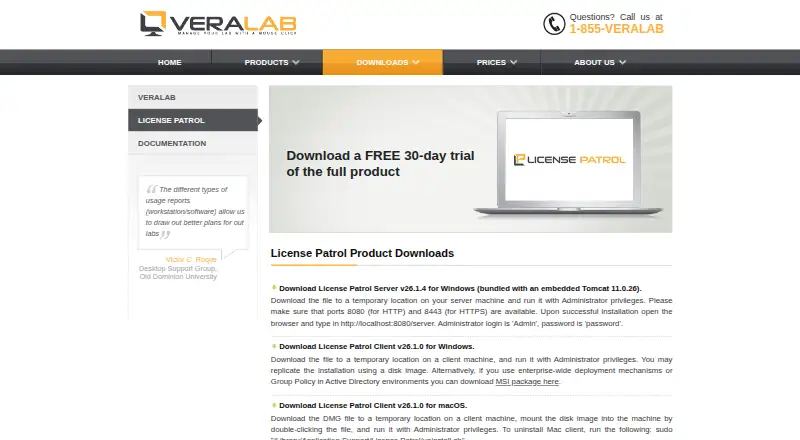
What License Patrol Server is
License Patrol Server helps organizations monitor software use and manage concurrent licenses. Workstation clients send usage information to a server, which counts simultaneous users. Administrators can review which products are used, who uses them, and demand for each product, then set user limits or prevent selected software from running. When a license limit is exceeded, clients can shut down applications. VeraLab describes it as suitable for small offices, small and midsize businesses, and large enterprise IT environments. Deployment is on-premises, and the listed platforms include macOS, Windows, web, and self-hosted. The administrator guide describes LDAP authentication for application users. Windows server installation requires ports 8080 for HTTP and 8443 for HTTPS to be available. A free 30-day trial covers the full product. For 0–100 clients, listed one-time prices are 500.00 USD for Academic/Non-profit Basic, 600.00 USD for Academic/Non-profit Extended, 604.00 USD for Standard Basic, and 725.00 USD for Standard Extended. Displayed price bands cover client counts from 0–100 through 801–1000.
Who it suits
License Patrol Server suits organizations that need visibility into software demand and control over simultaneous usage, from small offices to enterprise IT environments. It is also described for small and midsize businesses.
What it does well
- Reports software use, users, and product demand.
- Administrators can set concurrent-user limits.
- Selected software can be blocked.
- Full product has a free 30-day trial.
- LDAP authentication is described in the administrator guide.
What to know first
- Windows installation requires ports 8080 and 8443.
- Deployment is on-premises.
- Displayed license prices cover client counts only through 801–1000.
Limits
The free trial lasts 30 days. Displayed license price bands cover client counts from 0-100 through 801-1000; OEM and reseller pricing requires contacting VeraLab.
Plans
| Plan | Billed and limits | Price |
|---|---|---|
| Academic/Non-profit - Basic Plans (0-100 clients) | 0-100 clients | $500, paid once |
| Academic/Non-profit - Extended Plans (0-100 clients) | 0-100 clients | $600, paid once |
| Standard - Basic Plans (0-100 clients) | 0-100 clients | $604, paid once |
| Standard - Extended Plans (0-100 clients) | 0-100 clients | $725, paid once |
As veralab.com lists them, read 8 Oct 2026. The maker's own page has the final word.
Getting started
- Open VeraLab’s License Patrol download page.
- Start the free 30-day trial of the full product.
- Deploy the server on-premises and provide required Windows ports 8080 and 8443.
- Install workstation clients to send usage data to the server.
- Configure application-user authentication with LDAP if needed.
- Select a displayed license plan based on client count and support level.
Verdict
License Patrol Server combines usage reporting with controls for concurrent licenses and selected applications. A full-product 30-day trial is available, and the listed 0–100 client plans have one-time prices ranging from 500.00 USD to 725.00 USD.
Questions
Does License Patrol Server have a free plan?
No. VeraLab offers a free 30-day trial of the full product.
How much does the 0-100 client license cost?
Displayed prices are $500, paid once for Academic/Non-profit Basic, $600, paid once for Academic/Non-profit Extended, $604, paid once for Standard Basic, and $725, paid once for Standard Extended.
Which platforms are listed?
Platforms are macOS, self-hosted, web, and Windows. Deployment is on-premises.
Does it support LDAP?
The administrator guide describes LDAP authentication for License Patrol application users.
What support options are available?
Basic Support includes two hours of installation and maintenance support. Extended Support includes unlimited installation support and up to four hours of annual maintenance support.
What does the server do when license limits are exceeded?
Administrators can enforce concurrent-user limits or prevent selected software from being used. Clients can shut down applications when limits are exceeded.
Facts from License Patrol Server's own pages
- Audience
- VeraLab describes License Patrol as suitable for small offices through large enterprise IT environments, including small and midsize businesses. · veralab.com, 8 Oct 2026
- Deployment requirements
- The Windows server installer requires ports 8080 for HTTP and 8443 for HTTPS to be available. · veralab.com, 8 Oct 2026
- Enforcement
- Administrators can enforce a concurrent-user limit or prevent use of selected software. · veralab.com, 8 Oct 2026
- How it works
- A server aggregates usage data from workstation clients, counts concurrent users, and clients can shut down applications when license limits are exceeded. · veralab.com, 8 Oct 2026
- Integration
- The administrator guide describes LDAP authentication for License Patrol application users. · veralab.com, 8 Oct 2026
- Plan limit
- The displayed license price bands cover client counts from 0-100 through 801-1000; OEM and reseller pricing is available by contacting VeraLab. · veralab.com, 8 Oct 2026
- Platforms
- The server is available for Windows, and License Patrol clients are available for Windows and macOS. · veralab.com, 8 Oct 2026
- Purpose
- License Patrol tracks software use, meters usage, and manages concurrent software licenses for organizations. · veralab.com, 8 Oct 2026
- Security detail
- The download page publishes MD5 and SHA-1 checksums for the server and client installers. · veralab.com, 8 Oct 2026
- Support
- Basic Support includes two hours of installation and maintenance support, while Extended Support includes unlimited installation support and up to four hours of annual maintenance support. · veralab.com, 8 Oct 2026
- Trial
- The download page offers a free 30-day trial of the full product. · veralab.com, 8 Oct 2026
- Usage visibility
- The product reports what software is used, who uses it, and demand for each product. · veralab.com, 8 Oct 2026
Where License Patrol Server stands on Freedom251
- Software Asset Management Software#11 of 25