Freedom251 › Open Educational Resource Platforms
LibreTexts
What LibreTexts is
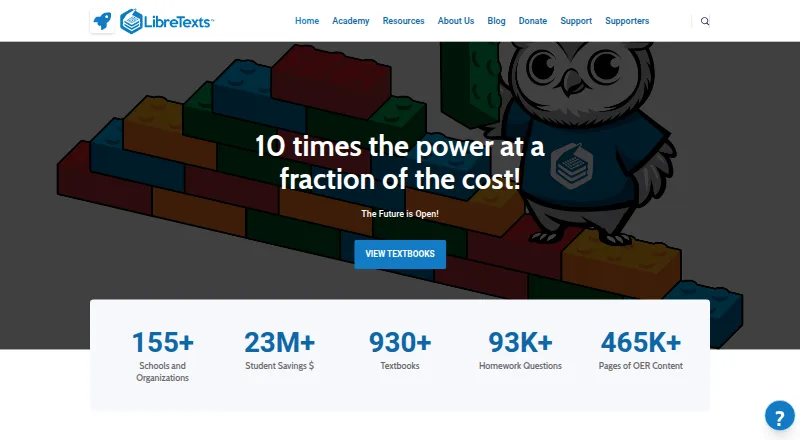
LibreTexts is a nonprofit open education platform for creating, adapting, and sharing textbooks, homework, and related learning materials. It describes 17 subject libraries with more than 2,000 textbooks, whose chapters instructors can combine into custom books. Pages can include Jupyter Notebooks, ADAPT homework questions, 3D visualizations, and videos. ADAPT supports formative and summative assessment using a shared bank of more than 240,000 openly licensed elements. The platform and homework services can be embedded in institutional learning management systems over a secure connection, with optional grade and assessment exchange. Its guides describe imports to Canvas, Moodle, and D2L, and also mention Blackboard. Book pages may offer PDF, EPUB, and editable downloads. Individual educators can create, adapt, and host open educational resources free of charge. LibreTexts is available on web, Android, and iOS, with offline access and annotation tools. It offers free support tickets, webinars, office hours, and Academy lessons. Paid options include consortium memberships; the listed starting paid rate is $15/mo.
Who it suits
LibreTexts suits educators who want to create or adapt open learning materials, and institutions in K-12 or higher education considering LibreNet membership. Its assessment and LMS options may also suit instructors building digital coursework.
What it does well
- 17 subject libraries and over 2,000 textbooks.
- Instructors can remix chapters into custom textbooks.
- ADAPT includes over 240,000 openly licensed elements.
- Book pages may offer PDF and EPUB downloads.
- Offline access and annotation tools are available.
What to know first
- LibreNet full membership is listed at $2,500 a year.
- The privacy policy cannot guarantee protection from unauthorized disclosure.
- The stated accessibility goal is not a claim of certification.
Limits
The free core platform allows up to 5 custom textbooks per institution. ADAPT, The Forge, and Jupyter Hub are listed at $15 per student per 6 months, while All-Access is listed at $30 per student per 6 months; California institutions receive ADAPT free.
Plans
| Plan | Billed and limits | Price |
|---|---|---|
| LibreTexts core platform | Textbook access, instructor ADAPT access, general use textbooks, H5P and ADAPT authoring free · Up to 5 custom textbooks per institution | Free |
| ADAPT | 15$/ 6 months · Per student, unlimited courses · California institutions: free | Free |
| The Forge | 15$/ 6 months · Per student, unlimited courses · Student writing platform with word processor, slide decks, spreadsheets, and process analytics | Free |
| All-Access | 30$/ 6 months · Per student, unlimited courses · ADAPT Homework, Jupyter Hub, and The Forge | Free |
| Jupyter Hub | 15$/ 6 months · Per student, unlimited courses · Collaborative notebooks for coding courses | Free |
| LibreNet Consortium (affiliate) | $1250/year, per campus · Available only with full membership at the campus or system level | $1,250 a year |
| LibreNet Consortium (full) | 2500$/ year · Unlimited custom textbooks at an institution · Early access to new technologies · Branded Campus Commons page · Two Academy Online training seats | $2,500 a year |
As libretexts.org lists them, read 29 Sept 2026. The maker's own page has the final word.
Getting started
- Visit https://libretexts.org/ and browse its textbook libraries.
- Sign in through your educational institution's Google Workspace or Microsoft Active Directory, if available.
- Use the free core platform for textbook access, ADAPT instructor access, and authoring tools.
- Create, adapt, or host open educational resources as an individual educator.
- For institutional LMS use, follow the available import or embedding options for supported systems.
LibreTexts is a nonprofit platform for creating and adapting open course materials, with assessment and interactive tools alongside textbooks. It is best suited to educators building courses from reusable resources and institutions supporting that work. Its free core is substantial, but some teaching services and broader campus access carry per-student or membership costs.
Overview
Seventeen subject libraries and more than 2,000 textbooks give instructors a broad source of material to adapt. Chapters can be remixed into custom books, and pages can combine reading with assessment or interactive content. PDF, EPUB, and editable-format downloads, along with offline access, annotations, and read-aloud support, make the books useful beyond a connected browser.
The strongest fit is a course or institution built around open educational resources (OER), rather than a student looking primarily to buy commercial e-textbooks. Individual educators can create, adapt, and host OER for free; LibreNet membership is open to K–12 and higher education institutions. The free core platform caps custom textbooks at five per institution, a meaningful constraint for campuses needing more extensive customization.
Key features
Assessment and interactive materials
ADAPT supports formative and summative assessment and provides access to a shared bank of more than 240,000 openly licensed question elements. Textbook pages can also embed Jupyter Notebooks, ADAPT homework questions, 3D visualizations, and videos. This gives instructors ways to pair course reading with practice and demonstrations; institutions wanting the combined homework and coding environment should consider the paid All-Access option.
Course integration and support
LibreTexts services can be embedded in institutional learning management systems over a secure connection, with optional grade and assessment exchange. Its import guide covers Canvas, Moodle, and D2L through IMS Common Cartridge 1.1, and also mentions Blackboard. Free support tickets, monthly webinars, weekly office hours, and Academy lessons offer educators several routes to help without requiring a paid support plan.
Privacy and accessibility
LibreTexts says it does not accept advertising or sell, rent, or lease user lists. Its privacy policy describes collection of voluntarily provided personal information and anonymous Google Analytics demographics; institutional Google Workspace or Microsoft Active Directory sign-in shares only a user's email with LibreTexts. The policy also cautions that safeguards cannot guarantee protection from unauthorized disclosure.
The platform's stated accessibility goal is to meet or exceed Revised Section 508 Standards and WCAG 2.1 AA, with audits at major development milestones. That is a useful commitment for educators planning accessible course materials, though it is not a guarantee that every resource meets those standards.
Pricing
The core platform is free and includes textbook access, instructor ADAPT access, general-use textbooks, and free H5P and ADAPT authoring, with up to five custom textbooks per institution. Individual educators who need to create and host OER have a particularly strong reason to start here. The limit is institutional customization, not the stated number of students or courses.
ADAPT, The Forge, and Jupyter Hub each have a free option and a paid rate of $15 per student per six months, with unlimited courses. ADAPT adds homework; The Forge provides a student writing platform with a word processor, slide decks, spreadsheets, and process analytics; Jupyter Hub provides collaborative notebooks for coding courses. All-Access costs $30 per student per six months and combines ADAPT Homework, Jupyter Hub, and The Forge. These charges are most relevant to institutions equipping students with those services across courses; the published terms are per student, not per course.
LibreNet Consortium (affiliate) costs $1,250 per campus per year and is available only with full membership at the campus or system level. Full membership costs $2,500 per year and includes unlimited institutional custom textbooks, early access to new technologies, a branded Campus Commons page, and two Academy Online training seats. The paid consortium tiers make more sense for campuses seeking broader institutional access than for an individual instructor using the free core. The published pricing does not define a trial period or renewal terms.
Platforms
LibreTexts supports web, Android, and iOS. Institutional sign-in can use Google Workspace or Microsoft Active Directory. Offline access and downloadable formats help with reading away from a connection, while LMS embedding suits courses managed through a campus platform.
Who it's for
Choose LibreTexts if you teach with OER and want to adapt textbooks, add assessment or interactive material, and connect resources to an institutional LMS. It also suits schools and colleges seeking shared open course materials, especially when the free core's five-book institutional limit is sufficient. It is less compelling for readers seeking a conventional commercial e-textbook storefront or for campuses that need extensive custom-book capacity without consortium membership.
Pros and cons
- Pros: A large, remixable textbook library gives instructors a starting point for custom course books rather than requiring them to author everything from scratch.
- Pros: Free core authoring and instructor ADAPT access, plus downloadable formats and offline access, support course creation and reading without a paid campus membership.
- Pros: Assessment, embedded interactive content, LMS integration, and no-cost support and training address practical needs of teaching teams.
- Cons: The free core limits each institution to five custom textbooks, which may not suit campuses planning broader adoption.
- Cons: Paid assessment, notebook, and writing services charge per student every six months, so costs depend on student coverage even though courses are unlimited.
- Cons: Consortium membership is campus- or system-level, and the affiliate tier requires full membership, putting those options beyond an individual educator's purchasing scope.
Alternatives
VitalSource Bookshelf is a better fit for readers seeking a commercial e-textbook app across mobile and desktop; the app is free to install, but content may require purchase or an active license, and the free app supports up to two computers and two mobile devices.
DIKSHA is worth considering when a free platform built on MIT-licensed open-source technology is the priority; it supports Android, iOS, and web.
BibliU may suit institutions arranging digital course materials through a flat fee per student, per text, with charges for course sections using content.
Kortext offers institutional pricing tailored to needs and budget, which may suit buyers looking for that type of arrangement.
Opiq is another freemium option, with a listed student-per-work package at €1.00 per month and a €15 minimum order.
Oxford Learner’s Bookshelf is another digital bookshelf option.
ePathshala is a free alternative across Android, iOS, web, and Windows.
Top Hat may suit students seeking term-based access, with listed options for one four-month term, 12 months, or four years.
For more choices, browse Digital Textbook Platforms or Open Educational Resource Platforms.
Verdict
LibreTexts is a strong choice for educators and institutions making reusable OER the foundation of their courses: the free core combines adaptable textbooks, authoring, assessment access, and useful support. Look elsewhere if your priority is a conventional commercial e-textbook app, or budget carefully if your campus needs paid services for many students or more than five custom textbooks under the core platform.
Verdict
LibreTexts combines adaptable open textbooks with assessment and interactive content for educators and institutions. Individual educators can use its OER creation and hosting free of charge; institutional memberships and paid options have separate terms.
Questions
Is LibreTexts free?
Yes. Individual educators can create, adapt, and host open educational resources free of charge. The free core platform includes textbook access, instructor ADAPT access, general use textbooks, and H5P and ADAPT authoring.
What does LibreTexts cost?
The listed starting paid rate is $15/mo. ADAPT, The Forge, and Jupyter Hub are also listed at $15 per student per 6 months, and All-Access at $30 per student per 6 months.
Which devices can I use?
LibreTexts is listed for web, Android, and iOS. Offline access and annotation tools are available.
Which learning management systems does it support?
Its guides describe importing books into Canvas, Moodle, and D2L using IMS Common Cartridge 1.1, and also mention Blackboard support. Its platform and homework services can be embedded in institutional LMS platforms.
Can educators download textbooks?
Book pages can provide PDF, EPUB, and editable file downloads.
Who can join LibreNet?
LibreNet membership is open to institutions in K-12 and higher education. Full membership is listed at $2,500 per year.
Facts from LibreTexts's own pages
- Accessibility
- LibreTexts states a goal for its platform and features to meet or exceed Revised Section 508 Standards and WCAG 2.1 AA, and says it audits accessibility at major development milestones. · commons.libretexts.org, 29 Sept 2026
- ADAPT
- ADAPT supports formative and summative assessment, including a shared question bank of more than 240,000 openly licensed elements. · libretexts.org, 29 Sept 2026
- Audience
- LibreNet membership is open to institutions in K-12 and higher education, while individual educators can use LibreTexts to create, adapt, and host OER free of charge. · libretexts.org, 29 Sept 2026
- Downloads
- LibreTexts book pages can provide downloads including PDF, EPUB, and editable file formats. · socialsci.libretexts.org, 29 Sept 2026
- Founded
- 2008 · libretexts.org, 28 Sept 2026
- Headquarters
- Davis, California, United States · libretexts.org, 28 Sept 2026
- Interactive content
- Textbook pages can embed Jupyter Notebooks, ADAPT homework questions, 3D visualizations, and videos. · libretexts.org, 29 Sept 2026
- Libraries
- The site describes 17 subject field libraries and over 2,000 textbooks, with chapters that instructors can remix into custom textbooks. · libretexts.org, 29 Sept 2026
- LMS compatibility
- A LibreTexts guide describes importing books into Canvas, Moodle, and D2L using IMS Common Cartridge 1.1, and also mentions Blackboard support. · socialsci.libretexts.org, 29 Sept 2026
- LMS integration
- LibreTexts says its platform and homework services can be embedded in institutional LMS platforms over a secure connection, with optional grade and assessment exchange. · libretexts.org, 29 Sept 2026
- Privacy
- LibreTexts says it does not accept advertising or sell, rent, or lease user lists to third parties, and it describes collection of voluntarily provided personal information and anonymous Google Analytics demographics. · libretexts.org, 29 Sept 2026
- Purpose
- LibreTexts is a nonprofit open education resource platform for creating, customizing, and sharing accessible, interactive textbooks, adaptive homework, and ancillary materials. · libretexts.org, 29 Sept 2026
- Security limitation
- The privacy policy says LibreTexts makes efforts to safeguard data but cannot guarantee protection against unauthorized disclosure. · libretexts.org, 29 Sept 2026
- Sign-in
- Users may sign in through their educational institution's Google Workspace or Microsoft Active Directory; the policy says those services share only the user's email with LibreTexts. · libretexts.org, 29 Sept 2026
- Support
- LibreTexts offers free support tickets, monthly webinars, weekly office hours, and free Academy lessons. · libretexts.org, 29 Sept 2026
Where LibreTexts stands on Freedom251
- Open Educational Resource Platforms#5 of 27
- Digital Textbook Platforms#8 of 28