Freedom251 › Schema Registry Software
Lenses
What Lenses is
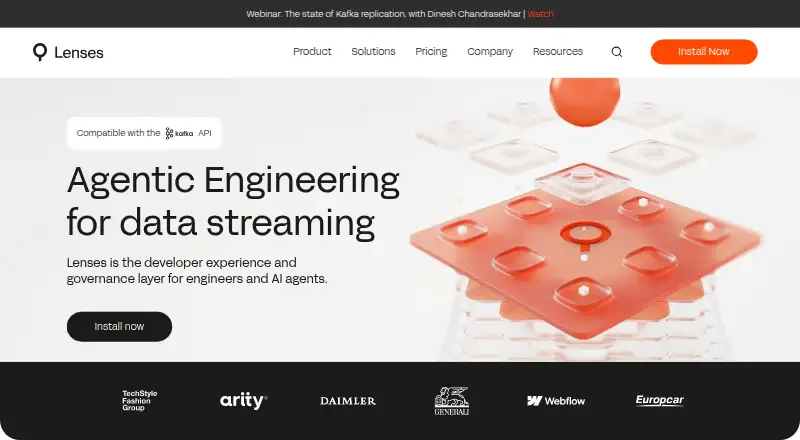
Lenses is a platform for building, governing, and operating Kafka applications with engineers and AI agents. It helps users find streaming data across domains with SQL, prepare it for use, and deploy data streams independently. It connects to Confluent Platform and Cloud, Amazon MSK, Redpanda, and self-managed Apache Kafka, and can run in cloud, on-premises, or hybrid environments. Work interfaces include a Web App, VS Code Extension, Lenses MCP, and Lenses CLI. Lenses says OAuth 2.1 provides agents with scoped, short-lived, revocable, audited access. It also offers open-source Kafka connectors for systems including Amazon S3, Azure Event Hubs, GCP Storage, Cassandra, MongoDB, Redis, and Elasticsearch; the connectors are Apache 2.0 licensed and offer enterprise support. The Community Edition supports up to five free users, and SQL Studio supports up to two Kafka clusters. A trial key is available through a guided demo. Pricing includes a free plan and paid plans from $4,000/yr.
Who it suits
Lenses suits teams building or operating Kafka applications across multiple Kafka environments. It may also fit teams that want SQL-based stream discovery and processing, or AI agents with scoped access.
What it does well
- SQL-based streaming data discovery and preparation
- Connects to several managed and self-managed Kafka options
- Cloud, on-premises, and hybrid deployment
- Multiple work interfaces, including VS Code and CLI
- Apache 2.0 licensed connectors with enterprise support
What to know first
- Community Edition limits users to five
- SQL Studio covers up to two Kafka clusters
- Team plan is listed from $4,000/yr
Limits
DevX Community Edition supports up to five free users, and Community Edition SQL Studio supports up to two Kafka clusters. K2K Community replication is at least once, without Exactly Once, and allows at most five topic partitions per replication job.
Plans
| Plan | Billed and limits | Price |
|---|---|---|
| K2K Community | Replication across any Kafka · At least once (ie. no Exactly Once) · Max 5 topic partitions per replication job | Free |
| Lenses DevX Community Edition | Up to 5 free users · Basic Auth · Lenses UI & MCP · Supports any Kafka | Free |
| K2K add-on | from $1k/month · Enterprise-grade Kafka replication · Replicate data across any Kafka | $1 a month |
| Lenses DevX Team Edition | From $4k/year · Up to 15 users · SSO / SAML Authentication · RBAC · Team Support | $4 a year |
| Lenses DevX Multi-Kafka Enterprise | Custom pricing · Federated Multi-Kafka · Unlimited users · Unlimited Kafka Clusters · Enterprise Support | On request |
| K2K Enterprise | Custom pricing · 5 clusters · Exactly once semantics · Offset replication · Autoscaling · Schema migration | On request |
As lenses.io lists them, read 5 Oct 2026. The maker's own page has the final word.
Getting started
- Visit the Lenses website.
- Choose the free DevX Community Edition or a paid plan.
- Request a trial key through the guided demo if you want to install on Kafka clusters.
- Deploy Lenses in a cloud, on-premises, or hybrid environment.
- Work through the Web App, VS Code Extension, Lenses MCP, or Lenses CLI.
Lenses is a Kafka operations and streaming-data platform for engineering teams that want SQL workflows alongside their Kafka tooling. Its mix of discovery, stream preparation, and deployment is compelling for Kafka-focused work, but the free edition’s caps and the cost of team access narrow its appeal for larger groups.
Overview
Lenses brings together ways to find streaming data, prepare it for consumption, and operate Kafka applications. It connects to Confluent Platform and Cloud, Amazon MSK, Redpanda, and self-managed Apache Kafka, making it relevant to teams working across several Kafka environments. Cloud, on-premises, and hybrid deployment options let organizations choose where it runs.
The platform spans DevX workflows and Kafka-to-Kafka replication, but those capabilities have separate plans. Buyers should decide whether they need application development and operations, replication, or both before comparing costs.
Key features
SQL discovery and stream preparation
SQL lets users explore streaming data across domains and prepare it for consumption, while independent stream deployment supports a workflow that does not tie deployment to discovery. Support for Avro, Protobuf, JSON, and XML, with event-level validation, is useful for teams managing common event formats. The scope is centered on Kafka streams rather than general-purpose data processing.
Interfaces and agent access
Users can work through the Web App, VS Code Extension, MCP, or CLI, giving engineering teams several ways to interact with the platform. OAuth 2.1 access for agents is scoped, short-lived, revocable, and audited, a meaningful control for teams introducing agents into Kafka workflows.
Connectors and replication
Lenses lists open-source Kafka connectors for systems including Amazon S3, Azure Event Hubs, GCP Storage, Cassandra, MongoDB, Redis, and Elasticsearch. The connectors are Apache 2.0 licensed and have enterprise support. K2K Community provides replication across Kafka environments, but limits each replication job to five topic partitions and offers at-least-once rather than exactly-once delivery. Teams with stricter replication needs will need the custom-priced K2K Enterprise plan.
Pricing
Lenses has a free plan and a trial key that can be installed on Kafka clusters through its guided demo. The Community Edition supports up to five free users; its SQL Studio supports up to two Kafka clusters. That is a useful entry point for a small team, but the user and cluster caps matter if the platform is intended for broader adoption.
- K2K Community: free. It covers replication across any Kafka with at-least-once semantics and a maximum of five topic partitions per replication job. It suits basic replication, not workloads requiring exactly-once delivery.
- Lenses DevX Community Edition: free. It includes up to five free users, Basic Auth, Lenses UI and MCP, and support for any Kafka. It gives a small team a way to start, but does not include the SSO/SAML authentication, RBAC, or team support of the paid DevX tier.
- K2K add-on: $1 a month, billed from $1k/month. It adds enterprise-grade Kafka replication across any Kafka. The stated billing threshold makes it a substantial step up from the free replication tier.
- Lenses DevX Team Edition: $4 a year, billed From $4k/year. It supports up to 15 users and adds SSO/SAML authentication, RBAC, and Team Support. It fits teams that need managed access controls and support, but its user ceiling may push larger groups toward custom pricing.
- Lenses DevX Multi-Kafka Enterprise: custom pricing. It includes federated multi-Kafka, unlimited users, unlimited Kafka clusters, and Enterprise Support, for organizations that need scale beyond the Team Edition limits.
- K2K Enterprise: custom pricing. It includes five clusters, exactly-once semantics, offset replication, autoscaling, and schema migration. It is the replication option for requirements the Community tier does not meet.
DevX and K2K are distinct offerings, so the DevX Team price should not be read as covering enterprise replication features.
Platforms
Lenses supports API, Linux, macOS, self-hosted, web, and Windows environments. Its cloud, on-premises, and hybrid deployment options suit organizations with different infrastructure constraints.
Who it's for
Lenses is a strong fit for Kafka engineering teams that want SQL-based discovery and preparation in the same platform as application operations, especially those working across several Kafka environments or requiring controlled agent access. It is less suitable for teams seeking a general-purpose stream-processing platform, or for small groups that need enterprise replication features without custom-priced plans.
Pros and cons
- Pro: SQL discovery and preparation sit alongside Kafka operations, supporting a connected workflow from finding streams to preparing them for use.
- Pro: Support for several Kafka environments and cloud, on-premises, or hybrid deployment gives teams flexibility in where they connect and run Lenses.
- Pro: Agent access has scoped, revocable, short-lived, audited credentials, while Team adds SSO/SAML and RBAC for user access.
- Con: The free DevX edition is capped at five users, and SQL Studio is limited to two Kafka clusters.
- Con: Exactly-once replication and other advanced K2K capabilities require a custom-priced plan.
- Con: The DevX Team Edition supports only up to 15 users, so larger organizations must consider the custom-priced enterprise tier.
Alternatives
For a different Kafka platform, Apache Pulsar is free and supports API, Linux, macOS, self-hosted, and Windows environments. Confluent Cloud is worth considering for a managed, serverless Kafka service with autoscaling resources and more than 80 managed connectors; its Basic plan starts at $0/Month.
For schema-focused needs, compare the Schema Registry Software directory. TIBCO Messaging Schema Repository for Apache Kafka has a free Community Edition with production instance limits and no TIBCO Support, while Enterprise Edition has custom pricing. AWS Glue Schema Registry is free to use and sets account-level registry and schema-version quotas. AxonOps Schema Registry is a free, open-source option under Apache 2.0.
Buf Schema Registry offers a free Community plan with one private repository and unlimited public repositories, and a paid Teams plan. Google Cloud Pub/Sub offers a 10 GiB throughput free allowance before pay-as-you-go charges. Karapace is a free self-hosted option with throughput, retention, and topic limits.
Verdict
Choose Lenses if your engineering team needs SQL-based streaming-data work integrated with Kafka application operations, and its DevX or replication plans match your scale and controls. The breadth of Kafka workflows, interfaces, and deployment choices is its main strength; the user and cluster caps on free access and custom pricing for advanced replication are the clearest reasons to look elsewhere.
Verdict
Lenses combines Kafka application operations with SQL data exploration, stream preparation, and deployment. Its free Community Edition has user and cluster limits, while Team pricing starts at $4,000/yr.
Questions
Is there a free plan?
Yes. DevX Community Edition is listed as free and supports up to five users. K2K Community is also listed as free.
How much does the Team Edition cost?
DevX Team Edition is listed at $4 a year, billed from $4k/year. It includes up to 15 users, SSO/SAML, RBAC, and Team Support.
Which Kafka platforms does Lenses connect to?
It lists Confluent Platform, Confluent Cloud, Amazon MSK, Redpanda, and self-managed Apache Kafka.
Can Lenses be self-hosted?
Yes. Lenses can be deployed in a cloud, on-premises, or hybrid environment.
Is there a free trial?
Yes. Lenses offers a trial key through its guided demo for installation on Kafka clusters.
What interfaces are available?
Lenses lists a Web App, VS Code Extension, Lenses MCP, and Lenses CLI.
Facts from Lenses's own pages
- Agent security
- Lenses says OAuth 2.1 provides agents with scoped, short-lived, revocable, and audited access. · lenses.io, 5 Oct 2026
- Connector integrations
- Lenses lists open-source Kafka connectors for systems including Amazon S3, Azure Event Hubs, GCP Storage, Cassandra, MongoDB, Redis, and Elasticsearch. · lenses.io, 5 Oct 2026
- Connector licensing
- Lenses states its Kafka Connect connectors are Apache 2.0 licensed and offer enterprise support. · lenses.io, 5 Oct 2026
- Data discovery
- Lenses lets users find and explore streaming data across domains with SQL. · lenses.io, 5 Oct 2026
- Deployment
- Lenses can be deployed in a cloud, on-premises, or hybrid environment. · lenses.io, 5 Oct 2026
- Free edition limit
- The pricing page says Community Edition supports up to five free users; the Community Edition page describes SQL Studio for up to two Kafka clusters. · lenses.io, 5 Oct 2026
- Headquarters
- London, United Kingdom · lenses.io, 28 Sept 2026
- Kafka integrations
- Lenses says it connects to Confluent Platform, Confluent Cloud, Amazon MSK, Redpanda, and self-managed Apache Kafka. · lenses.io, 5 Oct 2026
- Processing
- The platform supports preparing data for consumption with SQL and deploying data streams independently. · lenses.io, 5 Oct 2026
- Product
- Lenses describes its Operating Fabric as a platform to build, govern, and operate Kafka apps with engineers and AI agents across Kafka environments. · lenses.io, 5 Oct 2026
- Support
- The pricing page includes Team Support in the Team plan and Enterprise Support in the Multi-Kafka Enterprise plan. · lenses.io, 5 Oct 2026
- Trial
- Lenses offers a trial key to install on Kafka clusters through its guided demo. · lenses.io, 5 Oct 2026
- Work interfaces
- The product page lists a Web App, VS Code Extension, Lenses MCP, and Lenses CLI as ways to work with Lenses. · lenses.io, 5 Oct 2026
Where Lenses stands on Freedom251
- Schema Registry Software#9 of 26
- Stream Analytics Software#13 of 26