Freedom251 › Legal Knowledge Management Software
Lawformer
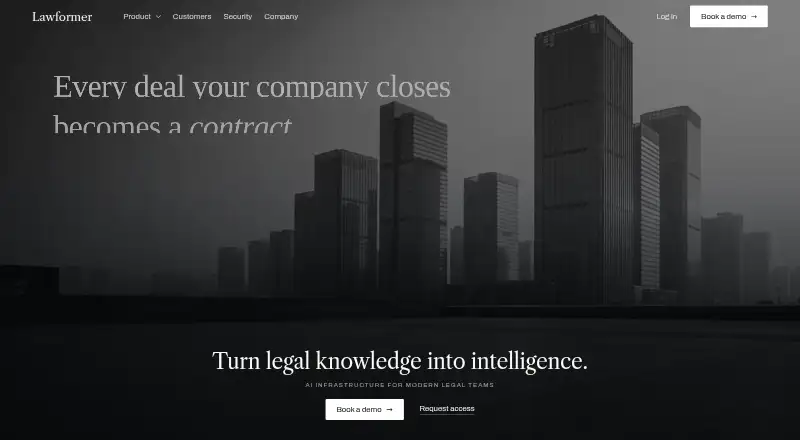
What Lawformer is
Lawformer provides AI tools for legal teams to review, draft, modify, summarize, and analyze contracts using organizational knowledge. Review checks agreements against instructions, playbooks, preferred positions, prior agreements, and standards. Drafting tools draw on templates, precedents, and drafting patterns to prepare clauses, agreements, and amendments. Teams can build playbooks with preferred positions, fallback language, risk thresholds, negotiation instructions, and explanations. Structured workflows let legal and business stakeholders request reviews, compare versions, comment, approve, and retain document history. Its repository supports executed agreements, templates, clause and precedent retrieval, conversational search, metadata, history, and permissions. Lawformer runs as an add-in inside Microsoft Word. Its security page describes encryption in transit and at rest, says customer agreements are not used to train or fine-tune models, and describes the service as GDPR, EU AI Act, and HIPAA compliant. The Community package provides lifetime free access; Corporate pricing is available by contacting sales, with no price listed. The service is intended for business and professional use.
Who it suits
Lawformer suits legal and business professionals who need contract review and drafting based on organizational materials. It is intended for business and professional use, with access through a Microsoft Word add-in.
What it does well
- Lifetime free access to the Community package
- Contract review uses organizational instructions and standards
- Playbooks support fallback language and negotiation guidance
- Includes structured review and approval workflows
- Runs inside Microsoft Word
What to know first
- Corporate pricing is not listed
- Corporate subscription details are not stated publicly
Plans
| Plan | Billed and limits | Price |
|---|---|---|
| Community package | Lifetime free access; other limits not stated | Free |
| Corporate | Contact Lawformer for pricing · Corporate subscription details not stated publicly | On request |
As lawformer.com lists them, read 30 Sept 2026. The maker's own page has the final word.
Getting started
- Visit the Lawformer website.
- Choose the Community package for lifetime free access, or contact the sales team about Corporate subscription options.
- Use Lawformer as an add-in inside Microsoft Word.
- Access it on the web, macOS, or Windows.
Overview
Lawformer is an AI contract tool for organizations that want legal work anchored in their own agreements and standards. It is best suited to teams handling repeat contract work across legal and business functions. Its strongest case is the combination of document-grounded review and drafting with workflows inside Microsoft Word.
That approach is less compelling for occasional users without established templates, playbooks, or agreement collections to draw on.
For a broader comparison, see Legal Knowledge Management Software.
Key features
Review and drafting with shared standards
Lawformer checks agreements against instructions, preferred positions, playbooks, prior agreements, and organizational standards. Teams can define fallback language, risk thresholds, negotiation guidance, and explanations in playbooks. That gives reviewers a common basis for assessing terms; teams need to keep those positions current for the guidance to remain useful.
It can draft clauses, agreements, and amendments from an organization’s templates, precedents, and drafting patterns, as well as summarize and analyze contracts. This is a practical fit for repeat work where teams want output aligned with internal material, rather than a standalone drafting tool detached from it.
Documents, collaboration, and Word
The repository combines executed agreements, templates, clause and precedent retrieval, conversational search, metadata, agreement history, and permissions. Review workflows include requests, version comparisons, comments, approvals, and document history, bringing legal and business stakeholders into a structured process. The breadth is useful for teams that need both document knowledge and review coordination; the product’s value depends on bringing relevant organizational documents into that system.
Lawformer runs as an add-in inside Microsoft Word, so users can work on documents without switching applications. It says it is model-agnostic and routes tasks among models evaluated for legal work through its LACE framework. The security page describes TLS 1.3 encryption in transit, AES-256 at rest, and says customer agreements are not used to train or fine-tune models. It also describes GDPR, EU AI Act, and HIPAA compliance, along with single sign-on, role-based access, and support access granted case by case with written customer approval.
Pricing
Community package: free, with lifetime free access.
Corporate: custom pricing; contact Lawformer for pricing. Corporate subscription details are not publicly stated, so organizations should confirm included features, seats, quotas, and terms with sales before budgeting.
Lawformer is freemium and offers a free trial, but no trial length or renewal terms are given. The Community package is the clearest route for free access; Corporate is the option to investigate for business requirements that exceed it.
Platforms
Lawformer supports macOS, Windows, and the web. Its Microsoft Word add-in is a particular advantage for teams whose contract work already centers on Word.
Who it's for
The FAQ says lawyers and non-lawyers can use Lawformer depending on the complexity of the contract. Its business and professional focus, playbooks, approval workflows, and repository make it most suited to organizations with recurring contract work and internal standards to apply. It is a weaker fit for casual personal use or teams that do not need document-based workflows.
Pros and cons
- Review and drafting draw on the same organizational material: playbooks, templates, precedents, and prior agreements can support more consistent contract work.
- Knowledge and approvals sit alongside document work: repository search, version comparisons, comments, and approval workflows suit teams coordinating across legal and business roles.
- Corporate terms require a sales conversation: custom pricing and unpublished subscription details make cost and plan fit harder to assess in advance.
- Document-grounded workflows require organizational input: teams without maintained templates, precedents, and playbooks have less internal material for the product to use.
Alternatives
For other choices, browse Legal Knowledge Management Software. Kahana and Picard.law are freemium, offer free plans, and run on the web; either is worth comparing if web access and a free plan are priorities. Legal Assistant is a paid web option with pricing available by demo or contact, so consider it if a sales-led purchase is acceptable.
Lexsoft T3 is a paid option across API, self-hosted, and web platforms with an annual SaaS subscription; it may suit teams seeking those deployment choices. Argos requires an enterprise agreement, with fees set by that contract and invoiced annually in advance unless otherwise agreed. AtlasFuse is a paid API and web subscription with a 12-month minimum, user tiers, implementation and success services, support, and maintenance—worth comparing for buyers prepared for a term commitment and service package.
DeepJudge Knowledge Search is a paid web and self-hosted product whose pricing is unpublished and whose product page invites firms to book a demo. HighQ is a paid option spanning web, mobile, desktop, API, and self-hosted platforms, with no free plan and pricing available by demo request.
Verdict
Lawformer is a strong candidate for legal and business teams that repeatedly review and draft contracts against shared organizational standards. Its central advantage is connecting that work to internal documents while keeping collaboration and Word workflows close at hand. Choose another option if you need transparent Corporate pricing, or if your work does not benefit from an organization-centered contract repository and playbooks.
Verdict
Lawformer brings contract drafting, review, knowledge retrieval, and collaboration workflows together around an organization's documents. Its free Community package is available, while Corporate pricing and details require contacting the company.
Questions
Is Lawformer free?
Yes. The Community package provides lifetime free access.
Does Lawformer have a free trial?
Yes, a free trial is available.
What platforms does Lawformer support?
Lawformer lists web, macOS, and Windows. It also runs as an add-in inside Microsoft Word.
Who can use Lawformer?
Its FAQ says lawyers and non-lawyers can use it, depending on the complexity of the contract.
How can I ask about Corporate pricing?
The contact page directs subscription and pricing inquiries to Lawformer’s sales team.
Who makes Lawformer?
Lawformer Corp. identifies itself as a Delaware corporation with its principal place of business in San Gabriel, California.
Facts from Lawformer's own pages
- Access controls
- The security page describes regional hosting options, customer-defined retention, single sign-on, role-based access, and support access granted case by case with written customer approval. · lawformer.com, 30 Sept 2026
- Audience
- The terms state that the service is intended for business and professional use. · lawformer.com, 30 Sept 2026
- Collaboration
- Legal teams can coordinate legal, finance, procurement, compliance, and business stakeholders through approval workflows while the lawyer works from Word. · lawformer.com, 30 Sept 2026
- Company
- Lawformer Corp. identifies its principal place of business as San Gabriel, California, United States. · lawformer.com, 30 Sept 2026
- Compliance
- Lawformer lists GDPR, EU AI Act, and HIPAA compliance on its security page. · lawformer.com, 30 Sept 2026
- Contract review
- It reviews agreements against organizational instructions, playbooks, preferred positions, previous agreements, and standards, with deviation analysis, playbook checks, precedent comparison, and clause-level reasoning. · lawformer.com, 30 Sept 2026
- Drafting
- It drafts clauses, agreements, and amendments from an organization's templates, precedents, and drafting patterns. · lawformer.com, 30 Sept 2026
- Free access
- The FAQ says all users receive lifetime free access to the community package. · lawformer.com, 29 Sept 2026
- Headquarters
- San Gabriel, California, United States · lawformer.com, 28 Sept 2026
- Integration
- Lawformer runs as an add-in inside Microsoft Word. · lawformer.com, 30 Sept 2026
- Knowledge management
- The repository supports executed agreements, templates, clause and precedent retrieval, conversational document search, metadata, history, and permissions. · lawformer.com, 29 Sept 2026
- Microsoft Word
- Lawformer runs as an add-in inside Microsoft Word, where users can work on documents without leaving Word. · lawformer.com, 29 Sept 2026
- Models
- Lawformer says its model-agnostic architecture can evaluate and route different models according to the legal task. · lawformer.com, 30 Sept 2026
- Playbooks
- Teams can create AI-enabled playbooks with preferred positions, fallback language, risk thresholds, negotiation instructions, and explanations. · lawformer.com, 30 Sept 2026
- Pricing availability
- The contact page directs subscription, pricing, and offer inquiries to its sales team; it does not show prices. · lawformer.com, 29 Sept 2026
- Product
- Lawformer describes itself as AI infrastructure for legal teams that supports work from first draft to signed agreement. · lawformer.com, 30 Sept 2026
- Repository
- The platform provides an executed agreement repository, template management, clause and precedent retrieval, conversational document search, contract metadata, and agreement history. · lawformer.com, 30 Sept 2026
- Security
- The security page states that documents and metadata are encrypted in transit with TLS 1.3 and at rest with AES-256, and that customer agreements are not used to train or fine-tune models. · lawformer.com, 30 Sept 2026
- Support
- The contact page offers customer support by email or a requested call and directs pricing inquiries to its sales contact. · lawformer.com, 30 Sept 2026
- Who it is for
- The FAQ says lawyers and non-lawyers can use Lawformer depending on the complexity of the desired contract. · lawformer.com, 29 Sept 2026