Freedom251 › Game Voice Chat Software
Lag
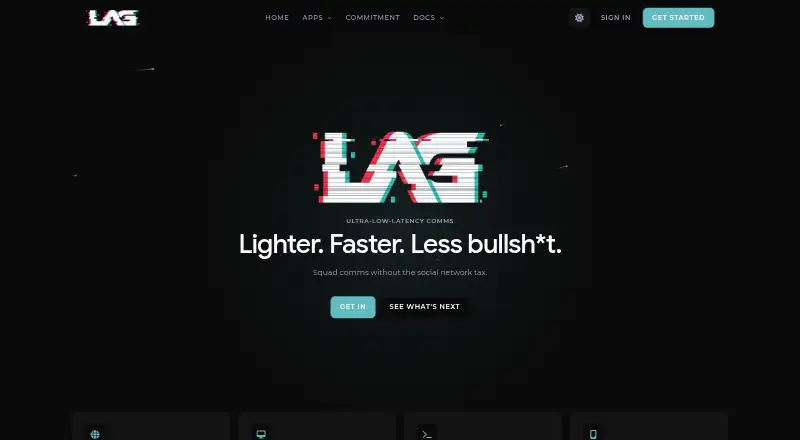
What Lag is
Lag is a free voice-first communication platform for gaming, with server- and room-based voice channels plus text messaging, reactions, and replies. Lag reports median round-trip latency below 50 ms and 99.2% packet recovery through redundant audio encoding. Its native iOS and Android apps provide voice rooms, messaging, push notifications, and background audio. The Tauri and Rust desktop app for Windows and Linux includes system audio capture, a system tray, and global push-to-talk hotkeys; the desktop page says macOS support is coming soon. An open-source CLI supports voice chat over SSH on macOS and Linux. For self-hosting, Lag provides an MIT-licensed deployment with a bundled web UI, API, PostgreSQL, and voice server, currently using LiveKit. Python and TypeScript SDKs cover the public REST API, but not WebSocket or voice. Lag says it runs no ads, does not sell user data, and does not record or store voice data. The free plan has no per-seat pricing, tiers, or feature gates.
Who it suits
Lag suits gaming groups that want voice rooms alongside text, and teams interested in a self-hosted or command-line option. Mobile users can use native iOS and Android apps; desktop users have Windows and Linux apps.
What it does well
- Free plan has no tiers or feature gates.
- Voice rooms include messaging, emoji reactions, and replies.
- Native mobile apps support push notifications and background audio.
- Self-hosted deployment is open source under MIT.
- CLI supports voice chat over SSH.
What to know first
- Desktop app is listed for Windows and Linux only.
- SDKs do not cover WebSocket or voice.
- Web sign-in requires Discord or Google OAuth.
Plans
| Plan | Billed and limits | Price |
|---|---|---|
| Lag | Free; no per-seat pricing; no plan tiers or feature gates | Free |
As trylag.com lists them, read 2 Oct 2026. The maker's own page has the final word.
Getting started
- Open https://trylag.com/ in a web browser.
- Sign in to the web app with Discord or Google OAuth.
- Use the web app, or install a native iOS or Android app for mobile access.
- For desktop use, choose the Windows or Linux app.
- For a self-hosted deployment, use Lag’s open-source MIT-licensed deployment.
Overview
Lag is a free gaming communication service built around voice rooms arranged within servers, with text chat in the same environment. It is best suited to gaming groups that want mobile access or the option to run their own service. The main trade-off is that its desktop app is limited to Windows and Linux, despite broader web, mobile, and CLI access.
Key features
Rooms combine voice with messages, emoji reactions, and replies, giving groups a place to coordinate in writing as well as in live conversation. Lag reports median round-trip latency under 50 ms and 99.2% packet recovery with redundant audio encoding. Those are useful targets for responsive, resilient voice, though the figures are the product’s own claims.
The Windows and Linux desktop app includes system audio capture, a system tray, and global push-to-talk hotkeys. Native iOS and Android apps support voice rooms, messaging, push notifications, and background audio, so mobile users can stay in conversations beyond the foreground app. On macOS and Linux, an open-source CLI offers voice chat over SSH with vim-style navigation; that is a distinct option for terminal-oriented users, not a macOS desktop app.
Groups that want to control their own deployment can use Lag’s open-source, MIT-licensed self-hosted package, which bundles a web UI, API, PostgreSQL, and voice server. Its current voice engine is LiveKit. This flexibility is a strength for operators willing to manage hosting, but is less relevant to groups seeking only a hosted chat service.
Official open-source Python and TypeScript SDKs cover the public REST API, not WebSocket or voice. Developers whose integrations depend on those interfaces will need to work outside the supplied SDKs. The web app uses Discord or Google OAuth, without passwords. Lag says it does not run ads or sell user data, and that voice data is never recorded or stored. Its terms say personal data is processed in accordance with applicable data protection law, including UK GDPR.
Pricing
Lag has one plan, Lag, at no cost. It has no per-seat pricing, plan tiers, or feature gates, so there is no paid tier to unlock for a larger group or additional features. That makes it straightforward for groups to start without a subscription, although hosting your own deployment still means taking responsibility for operating it.
Platforms
Lag supports web, Windows, Linux, macOS, iOS, Android, and API access, and offers both hosted and self-hosted use. Its native desktop app currently supports Windows and Linux; the desktop page says macOS support is coming soon. The CLI supports macOS and Linux, while the native mobile apps cover iOS and Android. Screen sharing is supported.
Who it's for
Lag fits gaming groups that prioritize voice rooms, want text coordination alongside voice, and value a free plan without seat charges. It is also a reasonable candidate for technical communities that want to self-host or use the REST API through Python or TypeScript. Groups that need a native macOS desktop app now, or developers who require supplied WebSocket or voice SDK support, should look elsewhere.
Pros and cons
- Pro: The free plan has no per-seat pricing or feature gates, so groups do not face a paid-tier cutoff as they grow.
- Pro: Self-hosting is available under an MIT license and bundles the web UI, API, database, and voice server.
- Pro: Native mobile apps include background audio and push notifications, supporting participation away from a desktop.
- Con: The native desktop app is for Windows and Linux; macOS users have a CLI option but not the desktop app.
- Con: The official SDKs stop at the public REST API and do not cover WebSocket or voice integrations.
Alternatives
Game Voice Chat Software is the broader category directory for comparing voice chat options.
Discord is a strong alternative for groups seeking voice, video, and text chat with community servers and browser, desktop, and mobile access on a free plan. Its listed platforms include macOS, unlike Lag’s current native desktop app.
GameVox may suit groups that want explicit free server limits: its Standard Server plan allows up to 100 members, five voice channels, eight text channels, 2 GB storage, and 500 MB per file.
CallSign is another free option, with voice channels, servers, channels, DMs, a basic AI assistant, and 25 MB file uploads on its Free plan.
SONIX may appeal to groups seeking AI noise cancellation, multi-user screen sharing, file sharing, and up to 5 GB storage per user on its free plan.
Taverns offers free community membership, chat, voice, and community tools, with optional extras using Prisma.
TeamSpeak is worth considering for teams looking for community hosting with scalable slot options and no server hardware requirement on its Communities plan, which is described as a free trial.
Bedrock Voice Chat may fit groups specifically seeking self-hosted voice chat with no seat count or per-player billing and multitrack recording included.
Mumble is a free, open-source voice chat option for groups that want to self-host a server.
Verdict
Choose Lag if your gaming group wants free voice rooms with text, mobile apps, and the flexibility to self-host without per-seat charges. Its broad access options are appealing, but the missing native macOS desktop app and REST-only SDK coverage are clear reasons to choose another service if those are central to your setup.
Verdict
Lag combines gaming voice rooms with text and mobile apps, and offers both hosted and self-hosted use. Its desktop app is currently listed for Windows and Linux, while its SDKs cover only the public REST API.
Questions
How much does Lag cost?
Lag is free. It has no per-seat pricing, plan tiers, or feature gates.
Which platforms does Lag support?
Lag lists web, Windows, Linux, macOS, iOS, Android, and API support. The desktop app is listed for Windows and Linux; its desktop page says macOS support is coming soon.
Can Lag be self-hosted?
Yes. Lag offers an open-source, MIT-licensed self-hosted deployment with a bundled web UI, API, PostgreSQL, and voice server.
Does Lag have mobile apps?
Yes. Its native iOS and Android apps offer voice rooms, messaging, push notifications, and background audio.
What can developers build with Lag’s SDKs?
Official open-source Python and TypeScript SDKs cover the public REST API. They do not cover WebSocket or voice.
How do users sign in?
The web app uses OAuth sign-in through Discord or Google, with no passwords required.
Facts from Lag's own pages
- Authentication
- The web app uses OAuth sign-in through Discord or Google, with no passwords required. · trylag.com, 2 Oct 2026
- CLI
- The open-source CLI supports voice chat over SSH on macOS and Linux, with vim-style navigation. · trylag.com, 2 Oct 2026
- Desktop
- The Tauri and Rust desktop app supports Windows and Linux, with system audio capture, a system tray, and global push-to-talk hotkeys. · trylag.com, 2 Oct 2026
- Developer integrations
- Official open-source Python and TypeScript SDKs cover Lag’s public REST API; WebSocket and voice are outside their scope. · trylag.com, 2 Oct 2026
- Messaging
- The product supports text alongside voice, including rooms, messages, emoji reactions, and replies. · trylag.com, 2 Oct 2026
- Mobile
- Native iOS and Android apps offer voice rooms, messaging, push notifications, and background audio. · trylag.com, 2 Oct 2026
- Notable limit
- The desktop app is listed for Windows and Linux; the desktop page says macOS support is coming soon. · trylag.com, 2 Oct 2026
- Privacy
- Lag says it does not run ads or sell user data, and its comparison page says voice data is never recorded or stored. · trylag.com, 2 Oct 2026
- Purpose
- Lag is a voice-first communication platform for gaming, with server and room-based voice channels. · trylag.com, 2 Oct 2026
- Security and compliance
- The terms say personal data is processed in accordance with applicable data protection law, including UK GDPR. · trylag.com, 2 Oct 2026
- Self-hosting
- Lag offers an open-source, MIT-licensed self-hosted deployment with a bundled web UI, API, PostgreSQL, and voice server; its current voice engine is LiveKit. · trylag.com, 2 Oct 2026
- Support
- Lag’s contact form accepts support, legal requests, security concerns, and self-hosting questions. · trylag.com, 2 Oct 2026
- Voice performance
- Lag reports median round-trip latency under 50 ms and 99.2% packet recovery using redundant audio encoding. · trylag.com, 2 Oct 2026
Where Lag stands on Freedom251
- Game Voice Chat Software#8 of 22