Freedom251 › Game Voice Chat Software

CallSign
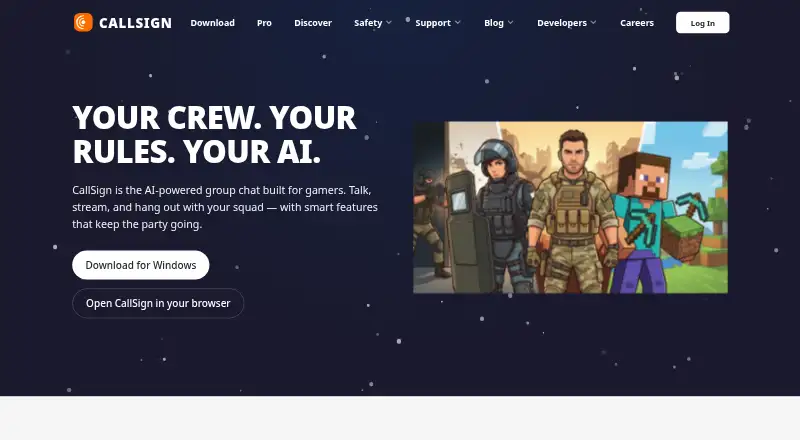
What CallSign is
CallSign is group chat with AI for gaming and spending time with friends over voice, video, or text. Its Free plan includes servers, channels, direct messages, voice channels, a basic AI assistant, and what the service calls “Always-on safety.” File uploads are limited to 25 MB on Free, 50 MB on Pro Basic, and 500 MB on Pro. Screen sharing is listed at 720p on Free, 1080p on Pro Basic, and 4K/60fps on Pro. Pro adds an AI assistant, summaries, voice transcription, semantic search across messages, animated avatars, and custom profile themes. Pro Basic and Pro include custom emoji and stickers. CallSign has mobile apps for Android and iOS, and is also available on web, Windows, macOS, and Linux. The Free plan costs nothing. Pro Basic costs $2.99 a month, or 29.99 USD yearly; Pro costs $19.99 a month, or 199.99 USD yearly. PlayStation and Xbox availability is listed as coming soon. A Public Test Build is available for trying features before launch and reporting bugs.
Who it suits
CallSign suits groups of friends who want voice, video, or text chat across mobile, desktop, and browser platforms. Its different plans give users options for larger uploads, higher-resolution screen sharing, and additional AI tools.
What it does well
- Free plan includes servers, channels, and voice channels.
- Available on web, desktop, and mobile platforms.
- Pro includes voice transcription and semantic search.
- Public Test Build is available for trying features.
What to know first
- Free file uploads are limited to 25 MB.
- Free screen sharing is listed at 720p.
- PlayStation and Xbox availability is coming soon.
Limits
Free includes uploads up to 25 MB and 720p screen sharing. Pro Basic raises these limits to 50 MB and 1080p; Pro allows 500 MB uploads and 4K/60fps sharing.
Plans
| Plan | Billed and limits | Price |
|---|---|---|
| Free | forever · 25 MB file uploads · Basic AI assistant · voice channels · servers, channels, DMs | Free |
| Pro | per month / $199.99 yearly · 500 MB file uploads · unlimited AI assistant · voice transcription · 4K/60fps streaming · 2 free Server Boosts | $19.99 a month |
| Pro Basic | per month / $29.99 yearly · 50 MB file uploads · limited AI assistant · custom emoji anywhere · custom stickers | $2.99 a month |
As callsign.gg lists them, read 3 Oct 2026. The maker's own page has the final word.
Getting started
- Visit the CallSign website or download page.
- Choose web, desktop, or a mobile app for iOS or Android.
- Open CallSign and use the Free plan or select a paid plan.
- Subscribe to Pro Basic or Pro from User Settings if desired.
- Try the Public Test Build to explore features before launch and report bugs.
CallSign is group chat software for gaming and spending time with friends over voice, video, or text. It best suits groups that want chat organized into servers and channels, with AI tools and adjustable screen-sharing quality. Free covers the basics; the higher tiers are worth considering when their larger upload caps or added tools meet a regular need.
Overview
Servers, channels, direct messages, and voice channels give groups several ways to organize conversations without a subscription. The free plan also includes a basic AI assistant and what CallSign calls “Always-on safety.” That makes Free a sensible starting point for groups that want structured chat but do not need large file uploads or sharper screen sharing.
Key features
Upload limits rise from 25 MB on Free to 50 MB on Pro Basic and 500 MB on Pro. The free cap works for smaller shared files, while the Pro ceiling is better suited to groups that regularly exchange larger files. Pro Basic offers a moderate increase, but groups needing more than 50 MB per upload would have to move up to Pro.
Screen sharing follows a similar tier ladder: 720p on Free, 1080p on Pro Basic, and 4K/60fps on Pro. Free should suit groups for whom basic screen sharing is enough; Pro Basic improves resolution without the full Pro price. Pro’s 4K/60fps option is the strongest fit for groups that prioritize high-resolution sharing, though it is a substantial upgrade for anyone who only needs occasional chat.
The AI offering ranges from a basic assistant on Free to a limited assistant on Pro Basic and an unlimited assistant on Pro. Pro also includes voice transcription, summaries, and semantic search across messages, giving active communities more ways to revisit conversations. Animated avatars and custom profile themes are Pro features; custom emoji anywhere and custom stickers are included with both paid plans. Pro also adds two free Server Boosts.
The Public Test Build lets users try features before launch and report bugs. It is an option for people willing to try pre-release features, rather than a reason for groups seeking only a settled chat setup to choose CallSign.
Pricing
- Free: free (billed forever). Includes servers, channels, direct messages, voice channels, a basic AI assistant, 25 MB file uploads, and 720p screen sharing. It is the clearest fit for groups whose chat and sharing needs stay within those caps.
- Pro Basic: $2.99 a month (billed per month / $29.99 yearly). It raises uploads to 50 MB and screen sharing to 1080p, and adds custom emoji anywhere and custom stickers. The AI assistant remains limited, so this tier favors groups seeking better sharing and customization over the full AI toolkit.
- Pro: $19.99 a month (billed per month / $199.99 yearly). It raises uploads to 500 MB and screen sharing to 4K/60fps, with an unlimited AI assistant, voice transcription, summaries, semantic search, animated avatars, custom profile themes, and two free Server Boosts. It fits active groups that will use several of those additions; for basic chat, the price jump from Pro Basic is difficult to justify.
Subscriptions can be started from User Settings in CallSign. The free plan is billed forever; the paid plans show monthly and yearly prices as stated above.
Platforms
CallSign is available on web, Windows, macOS, Linux, iOS, and Android, with mobile apps linked through the App Store and Google Play. PlayStation and Xbox are marked as coming soon, so players looking for current console availability should not count on those versions yet.
Who it's for
CallSign is a good fit for gaming groups and friend communities that want servers, channels, direct messages, and voice chat across desktop, browser, and mobile. Free is enough for groups comfortable with 25 MB uploads and 720p sharing. Pro Basic suits those wanting a modest increase in both limits plus emoji and stickers; Pro makes more sense for communities that will use its larger uploads, 4K/60fps sharing, or expanded AI tools. It is less compelling for groups that only need basic chat and have no reason to pay for those higher ceilings.
Pros and cons
- Pros: Free includes servers, channels, direct messages, and voice channels, so groups can organize core communication without paying.
- Pros: Upload and screen-sharing limits scale by plan, giving groups a choice between 25 MB and 720p on Free, 50 MB and 1080p on Pro Basic, or 500 MB and 4K/60fps on Pro.
- Pros: Pro combines an unlimited AI assistant with transcription, summaries, and semantic search, a useful set of tools for communities that return to past conversations.
- Cons: Pro Basic keeps the AI assistant limited, so it is not a middle tier for users seeking the full AI feature set.
- Cons: Pro costs $19.99 a month, a sizeable step up from Pro Basic for groups that mainly want everyday chat.
- Cons: PlayStation and Xbox availability is still coming soon, limiting its current fit for console-first groups seeking a console app.
Alternatives
For a broader set of game voice-chat options, browse Game Voice Chat Software. Choose Discord instead if its free voice, video, and text chat, community servers, and browser, desktop, and mobile access better match your needs. GameVox is worth considering if its free Standard Server’s stated limits of up to 100 members, five voice channels, eight text channels, 2 GB storage, and 500 MB per file suit your group. Lag is an alternative for readers looking for a free option with no per-seat pricing or plan tiers. SONIX may suit groups drawn to its stated low-latency calls, AI noise cancellation, multi-user screen sharing, and 5 GB maximum storage per user. Consider TeamSpeak if its community and business or SDK offerings are a better fit. Bedrock Voice Chat is an alternative for readers interested in its free self-hosted plan with no seat count or per-player billing. Mumble is a free, open-source voice-chat option with self-hosting. RaidCall is another alternative.
Verdict
Choose CallSign if your gaming or friend group wants organized chat across devices and values a free starting tier with a clear path to larger uploads, sharper screen sharing, and more capable AI. Its main drawback is the gap between Pro Basic and Pro: groups that need only routine chat, or cannot justify Pro’s price for its extra tools, are better off staying on Free or comparing alternatives.
Verdict
CallSign covers group chat across a wide range of listed platforms, with file-upload and screen-sharing limits that vary by plan. Free includes core chat features, while the paid plans add higher limits and additional tools.
Questions
Is CallSign free?
Yes. The Free plan costs nothing, billed forever.
How much do the paid plans cost?
Pro Basic is $2.99 a month or 29.99 USD yearly. Pro is $19.99 a month or 199.99 USD yearly.
Which platforms does CallSign support?
CallSign is available on web, Windows, macOS, Linux, iOS, and Android. PlayStation and Xbox are listed as coming soon.
What does the Free plan include?
It includes servers, channels, direct messages, voice channels, a basic AI assistant, and what CallSign calls “Always-on safety.” It allows 25 MB uploads and 720p screen sharing.
What AI features are listed with Pro?
Pro lists an AI assistant, summaries, voice transcription, and semantic search across messages.
How do I subscribe?
The Pro page says users can open CallSign and subscribe from User Settings.
Facts from CallSign's own pages
- AI
- The Pro page lists an AI assistant, summaries, voice transcription, and semantic search across messages. · callsign.gg, 3 Oct 2026
- Communication
- CallSign offers servers, channels, direct messages, and voice channels on its Free plan. · callsign.gg, 3 Oct 2026
- Console availability
- The download page lists PlayStation and Xbox as coming soon. · callsign.gg, 3 Oct 2026
- Customization
- Pro includes animated avatars and custom profile themes; custom emoji and stickers are included with Pro Basic and Pro. · callsign.gg, 3 Oct 2026
- Desktop and browser
- The download page lists macOS, Windows, Linux, and browser availability. · callsign.gg, 3 Oct 2026
- File uploads
- The listed upload limits are 25 MB on Free, 50 MB on Pro Basic, and 500 MB on Pro. · callsign.gg, 3 Oct 2026
- Mobile
- The download page links to the App Store and Google Play for mobile apps. · callsign.gg, 3 Oct 2026
- Product
- CallSign describes itself as group chat with AI for gaming and hanging out with friends over voice, video, or text. · callsign.gg, 3 Oct 2026
- Safety
- The Free plan includes what the page calls “Always-on safety.” · callsign.gg, 3 Oct 2026
- Streaming
- Screen sharing is listed at 720p on Free, 1080p on Pro Basic, and 4K/60fps on Pro. · callsign.gg, 3 Oct 2026
- Subscriptions
- The Pro page says users can open CallSign and subscribe from User Settings. · callsign.gg, 3 Oct 2026
- Testing
- CallSign offers a Public Test Build for trying features before launch and helping report bugs. · callsign.gg, 3 Oct 2026
Where CallSign stands on Freedom251
- Game Voice Chat Software#3 of 22