Freedom251 › Model Registry Software

Kubeflow Notebooks
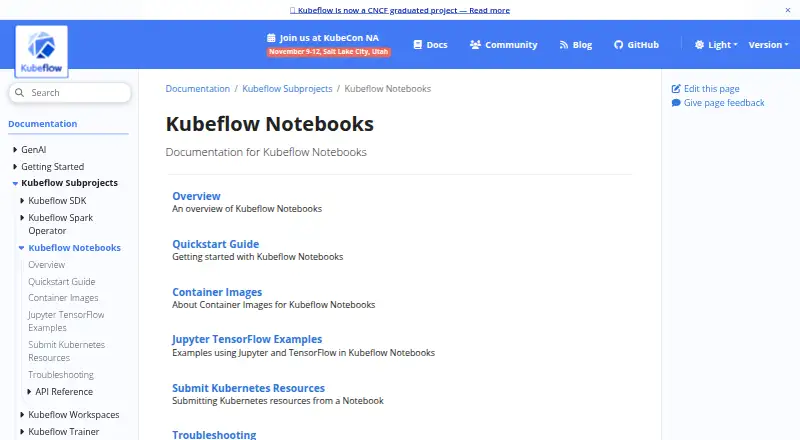
What Kubeflow Notebooks is
Kubeflow Notebooks provides hosted development environments for AI, machine learning, and data work that run inside a Kubernetes cluster. Users can create notebook servers in the cluster and work through JupyterLab, RStudio, or Visual Studio Code using code-server; other web-based IDEs may also work. Python and R are supported, and the notebook format includes Jupyter Notebook (.ipynb).
When setting up a server, users can request CPU and RAM, attach workspace and data volumes, and optionally request GPUs. Administrators can make standard notebook images available with required packages already installed. The project documents images including Python with code-server and JupyterLab images with PyTorch, TensorFlow, CUDA, and common packages. Kubeflow RBAC controls access to notebooks for organizational sharing, and configurations can match PodDefault resources in a profile namespace, including a documented GCP credential secret example.
Packages installed after a notebook starts last only for that pod unless they are installed in a PVC-backed directory. Custom images or PVC-backed installation preserve packages through pod restarts. The project is open source and free, and can be deployed on its own or as part of a Kubeflow distribution.
Who it suits
Kubeflow Notebooks suits AI and ML practitioners who want development environments inside Kubernetes, with optional GPU requests and configurable storage. It also fits platform administrators who want to offer standard images and manage shared notebook access through Kubeflow RBAC.
What it does well
- Runs notebook containers inside the Kubernetes cluster.
- Supports JupyterLab, RStudio, and Visual Studio Code through code-server.
- Lets users configure CPU, RAM, storage, and optional GPUs.
- Administrators can provide images with required packages pre-installed.
- Free and open source; deployable standalone or within Kubeflow.
What to know first
- Custom notebook images must meet specific port, user, and PVC requirements.
- Packages installed outside PVC-backed directories are limited to the pod lifetime.
Limits
Packages installed after startup last only for the lifetime of the pod unless installed in a PVC-backed directory. Custom notebook images must expose HTTP on port 8888, run as user jovyan with UID 1000, and start with an empty PVC mounted at /home/jovyan.
Getting started
- Open the Kubeflow Notebooks website.
- Deploy it as a standalone subproject or as part of a Kubeflow distribution.
- Create a notebook server and choose a supported interface.
- Set CPU and RAM requests, attach workspace or data volumes, and optionally request GPUs.
- Use a standard or compatible custom notebook image; configure persistent package installation in a PVC-backed directory if needed.
Verdict
Choose Kubeflow Notebooks if you want free, open-source notebook environments running inside Kubernetes, with configurable resources and organization-level access control. It may be a poor fit if you need packages installed after startup to persist without using a PVC-backed directory or custom image.
Questions
Is Kubeflow Notebooks free?
Yes. It is free and open source.
Which notebook interfaces does it support?
It natively supports JupyterLab, RStudio, and Visual Studio Code through code-server. The documentation says other web-based IDEs should also work.
Which platforms can run it?
Kubeflow Notebooks is listed for self-hosted and web use. Its notebook containers run inside a Kubernetes cluster.
Can it use GPUs?
Yes. Users can optionally request GPUs when creating a notebook server.
Do installed packages persist after a pod restarts?
Packages installed after startup last only for the pod's lifetime unless installed in a PVC-backed directory. Custom images or PVC-backed installation preserve them through pod restarts.
Can it be deployed without a full Kubeflow distribution?
Yes. It can be deployed as a standalone subproject or as part of a Kubeflow distribution.
Facts from Kubeflow Notebooks's own pages
- Access control
- Notebook access control is managed by Kubeflow RBAC, which the docs say enables notebook sharing across an organization. · kubeflow.org, 9 Oct 2026
- Container images
- Official example images include JupyterLab with PyTorch or TensorFlow, RStudio with Tidyverse, and code-server with Conda Python. · kubeflow.org, 9 Oct 2026
- Custom image requirements
- A compatible custom image must expose HTTP on port 8888, run as user jovyan with home directory /home/jovyan and UID 1000, and start with an empty PVC mounted there. · kubeflow.org, 9 Oct 2026
- Deployment
- Kubeflow Notebooks can be deployed as a standalone subproject or as part of a Kubeflow distribution. · kubeflow.org, 9 Oct 2026
- Image requirements
- Custom notebook images must expose an HTTP interface on port 8888, run as user jovyan with UID 1000, and start with an empty PVC mounted at /home/jovyan. · kubeflow.org, 8 Oct 2026
- In-cluster environments
- Users can create notebook containers directly in the cluster instead of running them locally on their workstations. · kubeflow.org, 8 Oct 2026
- Intended users
- Kubeflow describes its broader platform as serving AI practitioners, platform administrators, and decision-makers with tools for data, AI/ML, and HPC workloads. · kubeflow.org, 8 Oct 2026
- Maturity
- The installation guide lists Kubeflow Notebooks among graduated projects, which it describes as stable and ready for general availability. · kubeflow.org, 9 Oct 2026
- Notebook interfaces
- It natively supports JupyterLab, RStudio, and Visual Studio Code through code-server. · kubeflow.org, 8 Oct 2026
- Organization images
- Administrators can provide standard notebook images with required packages pre-installed, and users can also select a custom Docker image. · kubeflow.org, 9 Oct 2026
- Package persistence
- Packages installed after a notebook starts last only for the lifetime of its pod unless installed in a PVC-backed directory; custom images are another way to preserve packages across pod restarts. · kubeflow.org, 9 Oct 2026
- Project governance
- Kubeflow is part of the Cloud Native Computing Foundation and follows its governance structure. · kubeflow.org, 8 Oct 2026
- Purpose
- Kubeflow Notebooks runs interactive development environments for AI, ML, and data workloads on Kubernetes. · kubeflow.org, 9 Oct 2026
- Related beta project
- Kubeflow Workspaces is described as the next generation of Notebooks (Notebooks v2) and is beta software intended for staging and development clusters. · kubeflow.org, 9 Oct 2026
- Resource configuration
- Users can set CPU and RAM requests, mount workspace and data volumes, and optionally request GPUs when creating a notebook server. · kubeflow.org, 8 Oct 2026
- Resources and storage
- When creating a notebook server, users can specify CPU, RAM, a workspace volume, optional data volumes, and optional GPU requests. · kubeflow.org, 9 Oct 2026
- Runs in cluster
- Notebook containers run directly in a Kubernetes cluster rather than on users’ workstations. · kubeflow.org, 9 Oct 2026
- Secrets configuration
- Notebook configurations can match PodDefault resources in a profile namespace, including a documented example for mounting a GCP credential secret. · kubeflow.org, 8 Oct 2026
- Support
- The project’s troubleshooting guide recommends checking Notebook and Pod events, Pod YAML, and Pod logs when a notebook does not start. · kubeflow.org, 9 Oct 2026
- Supported IDEs
- It natively supports JupyterLab, RStudio, and Visual Studio Code through code-server; the docs say other web-based IDEs should also work. · kubeflow.org, 9 Oct 2026
Where Kubeflow Notebooks stands on Freedom251
- Model Registry Software#11 of 36
- Model registries#16 of 38
- Data Science Platforms#15 of 32
- MLOps Platforms#14 of 29
- ML Experiment Tracking Software#20 of 39
- Experiment Tracking#12 of 22
- AutoML Software#17 of 30
- Notebook Software#21 of 25