Koder
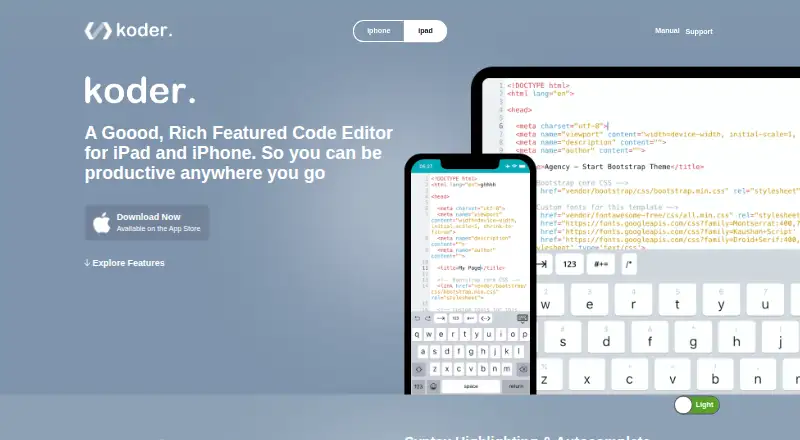
What Koder is
Koder is a free code editor for iPhone and iPad. It provides syntax highlighting for more than 80 programming languages, plus autocomplete, find and replace, a functions list, external keyboard support, and local autosave. A preview browser displays coded websites, while a built-in SSH client supports remote development. Connections include Dropbox, FTP/SFTP, and WebDAV, with transfers between local and remote files. File management covers copying, moving, extracting, sharing, uploading, downloading, exporting, deleting, and renaming. Multitasking and drag-and-drop collaboration work with Working Copy, Dropbox, and Files. Users can add custom keyboard keys for code snippets and switch between dark and light modes. Local files can be reached from a Mac or computer through a web browser, or from Finder on Mac. Two listed plans, Free and Koder Code Editor, each cost nothing.
Who it suits
Koder suits iPhone and iPad users who edit code locally or connect to remote files and development services. It is also useful for those wanting mobile previews, SSH, and file collaboration.
What it does well
- Supports more than 80 programming languages
- Includes built-in SSH client
- Connects to Dropbox, FTP/SFTP, and WebDAV
- Offers local autosave and autocomplete
- Free plans listed
What to know first
- iOS platforms only
- Remote connections require supported services
- No platforms beyond iPhone and iPad are listed
Plans
| Plan | Billed and limits | Price |
|---|---|---|
| Free | Code editor for iPhone and iPad | Free |
| Koder Code Editor | Free; listed for iPhone and iPad | Free |
As koderapp.com lists them, read 22 Sept 2026. The maker's own page has the final word.
Verdict
Koder offers a broad mobile editing and file-transfer toolkit at no listed cost. Its fit depends on working from iPhone or iPad and using the supported connection methods.
Facts from Koder's own pages
- Collaboration
- Koder supports multitasking and drag-and-drop file collaboration with apps including Working Copy, Dropbox, and Files. · koderapp.com, 11 Oct 2026
- Connections
- Koder supports Dropbox, FTP/SFTP, and WebDAV connections, with file uploads and downloads between local and remote connections. · koderapp.com, 11 Oct 2026
- Custom keyboard
- Users can add custom keyboard keys for frequently used code snippets. · koderapp.com, 11 Oct 2026
- Developer
- The App Store listing names Reny Mustika as the developer. · apps.apple.com, 11 Oct 2026
- Display
- The site says Koder supports dark mode and lets users switch it off for light mode. · koderapp.com, 11 Oct 2026
- Editing features
- The site lists code autocomplete, find and replace, a functions list, external keyboard support, and local autosave. · koderapp.com, 11 Oct 2026
- File management
- The site lists copy, move, extract, share, upload, download, export, delete, and rename operations. · koderapp.com, 11 Oct 2026
- Free plan
- Yes · koderapp.com, 22 Sept 2026
- Language support
- The product site says Koder supports syntax highlighting for more than 80 programming languages. · koderapp.com, 11 Oct 2026
- Local file access
- The product site says local files can be accessed from a Mac or computer using a web browser, or from Finder on Mac. · koderapp.com, 11 Oct 2026
- Supported platforms
- ios · koderapp.com, 22 Sept 2026
- Preview and SSH
- Koder includes a preview browser for coded websites and a built-in SSH client. · koderapp.com, 11 Oct 2026
- Remote development
- Yes · koderapp.com, 22 Sept 2026
- Support
- The maker invites bug reports and enhancement ideas via @koderapp or [email protected]. · koderapp.com, 11 Oct 2026
- What it does
- Koder is a code editor for iPad and iPhone. · koderapp.com, 11 Oct 2026
Where Koder stands on Freedom251
- Code editors#33 of 45