Freedom251 › Legal Hold Software
Knovos Manage
What Knovos Manage is
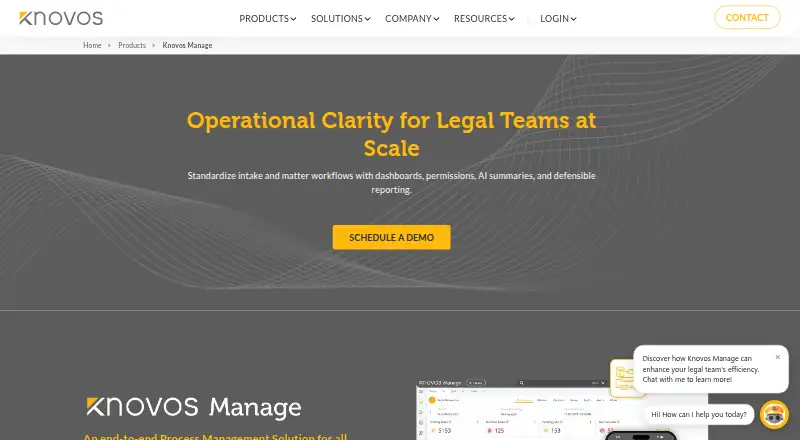
Knovos Manage standardizes intake and matter execution through configurable workflows, dashboards, permissions, reporting, task tracking, legal holds, invoicing, and ticketing. Law firms can use it to manage multiple client cases and remotely connected teams; corporations can apply it to process management, integrated email, resource visibility, and timeline tracking. Users can design workflows for complex processes and keep project documents in a central repository for access and retrieval. Billing tools support configurable rates, rush rates, billing sets, and customized invoice templates. Legal hold tools include templates, automated custodian reminders, response tracking, centralized dashboards, and MFA-enabled access. Conflict checking supports criteria-based searches, automated triggers, comparative evaluations, and integration with external databases. Email can be managed within process management; Active Directory synchronization supports single sign-on, and two-factor authentication can be enabled. Communications and project files are encrypted, with IP-restricted access also supported. Deployment options include cloud, on-premise, and hybrid cloud. Knovos advertises 24×7 support and onboarding assistance, including data migration, user training, and product certification. Pricing is on request; standard licensing and usage-based pay-as-you-go pricing are mentioned without published amounts.
Who it suits
Knovos Manage is aimed at law firms managing multiple client cases and remotely connected teams, as well as corporations seeking process management and resource visibility. It may suit organizations that need configurable workflows, legal holds, billing, or matter tracking.
What it does well
- Configurable workflows for complex processes
- Legal holds include reminders and response tracking
- Supports cloud, on-premise, and hybrid-cloud deployment
- Advertises 24×7 support and onboarding assistance
- Active Directory synchronization supports single sign-on
What to know first
- Pricing is on request
- No plan amounts are published
- Two-factor authentication is described as optional
Plans
| Plan | Billed and limits | Price |
|---|---|---|
| Standard licensing | Cost-effective standard licensing plan | On request |
| Pay-as-you-go | Usage-based pricing mentioned; no amount published | On request |
As knovos.com lists them, read 1 Oct 2026. The maker's own page has the final word.
Getting started
- Visit the Knovos Manage website.
- Contact Knovos to request pricing and discuss standard licensing or pay-as-you-go pricing.
- Choose a cloud, on-premise or hybrid-cloud deployment.
- Use Knovos onboarding assistance, which can include data migration, user training and product certification.
Knovos Manage is a configurable legal-operations platform for law firms and corporate teams coordinating matters, workflows and legal holds. It is best suited to organizations that need several operational processes in one system, rather than buyers looking only for a standalone hold tool. Its broad workflow and deployment options are a strength; custom pricing makes budget comparisons part of the buying decision.
Overview
Manage standardizes intake and matter execution with configurable workflows, dashboards, permissions, reporting and task tracking. Law firms managing multiple client cases and remotely connected teams can use it to coordinate work, while corporations can bring process management, email, resource visibility and timelines together. That breadth can reduce the need to treat each activity as a separate workflow, but it may be more platform than a team needs if its sole priority is legal holds.
Key features
Workflows, matters and documents
Teams can design workflows around complex processes, and matter tracking, task tracking and dashboards help organize ongoing work. The document repository keeps project documents in a centralized location for access and retrieval. This is a useful combination for organizations that need matter activity and its supporting files managed together.
Billing and conflict checking
Configurable standard and rush rates, billing sets and invoice templates let firms adapt billing to different arrangements. Criteria-based conflict searches, automated triggers, comparative evaluations and integration with external conflict-checking databases give conflict checks a place in the broader workflow. These tools make the platform relevant beyond matter administration, particularly for firms handling varied client work.
Legal holds and security
Hold templates, custodian acknowledgment, automated reminders, response tracking, audit trails and centralized dashboards support the hold process from notices through follow-up. MFA-enabled access adds a control around hold activity. Active Directory synchronization supports single sign-on, two-factor authentication can be enabled, and communications and project files are encrypted; IP-restricted access provides another access-control option.
Email and deployment
Integrated email helps teams control and see communications within process management. Knovos offers cloud, on-premise and hybrid-cloud deployment, alongside the self-hosted and web platforms. The range can accommodate different infrastructure preferences, although buyers should decide which model fits their operating requirements before evaluating the rest of the system.
Pricing
Knovos Manage is paid software with custom pricing. Standard licensing is described as cost-effective, while pay-as-you-go uses usage-based pricing; neither plan has a published amount. Standard licensing is the more natural option for organizations seeking a licensing arrangement, while pay-as-you-go may suit buyers who prefer charges tied to usage. Without published rates, a buyer cannot compare their cost without requesting a quote.
There are no stated seat counts, usage quotas, trial length or renewal terms to weigh against those models. Prospective customers should establish how their expected users and usage affect the quote before choosing between them.
Platforms
Manage is offered as web and self-hosted software, with cloud, on-premise and hybrid-cloud deployment options. That flexibility suits organizations with distinct hosting requirements; teams wanting one fixed deployment model should confirm which arrangement matches their needs.
Who it's for
Manage is a strong fit for law firms coordinating multiple client matters, remote teams, billing and conflict checks, and for corporate legal or operations groups that need process, email, resource and timeline visibility. Its configurable workflows and deployment choices favor organizations with varied processes. A smaller team seeking only a focused legal-hold workflow may find the wider matter, billing and process-management scope unnecessary.
Pros and cons
- Pros: Configurable workflows, matter tracking, documents, billing and conflict checking bring multiple legal operations into one platform.
- Pros: Hold templates, reminders, acknowledgments, response tracking and audit trails support a structured legal-hold process.
- Pros: Web and self-hosted access, plus cloud, on-premise and hybrid-cloud deployment, provide meaningful infrastructure choice.
- Cons: Custom pricing and unpublished plan amounts make cost comparison dependent on a quote.
- Cons: The broad platform may be a poor fit for teams that need only legal holds and have no use for its wider matter workflows.
Alternatives
For a legal-hold-focused shortlist, compare Legal Hold Software. Choose Exterro eDiscovery if a web-based paid option with pricing handled through a demo request better fits your evaluation. Relativity Legal Hold is another paid option on web and API; its legal-hold license is separate from the data-volume commitment, with pricing on request.
Sightline by Consilio is a paid web alternative with pricing on request and a demo offered. OnitX CLM is a paid web and API option with pricing not stated and a demo booking route. OpenText Core Legal Hold is a paid web alternative. ELM Solutions Legal Holds, Litera CAM Litigation Hold and Onit Legal Holds are also paid alternatives.
Verdict
Choose Knovos Manage if your firm or corporation needs configurable matter workflows alongside legal holds, billing or conflict checking, and values a choice of deployment models. The main reason to choose it is that operational breadth; the main reason to look elsewhere is that custom pricing and the wider scope may not suit teams seeking only a focused hold solution.
Verdict
Knovos Manage covers matter workflows, legal holds, billing, conflict checking, and multiple deployment models. Pricing requires an inquiry, so prospective users will need to request costs.
Questions
What does Knovos Manage cost?
Pricing is available on request. The listed options are standard licensing and pay-as-you-go, with no amounts published.
Who is Knovos Manage for?
It is offered to law firms managing multiple client cases and remote teams, and to corporations managing processes, email, resources and timelines.
Where can Knovos Manage be deployed?
Knovos offers cloud, on-premise and hybrid-cloud deployment options. The listed platforms are self-hosted and web.
What security and identity features are described?
Communications and project files are encrypted, and IP-restricted access is supported. Active Directory synchronization supports single sign-on, and two-factor authentication can be enabled.
What help is available during onboarding?
Knovos advertises 24×7 customer support and onboarding assistance that can include data migration, user training and product certification.
Facts from Knovos Manage's own pages
- billing
- The billing module supports configurable billing rates, rush rates, billing sets and customized invoice templates. · knovos.com, 1 Oct 2026
- company history
- Knovos says it came into existence on October 18, 2002. · knovos.com, 1 Oct 2026
- conflict checking
- The platform supports criteria-based conflict searches, automated triggers, comparative evaluations and integration with external conflict-checking databases. · knovos.com, 1 Oct 2026
- corporations
- Knovos Manage is offered to corporations for process management, integrated email, resource visibility and timeline tracking. · knovos.com, 1 Oct 2026
- deployment
- Knovos offers cloud, on-premise and hybrid-cloud deployment options. · knovos.com, 1 Oct 2026
- document repository
- The file/document repository stores documents exchanged during projects for centralized access and retrieval. · knovos.com, 1 Oct 2026
- Founded
- 2002 · knovos.com, 28 Sept 2026
- Headquarters
- Fairfax, Virginia, United States · knovos.com, 28 Sept 2026
- identity
- Active Directory synchronization supports single sign-on, and two-factor authentication can be enabled. · knovos.com, 1 Oct 2026
- integrated email
- Knovos Manage integrates email so teams can control and see email communications within process management. · knovos.com, 1 Oct 2026
- legal holds
- Legal hold tools provide templates, automated custodian reminders, response tracking, centralized dashboards and MFA-enabled access. · knovos.com, 1 Oct 2026
- legal teams
- The product is offered for law firms managing multiple client cases and remotely connected teams. · knovos.com, 1 Oct 2026
- purpose
- Knovos Manage standardizes intake and matter execution with configurable workflows, dashboards, permissions, reporting, task tracking, legal holds, invoicing and ticketing. · knovos.com, 1 Oct 2026
- security
- The product encrypts communications and project files using current encryption standards and supports IP-restricted access. · knovos.com, 1 Oct 2026
- support
- Knovos advertises 24×7 customer support and onboarding assistance including data migration, user training and product certification. · knovos.com, 1 Oct 2026
- workflow customization
- Users can design custom workflows to simplify complex processes. · knovos.com, 1 Oct 2026
Where Knovos Manage stands on Freedom251
- Legal Hold Software#8 of 26