Freedom251 › No-Code Database Software
KEXI
What KEXI is
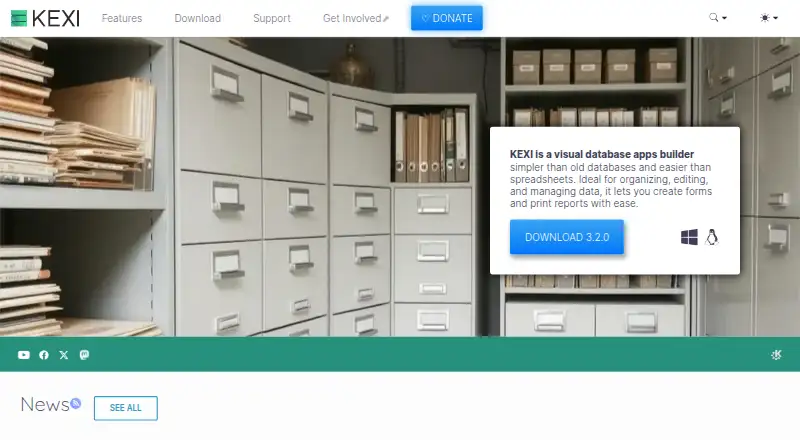
KEXI is a visual database application builder for organizing and editing data and creating forms and reports. Its table and query designers let users work visually, and it also includes an SQL editor, interactive forms, and a report designer. SQLite is the default database; KEXI also directly supports MySQL, MariaDB, and PostgreSQL. An import assistant brings in data from Microsoft Access, and tools move data between KEXI files and MySQL or PostgreSQL databases. For CSV work, users can set delimiters, headers, and data types when importing files or clipboard contents, then export to CSV or clipboard. Locked-Down User Mode disables design tools for users without special permissions, helping protect database structures and reports from changes. KEXI is free and open source under LGPL version 2, and the maker says projects made with it remain the user's property. The maker also says it works without registration or an internet connection and does not access or transmit user data. It is listed for Android, Linux, macOS, and Windows, with desktop deployment. Minimum requirements include Windows 8.1 or later or Linux, a 64-bit processor, and 1 GB RAM.
Who it suits
KEXI suits people who want to organize and edit data in SQLite, MySQL, MariaDB, or PostgreSQL while building forms, queries, and reports. It may also fit users importing Access or CSV data, or restricting who can change database designs.
What it does well
- Free and open source under LGPL version 2.
- Visual tools cover tables, queries, forms, and reports.
- Supports SQLite, MySQL, MariaDB, and PostgreSQL.
- Imports Access, CSV files, and clipboard data.
- Exports results to CSV, clipboard, PDF, or web pages.
- Locked-Down User Mode restricts design changes.
What to know first
- Minimum requirements specify Windows 8.1 or later or Linux.
- The download page identifies version 3.2.0, released April 9, 2019.
- The project asks users not to email developers directly for support.
Limits
KEXI is listed as free and open source, with no paid plan stated. Its minimum requirements list Windows 8.1 or later or Linux, a 64-bit processor, and 1 GB RAM.
Plans
| Plan | Billed and limits | Price |
|---|---|---|
| KEXI | Free and open source; LGPL version 2; no paid plan stated | Free |
As kexi-project.org lists them, read 9 Oct 2026. The maker's own page has the final word.
Getting started
- Visit the KEXI project website.
- Check that your system meets the listed Windows or Linux requirements.
- Get KEXI from the project's download page and use its GPG signature to verify download integrity.
- Choose SQLite or connect to a supported MySQL, MariaDB, or PostgreSQL database.
- Import data from Access, CSV, or clipboard, or begin designing tables and queries.
Verdict
Choose KEXI if you need a free visual database builder with support for several database systems, import and export tools, and forms and reports.
Questions
How much does KEXI cost?
KEXI is free and open source under LGPL version 2. No paid plan is stated.
Which databases does KEXI support?
It uses SQLite by default and directly supports MySQL, MariaDB, and PostgreSQL.
Can KEXI import Microsoft Access data?
Yes. KEXI includes an assistant for importing data from Microsoft Access.
What can KEXI export?
It can export to CSV and clipboard.
Which platforms are listed?
The listed platforms are Android, Linux, macOS, and Windows. Deployment is listed as desktop.
Does KEXI require registration or an internet connection?
The maker says KEXI requires neither registration nor an internet connection.
Facts from KEXI's own pages
- CSV
- KEXI imports CSV files or clipboard data with configurable delimiters, headers, and data types, and exports to CSV or clipboard. · kexi-project.org, 9 Oct 2026
- Database options
- KEXI uses SQLite by default and directly supports MySQL, MariaDB, and PostgreSQL. · kexi-project.org, 9 Oct 2026
- Design tools
- It includes visual designers for tables and queries, an SQL editor, interactive forms, and a report designer. · kexi-project.org, 9 Oct 2026
- Download integrity
- The download page provides GPG signatures so users can verify download integrity. · kexi-project.org, 9 Oct 2026
- Founded
- 2002 · kexi-project.org, 28 Sept 2026
- License
- KEXI is contributor-owned free and open-source software under LGPL version 2, and the maker says projects created with it remain the user's property. · kexi-project.org, 9 Oct 2026
- Migration
- KEXI includes an assistant to import data from Microsoft Access and tools to move data between KEXI files and MySQL or PostgreSQL databases. · kexi-project.org, 9 Oct 2026
- Platforms
- The download page lists Windows and macOS installers, Linux availability through distributions, and Android builds; it says iPads and iPhones are not supported. · kexi-project.org, 9 Oct 2026
- Privacy
- The maker says KEXI requires no registration or internet connection and does not access, collect, use, share, or transmit personal information or user data. · kexi-project.org, 9 Oct 2026
- Release status
- The download page identifies version 3.2.0, released on April 9, 2019. · kexi-project.org, 9 Oct 2026
- Security controls
- Locked-Down User Mode disables design features for users without special permissions, helping prevent changes to database structures and reports. · kexi-project.org, 9 Oct 2026
- Support
- The project points users to documentation, FAQs, tutorials, community discussions, and Bugzilla; it asks users not to email developers directly for support. · kexi-project.org, 9 Oct 2026
- System requirements
- The listed minimum requirements are Windows 8.1 or higher or Linux, a 64-bit processor, and 1 GB RAM. · kexi-project.org, 9 Oct 2026
- What it does
- KEXI is a visual database apps builder for organizing, editing, and managing data, and creating forms and reports. · kexi-project.org, 9 Oct 2026
Where KEXI stands on Freedom251
- No-Code Database Software#6 of 40
- Database Client Software#14 of 53