Freedom251 › Ransomware Protection Software
Kaspersky Anti-Ransomware Tool
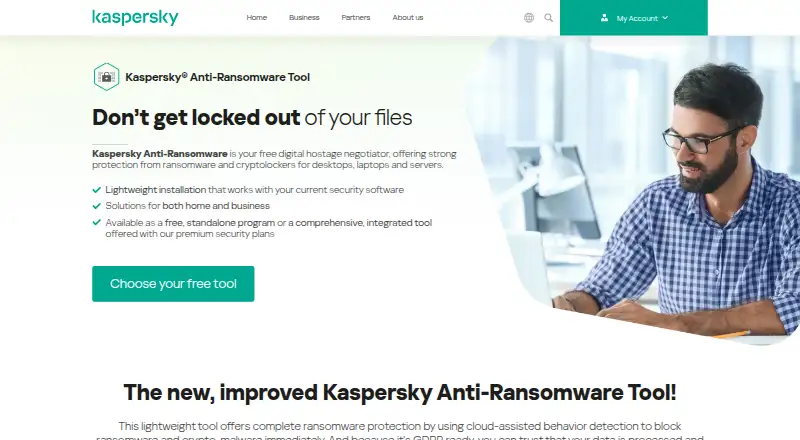
What Kaspersky Anti-Ransomware Tool is
Kaspersky Anti-Ransomware Tool is a free Windows utility designed to protect desktops, laptops, and servers from ransomware and cryptolocker threats. It uses cloud-assisted behavior detection and automatically monitors files to identify and block threats, including crypto-malware. It can also detect adware, pornware, riskware, and crypto-mining software. Kaspersky describes its protection as covering ransomware from delivery through execution, and says the tool can work alongside most current security software. The Home plan is free for up to 5 devices per account. The Business plan is free for up to 50 devices and includes email reporting. Supported systems are Windows 7–11 and Windows Server 2008 R2–2022. Requirements include a 1 GHz compatible processor, 1 GB memory for 32-bit or 2 GB for 64-bit systems, 350 MB of disk space, and internet access for updates. The tool is not available alongside Kaspersky paid endpoint products. Kaspersky also describes it as GDPR ready and says data is handled responsibly.
Who it suits
It suits Windows users who want free ransomware protection for home or business devices. Businesses needing coverage for up to 50 devices can use the listed Business plan.
What it does well
- Free Home plan covers up to 5 devices.
- Business plan covers up to 50 devices.
- Includes email reporting for the Business plan.
- Detects several types of unwanted software.
What to know first
- Windows systems only.
- Requires internet access for updates.
- Cannot be installed alongside Kaspersky paid endpoint products.
Limits
The free Home plan covers up to five devices per account. The free Business plan covers up to 50 devices and includes email reporting. Installing the tool alongside Kaspersky paid endpoint solutions is prevented.
Plans
| Plan | Billed and limits | Price |
|---|---|---|
| Kaspersky Anti-Ransomware Tool for Business | Up to 50 devices · email reporting · completely free to download and use | Free |
| Kaspersky Anti-Ransomware Tool for Home | Up to 5 devices per account · completely free to download and use | Free |
As kaspersky.com lists them, read 4 Oct 2026. The maker's own page has the final word.
Getting started
- Open the Kaspersky Anti-Ransomware Tool website.
- Choose the Home plan for up to five devices or the Business plan for up to 50.
- Download and use the free tool on a supported Windows system.
- Provide an internet connection for updates.
Kaspersky Anti-Ransomware Tool is a free Windows utility that watches files and uses cloud-assisted behavior detection to stop ransomware and related threats. It is best suited to home users and small businesses that want a focused defensive layer without purchasing a full endpoint product. The Windows-only scope and device limits make it less suitable for larger, mixed-platform estates.
Overview
The tool is built to cover ransomware protection from delivery through execution with a multilayered protection stack. Automatic file scanning and monitoring are intended to identify and neutralize threats as they appear, while rollback or recovery is included for affected data. The published feature description does not explain how that recovery operates, so buyers should not assume a particular restoration workflow.
Its remit extends beyond ransomware and crypto-malware to adware, pornware, riskware and crypto-mining software. That wider detection can make the utility useful as a supplementary Windows safeguard, but it is still a focused anti-ransomware product rather than a complete security suite. Kaspersky says the lightweight application works with most cybersecurity solutions. It cannot be installed alongside Kaspersky paid endpoint products, where the same functionality is already included, avoiding duplicate application overhead.
Kaspersky describes itself as a global cybersecurity and digital privacy company founded in 1997. Its product page says data is processed responsibly and that the tool is GDPR ready.
Key features
- Cloud-assisted behavioral detection: The service identifies and blocks ransomware and crypto-malware by observing behavior. This approach is aimed at threats that may not be recognized solely by a file signature, while remaining a dedicated layer rather than an all-purpose endpoint suite.
- Automatic file monitoring: Continuous scanning is designed to find and neutralize threats without requiring a manual scan routine, a practical fit for users who want ongoing coverage.
- Broader unwanted-software detection: Adware, pornware, riskware and crypto-mining software are also covered, giving the free utility value beyond its name.
- Rollback or recovery: Recovery capability is included, potentially limiting the impact of a ransomware event, although the product description does not state its mechanism or scope.
- Compatibility with existing security: Kaspersky says the tool works alongside most cybersecurity solutions. Kaspersky paid endpoint customers should not add it, because installation alongside those products is prevented and the capability is already bundled.
- On-premises deployment: The tool is deployed on the protected Windows computer rather than presented as a separate hosted management service.
Pricing
Both published plans cost free and are completely free to download and use.
| Plan | What it includes | Best for |
|---|---|---|
| Kaspersky Anti-Ransomware Tool for Home | Up to 5 devices per account | Individuals and households with a small number of Windows devices |
| Kaspersky Anti-Ransomware Tool for Business | Up to 50 devices, with email reporting | Small organizations that need basic fleet coverage and reporting |
There is no paid tier, renewal charge or trial term attached to these plans. The business edition raises the device ceiling to 50 and adds email reporting; the home edition is capped at five devices and does not include that stated reporting feature. Organizations beyond 50 devices, or those needing broader endpoint capabilities, will need another product or a paid Kaspersky endpoint solution.
Platforms
The supported operating systems are Windows 7 through Windows 11 and Windows Server 2008 R2 through 2022. Requirements include a 1 GHz Intel Pentium III or compatible processor, 1 GB of memory on 32-bit systems or 2 GB on 64-bit systems, 350 MB of disk space and an internet connection for updates. There is no listed support for macOS, Linux, mobile platforms or web-only deployment.
Who it's for
Choose the home plan for a household with up to five Windows devices that wants ransomware-focused monitoring at no cost. The business plan is the more practical choice for a small Windows fleet of up to 50 devices, particularly when email reporting matters. Users already running Kaspersky paid endpoint products should rely on the included capability instead of attempting a parallel installation. Mixed-platform companies, larger deployments and buyers seeking a broad security suite should look elsewhere.
Pros and cons
Pros
- Free on both plans: There is no purchase price for home or business use.
- Behavior-based ransomware blocking: Cloud-assisted analysis targets ransomware and crypto-malware activity.
- Protection beyond ransomware: Additional detection covers adware, pornware, riskware and crypto-mining software.
- Business reporting: The business plan includes email reporting for up to 50 devices.
- Broad legacy Windows support: Coverage runs from Windows 7 to Windows 11 and includes listed Windows Server releases.
Cons
- Windows only: There is no stated coverage for other desktop, server or mobile platforms.
- Device caps: Home stops at five devices and business at 50.
- Not a complete endpoint suite: The product is focused on ransomware and related detections rather than comprehensive security features.
- Endpoint-product exclusion: It cannot be installed beside Kaspersky paid endpoint products.
- Recovery behavior is unclear: Rollback or recovery is present, but its operation and limits are not described.
Alternatives
Browse the Ransomware Protection Software list for more options. AEGIS is a better fit when you need API, Linux, macOS, self-hosted or web coverage, with a free open-source plan for 20 nodes, 100 assets and three users. Choose AppCheck instead if you want Linux support, a free individual edition or a paid one-year plan for one or three PCs. ManageEngine Ransomware Protection Plus suits teams seeking a freemium Windows, web and self-hosted offering with a free edition for up to 25 endpoints. NeuShield Ransomware Protection is another freemium Windows option, including a free edition and a $24.99-per-device annual single license. RackTop BrickStor SP is aimed at paid, self-hosted Linux environments and offers a 90-day evaluation. Sangfor EasyConnect provides paid cross-platform coverage with custom pricing. Check Point External Risk Management is a paid web-oriented choice with exposure scans and remediation credits in its Essential Package. Kaseya Ransomware Protection is for organizations already using VSA 10 and needing its licensed ransomware detection.
Verdict
Kaspersky Anti-Ransomware Tool is a sensible free layer for households and small Windows businesses that want behavioral ransomware detection, automatic monitoring and some broader unwanted-software coverage. Its main reasons to choose it are the zero price and simple device-focused protection; its main reasons to look elsewhere are Windows-only coverage, strict device ceilings and the narrower scope than a full endpoint suite.
Verdict
Kaspersky Anti-Ransomware Tool offers free Windows protection with file monitoring and detection beyond ransomware. Check system requirements and endpoint-product compatibility before choosing it.
Questions
How much does Kaspersky Anti-Ransomware Tool cost?
The Home and Business plans are each free.
What is the difference between the Home and Business plans?
Home covers up to five devices per account. Business covers up to 50 devices and includes email reporting.
Which operating systems does it support?
It supports Windows 7–11 and Windows Server 2008 R2–2022.
What does the tool detect?
It detects ransomware and crypto-malware, as well as adware, pornware, riskware, and crypto-mining software.
Can it run with Kaspersky paid endpoint products?
No. Installing the tool alongside those products is prevented to avoid application overhead.
Who makes the tool?
Kaspersky describes itself as a global cybersecurity and digital privacy company founded in 1997.
Facts from Kaspersky Anti-Ransomware Tool's own pages
- Additional detections
- It can also detect and block adware, pornware, riskware, and crypto-mining software. · kaspersky.com, 4 Oct 2026
- Automatic monitoring
- It automatically scans and monitors computer files to identify and neutralize threats. · kaspersky.com, 4 Oct 2026
- Company
- Kaspersky describes itself as a global cybersecurity and digital privacy company founded in 1997. · kaspersky.com, 4 Oct 2026
- Compatibility
- Kaspersky says the lightweight tool works alongside current security software and is compatible with most cybersecurity solutions. · kaspersky.com, 4 Oct 2026
- Detection
- It uses cloud-assisted behavior detection to identify and block ransomware and crypto-malware. · kaspersky.com, 4 Oct 2026
- Founded
- 1997 · kaspersky.com, 28 Sept 2026
- Headquarters address
- Kaspersky’s privacy policy identifies AO Kaspersky Lab at 39A Leningradskoe Shosse, Moscow, Russian Federation. · kaspersky.com, 4 Oct 2026
- Paid endpoint products
- The tool’s functionality is included in Kaspersky paid endpoint solutions, and installing it alongside them is prevented to avoid application overhead. · kaspersky.com, 4 Oct 2026
- Privacy
- The product page describes the tool as GDPR ready and says data is processed and protected responsibly. · kaspersky.com, 4 Oct 2026
- Protection stages
- The tool is designed to protect against ransomware from delivery through execution using a multilayered protection stack. · kaspersky.com, 4 Oct 2026
- Purpose
- The tool provides ransomware and cryptolocker protection for desktops, laptops, and servers. · kaspersky.com, 4 Oct 2026
- Requirements
- The listed requirements include a 1 GHz Intel Pentium III or compatible CPU, 1 GB memory for 32-bit or 2 GB for 64-bit systems, 350 MB disk space, and an internet connection for updates. · kaspersky.com, 4 Oct 2026
- Windows support
- The listed operating systems are Windows 7–11 and Windows Server 2008 R2–2022. · kaspersky.com, 4 Oct 2026
Where Kaspersky Anti-Ransomware Tool stands on Freedom251
- Ransomware Protection Software#4 of 22