Freedom251 › Ransomware Protection Software

AppCheck
What AppCheck is
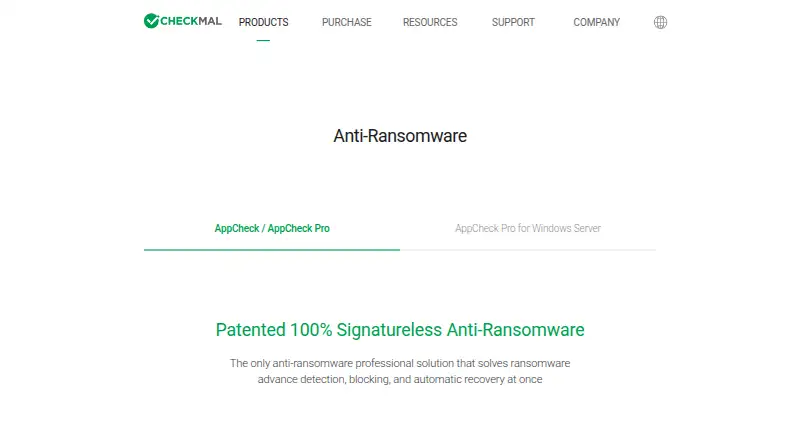
AppCheck is an anti-ransomware product designed to detect attacks, block them and recover damaged protected files. Its CARB engine uses context-aware behavior detection, and the maker says it detects more than 3,000 new or variant ransomware attacks. The Shelter feature temporarily backs up protected files for restoration if they are damaged. AppCheck Pro adds ghost and smart detection, protection for network drives and SMB shared folders, and scheduled backup to external disks or NAS. The maker says it is compatible with common antivirus products and can back up to local disks or network drives. Windows desktop support covers Windows 7 SP1, 8, 8.1, 10 and 11 in 32-bit or 64-bit editions. Pro for Linux Server is listed for CentOS 6 or later, Red Hat Enterprise Linux 6 or later, Rocky 8 or later, and Ubuntu 14.04 LTS through 24.04 LTS. The free license is for individual users; Pro is available for personal or corporate use. A 15-day trial is listed for Pro for Windows Server.
Who it suits
The free license is intended for individual users. AppCheck Pro is offered for personal or corporate use, including Windows desktop and listed Linux server environments.
What it does well
- Shelter can restore temporarily backed-up protected files.
- CARB uses context-aware ransomware behavior detection.
- Pro adds network drive and SMB shared-folder protection.
- Pro supports scheduled backup to external disks or NAS.
- A 15-day trial is listed for Pro for Windows Server.
What to know first
- Free license is for individual users only.
- Linux server support is listed for Pro.
- Windows desktop support begins at Windows 7 SP1.
Limits
The free AppCheck license is for individual users only. AppCheck Pro for Windows Server has a 15-day trial; the listed paid PC plans cover one or three or five PCs for one or two years.
Plans
| Plan | Billed and limits | Price |
|---|---|---|
| AppCheck Free | Individual, non-commercial use · Ransomware behavior blocking · Automatic recovery · No Pro-only features | Free |
| AppCheck | Individual users only | Free |
| AppCheck Pro — 1 PC / 1Year | 1 year · 1 PC · 1 year | $24.99 a year |
| AppCheck Pro — 3 PC / 1Year | 1 year · 3 PC · 1 year | $34.99 a year |
| AppCheck Pro — 1 PC / 2Year | 2 years · 1 PC · 2 years | $39.99 a year |
| AppCheck Pro — 5 PC / 1Year | 1 year · 5 PC · 1 year | $49.99 a year |
| AppCheck Pro — 3 PC / 2Year | 2 years · 3 PC · 2 years | $59.99 a year |
| AppCheck Pro | USD $89.99 for 2 years, 5 PCs; listed 77% discount from USD $399.90 through 2026-12-31 · Per-machine license · Personal use · Pro detection · Network and SMB protection · Scheduled backup · Premium technical support | $89.99 a year |
The first 8 of 9 plans, as checkmal.com lists them, read 15 Oct 2026. The maker's own page has the final word. Every plan
Getting started
- Visit the AppCheck product page.
- Choose the free AppCheck license for individual use or an AppCheck Pro package.
- Install on a supported Windows desktop, or select a listed Linux Server distribution for AppCheck Pro.
- Use Shelter to protect files with temporary backups.
AppCheck is ransomware-focused software for Windows PCs and supported Linux servers, aimed at individuals and organizations that want behavioral detection paired with file recovery. Its clearest advantage is that recovery is part of the protection story, while Pro adds safeguards for shared drives and scheduled backups.
Overview
AppCheck concentrates on ransomware rather than trying to cover every security need. Its CARB engine looks for ransomware behavior in context, and CheckMAL says it detects more than 3,000 new or variant attacks. That makes the product’s appeal less dependent on recognizing only familiar threats, but the figure is a maker claim, not a guarantee against every attack.
The Shelter feature temporarily backs up protected files so they can be restored if damaged. That recovery layer is a meaningful complement to detection: it addresses the consequences of an attack as well as the attempt to stop one. AppCheck is also compatible with common antivirus products, so it can sit alongside an existing antivirus rather than replace it.
Key features
- Context-aware behavior detection: CARB assesses ransomware behavior, including new or variant attacks. This is the central reason to consider AppCheck if ransomware is the specific risk you want to address.
- File restoration: Shelter temporarily backs up protected files for recovery after damage. It offers a fallback if prevention fails, though temporary backup should not be mistaken for a general-purpose backup strategy.
- Pro protection and backup: Pro adds ghost and smart detection, protection for network drives and SMB shared folders, and scheduled backup to external disks or NAS. These additions better suit deployments with shared data or a need for planned backup jobs.
- Antivirus compatibility: AppCheck can work with common antivirus products and supports backup to local disks or network drives, which helps it complement existing security arrangements.
Pricing
AppCheck has a free plan for individual users and a 15-day trial. The paid Pro plans add the Pro protection and backup features; the free license is not positioned for corporate use. The prices below are in USD, with the stated term and device count defining each license.
| Plan | Price | Term and seats |
|---|---|---|
| AppCheck | free | Free; individual users only |
| AppCheck Pro — 1 PC / 1Year | $24.99 a year | Billed 1 year; 1 PC · 1 year |
| AppCheck Pro — 3 PC / 1Year | $34.99 a year | Billed 1 year; 3 PC · 1 year |
| AppCheck Pro — 1 PC / 2Year | $39.99 a year | Billed 2 years; 1 PC · 2 years |
| AppCheck Pro — 5 PC / 1Year | $49.99 a year | Billed 1 year; 5 PC · 1 year |
| AppCheck Pro — 3 PC / 2Year | $59.99 a year | Billed 2 years; 3 PC · 2 years |
| AppCheck Pro — 5 PC / 2Year | $89.99 a year | Billed 2 years; 5 PC · 2 years |
The one-PC, one-year Pro license is the straightforward upgrade for an individual who needs Pro features. The three- and five-PC options cover more computers under one purchase; two-year terms extend the license period. The free plan avoids a charge but is limited to individual use and gives up Pro’s additional detection, shared-folder protection, and scheduled backup. AppCheck Pro for Windows Server also has a 15-day trial. Pro includes premium technical support by phone and remote support.
Platforms
AppCheck and AppCheck Pro support Windows 7 SP1, 8, 8.1, 10, and 11 in 32-bit and 64-bit editions. Pro for Linux Server supports CentOS 6 or later, Red Hat Enterprise Linux 6 or later, Rocky 8 or later, and Ubuntu 14.04 LTS through 24.04 LTS. The product is therefore a fit for Windows desktops and those Linux server distributions, not a cross-platform choice for other desktop operating systems.
CheckMAL was established in April 2016 and is headquartered in Yongin-si, Gyeonggi-do, Republic of Korea. The company says AppCheck Pro v3.0 achieved GS certification level 1 in 2023 and received anti-ransomware security function confirmation in 2024.
Who it's for
AppCheck Free suits an individual Windows user who wants ransomware-focused detection and recovery without a paid license. Pro is the better choice for people or companies that need its extra detection features, network and SMB shared-folder protection, or scheduled backups. For Linux deployments, the relevant product is Pro for Linux Server, with support tied to the distributions and versions above.
Look elsewhere if you need protection across a wider range of desktop platforms, or if your priority is a general security suite rather than a ransomware-specific layer. The free license is not intended for corporate use, and desktop Pro licenses are sold by PC count and term.
Pros and cons
- Pro: Detection and recovery are paired, so users have a restoration path as well as behavior-based threat blocking.
- Pro: Pro protects network drives and SMB shared folders and can schedule backups to external disks or NAS, addressing needs beyond a single PC.
- Pro: Windows desktop support covers both 32-bit and 64-bit editions across the named Windows versions.
- Con: The free license is restricted to individual users, limiting its usefulness for an organization that wants to start at no cost.
- Con: Linux support is for Pro Server and specified distributions, while desktop support is Windows-only; other platform needs call for another product.
- Con: Pro PC plans have fixed seat counts and terms, so buyers must match a license to their device count and coverage period.
Alternatives
AEGIS is worth considering if you want a free, open-source plan with API, Linux, macOS, self-hosted, web, and Windows coverage; its free tier is capped at 20 nodes, 100 assets, and 3 users.
ManageEngine Ransomware Protection Plus may suit an endpoint deployment where a free edition capped at 25 endpoints is a better fit; it also offers a free plan and trial and supports self-hosted, web, and Windows.
NeuShield Ransomware Protection is another freemium Windows option with a free edition and a $24.99 per year single-device license, for buyers comparing per-device pricing.
Kaspersky Anti-Ransomware Tool is a Windows alternative with free home and business plans; the business plan covers up to 50 devices and includes email reporting.
Sangfor EasyConnect is a paid option to consider if you need its broader Android, iOS, Linux, macOS, web, and Windows platform range.
Kaseya Ransomware Protection may be relevant to organizations already using VSA 10, since its Ransomware Detection license requires an active VSA subscription and supports Windows 8.1 and up.
Hitachi Universal Volume Manager is a paid alternative for a Linux, API, self-hosted, or web-oriented environment; it requires a license on the local storage system.
Check Point External Risk Management is another paid option with Windows, macOS, and Linux support.
For more options, browse Ransomware Protection Software.
Verdict
Choose AppCheck if you want focused ransomware behavior detection with a file-recovery layer, especially if you need Pro’s shared-folder protection or scheduled backups on supported Windows or Linux systems. Its strongest reason to buy is that detection and recovery sit together, with Pro extending protection to shared storage. Look elsewhere if you need broader desktop operating-system coverage, or if a corporate deployment needs a free license.
Verdict
AppCheck combines behavior-based ransomware detection with a recovery feature, while Pro adds protection and backup options. Check the listed operating system support and license terms for the intended deployment.
Questions
Is AppCheck free?
Yes. AppCheck is listed as free for individual users. Paid AppCheck Pro packages are also listed.
What does AppCheck Pro cost?
Listed packages are $24.99 a year for 1 PC / 1Year, $34.99 a year for 3 PC / 1Year, $39.99 a year for 1 PC / 2Year, $49.99 a year for 5 PC / 1Year, $59.99 a year for 3 PC / 2Year, and $89.99 a year for 5 PC / 2Year.
Is there a free trial?
A 15-day trial is listed for AppCheck Pro for Windows Server.
Which operating systems does AppCheck support?
The desktop versions support Windows 7 SP1, 8, 8.1, 10 and 11 in 32-bit or 64-bit editions. AppCheck Pro for Linux Server lists CentOS 6 or later, Red Hat Enterprise Linux 6 or later, Rocky 8 or later, and Ubuntu 14.04 LTS through 24.04 LTS.
Does AppCheck recover files after ransomware damage?
Yes. The Shelter feature temporarily backs up protected files and can restore them when they are damaged.
Who makes AppCheck?
CheckMAL Inc. says it was established in April 2016 and is headquartered in Yongin-si, Gyeonggi-do, Republic of Korea.
Facts from AppCheck's own pages
- Antivirus compatibility
- CheckMAL says AppCheck can run alongside common antivirus products without crashes or material performance degradation. · checkmal.com, 15 Oct 2026
- Automatic backup
- Pro can schedule file-history backups to locally attached storage or network drives. · checkmal.com, 15 Oct 2026
- CARB engine
- Its context-aware ransomware behavior engine is advertised as detecting more than 3,000 new or variant ransomware attacks. · checkmal.com, 15 Oct 2026
- Central management
- The CMS product provides policy configuration, agent management, licensing and detection management through a responsive web interface with reports and notifications. · checkmal.com, 15 Oct 2026
- Company founding
- CheckMAL's history records the corporation as established in April 2016, with investment from Primer. · checkmal.com, 15 Oct 2026
- Company headquarters
- The company lists U-Tower A, 767 Sinsu-ro, Suji-gu, Yongin-si, Gyeonggi-do 16827, Republic of Korea as headquarters. · checkmal.com, 15 Oct 2026
- Company history
- CheckMAL Inc. says it was established in April 2016. · checkmal.com, 3 Oct 2026
- Company legal name
- The maker identifies itself as CheckMAL Inc., also written as CheckMAL Co. Ltd. in the software agreement. · checkmal.com, 15 Oct 2026
- Company size
- LinkedIn classifies CheckMAL as a privately held software-development company with 11–50 employees. · pe.linkedin.com, 15 Oct 2026
- Customer reach
- The maker reports more than 1.5 million active licenses and more than 22,000 companies in 106 countries as of 2026. · checkmal.com, 15 Oct 2026
- Data collection
- The license agreement permits collection of hardware and software details, suspicious process behavior, threat samples, downloaded-file metadata and diagnostic information. · checkmal.com, 15 Oct 2026
- Desktop support
- AppCheck and AppCheck Pro support Microsoft Windows 7 SP1, 8, 8.1, 10, and 11 in 32-bit or 64-bit editions. · checkmal.com, 3 Oct 2026
- Detection
- Its CARB engine uses context-aware ransomware behavior detection, and the maker says it detects more than 3,000 new or variant ransomware attacks. · checkmal.com, 3 Oct 2026
- Exploit protection
- Vulnerability Guard provides real-time protection against application and zero-day exploit attacks, including browser vulnerabilities. · checkmal.com, 15 Oct 2026
- Founded
- 2016 · checkmal.com, 28 Sept 2026
- Ghost detection
- Ghost Detection creates virtual files when needed to improve detection speed and reduce unnecessary decoy files. · checkmal.com, 15 Oct 2026
- Headquarters
- Yongin-si, Gyeonggi-do, Republic of Korea · checkmal.com, 28 Sept 2026
- Independent catalogue
- Software Advice lists AppCheck with pricing available on request and no user reviews yet. · softwareadvice.com, 15 Oct 2026
- Independent distribution
- Faronics provides a WinGet installation command for CheckMAL.AppCheck and identifies CheckMAL Inc. as publisher. · faronics.com, 15 Oct 2026
- Independent forum criticism
- A MalwareTips reviewer reported that Cerber5, WannaCry and Fantom infected the test machine and concluded AppCheck still needed improvement. · malwaretips.com, 15 Oct 2026
- Installation
- The official manual says AppCheck installs by a single installer into C:\Program Files\CheckMAL\AppCheck by default. · checkmal.com, 15 Oct 2026
- Integrations
- The maker says AppCheck is compatible with common antivirus products and can back up to local disks or network drives. · checkmal.com, 3 Oct 2026
- Intended users
- The maker describes the free AppCheck license as for individual users only and AppCheck Pro as paid for personal or corporate use. · checkmal.com, 3 Oct 2026
- Languages
- The installer supports Korean, English and Japanese and selects the language from the operating system. · update.checkmal.com, 15 Oct 2026
Where AppCheck stands on Freedom251
- Ransomware Protection Software#2 of 22