Karaoki
What Karaoki is
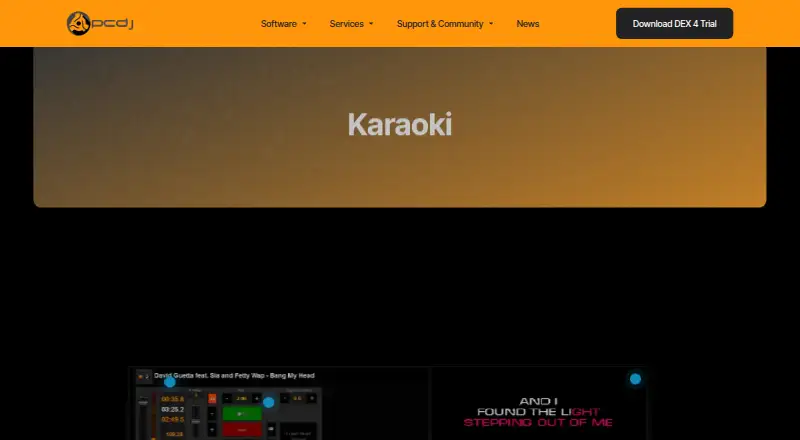
Karaoki is professional karaoke software for hosts and venues, running on Windows 10 or Windows 11. It supports MP3+G, zipped MP3+G, WAV+G, and most video file formats. Hosts can organize files into cases, search the library, read ID3 tags or naming conventions, and print or export songbooks. Singer rotation includes history, drag-and-drop reordering, several rotation modes, and a Solo Artist mode. Playback controls adjust key in quarter-, half-, or full-semitone steps, change tempo without changing key, fade to stop, and control multiplex file volume or mute. Lyrics can appear on a secondary display, alongside upcoming singers and a customizable news ticker between songs. The background music player can run between singers and start sets automatically. Remote requests work through SongBookDB, and KaraoQuest is also listed. Karaoki supports Karaoke Cloud Pro, described as providing 5,500+ songs downloaded for offline use, although availability may fluctuate with licensing. A license costs $99, paid once and activates the software on three Windows computers. A 14-day fully functional demo is offered.
Who it suits
Karaoki suits karaoke hosts and venues that need singer rotation, song library management, playback controls, and secondary-display lyrics on Windows. It requires Windows 10 or 11, at least 4 GB RAM, and 200 MB free disk space.
What it does well
- Rotation supports singer history and multiple modes.
- Songbooks can be printed or exported.
- Background music can play between singers.
- License activates three Windows computers.
What to know first
- No free plan is listed.
- Video playback requires an appropriate codec pack and is not officially supported.
- SongBookDB requires $19.95 a month after a 30-day trial.
- Karaoke Cloud Pro availability can fluctuate with licensing.
Plans
| Plan | Billed and limits | Price |
|---|---|---|
| Karaoki for Windows | License activates the software on three different Windows computers | $99, paid once |
As pcdj.com lists them, read 9 Oct 2026. The maker's own page has the final word.
Verdict
Karaoki combines singer rotation, library tools, and performance controls for Windows karaoke setups. Review the codec limitation and any separately described subscription or song-availability terms before choosing it.
Facts from Karaoki's own pages
- Audio formats
- It supports MP3+G, zipped MP3+G, WAV+G, and most video file formats. · pcdj.com, 9 Oct 2026
- Background music
- Its background music player can play regular audio between singers and sets automatically. · pcdj.com, 9 Oct 2026
- Karaoke Cloud Pro
- Karaoki supports Karaoke Cloud Pro, which the page describes as offering access to 5,500+ karaoke songs downloaded to the hard drive for offline use; song availability can fluctuate with licensing. · pcdj.com, 9 Oct 2026
- Performance controls
- The transport controls include key adjustment in quarter, half, and full semitone steps, tempo control without key change, fade-to-stop, and mute or volume controls for multiplex files. · pcdj.com, 9 Oct 2026
- Purpose
- Karaoki is professional karaoke software for karaoke hosts and venues. · pcdj.com, 9 Oct 2026
- Remote requests
- Karaoki integrates with SongBookDB for remote song requests and also lists KaraoQuest as a request option. · pcdj.com, 9 Oct 2026
- Singer display
- Karaoki can show lyrics on a secondary display and show upcoming singers and a customizable news ticker between songs. · pcdj.com, 9 Oct 2026
- Singer rotation
- Its rotation list supports singer history, drag-and-drop reordering, multiple rotation modes, and a Solo Artist mode. · pcdj.com, 9 Oct 2026
- SongbookDB subscription
- The page describes SongBookDB as a $19.95 a-month subscription after a 30-day free trial. · pcdj.com, 9 Oct 2026
- Song library
- Users can organize karaoke files into cases, search the library, read ID3 tags or naming conventions, and print or export songbooks. · pcdj.com, 9 Oct 2026
- Support and release
- The support page lists public beta build 0.9.8851 for Windows, released May 14, 2024. · pcdj.com, 9 Oct 2026
- System requirements
- The listed requirements include Windows 10 or Windows 11, 4 GB RAM or better, and 200 MB free hard-drive space. · pcdj.com, 9 Oct 2026
- Trial
- The product page offers a 14 day fully-functional demo version. · pcdj.com, 9 Oct 2026
- Video codec limitation
- The support page says AVI, MP4, and other video playback formats are not officially supported and require an appropriate codec pack. · pcdj.com, 9 Oct 2026
Where Karaoki stands on Freedom251
- Karaoke Software#24 of 30