Freedom251 › Plagiarism Detection Software
JPlag
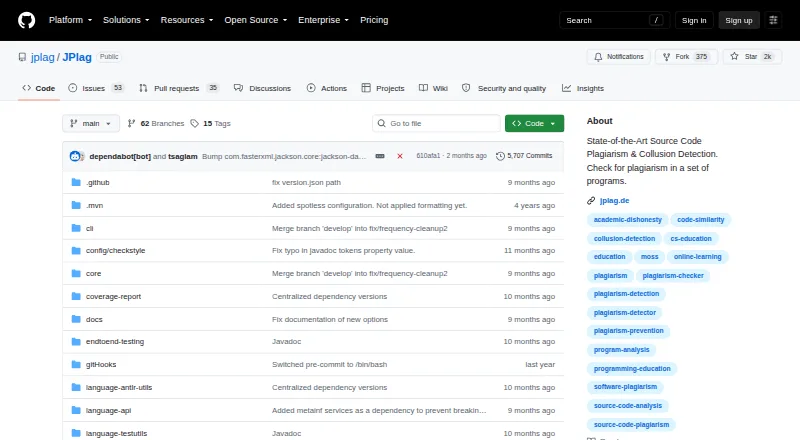
What JPlag is
JPlag compares submitted programs pair by pair to find similarities that may point to source-code plagiarism or collusion. It analyzes programming-language syntax and program structure, which can help identify similarities despite some obfuscation. The project says analysis runs on the user's machine and sends no data externally, but it compares submissions only with one another, not with internet sources. Listed language support includes Java, C, C++, C#, Python, JavaScript, TypeScript, Go, Kotlin, R, Rust, Swift, Scala, LLVM IR, Scheme, EMF, SCXML, text, and multi-language submissions; maturity varies across these options. Users can run it through a command-line interface or Java API, and the CLI can open the report viewer. It is also available through Maven Central as a dependency for Java projects. JPlag is free and requires Java SE 25 to run or build. By default, the report's top list and code comparison cover at most 2,500 pairs, a limit adjustable with the -n option. Lowering the minimum matching-token length increases sensitivity but can also increase false positives.
Who it suits
JPlag suits programming educators comparing submissions, and developers looking for duplicated or modified software sections. Users should check the varying maturity of language support and the Java SE 25 requirement.
What it does well
- Free and open-source.
- Analysis runs locally and sends no data externally.
- Offers a command-line interface and Java API.
- Supports a broad range of listed languages and formats.
What to know first
- Does not compare submissions against internet sources.
- Requires Java SE 25 to run or build.
- Language support has varying maturity.
- Default report limit is 2,500 pairs.
Limits
The default report top list and code comparison include at most 2,500 pairs, adjustable with the -n option. Lowering the minimum matching-token length increases sensitivity but can also increase false positives.
Plans
| Plan | Billed and limits | Price |
|---|---|---|
| JPlag | open-source software · runs locally · Java SE 25 required | Free |
As github.com lists them, read 15 Oct 2026. The maker's own page has the final word.
Getting started
- Open the JPlag project website on GitHub.
- Choose the command-line interface or Java API.
- For a Java project, include JPlag as a Maven Central dependency.
- Run or build it with Java SE 25.
- Use the command-line interface to launch the report viewer.
JPlag is a free, open-source tool for comparing code submissions, aimed chiefly at educators and developers who can work with a local Java-based workflow. Its structural comparison and local processing suit private, pairwise checks; it is not a substitute for searching the public web or detecting AI-written text.
Overview
Originally developed at Karlsruhe Institute of Technology in 1996, JPlag is maintained primarily by KIT researchers. It compares submitted programs for pairwise similarity, with uses in programming education and in finding duplicated or lightly modified software components. Because it analyzes only the material supplied to it, it cannot tell you whether code matches work elsewhere on the internet.
Key features
JPlag examines programming-language syntax and program structure rather than relying only on identical text. That can help reveal similarities after some obfuscation, making it more useful for comparing altered submissions than a simple text match. It still identifies similarity, not intent: reviewers must judge whether a match represents plagiarism or collaboration.
Supported formats include Java, C, C++, C#, Python, JavaScript, TypeScript, Go, Kotlin, R, Rust, Swift, Scala, LLVM IR, Scheme, EMF, SCXML, text, and multi-language submissions. Support maturity varies, so teams should not assume identical results across every language.
Users can run JPlag from its command-line interface or Java API; the CLI can open the report viewer. Its Maven Central publication also makes it suitable as a dependency in Java projects. The report's top list and code comparison include up to 2,500 pairs by default, a limit adjustable with the -n option. Lowering the minimum matching-token length increases sensitivity but can also raise false positives, so broader matching may require more manual review.
Analysis runs on the user's machine and sends no data externally, a meaningful advantage for sensitive submissions. Running or building JPlag requires Java SE 25. There is no AI-detection feature or LMS integration, so it is not a complete classroom integrity platform.
Pricing
JPlag is free open-source software. Its JPlag plan costs nothing and runs locally, with Java SE 25 required. There is no free trial because the software is free to use. This is a strong fit for educators and developers who can manage their own setup; the trade-off is a locally operated tool rather than a hosted web service.
Platforms
JPlag supports Linux, macOS, and Windows, as well as self-hosted use and API access. Its command-line and Java interfaces make it suited to technical workflows, but Java SE 25 is a prerequisite to run or build it. Issues can be reported on GitHub, and users can turn to its Q&A discussion section.
Who it's for
Choose JPlag when you need to compare code submissions locally, especially in programming education or Java-based development, and can accept pairwise analysis instead of internet-wide searching. Look elsewhere if you need web-corpus checks, browser-based convenience, AI detection, or built-in LMS integration.
Pros and cons
- Pros: Local processing keeps submissions on the user's machine; structural analysis can find similarities despite some obfuscation; a broad language and format range, CLI, Java API, and Maven Central distribution offer several ways to fit it into technical workflows.
- Cons: It compares only supplied submissions, not the internet; Java SE 25 is required; language support has varying maturity; the default report covers at most 2,500 pairs; more sensitive matching can increase false positives; there is no AI detection or LMS integration.
Alternatives
For web-corpus checks rather than code-only pairwise comparison, Noplag offers public-web and Common Crawl checks, with a free tier of three checks per month and 2,500 words per check. Noplag Engine also checks public web and Common Crawl on its free tier, while self-hosting enables unlimited local checks.
Dolos is another free, open-source option, with a web app whose ZIP uploads are limited to 10 MB. For general text checks on mobile or web, Plagium has a free account with five daily searches and a 4,000-character search limit. Copyscape is a web-oriented alternative for URL scans, with free scans limited per website and to 10 results per search.
If AI-text detection is the priority, GPTZero offers a free plan with 10,000 words per month and 50,000 characters. MOSS is another free code-plagiarism option, intended for non-commercial use and capped at 100 submissions per day per user. Originality.ai has a free AI-detection-only plan with three scans per day and 2,000 words per scan.
Browse more options in Plagiarism Detection Software.
Verdict
JPlag is a strong choice for educators and developers who need private, local comparisons among code submissions and can work with Java SE 25. Its structural analysis and free access are compelling; choose another tool when you need internet-wide matching, a hosted workflow, AI detection, or LMS integration.
Verdict
JPlag provides local, pairwise code comparison through a CLI or Java API, with support for many languages and formats. Its scope is limited to submitted material, and tuning sensitivity can also increase false positives.
Questions
How much does JPlag cost?
The listed plan is free.
Does JPlag have a free trial?
No; the listed free trial status is no, and the free plan is available.
Which platforms are listed?
The listed platforms are API, Linux, macOS, self-hosted, and Windows.
Does JPlag search the internet for matching code?
No. It compares submissions with one another, not against internet sources.
Which languages does it support?
The README lists Java, C, C++, C#, Python, JavaScript, TypeScript, Go, Kotlin, R, Rust, Swift, Scala, LLVM IR, Scheme, EMF, SCXML, text, and multi-language submissions. Support maturity varies.
Who maintains JPlag?
It was originally developed at Karlsruhe Institute of Technology in 1996 and is maintained primarily by KIT researchers.
Facts from JPlag's own pages
- Build process
- Building from source uses Maven, and including the report viewer in the assembled JAR additionally requires Node.js. · github.com, 15 Oct 2026
- CLI
- JPlag provides a command-line interface with language selection, run/view modes, result-file output and configurable comparison limits. · github.com, 15 Oct 2026
- Cluster analysis
- A cluster view shows relationships and group dynamics among multiple programs. · helmholtz.software, 15 Oct 2026
- Documentation and support
- Documentation is provided through the GitHub wiki, repository README, issue tracker, discussions and a listed project email address. · helmholtz.software, 15 Oct 2026
- Early research record
- The original JPlag publication describes pairwise similarity scoring with similarity regions and a Greedy String Tiling-based comparison algorithm. · jucs.org, 15 Oct 2026
- Education use
- The project is primarily intended for detecting copied student programming assignments, although it also describes software-theft use cases. · github.com, 15 Oct 2026
- Extensibility
- The repository contains separate language, language-API, parser-utility and report-viewer modules for extending or integrating the system. · github.com, 15 Oct 2026
- Founded
- 1996 · github.com, 28 Sept 2026
- Historical comparison
- New submissions can be compared with one another and with an old-submission set, while old submissions are not compared among themselves. · github.com, 15 Oct 2026
- History
- JPlag originated in 1996 at Karlsruhe Institute of Technology and was revived and modernized from late 2020. · github.com, 15 Oct 2026
- How it compares
- It analyzes programming-language syntax and program structure, which helps it detect similarities despite some obfuscation attempts. · github.com, 29 Sept 2026
- Independent comparison
- Codequiry describes JPlag as self-hosted open-source KIT software requiring Java and contrasts it with hosted alternatives. · codequiry.com, 15 Oct 2026
- Independent directory facts
- Helmholtz's Research Software Directory describes JPlag as locally executable open source and lists GPL-3.0-only licensing. · helmholtz.software, 15 Oct 2026
- Integration
- JPlag is published on Maven Central for inclusion as a dependency in Java projects. · github.com, 29 Sept 2026
- Interfaces
- JPlag can be used through its command-line interface or Java API, and the CLI can launch the report viewer. · github.com, 29 Sept 2026
- Internet matching limit
- JPlag compares submissions with one another rather than searching the public internet. · github.com, 15 Oct 2026
- Java API
- The project exposes a Java API that can run analyses and create saved reports from Java applications. · github.com, 15 Oct 2026
- Language maturity
- Language modules are marked with different maturity levels, including mature, beta, legacy and alpha. · github.com, 15 Oct 2026
- Languages
- The README lists support for Java, C, C++, C#, Python, JavaScript, TypeScript, Go, Kotlin, R, Rust, Swift, Scala, LLVM IR, Scheme, EMF, SCXML, text, and multi-language submissions, with varying maturity levels. · github.com, 29 Sept 2026
- Latest release news
- Release 6.3.0 added Java 25 support, rarity-based match weighting, a version-check skip option and a Google AutoService-based API change. · github.com, 15 Oct 2026
- License
- The software is distributed under the GPL-3.0-only license. · helmholtz.software, 15 Oct 2026
- Limit: benchmark accuracy
- The same benchmark reported 37 of 42 confirmed copied pairs detected, five false positives, 88.1% precision and 88.1% recall for JPlag in that test. · codequiry.com, 15 Oct 2026
- Limit: benchmark runtime
- A 2026 independent benchmark reported JPlag 5.2.0 took 18 minutes 24 seconds on 214 Python submissions and produced a 14 MB result archive. · codequiry.com, 15 Oct 2026
- Limit: fine-grained transformations
- A research evaluation found that available plagiarism detectors, including JPlag, were not robust against some fine-grained source-structure transformations, although JPlag was among the more robust tools tested. · arxiv.org, 15 Oct 2026
Where JPlag stands on Freedom251
- Plagiarism Detection Software#2 of 28