Freedom251 › Photo Viewer Software
JPEGView
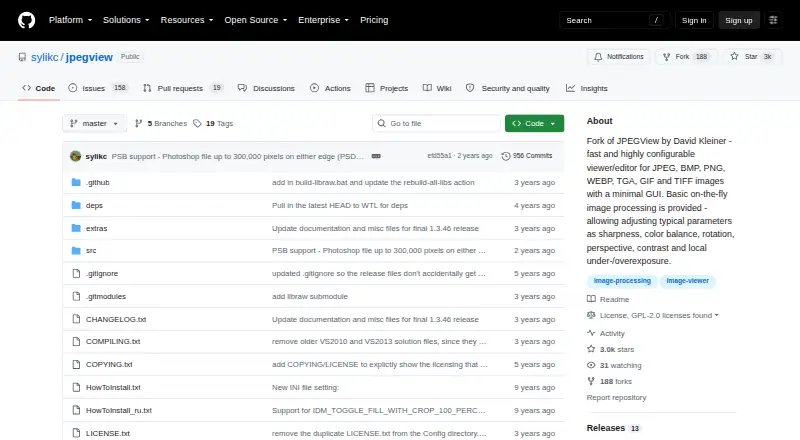
What JPEGView is
JPEGView is a free Windows image viewer and editor with a minimal, configurable interface. It opens JPEG, GIF, BMP, PNG, TIFF, PSD, WEBP, JXL, HEIF/HEIC, AVIF, TGA, WDP, HDP, JXR, and multiple camera RAW formats. On-the-fly processing lets you adjust sharpness, color balance, rotation, perspective, contrast, and local under- or overexposure while viewing. The project lists color management and a metadata viewer. Movie/slideshow mode plays a folder of JPEG images as a movie. JPEGView says it uses AVX2/SSE2, up to four CPU cores, and a high-quality resampling filter. Portable ZIP and 7z archives, MSI installers, and source code are available, and it can run without installation while storing settings in its extracted folder. The 64-bit build supports Windows 7, 8, 10, 11 or later; 32-bit support starts with Windows 7. PSD handling is limited to 8-bit raw/uncompressed or RLE files. The project is GPL-2.0 licensed.
Who it suits
JPEGView suits Windows users who want a lightweight viewer with broad image-format support and quick viewing adjustments. Portable use and slideshow playback may help people browsing image folders without installing software.
What it does well
- Supports many formats, including camera RAW
- On-the-fly sharpness, color, and exposure adjustments
- Portable archives can run without installation
- Movie/slideshow mode plays JPEG folders
- Color management and metadata viewer included
What to know first
- Windows only
- PSD support is limited to certain 8-bit files
- MSI release is not code-signed
- Documentation is somewhat out of date
Verdict
JPEGView combines broad format support, folder slideshows, and live image adjustments in a free Windows package. Check the PSD limitation and unsigned MSI before choosing an installation method.
Facts from JPEGView's own pages
- Documentation
- The maker says the documentation is somewhat out of date but should still summarize the features. · github.com, 7 Oct 2026
- Downloads
- Official releases provide portable ZIP/7z archives, Windows MSI installers, and source code. · github.com, 7 Oct 2026
- Editing
- Its on-the-fly processing adjusts sharpness, color balance, rotation, perspective, contrast, and local under- or overexposure. · github.com, 7 Oct 2026
- Image adjustments
- Its on-the-fly image processing includes sharpness, color balance, rotation, perspective, contrast, and local exposure adjustments. · github.com, 8 Oct 2026
- Image formats
- Built-in support includes JPEG, GIF, BMP, PNG, TIFF, PSD, WEBP, JXL, HEIF/HEIC, AVIF, legacy formats, and camera RAW formats. · github.com, 8 Oct 2026
- Installer security
- The maker says its MSI release is not signed because it does not yet have a code-signing certificate, and advises users to verify checksums. · github.com, 7 Oct 2026
- Install options
- Official releases include portable ZIP/7z archives, Windows MSI installers, and source code; the project also documents WinGet and Scoop installation. · github.com, 8 Oct 2026
- Latest release
- The releases page lists v1.3.46 with modern camera RAW and PSD support, EXIF reader updates, decoding improvements, and a libwebp CVE fix. · github.com, 8 Oct 2026
- License
- The repository identifies its license as GPL-2.0. · github.com, 8 Oct 2026
- Limits
- The latest release notes say PSD support is basic and limited to 8-bit files with raw/uncompressed or RLE compression. · github.com, 7 Oct 2026
- Performance
- The project says JPEGView uses AVX2/SSE2 and up to four CPU cores, with a high-quality resampling filter. · github.com, 8 Oct 2026
- Portable use
- JPEGView can run without installation from an extracted archive and can store settings in that folder. · github.com, 8 Oct 2026
- Project history
- The repository describes itself as a continuation of David Kleiner's JPEGView project, which it says had been essentially abandoned since 2020. · github.com, 8 Oct 2026
- Purpose
- JPEGView is a lean, fast, configurable image viewer and editor with a minimal graphical interface. · github.com, 8 Oct 2026
- Release verification
- The latest release page provides SHA-256 checksums for its release files. · github.com, 8 Oct 2026
- Security
- The project says its MSI release is not code-signed because it does not yet have a signing certificate, and asks users to verify checksums. · github.com, 8 Oct 2026
- Slideshow
- Movie/slideshow mode can play a folder of JPEGs as a movie. · github.com, 8 Oct 2026
- Support and documentation
- The project links to documentation and notes that it is somewhat out of date but should still summarize the features. · github.com, 8 Oct 2026
- Windows requirements
- The 64-bit version supports Windows 7/8/10/11 or later, and the 32-bit version supports Windows 7 or later. · github.com, 7 Oct 2026
- Windows support
- The project lists 64-bit Windows 7/8/10/11 or later and 32-bit Windows 7 or later as system requirements. · github.com, 8 Oct 2026
Where JPEGView stands on Freedom251
- Photo Viewer Software#19 of 34