Freedom251 › Screen Time Management Apps
Joystick AI
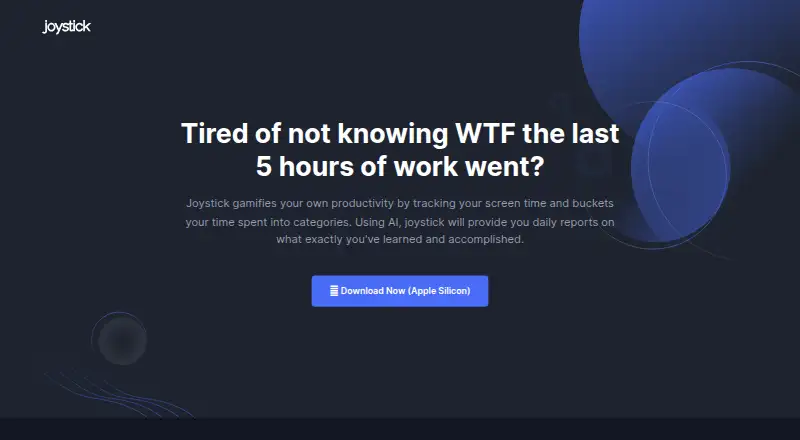
What Joystick AI is
Joystick AI is a macOS productivity tracker that records screen time, groups activity into categories, and uses AI to prepare daily reports about what users have learned and accomplished. Users can map application usage to categories and view insights into their working patterns. Joystick monitors device activity to produce the summaries. The site says data is stored on the user’s personal device, cloud integration is not required, and data is not shared with Joystick.
The Free plan costs nothing and is intended for individuals and non-commercial use. It includes AI Summary and two hours of tracking per day. Pro costs $19 a month and is described for small teams and startups; it provides unlimited tracking, AI Summary, productivity-data visibility only from the user’s device, and weekly accomplishment reports by Email or Slack. ProClarity costs $29 a month and is aimed at enterprises and large teams. It includes unlimited tracking, AI Summary, configurable data visibility across employees, and weekly accomplishment reports by Email or Slack. The site links to an Apple Silicon download, and the supported platform is macOS Apple Silicon.
Who it suits
Joystick AI suits individuals who want to categorize app activity and review AI summaries of their daily accomplishments and learning. Pro is described for small teams and startups, while ProClarity is aimed at enterprises and large teams that need configurable visibility across employees.
What it does well
- Categorizes screen time and summarizes daily activity with AI.
- Users can map application use to categories.
- Site says data stays on the personal device.
- Pro and ProClarity include weekly reports by Email or Slack.
- Paid plans include unlimited tracking.
What to know first
- Supported platform is macOS Apple Silicon.
- Free tracking is limited to two hours per day.
- Free plan is for non-commercial individual use.
Limits
The Free plan costs nothing and includes two hours of tracking per day for individual, non-commercial use. Pro and ProClarity include unlimited tracking; they cost $19 a month and $29 a month, respectively.
Plans
| Plan | Billed and limits | Price |
|---|---|---|
| Free | $0/mo · For individuals and non-commercial use · AI Summary · 2 hours of tracking per day | Free |
| Pro | $19/mo · For small teams and startups · AI Summary · Unlimited tracking · Productivity data only visible from your device · Weekly accomplishment reports via Email / Slack | $19 a month |
| ProClarity | $29/mo · For enterprises and large teams · AI Summary · Unlimited tracking · Configurable level of data visibility across employees · Weekly accomplishment reports via Email / Slack | $29 a month |
As joystickai.com lists them, read 10 Oct 2026. The maker's own page has the final word.
Getting started
- Visit https://www.joystickai.com/.
- Download the Apple Silicon version for macOS.
- Choose Free for individual, non-commercial use, Pro for small teams and startups, or ProClarity for enterprises and large teams.
- Map application usage to categories and review screen-time insights and AI summaries.
Verdict
Choose Joystick AI if you use macOS Apple Silicon and want categorized screen-time insights with AI summaries. The Free plan provides two hours of daily tracking; users who need unlimited tracking must consider Pro at $19 a month or ProClarity at $29 a month.
Questions
How much does Joystick AI cost?
The Free plan costs nothing, Pro is $19 a month, and ProClarity is $29 a month.
What does the Free plan include?
It includes AI Summary and two hours of tracking per day. It is for individuals and non-commercial use.
Which platform does Joystick AI support?
It supports macOS Apple Silicon, and the site links to an Apple Silicon download.
What do Pro and ProClarity add?
Both include AI Summary, unlimited tracking, and weekly accomplishment reports via Email or Slack. Pro keeps productivity data visible only from the user's device; ProClarity offers configurable visibility across employees.
Does Joystick AI share user data with the company?
The site says data is stored on the user's personal device, cloud integration is not required, and no data is shared with Joystick.
Facts from Joystick AI's own pages
- AI monitoring
- Joystick monitors device activities and generates reports summarizing daily accomplishments. · joystickai.com, 10 Oct 2026
- AI reports
- Joystick uses AI to provide daily reports on what users have learned and accomplished. · joystickai.com, 10 Oct 2026
- Download
- The site links to a download for Apple Silicon. · joystickai.com, 10 Oct 2026
- Enterprise visibility
- ProClarity offers configurable levels of data visibility across employees in an enterprise. · joystickai.com, 10 Oct 2026
- Free tier audience
- The Free plan is for individuals and non-commercial use. · joystickai.com, 10 Oct 2026
- Free tier limit
- The Free plan includes two hours of tracking per day. · joystickai.com, 10 Oct 2026
- Privacy
- The site says data is stored on the user's personal device, cloud integration is not required, and no data is shared with Joystick. · joystickai.com, 10 Oct 2026
- Pro audience
- The Pro plan is described as being for small teams and startups. · joystickai.com, 10 Oct 2026
- Productivity tracking
- Joystick tracks screen time and sorts time spent into categories to gamify productivity. · joystickai.com, 10 Oct 2026
- Pro privacy
- On Pro, productivity data is only visible from the user's device and cannot be seen by other team members. · joystickai.com, 10 Oct 2026
- Screen time insights
- Users can map application usage to categories and get insights on working patterns. · joystickai.com, 10 Oct 2026
- Team reports
- The Pro and ProClarity plans include weekly accomplishment reports via Email or Slack. · joystickai.com, 10 Oct 2026
Where Joystick AI stands on Freedom251
- Screen Time Management Apps#20 of 36