Freedom251 › AI Sketch-to-Image Generators
Jinolo Reframe
What Jinolo Reframe is
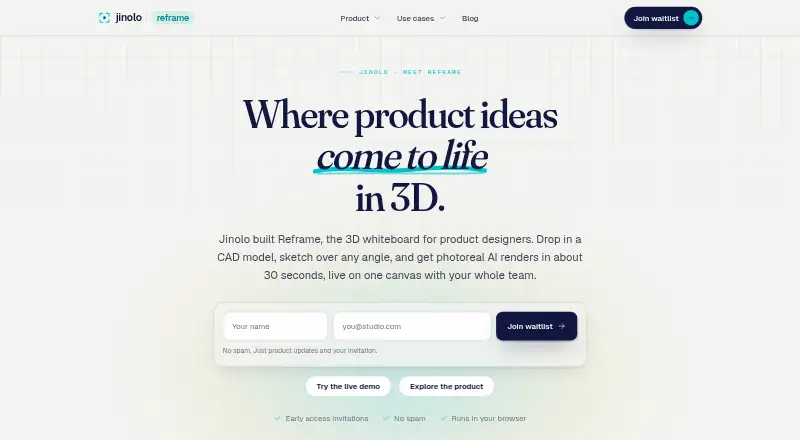
Jinolo Reframe is a browser-based 3D whiteboard for product designers working with CAD models, AI renders, and teams on one canvas. Its renderer creates four photoreal options in about 30 seconds from a plain-language prompt. Jinolo says depth- and edge-aware conditioning preserves proportions, camera, and lines while changing a model’s finish. Boards can combine frozen model frames, renders, sketches, sticky notes, and reference images; these elements can be moved, scaled, rotated, and grouped. Shared boards provide live cursors, comments, and co-rendering. The browser viewer opens STEP, IGES, glTF, GLB, OBJ, STL, PLY, and STP files, and includes measuring, section views, and shaded, top, and wireframe modes. View-only or editable links control sharing. The Solo plan costs $19 a month, billed $228/yr, with 150 AI renders monthly, unlimited files and whiteboards, 5 GB storage, and non-expiring files. A free trial is available, but there is no free plan.
Who it suits
It suits solo industrial designers, mechanical engineers, manufacturers, hardware startups, and education users working with browser-based CAD visualization and collaboration.
What it does well
- Four AI render options per prompt
- Supports many CAD file formats
- Shared boards with live collaboration
- Measurement and section-view tools
- Solo plan includes 5 GB storage
What to know first
- No free plan
- Solo plan costs $19 a month
- Solo plan includes 150 AI renders monthly
- Native SolidWorks, Fusion, and Rhino imports are roadmap items
Plans
| Plan | Billed and limits | Price |
|---|---|---|
| Solo | $228/yr · 150 AI renders / month · unlimited files and whiteboards · 5 GB 3D storage · files never expire | $19 a month |
As jinolo.com lists them, read 8 Oct 2026. The maker's own page has the final word.
Verdict
Reframe combines CAD viewing, AI rendering, visual boards, and collaborative sharing in a browser. The paid Solo allowance and roadmap status for native imports are key points when evaluating it.
Facts from Jinolo Reframe's own pages
- Access
- A live demo lets visitors freeze a model angle, try an AI render and sketch on a sample model without an account. · jinolo.com, 8 Oct 2026
- AI rendering
- The renderer returns four photoreal options in about 30 seconds from a plain-language prompt. · jinolo.com, 8 Oct 2026
- Audience
- The Solo plan is described as being for a solo industrial designer; the site also lists mechanical engineers, manufacturers, hardware startups and education among its use cases. · jinolo.com, 8 Oct 2026
- CAD formats
- The viewer opens STEP, IGES, glTF, GLB, OBJ, STL, PLY and STP in the browser. · jinolo.com, 8 Oct 2026
- Collaboration
- Shared boards support live cursors, comments and co-rendering. · jinolo.com, 8 Oct 2026
- Company
- The site identifies the company as Jinolo Pty Ltd and displays ABN 15 651 888 756. · jinolo.com, 8 Oct 2026
- Geometry preservation
- The maker says depth- and edge-aware conditioning preserves the model’s proportions, camera and lines while changing its finish. · jinolo.com, 8 Oct 2026
- Native imports
- Native SolidWorks, Fusion and Rhino import is listed as on the roadmap; in-app guides explain exporting from SolidWorks, Fusion 360, Rhino and Inventor to STEP. · jinolo.com, 8 Oct 2026
- Purpose
- Reframe is a browser-based 3D whiteboard where product designers work with CAD models, AI renders and their team on one canvas. · jinolo.com, 8 Oct 2026
- Security
- The maker says files are encrypted in transit and at rest and are not shared unless the user chooses. · jinolo.com, 8 Oct 2026
- Sharing and permissions
- Users can share view-only or editable links and control who can view or change each board. · jinolo.com, 8 Oct 2026
- Support
- The product page directs questions to [email protected]. · jinolo.com, 8 Oct 2026
- Team and enterprise
- The pricing page directs teams or customers needing enterprise features to contact Jinolo. · jinolo.com, 8 Oct 2026
- Viewer tools
- Users can measure geometry, inspect section views, and switch between shaded, top and wireframe views. · jinolo.com, 8 Oct 2026
- Whiteboard
- Boards can contain frozen model frames, renders, sketches, sticky notes and reference images, which users can move, scale, rotate and group. · jinolo.com, 8 Oct 2026
Where Jinolo Reframe stands on Freedom251
- AI Sketch-to-Image Generators#24 of 29