Freedom251 › Vector Graphics Software
Jas
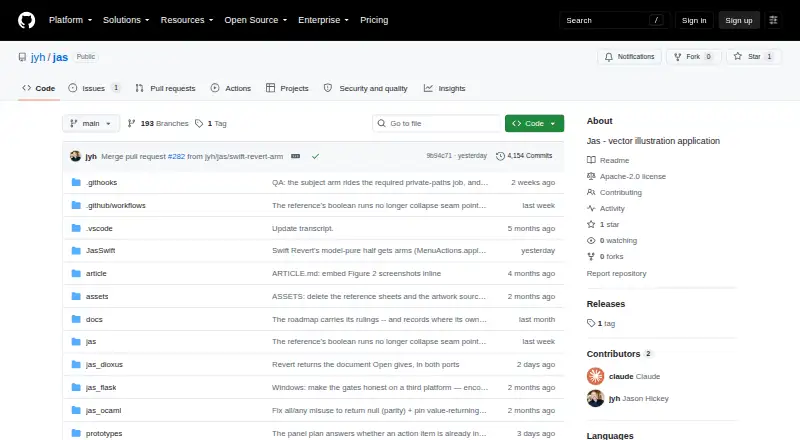
What Jas is
Jas is a vector illustration editor for making and editing SVG-shaped documents, available as Linux and macOS desktop software and as a browser app. The browser editor runs through WebAssembly without installation and is described as an approximately 2 MB download. It does not require an account and states that it uses no analytics or third-party requests. Drawing tools include geometric shapes such as rectangles, ellipses, polygons, and stars, along with Pen, Pencil, Path Eraser, and Smooth tools. Text can be edited in place, wrapped, arranged across multiple lines, or placed on a path. Selection modes work with elements, control points, and groups; additional options include marquee selection, shift-extend, alt-copy, and keyboard nudging. Documents use nested layers and groups, and edits support undo and redo. Each app can export to SVG and reopen SVG files it has written. Rust and Swift versions remain in active development; the OCaml and Python/Qt versions are preserved at the five-port-parity tag. The project is licensed under Apache License 2.0.
Who it suits
Jas suits people looking for a small vector editor with SVG export and a choice of browser or desktop use. Its browser version may suit users who want to work without installing an app or creating an account.
What it does well
- Browser editor runs without installation.
- Browser version requires no account.
- Includes shape, path, and text tools.
- Supports SVG export and reopening written SVGs.
- Licensed under Apache License 2.0.
What to know first
- Swift implementation requires macOS and a recent Swift toolchain.
- OCaml and Python/Qt implementations are preserved at a parity tag.
Verdict
Jas combines SVG editing tools with browser and desktop implementations. Its browser option avoids installation and accounts, while the macOS Swift version has a stated system and toolchain requirement.
Facts from Jas's own pages
- Browser app
- The Rust/Dioxus WebAssembly editor runs in a browser with no install and is described as an approximately 2 MB download. · github.com, 9 Oct 2026
- Browser privacy
- The web version requires no account and states it uses no analytics or third-party requests. · github.com, 9 Oct 2026
- Browser version
- The Rust/Dioxus editor runs in a browser via WebAssembly with no installation. · github.com, 9 Oct 2026
- Document model
- Documents use nested layers and groups, and edits create a new immutable document with undo and redo support. · github.com, 9 Oct 2026
- Drawing tools
- Jas supports rectangle, rounded rectangle, ellipse, line, polygon, and star shapes, plus Pen, Pencil, Path Eraser, and Smooth tools. · github.com, 9 Oct 2026
- Implementations
- Active development continues in the Rust and Swift implementations; the OCaml and Python/Qt implementations are preserved at the five-port-parity tag. · github.com, 9 Oct 2026
- Intended users
- The README describes Jas as a small, inspectable vector illustration application; it does not state a specific user group. · github.com, 9 Oct 2026
- License
- The project is licensed under Apache License 2.0. · github.com, 9 Oct 2026
- macOS requirement
- The Swift/AppKit implementation requires macOS and a recent Swift toolchain. · github.com, 9 Oct 2026
- Maker
- The repository identifies Jason Hickey as the project's author and maintainer. · github.com, 9 Oct 2026
- Maker profile
- Jason Hickey's GitHub profile lists the United States as his location. · github.com, 9 Oct 2026
- Path editing
- Path tools include anchor-point editing, a path eraser, and a smoothing tool. · github.com, 9 Oct 2026
- Platforms
- The project documents a browser implementation, a Swift/AppKit implementation requiring macOS, and Python/Qt and OCaml/GTK implementations. · github.com, 9 Oct 2026
- Privacy
- The browser editor is described as requiring no accounts, using no analytics, and making no third-party requests. · github.com, 9 Oct 2026
- Product
- Jas is a vector illustration editor for SVG-shaped documents. · github.com, 9 Oct 2026
- Selection
- Selection modes cover elements, control points, and group traversal, with marquee selection, shift-extend, alt-copy, and keyboard nudge. · github.com, 9 Oct 2026
- SVG files
- Each app can export documents to SVG and reopen SVG files it wrote. · github.com, 9 Oct 2026
- SVG support
- Each app can export its document to SVG and reopen SVGs it has written. · github.com, 9 Oct 2026
- Testing approach
- The implementations use a shared executable YAML specification and cross-language differential testing to check behavior. · github.com, 9 Oct 2026
- Text
- Text features include in-place editing, word wrap, multi-line area text, and Type on a Path. · github.com, 9 Oct 2026
Where Jas stands on Freedom251
- Vector Graphics Software#20 of 51