Freedom251 › Internal Linking Tools
InterLinks
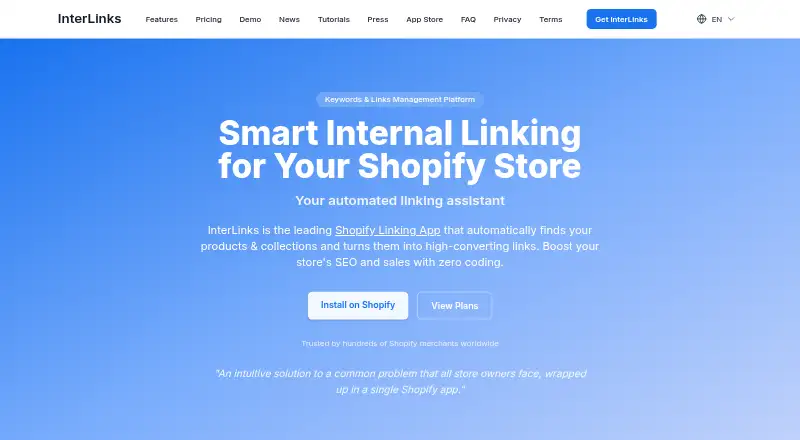
What InterLinks is
InterLinks is a Shopify app that adds links to selected keywords in store content. When a page loads, it can connect matching text in product descriptions, collection descriptions, blog posts, and pages to products, collections, or other target URLs without changing the underlying content. Its InterLinks404 feature finds keywords in broken URLs and redirects visitors to matching store destinations, with support for 16 languages.
The free Demo plan provides one link and covers blog posts, pages, products, and collections, as well as InterLinks404 redirects. Professional costs $19.00 per month, or $180 per year, and includes 5,000 active keywords, unlimited linking automations, 404 redirects, and a 7-day free trial. Professional also adds AI link recommendations based on a store catalog scan, CSV import and export, analytics, and real-time keyword placement reports. The app includes an AI blog post generator powered by GPT-4.1; its plan comparison also names GPT-4o Mini. InterLinks says it works with Shopify themes and major Shopify translation apps. The developer is InterLinks Development, based in Dallas, Oregon, US.
Who it suits
InterLinks suits Shopify store owners who want selected terms linked across product and collection descriptions, blog posts, and pages. Professional may suit stores that need bulk keyword management, link recommendations, analytics, and real-time placement reports.
What it does well
- Links selected keywords across four types of store content.
- Redirects broken URLs to matching destinations in 16 languages.
- Professional offers AI link recommendations from a store catalog scan.
- CSV import and export support bulk keyword management.
- Works with Shopify themes and major Shopify translation apps.
What to know first
- The free Demo plan includes one link.
- Professional costs $19.00 per month or $180 per year.
- Some page builders or handcrafted themes may need backend fine-tuning.
Limits
The free Demo plan includes one free link. Professional includes 5,000 active keywords and a 7-day free trial.
Plans
| Plan | Billed and limits | Price |
|---|---|---|
| Demo | free forever · 1 free link · blog, page, product and collection linking · link styling · Scatter Linking · translation compatibility · InterLinks404 redirects | Free |
| Professional | annual · up to 5,000 active keywords · annual price shown as 21% savings | $180 a year |
| Professional | monthly · up to 5,000 active keywords · AI blog generator · AI keyword suggestions · CSV import/export · advanced frequency controls · analytics · CollectionSync · 7-day trial | $19 a month |
| Starter | monthly · up to 800 links · all features | $9 a month |
As getinterlinks.com lists them, read 15 Oct 2026. The maker's own page has the final word.
Getting started
- Open the InterLinks website.
- Use the Shopify app listing to add it to a store.
- Start with the free Demo plan or choose Professional.
- Use selected keywords for links across store content.
- Contact [email protected] for support if needed.
InterLinks is a Shopify app for automatically linking keywords across store content and redirecting visitors from broken URLs to relevant pages. It suits Shopify merchants who want to manage internal links without editing the underlying text, but its strongest bulk and AI tools sit behind the paid plan.
The choice is straightforward: the free plan is a narrow way to start, while Professional is the practical tier for larger-scale management and recommendations.
Overview
InterLinks adds links to selected keywords in product and collection descriptions, blog posts, and pages when those pages load. Because it does not change the underlying content, merchants can add linking behavior without rewriting descriptions or posts. That approach is useful for stores with substantial existing content, though some page builders and handcrafted themes may need backend adjustments to install it correctly.
InterLinks404 handles broken URLs by extracting keywords and redirecting visitors to matching products, collections, pages, or articles. Support for 16 languages gives multilingual stores a broader redirect reach than a single-language setup would.
Key features
Keyword linking and redirects
Automatic linking spans four types of Shopify content: products, collections, blog posts, and pages. Merchants can also use InterLinks404 to route visitors from broken URLs to likely destinations. Together, the tools address both navigation within published content and visits arriving through URLs that no longer work.
AI and bulk management
Professional adds AI link recommendations based on scans of the store catalog; users can approve suggested keywords with one click. It also includes CSV import and export for bulk keyword management, analytics, and real-time keyword placement reports. These features make the paid plan more relevant when manual review of links across a larger store would be cumbersome.
The app also includes an AI blog post generator powered by GPT-4.1; its plan comparison names GPT-4o Mini as well. Shopify Admin, Anchor Text, Backlinks, Excel, Google Analytics, Google Search Console, and GPT appear under “Works with.”
Shopify fit and data practices
InterLinks is built for Shopify and says it works with Shopify themes and major Shopify translation apps. Its privacy policy says it does not sell or share data with advertisers and stores information within Shopify Admin and its encrypted systems. It cites Shopify OAuth, encrypted storage of metaobjects and logs, and role-based access controls. After uninstall, ScriptTags and injected CSS are removed immediately; metaobjects and analytics data are deleted within 30 days.
Pricing
| Plan | Price | What it includes |
|---|---|---|
| Demo | free | One free link; blog, page, product, and collection linking; InterLinks404 smart redirects. |
| Professional | $19 a month, or $180/year | 5,000 active keywords, unlimited linking automations, AI SEO Blogger, 404 redirects, AI recommendations, CSV import and export, analytics, and placement reports. Includes a 7-day free trial. |
Demo is useful for trying one link and the core content coverage, but the one-link cap makes it unsuitable for a store that needs sustained linking across many pages. Professional raises the ceiling to 5,000 active keywords and removes the limit on linking automations; it is the fit for merchants who need AI recommendations or bulk tools. The annual option is $180/year, described as saving 21% compared with monthly billing. No seat limit is given.
For support, the FAQ directs users to [email protected]. Enterprise subscribers receive on-call account management and development support under an Enterprise SLA; Enterprise has custom pricing.
Platforms
InterLinks is a web app built for Shopify stores. Its compatibility with themes and major Shopify translation apps is useful for stores using those setups, but merchants with a page builder or handcrafted theme should allow for possible installation fine-tuning.
Who it's for
InterLinks is best suited to Shopify merchants who want keyword links applied across product, collection, blog, and page content, plus redirects for broken URLs. Stores with enough content to benefit from catalog-based suggestions, CSV management, analytics, or placement reports have a clearer case for Professional. A merchant who needs only a single link can start with Demo; a store built around a page builder or custom-crafted theme should account for potential compatibility work.
Pros and cons
- Pros: Links span four Shopify content types without modifying the underlying content, which can help merchants add navigation across existing copy.
- Pros: InterLinks404 redirects broken URLs to matching store destinations and supports 16 languages, making it relevant to multilingual catalogs.
- Pros: Professional combines AI suggestions, bulk CSV tools, analytics, and real-time placement reports for merchants managing links at scale.
- Cons: Demo allows just one free link, so it is a limited ongoing option for stores with multiple linking needs.
- Cons: Some page builders or handcrafted themes may require backend installation adjustments, adding a compatibility caveat for customized storefronts.
Alternatives
For a broader comparison, see Internal Linking Tools.
- Interlink is a free WordPress plugin with no signup requirement, so it is a more relevant starting point for WordPress 5.5+ sites running PHP 7.4+ than for a Shopify store.
- Internal Link Juicer offers a free version for one site covering posts and pages, plus keyword file import and export; consider it for a self-hosted site where that narrower scope fits.
- Link Whisper has a free WordPress.org version for manually inserting outbound link suggestions, making it a fit for WordPress users who prefer manual suggestions over InterLinks' Shopify automation.
- Linkagent offers a self-hosted AGPL-3.0 option with every feature ungated, but requires your own infrastructure; choose it if that deployment model suits you.
- LinkBoss starts with 50 free credits on signup for one site and offers an $11 a month Launch plan, an alternative for web users weighing a credit-based entry point.
- Linkbot offers a free Starter plan for one website property and up to 1,000 property URLs, with reports and diagnostics but no automated linking or ongoing sync; consider it when diagnostics matter more than automation.
- Magic Rinku starts with 100 credits and adds five credits per month on its free plan, while its paid 200 credits/month plan costs $9 a month; it is a credit-based alternative.
- redCacti has a free plan for one website and up to 1,000 pages, with limits on results and several analysis and automation features; consider it if that narrower free scope suits your needs.
Verdict
Choose InterLinks if you run a Shopify store and want keyword linking across multiple content types alongside multilingual broken-URL redirects. Professional is the stronger choice for stores that need AI recommendations, bulk keyword management, analytics, or placement reports; the one-link Demo plan is only a small-scale starting point. Look elsewhere if you need a WordPress-focused tool or if your custom storefront cannot accommodate the installation adjustments some themes require.
Verdict
Choose InterLinks if your Shopify store needs keyword linking across product, collection, blog, and page content, or redirects for broken URLs. Professional is the relevant plan for AI recommendations, bulk CSV tools, analytics, and placement reports. The free Demo plan is limited to one link, and some page builders or handcrafted themes may need installation adjustments.
Questions
Is InterLinks free?
Yes. The Demo plan is free and includes one link, content linking, and InterLinks404 redirects.
How much does Professional cost?
Professional costs $19.00 per month or $180 per year. It includes a 7-day free trial.
What platforms does it support?
InterLinks is built for Shopify. It says it works with Shopify themes and major Shopify translation apps.
What does InterLinks link?
It links selected keywords in product descriptions, collection descriptions, blog posts, and pages to products, collections, or other target URLs.
Who makes InterLinks?
The Shopify App Store identifies the developer as InterLinks Development, based in Dallas, Oregon, US.
What happens to data after uninstall?
ScriptTags and injected CSS are removed immediately. Metaobjects and analytics data are deleted within 30 days.
Facts from InterLinks's own pages
- 404 recovery
- InterLinks404 extracts terms from broken URLs, searches products, collections, pages and articles, and assigns a 0–100 confidence score to matches. · getinterlinks.com, 15 Oct 2026
- 404 redirects
- InterLinks404 extracts keywords from broken URLs and redirects visitors to matching products, collections, pages, or articles; the feature supports 16 languages. · getinterlinks.com, 7 Oct 2026
- AI blog generator
- The suite includes an AI blog generator described as GPT-4.1 powered, with backlinks inserted into generated content. · getinterlinks.com, 15 Oct 2026
- AI content
- The app includes an AI blog post generator powered by GPT-4.1, and its plan comparison also names GPT-4o Mini. · getinterlinks.com, 7 Oct 2026
- AI recommendations
- Professional users can scan products, collections, pages and articles for keyword opportunities and approve suggestions with one click. · getinterlinks.com, 15 Oct 2026
- Analytics
- The paid plan provides performance analytics, link reports and real-time keyword placement reporting. · getinterlinks.com, 15 Oct 2026
- Automatic linking
- A saved keyword and destination are reused wherever that word appears, including content published later. · apps.shopify.com, 15 Oct 2026
- Bulk management
- Professional includes CSV import and export for bulk keyword management. · getinterlinks.com, 15 Oct 2026
- CollectionSync
- CollectionSync automatically creates or updates linking keywords when Shopify collections change. · getinterlinks.com, 15 Oct 2026
- Compatibility limit
- The FAQ says some themes and page builders require backend fine-tuning and support intervention. · getinterlinks.com, 15 Oct 2026
- Content coverage
- The app links text in product descriptions, collection descriptions, blog posts and pages. · getinterlinks.com, 15 Oct 2026
- Content limit
- The app does not link homepage text, headlines or page titles according to the FAQ. · getinterlinks.com, 15 Oct 2026
- Data deletion
- After uninstall, ScriptTags and injected CSS are removed immediately, and metaobjects and analytics data are deleted within 30 days. · getinterlinks.com, 7 Oct 2026
- Data retention
- After uninstall, ScriptTags and injected CSS are removed immediately while metaobjects and analytics data are deleted within 30 days. · getinterlinks.com, 15 Oct 2026
- External trust criticism
- Scam Detector assigns getinterlinks.com a 51.9/100 score and labels it questionable based on automated risk factors. · scam-detector.com, 15 Oct 2026
- Import and reports
- Professional includes CSV import and export for bulk keyword management, analytics, and real-time keyword placement reports. · getinterlinks.com, 7 Oct 2026
- Installation
- Installation is through the Shopify App Store and requires a Shopify account and store selection. · apps.shopify.com, 15 Oct 2026
- Integrations
- The Shopify listing identifies Shopify Admin, Anchor Text, Backlinks, Excel, Google Analytics, Google Search Console and GPT under Works with. · apps.shopify.com, 15 Oct 2026
- Languages
- The listing supports English plus German, Spanish, Italian, Dutch, Swedish, French, Czech, Danish, Finnish, Japanese, Korean, Polish, Portuguese, Turkish, Chinese and Estonian. · apps.shopify.com, 15 Oct 2026
- Launch date
- The Shopify listing gives October 17, 2022 as the app launch date. · apps.shopify.com, 15 Oct 2026
- Legal address
- The merchant agreement lists InterLinks at Independence Landing #295, Independence, Oregon 97351. · getinterlinks.com, 15 Oct 2026
- Limit: keyword maintenance
- SEO-alpin says the rule-based approach requires merchants to choose and maintain the keyword list. · seo-alpin.com, 15 Oct 2026
- Limit: theme compatibility
- ShopDigest lists compatibility difficulties with some Shopify themes as a con. · shopdigest.com, 15 Oct 2026
- Maker and location
- The Shopify App Store identifies the developer as InterLinks Development and lists Dallas, Oregon, US. · apps.shopify.com, 7 Oct 2026
Where InterLinks stands on Freedom251
- Internal Linking Tools#8 of 24