Freedom251 › AI Graphic Design Software
Inkpress
What Inkpress is
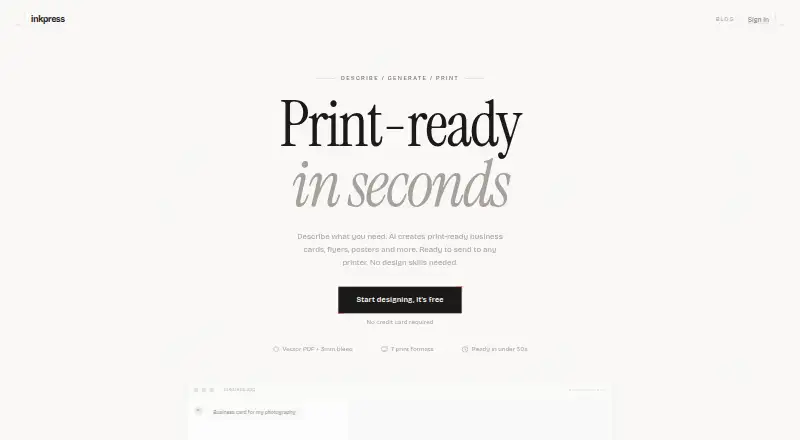
Inkpress creates designs for printed business materials from a text description, using AI to generate three variations. Choose one, refine it with feedback, then export it. Listed formats include business cards, flyers, postcards, invitations, posters, menus, and rack cards. Inkpress says designs are ready in under 30 seconds and that users do not need design skills. Exports are vector PDFs at exact trim size, with 3mm bleed and a safe zone. The listed export is a clean PDF, but the maker’s blog notes that exported color is RGB rather than CMYK and that files do not include crop marks. Inkpress counts one AI edit as one iteration; the listed plans include eight iterations per design. It is available on macOS and the web, and a blog article describes it as a Mac app. The Free plan costs nothing and includes one design, eight AI iterations, and clean PDF export. Per Design costs $2.99, paid once; listed details also include three designs for $5.99 and five extra iterations for $1.99.
Who it suits
Inkpress suits people who need to create common print materials from a written description without design skills. Its RGB exports and lack of crop marks are important to consider when preparing files for print.
What it does well
- Generates three design variations from a text description.
- Supports business cards, flyers, posters, and more.
- Exports vector PDFs with 3mm bleed and a safe zone.
- Offers a free plan with one design and eight iterations.
What to know first
- Exports use RGB rather than CMYK.
- Exports do not include crop marks.
- The Free plan includes one design.
Limits
The Free plan costs nothing and includes one design and eight AI iterations. The Per Design plan costs $2.99, paid once and includes eight iterations per design; five additional iterations are listed for $1.99.
Plans
| Plan | Billed and limits | Price |
|---|---|---|
| Free | 1 design included · 8 AI iterations · Clean PDF export | Free |
| Per Design | 8 iterations per design · 3 designs for $5.99 · Clean PDF export · +5 iterations for $1.99 | $2.99, paid once |
As inkpress.app lists them, read 9 Oct 2026. The maker's own page has the final word.
Getting started
- Visit the Inkpress website.
- Use the web version or the macOS app.
- Describe the design you want.
- Review the three variations and refine a selection with feedback.
- Export the design as a PDF.
- Choose the Free plan or pay for a Per Design plan.
Verdict
Inkpress provides a text-led workflow for generating and refining designs for several print formats. Check the RGB color and missing crop marks against your print requirements before exporting.
Questions
How much does Inkpress cost?
The Free plan costs nothing. Per Design costs $2.99, paid once; the listed details also offer three designs for $5.99 and five additional iterations for $1.99.
What does the Free plan include?
It includes one design, eight AI iterations, and clean PDF export.
Which platforms can I use?
Inkpress is listed for macOS and the web. A blog article describes it as a Mac app.
What can I make with Inkpress?
Listed formats include business cards, flyers, postcards, invitations, posters, menus, and rack cards.
What format does Inkpress export?
It exports vector PDFs at exact trim size with 3mm bleed and a safe zone. Exports do not include crop marks, and the color is RGB rather than CMYK.
How many edits are included?
One iteration means one AI edit. The listed plans include eight iterations per design.
Facts from Inkpress's own pages
- Desktop platform
- An Inkpress blog article describes Inkpress as a Mac app for print-ready design. · inkpress.app, 9 Oct 2026
- Export
- Inkpress says its exports are vector PDFs at exact trim size with 3mm bleed and a safe zone. · inkpress.app, 9 Oct 2026
- Export limitation
- An Inkpress blog article says exports do not include crop marks. · inkpress.app, 9 Oct 2026
- Integrations and security
- The opened Inkpress pages reviewed do not state integrations or security certifications. · inkpress.app, 9 Oct 2026
- Intended users
- The homepage says no design skills are needed to create a design. · inkpress.app, 9 Oct 2026
- Iteration limit
- One iteration is defined as one AI edit, and the listed plans include eight iterations per design. · inkpress.app, 9 Oct 2026
- Pricing model
- The homepage says there is no subscription and that the first design is free, followed by per-design pricing. · inkpress.app, 9 Oct 2026
- Print color
- An Inkpress blog article says the tool's exported design color is RGB, not CMYK. · inkpress.app, 9 Oct 2026
- Product
- Inkpress creates print-ready business cards, flyers, posters, and other designs from a text description using AI. · inkpress.app, 9 Oct 2026
- Speed
- The homepage says designs are ready in under 30 seconds. · inkpress.app, 9 Oct 2026
- Supported formats
- The listed formats include business cards, flyers, postcards, invitations, posters, menus, and rack cards. · inkpress.app, 9 Oct 2026
- Workflow
- Users describe a design, receive three variations, refine a selection with feedback, and export it. · inkpress.app, 9 Oct 2026
Where Inkpress stands on Freedom251
- AI Graphic Design Software#7 of 31
- AI Business Card Makers#6 of 25