Freedom251 › Cloud Cost Management Software

Infracost
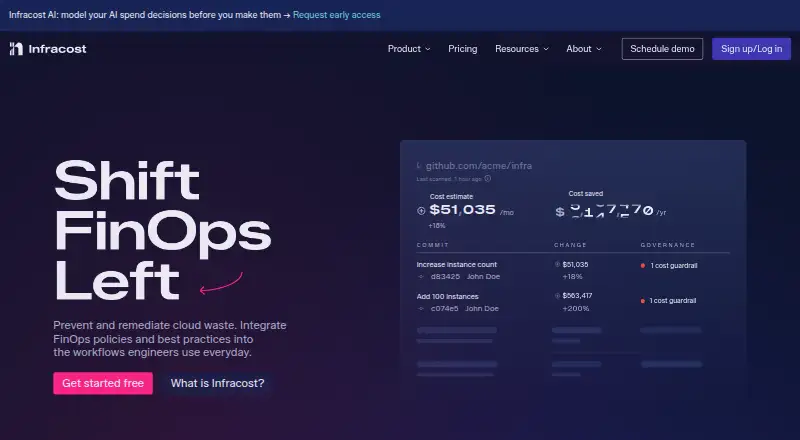
What Infracost is
Infracost brings cloud cost estimates and FinOps guidance into infrastructure-as-code workflows, helping teams identify cost issues before deployment. It supports Terraform, CloudFormation, and AWS CDK projects across AWS, Azure, and Google Cloud. Infracost Cloud tracks more than 10 million price points and can show estimates and FinOps practices in pull requests and IDEs. Its CI/CD integration can comment on cost differences, policy violations, and tagging issues from a change. Cloud adds custom guardrails, price books, and tagging policies; Issue Explorer can surface optimization opportunities and open pull requests with fixes. Infracost AI combines provider billing, subscriptions, gateway logs, and agent telemetry to reconcile AI spending and model what-if scenarios for models and routing. A free CI/CD plan includes 1,000 runs per month and Slack Community support. Starter costs $250 a month for 10,000 runs and email support. Terraform HCL estimates may not resolve values only known at plan time, such as data-source attributes or dynamic lookups; the documentation recommends Terraform plan JSON for those cases.
Who it suits
Infracost suits teams using infrastructure-as-code who want cost estimates and FinOps guidance in their development workflow. Its AI spend analysis may also suit teams consolidating information about AI provider spend and usage.
What it does well
- Supports Terraform, CloudFormation, and AWS CDK
- Works across AWS, Azure, and Google Cloud
- CI/CD comments on cost changes and policy issues
- Free plan includes 1,000 runs per month
What to know first
- Starter costs $250 a month
- HCL alone may not resolve plan-time values
- Terraform plan JSON is recommended for those cases
Limits
The free CI/CD plan includes 1,000 runs per month. Starter costs $250 a month and includes 10,000 runs. Terraform HCL alone cannot resolve values that become known only at plan time; Terraform plan JSON is recommended for those cases.
Plans
| Plan | Billed and limits | Price |
|---|---|---|
| Infracost CI/CD | Terraform, CloudFormation and CDK estimates · GitHub, GitLab and Azure DevOps · 1,000 runs/month · Slack community support | Free |
| Cloud | $1,000/mo · Everything in Starter · 10 admin seats · developer seats extra · FinOps policies · custom price books · guardrails · Issue Explorer · Autofix · dashboards · audit trails | $1,000 a month |
| Starter | $250/mo · Everything in CI/CD · email support · 10,000 runs/month | $250 a month |
| Enterprise | Everything in Cloud · GitHub/GitLab Enterprise · complex security · SKU price overrides · business-unit reporting · custom policies · SSO/SAML mappings · SLAs · enterprise onboarding | On request |
As infracost.io lists them, read 15 Oct 2026. The maker's own page has the final word.
Getting started
- Visit https://www.infracost.io/ to get started.
- Choose the free Infracost CI/CD plan or a paid plan.
- Install the CLI on macOS, Windows, or Linux.
- Connect a supported infrastructure project: Terraform, CloudFormation, or AWS CDK.
- Add Infracost to a CI/CD workflow or use a supported IDE.
Overview
Infracost puts cloud-cost estimates and FinOps feedback into infrastructure-as-code development, making it a strong fit for engineering teams that want cost changes reviewed alongside code. It is most useful when deployment costs can be estimated before release; Terraform HCL estimates cannot resolve values known only at plan time.
It supports Terraform, CloudFormation and AWS CDK across AWS, Azure and Google Cloud. The company was founded in 2021 and is headquartered in San Francisco.
Key features
Cost feedback in development
Infracost Cloud tracks more than 10 million cloud price points and can show estimates and FinOps guidance in pull requests and IDEs. CI/CD comments can highlight cost changes, policy violations and tagging issues introduced by a change. That gives developers and reviewers a chance to address cost implications before deployment, rather than relying only on later billing review.
Governance and optimization
Cloud supports custom guardrails, price books and tagging policies. Issue Explorer finds optimization opportunities and can open pull requests with fixes. Dashboards, audit trails, team workflows and autofix workflows make Cloud the tier for teams that need shared cost governance; the free and Starter plans focus on CI/CD runs instead.
AI spend analysis
Infracost AI combines provider billing, subscriptions, gateway logs and agent telemetry to reconcile AI spend and model what-if scenarios for models and routing. Its integrations include Anthropic, OpenAI, Cursor, AWS Bedrock, Azure AI Foundry, Kong AI, LiteLLM, OpenRouter, Claude Code, Codex, OpenTelemetry and custom apps. This extends the product beyond infrastructure estimates for teams managing AI usage, though those needing only cloud cost feedback may not need this additional analysis.
Security and estimate limits
Project parsing happens locally, and cloud credentials and secrets are not sent to the API. The privacy policy describes encryption in transit and at rest, least-privilege access, authentication, activity monitoring, backups and vulnerability management. One important limitation: Terraform HCL alone cannot resolve values known only at plan time, such as data-source attributes or dynamic lookups. Teams with those configurations should use Terraform plan JSON for more accurate estimates.
Pricing
Infracost uses a flat-rate model for paid tiers, with a free CI/CD option and paid plans from $250/mo.
- Infracost CI/CD: free, with 1,000 runs per month and Slack Community support. It suits smaller teams validating the workflow, but the run cap and community-only support may constrain regular use.
- Starter: $250 a month (billed $250/mo), with 10,000 runs per month and email support. It is the step up for teams that need substantially more CI/CD capacity, but does not include the governance and optimization features bundled into Cloud.
- Cloud: $1,000 a month (billed $1,000/mo), with 10 admin seats; developer seats cost extra. It adds FinOps policies and best practices, custom price books, Cost Guardrails, Issue Explorer, autofix workflows, visibility dashboards, team management and workflows, and audit trails. This is the relevant plan for teams that need these shared controls, but the additional developer-seat fee matters when broad access is required.
- Enterprise: custom pricing. It adds GitHub and GitLab Enterprise support, SKU-level price overrides, business-unit reporting, custom policies, SSO and SAML group mappings, service-level agreements, and enterprise onboarding and support. It suits organizations with those security, reporting or support requirements; smaller teams may not need its enterprise-specific capabilities.
Platforms
Infracost lists API, extension, Linux, macOS, web and Windows platforms. CLI installation covers Linux, macOS and Windows. IDE support includes VS Code, Cursor, JetBrains, VSCodium, Eclipse Theia, Neovim, Zed and other editors, with setup guidance for Claude Code, GitHub Copilot, Codex, Cursor and Gemini CLI. That range suits teams with varied editor preferences.
Who it's for
Infracost is best for engineering and FinOps teams that want infrastructure cost changes, policy checks and optimization opportunities close to the code review process. Cloud is a better match for teams needing shared governance; smaller groups can start with the free run allowance or Starter. Teams whose cost inputs depend heavily on values available only at plan time should factor in the HCL limitation and use plan JSON.
Pros and cons
- Pro: Pull request comments connect cost differences, policy violations and tagging issues to the change that introduced them.
- Pro: Cloud combines guardrails, price books, optimization issues and autofix workflows for teams seeking more than estimates.
- Pro: Local project parsing avoids sending cloud credentials or secrets to the API.
- Con: Terraform HCL estimates cannot resolve plan-time-only values, so some configurations need plan JSON.
- Con: Cloud's 10 admin seats do not include unlimited developer access; additional developer seats cost extra.
Alternatives
For a broader comparison, see Cloud Cost Management Software.
- Teevity is worth considering for high-level cost monitoring, a dashboard and daily email that bring cloud spending together.
- AWS Billing and Cost Management is a free-plan option for AWS-focused users, though some features and Cost Explorer API requests or hourly granularity carry separate usage-based charges.
- Google Cloud Cost Management is a no-additional-charge option for Google Cloud customers, with charges potentially applying to services used.
- Economize offers a free plan limited to one cloud provider, account and organization, with up to $100k monthly cloud spend.
- Flexera One IT Asset Management is another option for buyers evaluating IT asset management.
- CoreStack FinOps offers FinOps governance as an individual product, in a bundle or with unlimited CoreStack Assessments, with quote-based pricing.
- Vantage is an alternative with a Starter tier capped at $2,500 cloud spend, 3 users and 6 months of data retention, or a $30 a month Pro tier capped at $7,500 cloud spend, 5 users and 6 months of retention.
- CloudFix is another freemium option for teams comparing cloud-cost tools.
Verdict
Choose Infracost if your engineering team wants cost estimates and FinOps checks to travel with infrastructure changes, and Cloud if you also need shared policies and optimization workflows. Look elsewhere or plan to use Terraform plan JSON if HCL-only estimates cannot capture values your infrastructure depends on; budget carefully for developer access if you choose Cloud.
Verdict
Infracost combines infrastructure cost visibility with policy and optimization workflows, and also offers AI spend analysis. Teams relying on values known only at plan time should account for the documented HCL limitation.
Questions
Is there a free plan?
Yes. Infracost CI/CD is free and includes 1,000 runs per month with Slack Community support.
How much do paid plans cost?
Starter costs $250 a month and includes 10,000 runs with email support. Cloud costs $1,000 a month; Enterprise pricing is available by contacting the company.
Which clouds and infrastructure tools does it support?
It supports Terraform, CloudFormation, and AWS CDK projects across AWS, Azure, and Google Cloud.
Which operating systems can run the CLI?
The CLI installation instructions cover macOS, Windows, and Linux.
Does project parsing send credentials to the API?
The getting-started information says project parsing happens locally and cloud credentials or secrets are not sent to the API.
Facts from Infracost's own pages
- AI spend analysis
- Infracost AI combines AI provider billing, subscriptions, gateway logs, and agent telemetry to reconcile spend and build what-if scenarios for models and routing strategies. · infracost.io, 29 Sept 2026
- Autofix
- The AutoFix feature can open pull requests that change infrastructure code to address optimization issues. · infracost.io, 15 Oct 2026
- Campaigns
- Campaigns coordinate organization-wide policy fixes by selecting policies, setting deadlines and opening pull requests. · infracost.io, 15 Oct 2026
- CLI installation
- The CLI can be installed with Homebrew, Chocolatey, a shell script or downloaded archives on macOS, Windows and Linux. · infracost.io, 15 Oct 2026
- Cloud cost estimates
- Infracost Cloud says it tracks more than 10 million price points across AWS, Azure, and GCP and shows estimates and FinOps best practices in pull requests and IDEs. · infracost.io, 29 Sept 2026
- Cloud coverage
- The product models cloud prices for AWS, Azure and Google Cloud. · infracost.io, 15 Oct 2026
- Community self-hosting note
- An Infracost community response says self-hosting the cloud pricing API is an Enterprise-level paid service. · community-chat.infracost.io, 15 Oct 2026
- Company history
- Infracost says it was founded in 2021 and is an official FinOps Foundation member. · infracost.io, 29 Sept 2026
- Company legal name
- Crunchbase lists the legal name as Infracost Inc. · crunchbase.com, 15 Oct 2026
- Company size
- Crunchbase lists the company at 11–50 employees. · crunchbase.com, 15 Oct 2026
- Developer tools
- The documentation lists IDE support for VS Code, Cursor, JetBrains, VSCodium, Eclipse Theia, Neovim, Zed, and other editors, plus setup for Claude Code, GitHub Copilot, Codex, Cursor, and Gemini CLI. · infracost.io, 29 Sept 2026
- Documentation depth
- The documentation includes CLI commands, configuration templates, usage files, integrations, APIs and provider-specific feature guides. · infracost.io, 15 Oct 2026
- Estimate limitations
- The documentation says cost estimates from Terraform HCL alone cannot resolve values known only at plan time, such as data-source attributes or dynamic lookups; it recommends Terraform plan JSON for those cases. · infracost.io, 29 Sept 2026
- FinOps policies
- Organizations can define tagging policies, guardrails and best-practice checks for infrastructure code. · infracost.io, 15 Oct 2026
- Founded
- The company About page says Infracost was founded in 2021. · infracost.io, 15 Oct 2026
- Funding news
- Infracost announced a $15 million Series A led by PruVen Capital on November 18, 2025. · infracost.io, 15 Oct 2026
- Headquarters
- Crunchbase places Infracost in San Diego, California, United States. · crunchbase.com, 15 Oct 2026
- IaC support
- Documentation covers Terraform, CloudFormation, AWS CDK, Azure ARM/Bicep and Kubernetes inputs. · infracost.io, 15 Oct 2026
- IDE extensions
- Official setup instructions cover VS Code, Cursor, JetBrains IDEs, VSCodium, Eclipse Theia, Neovim and Zed. · infracost.io, 15 Oct 2026
- Independent limit: Terraform focus
- Wifitalents describes Infracost as strongest for Terraform-centric workflows and less straightforward for broad multi-cloud reporting. · wifitalents.com, 15 Oct 2026
- Independent limit: workflow dependence
- WorldMetrics says results depend on reliable region, instance-type and provider-pricing inputs and that the product is less suited to long-horizon anomaly detection. · worldmetrics.org, 15 Oct 2026
- Independent review coverage
- CheckThat reports that Infracost has little established review coverage on G2, Capterra and TrustRadius. · checkthat.ai, 15 Oct 2026
- Infrastructure coverage
- The product supports Terraform, CloudFormation, and AWS CDK projects across AWS, Azure, and Google Cloud. · infracost.io, 29 Sept 2026
- Integrations
- The AI integrations page lists Anthropic, OpenAI, Cursor, AWS Bedrock, Azure AI Foundry, Kong AI, LiteLLM, OpenRouter, Claude Code, Codex, OpenTelemetry, and custom apps. · infracost.io, 29 Sept 2026
Where Infracost stands on Freedom251
- Cloud Cost Management Software#1 of 30