Freedom251 › Cloud Cost Management Software

Google Cloud Cost Management
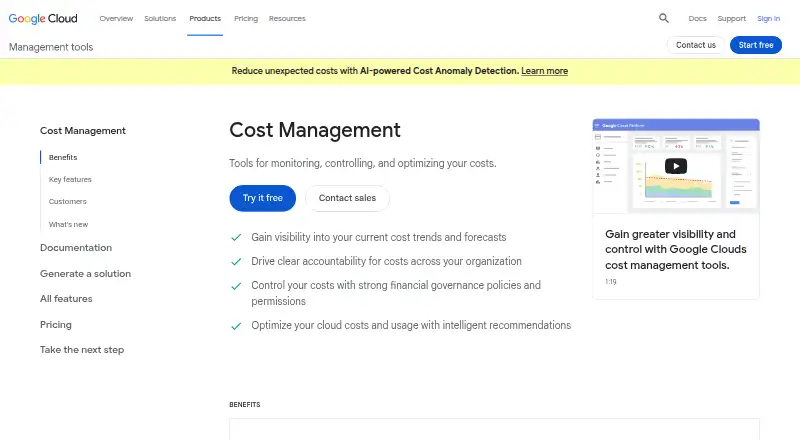
What Google Cloud Cost Management is
Google Cloud Cost Management provides tools to monitor, control, and optimize costs for Google Cloud services. Reports and dashboards in the Google Cloud console show cost trends and forecasts. Teams can allocate spending across organizations, folders, projects, and labels, and use granular permissions to separate spending, administration, and cost-viewing access. Budget thresholds can send alerts by email or Pub/Sub; programmatic notifications can also trigger actions such as throttling resources. Detailed usage, cost, and pricing data can be exported automatically to BigQuery, while billing APIs provide programmatic access to billing accounts. Quotas can constrain spend rates, and the App Optimize API exposes resource cost and utilization metrics for dashboards and agents. Cost and usage recommendations can be applied to realize savings. The tools are offered at no additional charge to Google Cloud customers, and Google Cloud provides free billing and payments support. Customers still pay for the Google Cloud services they use, including services such as BigQuery, Pub/Sub, Cloud Functions, and Cloud Storage.
Who it suits
It suits Google Cloud customers who need to track spending, allocate costs, manage budgets, or connect cost data to analysis and dashboards. Teams can also use permissions, quotas, and programmatic notifications to control spending.
What it does well
- Console dashboards show cost trends and forecasts.
- Budget alerts can go through email or Pub/Sub.
- Usage and billing data can export automatically to BigQuery.
- Cost Management tools have no additional charge.
What to know first
- The tools cover Google Cloud only.
- Charges still apply for Google Cloud services used.
- The tools are offered to Google Cloud customers.
Plans
| Plan | Billed and limits | Price |
|---|---|---|
| Cost Management tools | No additional charge for Google Cloud customers · Google Cloud customers; charges may apply for services used, including BigQuery, Pub/Sub, Cloud Functions, and Cloud Storage | Free |
As cloud.google.com lists them, read 2 Oct 2026. The maker's own page has the final word.
Getting started
- Open the Google Cloud Cost Management website.
- Use the web console or API.
- Organize costs with organizations, folders, projects, or labels.
- Set budgets, threshold alerts, and quotas as needed.
- Use billing APIs, exports, or cost metrics for programmatic workflows.
Overview
Google Cloud Cost Management is a cost-governance toolkit for organizations running on Google Cloud. It is strongest for teams that need shared visibility, allocation, forecasting, and enforceable spending controls without a separate software fee. It is a poor fit if you need one control plane across several cloud providers.
Key features
Reports and dashboards in the Google Cloud console show current cost trends and forecasts, giving finance and engineering a common view of spend. Costs can be allocated through organizations, folders, projects, and labels, so chargeback and ownership models can follow the resource hierarchy rather than a single undifferentiated bill.
Granular permissions separate the ability to spend from administrative and cost-viewing rights. That makes the service suitable for larger teams where billing authority, operational ownership, and financial oversight should not be shared with every user.
Budgets send threshold alerts by email or Pub/Sub. Programmatic budget notifications can trigger responses such as throttling resources or capping costs, while quotas help limit spend rate and reduce the chance of sudden usage spikes. These are meaningful safeguards, although the response logic around notifications is something your team must implement.
Detailed usage, cost, and pricing records can be exported automatically to BigQuery for analysis. Billing APIs expose programmatic billing-account management, and the App Optimize API supplies resource cost and utilization metrics for dashboards and agents. Intelligent recommendations identify optimization opportunities and can be applied to realize savings, adding an action-oriented layer beyond reporting.
Pricing
Cost Management tools — free (no additional charge for Google Cloud customers). The tools themselves do not add a license bill, and Google Cloud provides free billing and payments support to all Google Cloud accounts.
Free does not mean that every workflow is costless. BigQuery, Pub/Sub, Cloud Functions, and Cloud Storage used for exports, alerts, or automation can incur their own service charges. The plan is therefore a natural choice for any Google Cloud customer, but teams should budget for the infrastructure supporting advanced analysis and automated responses.
Platforms
Access is provided through the web console and APIs. It is supported for Google Cloud only, with billing and cost data available for integration into dashboards, agents, and other programmatic workflows.
Who it's for
Choose it if your workloads are principally on Google Cloud and you want native cost allocation, spend forecasting, commitment management, budget alerts, quotas, and billing automation in one provider's environment. It also suits organizations with separate finance, engineering, and billing-admin responsibilities.
Look elsewhere when multi-cloud reporting is a requirement, or when you want a turnkey cross-provider optimization product rather than APIs, exports, and notifications that your team assembles into operating processes.
Pros and cons
- Pro: The management tools have no additional charge for Google Cloud customers, lowering the barrier to adopting budgets and cost visibility.
- Pro: Allocation by organization, folder, project, and label supports detailed ownership and chargeback models.
- Pro: Email and Pub/Sub alerts, quotas, and programmatic controls can connect rising spend to operational action.
- Pro: BigQuery export, billing APIs, and the App Optimize API support custom analysis and automation.
- Con: It is limited to Google Cloud, so a mixed-cloud estate needs another reporting or governance layer.
- Con: Supporting services such as BigQuery, Pub/Sub, Cloud Functions, and Cloud Storage may add charges.
- Con: Automated throttling and caps depend on customer-built integrations around notifications and APIs.
Alternatives
Infracost is the better choice when infrastructure-as-code and CI/CD cost checks matter; its free CI/CD plan includes 1,000 runs per month, while its Starter plan costs $250 a month.
Teevity fits readers wanting high-level, multi-cloud monitoring with a dashboard and daily email; its Free services plan costs nothing.
AWS Billing and Cost Management is the provider-native alternative for AWS estates; some features, including Cost Explorer API requests and hourly granularity, have usage-based charges.
CloudBolt is worth considering for a broader cloud-management platform, with a free tier covering core CMP capabilities for up to 100 resources.
CloudFix emphasizes savings scans and resource details, offering a free tier and a Starter plan at $149 a month.
OpenCost is the option for teams wanting open-source Kubernetes cost monitoring with Prometheus.
Economize suits organizations seeking a multi-cloud web service; its free plan covers one provider, account, and organization up to 100,000 USD in monthly cloud spend.
Harness Cloud Cost Management is another freemium choice with a free tier and percentage-of-tracked-spend fees for its paid cloud cost management service.
See more options in Cloud Cost Management Software.
Verdict
Google Cloud Cost Management is the right default for Google Cloud customers who need native reporting, allocation, forecasts, and budget enforcement without a separate management-tool license. Choose another product when multi-cloud coverage or a more turnkey, provider-agnostic operating model is the priority.
Verdict
Google Cloud Cost Management brings reporting, budgets, allocation, and programmatic controls together for Google Cloud spending. The tools themselves have no additional charge, but customers remain responsible for the services they use.
Questions
Does Google Cloud Cost Management have a free plan?
Yes. The Cost Management tools are offered at no additional charge to Google Cloud customers.
Can using the tools still incur charges?
Yes. Customers pay for Google Cloud services they use, which may include BigQuery, Pub/Sub, Cloud Functions, and Cloud Storage.
Which platforms are supported?
The listed platforms are web and API.
Which cloud does it support?
Google Cloud.
Can it send budget alerts and forecast spending?
Yes. Budget threshold alerts can be sent by email or Pub/Sub, and console reports and dashboards show cost forecasts.
Facts from Google Cloud Cost Management's own pages
- Access control
- Granular permissions control who can spend and who has administrative or cost-viewing permissions. · cloud.google.com, 2 Oct 2026
- Additional charges
- Cost Management tools are offered at no additional charge, but customers pay for Google Cloud services they use, such as BigQuery, Pub/Sub, Cloud Functions, and Cloud Storage. · cloud.google.com, 2 Oct 2026
- Automated controls
- Programmatic budget notifications can trigger actions to throttle resources and cap costs. · cloud.google.com, 2 Oct 2026
- Billing APIs
- Billing APIs provide programmatic access to manage billing accounts. · cloud.google.com, 2 Oct 2026
- Billing export
- Detailed usage, cost, and pricing data can be exported automatically to BigQuery for analysis. · cloud.google.com, 2 Oct 2026
- Budgets and alerts
- Budget threshold alerts can be sent to stakeholders through email or Pub/Sub. · cloud.google.com, 2 Oct 2026
- Cost data API
- The App Optimize API provides programmatic access to resource cost and utilization metrics for integration with dashboards and agents. · cloud.google.com, 2 Oct 2026
- Cost visibility
- Reports and dashboards show current cost trends and forecasts in the Google Cloud console. · cloud.google.com, 2 Oct 2026
- Optimization
- Intelligent recommendations help optimize costs and usage, and can be applied to realize savings. · cloud.google.com, 2 Oct 2026
- Purpose
- Google Cloud Cost Management provides tools for monitoring, controlling, and optimizing costs. · cloud.google.com, 2 Oct 2026
- Resource organization
- Costs can be allocated using organizations, folders, projects, and labels in the resource hierarchy. · cloud.google.com, 2 Oct 2026
- Support
- Google Cloud provides free billing and payments support to all Google Cloud accounts. · docs.cloud.google.com, 2 Oct 2026
- Usage controls
- Quotas can be set to control spend rate and prevent unexpected usage spikes. · cloud.google.com, 2 Oct 2026
Where Google Cloud Cost Management stands on Freedom251
- Cloud Cost Management Software#7 of 30