Freedom251 › Video Upscaling Software
Infognition Video Enhancer
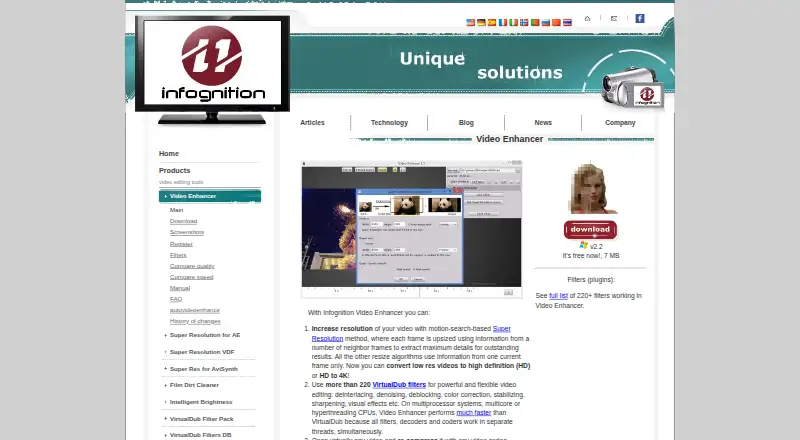
What Infognition Video Enhancer is
Infognition Video Enhancer is Windows desktop software for enlarging video and applying filters. Its motion-search Super Resolution uses information from neighboring frames to upscale low-resolution footage to HD or HD footage to 4K. For other adjustments, it supports more than 220 VirtualDub filters, including tools for denoising, deinterlacing, color correction, stabilization, sharpening, and visual effects.
The software opens video through installed system codecs and can encode the result as AVI or MP4. Batch processing lets users apply the same filters and compression settings to multiple files in one go, while a command-line interface can be used from shell scripts. Infognition also lists Super Resolution plugins for VirtualDub, AviSynth, Adobe After Effects, and Premiere Pro.
The listed Video Enhancer v2.2 plan costs nothing and has a 7 MB download. The pricing note describes a 30-day trial. The version 2 manual lists Windows XP, 2003, Vista, 7, 8, or 10, a 21st-century CPU, and 256 MB of free RAM as system requirements. Input support depends on files playable in Windows Media Player, and opening issues may result from a missing codec. Super Resolution is useful for enlarging sufficiently good-quality video; it does not recover detail lost through noise, blur, or compression. Maximum-quality neighboring-frame processing can use 95–100% CPU.
Who it suits
Video Enhancer suits Windows users who want to upscale suitable footage, apply a broad set of filters, and process multiple files with shared settings. Its command-line interface and listed plugins may also fit users working with shell scripts or VirtualDub, AviSynth, After Effects, or Premiere Pro.
What it does well
- Upscales video using information from neighboring frames.
- Supports more than 220 VirtualDub filters.
- Encodes output to AVI or MP4.
- Batch-processes multiple files with shared filters and compression settings.
- Provides a command-line interface for shell scripts.
- Lists Super Resolution plugins for four video tools.
What to know first
- Runs on Windows desktop platforms.
- Opening files depends on installed system codecs.
- Super Resolution does not restore detail lost to noise, blur, or compression.
- Maximum-quality neighboring-frame mode can use 95–100% CPU.
Limits
The listed plan is free, and the pricing note describes a 30-day trial. Super Resolution only helps when enlarging sufficiently good-quality video; it does not fix noise, blur, or compression-related loss of detail.
Plans
| Plan | Billed and limits | Price |
|---|---|---|
| Video Enhancer v2.2 | Free now; the page gives no billing interval. · 7 MB download · Windows desktop software | Free |
As infognition.com lists them, read 9 Oct 2026. The maker's own page has the final word.
Getting started
- Visit the Infognition Video Enhancer website.
- Download the listed 7 MB Windows desktop software.
- Install it on a Windows system that meets the version 2 manual’s requirements.
- Open a video supported by the installed system codecs.
- Choose filters and compression settings, then process one file or a batch.
- Use the command-line interface for shell-script workflows if needed.
Verdict
Choose Infognition Video Enhancer if you want a Windows tool for upscaling suitable footage, applying filters, and batch processing files. Its free listed plan and command-line interface may suit individual workflows. Look elsewhere if you need another platform or expect upscaling to repair footage with lost detail.
Questions
How much does Video Enhancer cost?
The listed Video Enhancer v2.2 plan is free. The pricing note describes a 30-day trial.
Which platforms does it support?
It is Windows desktop software. The version 2 manual lists Windows XP, 2003, Vista, 7, 8, and 10.
What video formats can it output?
It can encode output as AVI or MP4.
Does it support batch processing?
Yes. It can process multiple files together using the same filters and compression settings.
Which plugins are listed?
Infognition lists Super Resolution plugins for VirtualDub, AviSynth, Adobe After Effects, and Premiere Pro.
What are the upscaling limits?
Super Resolution is intended for enlarging sufficiently good-quality video. It does not recover detail lost through noise, blur, or compression.
Facts from Infognition Video Enhancer's own pages
- Batch processing
- The manual says users can process multiple files with the same filters and compression settings in one go. · infognition.com, 9 Oct 2026
- Command line
- The manual says Video Enhancer provides a command line interface for use from shell scripts. · infognition.com, 9 Oct 2026
- Company
- Infognition describes itself as a small self-funded company focused on video processing and compression technologies for end users and developers. · infognition.com, 9 Oct 2026
- Company address
- The maker lists its address as IT Complex building 1, 142/17 Moo 4, T.Maret, Koh Samui, Suratthani, Thailand 84310. · infognition.com, 9 Oct 2026
- Company history
- The company page says Infognition Co. Ltd. was founded in 2008 and identifies Dmitry Popov as its founder and lead developer. · infognition.com, 9 Oct 2026
- Input limitations
- The manual says supported inputs depend on files playable in Windows Media Player and that opening problems are often caused by a missing codec. · infognition.com, 9 Oct 2026
- Integrations
- The company lists Super Resolution plugins for VirtualDub, AviSynth, Adobe After Effects and Premiere Pro. · infognition.com, 9 Oct 2026
- Processing demand
- The manual says its maximum quality neighboring-frame mode can use 95–100% CPU. · infognition.com, 9 Oct 2026
- Support
- The maker directs technical questions to its FAQ and manual, notes that its forum is closed, and offers email support. · infognition.com, 9 Oct 2026
- System requirements
- The version 2 manual lists Windows XP, 2003, Vista, 7, 8 or 10, a 21st century CPU and 256 MB of free RAM. · infognition.com, 9 Oct 2026
- Upscaling limits
- The manual says Super Resolution only helps when enlarging sufficiently good quality video and does not fix noise, blur or compression-related loss of detail. · infognition.com, 9 Oct 2026
- Video conversion
- It can open video using installed system codecs and encode output to AVI or MP4. · infognition.com, 9 Oct 2026
- Video filters
- The product supports more than 220 VirtualDub filters for tasks such as denoising, deinterlacing, color correction, stabilization, sharpening and visual effects. · infognition.com, 9 Oct 2026
- Video upscaling
- Its motion search based Super Resolution uses information from neighboring frames to upscale video, including low resolution video to HD or HD to 4K. · infognition.com, 9 Oct 2026
Where Infognition Video Enhancer stands on Freedom251
- Video Upscaling Software#17 of 40