Freedom251 › Game Mod Managers
HumanitZ Mod Manager
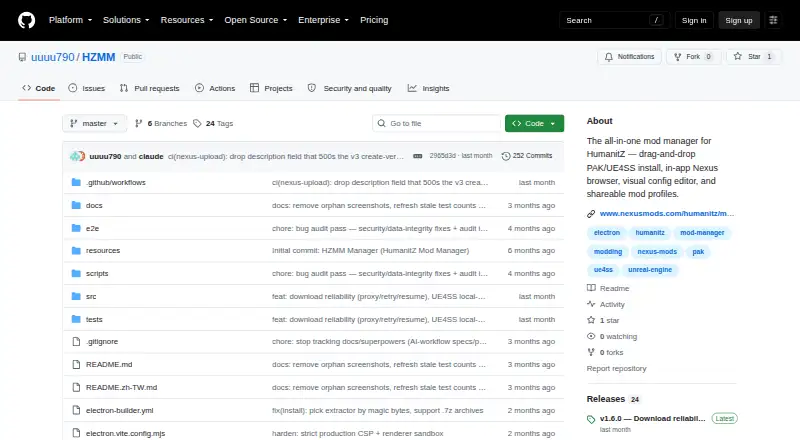
What HumanitZ Mod Manager is
HumanitZ Mod Manager, also called HZMM, is a free desktop tool for installing, configuring and organizing HumanitZ mods. It handles PAK resource mods and UE4SS Lua or C++ script mods, and accepts ZIP, RAR and PAK files by drag and drop. Its visual config editor includes toggles, sliders, color pickers, keybinds, multi-select controls, string lists and dropdowns. Players can save, switch and share mod profiles; importing a profile can download missing Nexus mods. HZMM can deploy and update UE4SS, find the game's Steam install path, back up world saves with a mod snapshot and check GitHub for app releases. The built-in Nexus browser supports anonymous browsing, searching and sorting, but installation through it requires a Nexus API key. Nexus API downloads are limited to Premium accounts; browser-downloaded mods can instead be dragged into HZMM. Windows requirements are Windows 10/11 and HumanitZ installed through Steam. Linux packages are listed as AppImage and .deb, with Steam and Proton needed for HumanitZ. The portable Windows executable needs no installation or runtime, but may trigger security warnings because it is unsigned.
Who it suits
HZMM suits HumanitZ players who want to manage supported mods, edit configurations and save or share mod profiles on Windows or Linux.
What it does well
- Supports PAK and UE4SS Lua or C++ mods.
- Profiles can be saved, switched and shared.
- Can back up world saves with a mod snapshot.
- Provides seven interface languages and six theme presets.
- Free portable Windows app requires no installation or runtime.
What to know first
- Nexus API downloads are restricted to Premium accounts.
- Windows executable is unsigned and may trigger warnings.
- Windows use requires HumanitZ installed through Steam.
- Linux use requires Steam and Proton for HumanitZ.
Limits
Nexus API-based mod downloads are limited to Premium accounts; browser downloads can instead be dragged into HZMM. HumanitZ must be installed through Steam on Windows, and Linux use requires Steam plus Proton for the game.
Plans
| Plan | Billed and limits | Price |
|---|---|---|
| HumanitZ Mod Manager | Portable desktop app for HumanitZ mod management | Free |
As github.com lists them, read 4 Oct 2026. The maker's own page has the final word.
Getting started
- Open the project page at https://github.com/uuuu790/HZMM.
- On Windows, meet the listed requirements: Windows 10/11 and HumanitZ installed through Steam.
- For Linux, use the listed AppImage or .deb package and have Steam plus Proton for HumanitZ.
- Launch the portable Windows executable; it requires no installation or runtime.
- Drag supported ZIP, RAR, or PAK files into HZMM, or use the Nexus browser with an API key for installation.
Verdict
HZMM covers mod installation, configuration and profiles, with different setup requirements for Windows and Linux. Nexus API downloads require Premium access, although browser-downloaded mods can be added by drag and drop.
Questions
Is HumanitZ Mod Manager free?
Yes. The listed plan is free, and the app has no free trial.
Which operating systems can I use?
Windows is supported, with Windows 10/11 listed as a requirement. Linux is available as AppImage and .deb packages.
Does it support Nexus mods?
It has an in-app Nexus browser for anonymous browsing, searching, and sorting. Installing through it requires a Nexus API key, and API-based downloads are limited to Premium accounts.
What mod formats does it support?
It supports PAK resource mods and UE4SS Lua or C++ script mods. Drag-and-drop installation accepts ZIP, RAR, and PAK files.
Is the source open source?
The source is published for reference and transparency, but the repository says all rights are reserved and redistribution is not licensed.
Does the Windows app need installation?
The portable Windows executable requires no installation or runtime. The maker says it is unsigned and may trigger Windows SmartScreen or antivirus warnings.
Facts from HumanitZ Mod Manager's own pages
- Automatic updates
- Yes · github.com, 22 Sept 2026
- Backup and updates
- It can back up world saves with a mod snapshot and check GitHub for app releases to update itself. · github.com, 4 Oct 2026
- Config editor
- Its visual config editor supports controls such as toggles, sliders, color pickers, keybinds, multi-select, string lists, and dropdowns. · github.com, 4 Oct 2026
- Conflict detection
- It scans PAK indexes for resource conflicts and blocks game launch when it detects unresolved conflicts. · github.com, 4 Oct 2026
- Distribution and security
- The portable Windows executable requires no installation or runtime, but the maker says it is unsigned and may trigger Windows SmartScreen or antivirus warnings. · github.com, 4 Oct 2026
- Free plan
- Yes · github.com, 22 Sept 2026
- Languages and themes
- The app lists seven interface languages and six theme presets, each with dark and light modes. · github.com, 4 Oct 2026
- Linux availability
- The maker's Nexus listing says Linux is available as an AppImage and a .deb package, and requires Steam plus Proton for HumanitZ. · nexusmods.com, 4 Oct 2026
- Mod formats
- It supports PAK resource mods and UE4SS Lua/C++ script mods, with drag-and-drop installation of ZIP, RAR, and PAK files. · github.com, 4 Oct 2026
- Mod profiles
- Yes · github.com, 22 Sept 2026
- Mod source access
- built-in · github.com, 22 Sept 2026
- Nexus download limit
- The README says Nexus restricts API-based downloads to Premium accounts, and users can instead download mods in a browser and drag them into HZMM. · github.com, 4 Oct 2026
- Nexus integration
- The in-app Nexus browser supports browsing, searching, and sorting anonymously; installing through it requires a Nexus API key. · github.com, 4 Oct 2026
- Profiles
- Users can save, switch, and share mod profiles, and importing a profile can download missing Nexus mods. · github.com, 4 Oct 2026
- Purpose
- HZMM is a desktop mod manager for installing, configuring, and organizing HumanitZ mods. · github.com, 4 Oct 2026
- Requirements
- The maker's README lists Windows 10/11 and HumanitZ installed through Steam as requirements. · github.com, 4 Oct 2026
- Source and license
- The source is published for reference and transparency, and the repository states that all rights are reserved and redistribution is not licensed. · github.com, 4 Oct 2026
- Supported platforms
- windows · github.com, 22 Sept 2026
- UE4SS and game detection
- HZMM can deploy and update UE4SS and detects the HumanitZ install path through Steam. · github.com, 4 Oct 2026
Where HumanitZ Mod Manager stands on Freedom251
- Game Mod Managers#23 of 79
- Mod managers#23 of 78