Freedom251 › Web Application Firewall Software

Hide My WP Ghost
What Hide My WP Ghost is
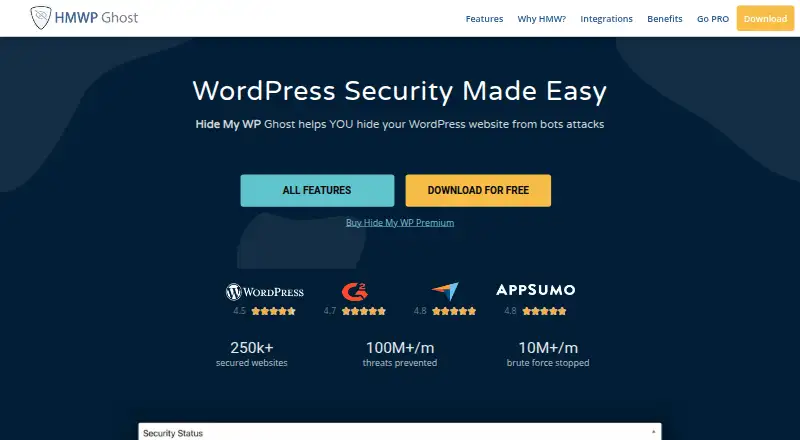
Hide My WP Ghost is a WordPress security plugin that obscures common paths to help protect sites from hackers, bots and detectors. Its maker now calls the product WP Ghost and says its security engine, team and features remain the same. The plugin can change login and admin URLs without altering WordPress files or directories. Listed protections include brute-force defense, two-factor authentication, XML-RPC controls, IP allowlists and blocklists, and security checks. The free plan includes basic path security, 7G and 8G firewall, two-factor authentication with code, email and passkeys, a threats log, and one-click presets. It supports WordPress Multisite on subdirectories and subdomains, and integrates with security plugins such as Wordfence and Sucuri; WPML and WP Rocket are also listed. The plugin is available for self-hosted and web use, with 30-day log retention. The maker says setup takes under five minutes and needs no coding. Paid plans include priority email support. Prices range from free to $1,449, paid once.
Who it suits
It suits WordPress site owners who want to obscure common paths and use built-in security controls. The maker identifies freelancers, blogs, small businesses, developers and WordPress agencies among the audiences for its plans.
What it does well
- Changes login and admin URLs without changing WordPress files.
- Free plan includes firewall, 2FA, threat log and presets.
- Supports WordPress Multisite on subdirectories and subdomains.
- Integrates with Wordfence, Sucuri, WPML and WP Rocket.
What to know first
- Free plan offers basic path security.
- Paid plans range up to $1,449, paid once.
- Logs are retained for 30 days.
Limits
The free plan includes basic path security and listed security features. Ghost 1 costs $29 a year for one website; Ghost 5 costs $59.50 a year for five websites. Paid plans include all premium features and priority email support.
Plans
| Plan | Billed and limits | Price |
|---|---|---|
| Free version | Free WordPress plugin · 115+ free security features | Free |
| Ghost ALL LTD | $1449 one-time payment; never renews · 1000 websites · all premium features · priority email support | $1,449, paid once |
| Ghost 5 LTD | $199 one-time payment; never renews · 5 websites · all premium features · priority email support | $199, paid once |
| Ghost 25 | $249 /yr · 25 websites · all premium features · priority email support | $249 a year |
| Ghost 1 | $29.00 /yr · 1 website · all premium features · priority email support | $29 a year |
| Ghost All | $499 /yr · Unlimited websites · all premium features · priority email support | $499 a year |
| Ghost 5 | $59.50 /yr · 5 websites · all premium features · priority email support | $59.50 a year |
| Ghost 25 LTD | $799 one-time payment; never renews · 25 websites · all premium features · priority email support | $799, paid once |
As hidemywp.co lists them, read 10 Oct 2026. The maker's own page has the final word.
Getting started
- Open the plugin website and choose the free version or a paid plan.
- Install the WordPress plugin for your self-hosted site.
- Use the plugin's setup flow; the maker says coding knowledge is not required.
- Set the login or admin URL and path security options you want to use.
- Choose security options such as two-factor authentication, XML-RPC controls, or IP allowlists and blocklists.
Hide My WP Ghost is a WordPress security plugin focused on concealing standard paths and adding access, firewall, and bot controls. It is best suited to freelancers, site owners, developers, and agencies managing one or more self-hosted WordPress installations. The free tier is a credible starting point, while paid licenses make more sense when you need premium features, support, or coverage for several sites.
Overview
The plugin can move login and administration URLs and hide common WordPress paths without physically changing the site’s files or directories. That reduces the visibility of familiar entry points to bots and detectors without requiring a structural rewrite. Concealment is not a complete security strategy, but the surrounding controls give it practical value beyond simply changing a URL.
The product is now called WP Ghost; the maker says the renamed product retains the same security engine, team, and features. Setup is described as taking less than five minutes and requiring no coding knowledge, which suits owners who want a configuration-led WordPress security layer. The project also participates in Patchstack’s managed vulnerability disclosure program.
Key features
- Path protection: Login and admin URLs can be changed, while common paths are hidden without altering WordPress files or directories. This is useful for reducing routine automated discovery.
- Access defenses: Brute-force protection, two-factor authentication, XML-RPC controls, and IP allowlists and blocklists address several common access and abuse routes.
- Firewall and logging: The free plan includes 7G and 8G firewall protection, a security threats log with 30-day retention, and one-click presets. Those presets lower setup effort; the 30-day window is useful for recent incidents but is not a long-term audit archive.
- Authentication: Free two-factor authentication supports codes, email, and passkeys, giving small sites multiple second-factor options without a paid license.
- API and bot protection: API protection and bot management extend the plugin beyond login-page concealment, particularly for sites exposed to automated requests.
- Compatibility: It supports WordPress Multisite on subdirectories and subdomains and is described as tested with more than 1,000 themes and plugins. It also works with security plugins including Wordfence and Sucuri, and lists WPML and WP Rocket as integrations.
Pricing
The free version costs free and is a free WordPress plugin with 115+ free security features. It is the sensible choice for a single site needing basic path security, firewall protection, two-factor authentication, logging, and presets, but it does not include the paid tier’s all-premium feature set or priority email support.
- Ghost 1: $29 a year, billed $29.00/yr, for one website with all premium features and priority email support. It fits a freelancer or blog owner who needs the complete feature set on one installation.
- Ghost 5: $59.50 a year, billed $59.50/yr, covers five websites with premium features and priority email support. It targets small businesses and developers, trading the lower single-site price for a multi-site allowance.
- Ghost 5 LTD: $199, paid once, a one-time payment that never renews, for five websites with premium features and priority email support. It costs more upfront than one year of Ghost 5 but removes recurring renewal.
- Ghost 25: $249 a year, billed $249/yr, covers 25 websites with premium features and priority email support. This is aimed at larger portfolios rather than an individual site.
- Ghost All: $499 a year, billed $499/yr, allows unlimited websites with premium features and priority email support. It is the agency-oriented subscription for changing client counts.
- Ghost 25 LTD: $799, paid once, a non-renewing one-time payment for 25 websites, with premium features and priority email support.
- Ghost ALL LTD: $1,449, paid once, never renewing, covers 1,000 websites with premium features and priority email support. It is reserved for agencies with a very large managed portfolio.
Platforms
Hide My WP Ghost runs on self-hosted WordPress and is available as a web-managed plugin experience. Its Multisite support covers both subdirectory and subdomain configurations.
Who it's for
Choose it if your priority is reducing exposure of standard WordPress paths while keeping firewall, authentication, API, and bot controls in the same plugin. The free plan suits blogs and small sites testing that approach; Ghost 1 is tailored to freelancers, Ghost 5 to small businesses and developers, and Ghost All to agencies. It is less suitable if you need a general-purpose WAF unrelated to WordPress or long-term log retention.
Pros and cons
- Pros: Free access includes meaningful protections rather than path hiding alone; URL concealment does not alter core files; support for Multisite, major security plugins, and many themes and plugins broadens deployment options; lifetime plans avoid renewals.
- Cons: The free log lasts 30 days; premium features and priority support require a paid plan; one-site and five-site subscriptions can become limiting as a portfolio grows, requiring an upgrade.
Alternatives
For a broader web-application firewall directory, browse Web Application Firewall Software.
- Cloudbric is the better fit when you want coverage across Android, iOS, macOS, Windows, API, and web, plus a free VPN plan with one simultaneous connection.
- BitNinja suits VPS operators who need Linux and self-hosted coverage with resource-based VPS tiers.
- Fastly Image Optimizer is for API, Linux, or web image-request optimization rather than WordPress path security.
- BunkerWeb is an open-source, self-hosted WAF choice, with a PRO option using custom pricing.
- Gcore WAAP fits multi-domain web and API protection with request quotas and overage pricing.
- Haltdos offers community or paid WAF deployments for self-hosted, Linux, API, and web environments.
- ModSecurity is a free, open-source WAF engine that runs inside a web server on Linux, macOS, self-hosted, and Windows systems.
- OWASP Coraza WAF is another free, open-source self-hosted WAF for API, Linux, and macOS deployments.
Verdict
Hide My WP Ghost is a strong choice for WordPress owners who want path concealment combined with practical login, firewall, API, and bot defenses, especially when the free plan covers a single site. Pick a paid tier when premium features, priority support, or multi-site capacity matter. Look elsewhere if your workload is not WordPress-centric or if you need retention beyond 30 days and a broader standalone WAF.
Verdict
Hide My WP Ghost combines path concealment with several listed security controls, and its free plan includes a set of core protections. Paid plans add premium features and priority email support, with options covering multiple website counts.
Questions
How much does Hide My WP Ghost cost?
The free version costs nothing. Paid options include Ghost 1 at $29 a year, Ghost 5 at $59.50 a year, Ghost 5 LTD at $199, paid once, Ghost 25 at $249 a year, Ghost All at $499 a year, Ghost 25 LTD at $799, paid once, and Ghost ALL LTD at $1,449, paid once.
What is included in the free plan?
It includes basic path security, 7G and 8G firewall, two-factor authentication with code, email, and passkeys, a security threats log, and one-click presets.
What platforms does the plugin support?
It is available for self-hosted and web use. The maker says it supports WordPress Multisite on subdirectories and subdomains.
Does it work with other WordPress plugins?
The maker says it works with security plugins including Wordfence and Sucuri. WPML and WP Rocket are also listed as integrations.
What does the Ghost 1 plan include?
Ghost 1 costs $29 a year and covers one website with all premium features and priority email support.
What is the product called now?
The maker says Hide My WP Ghost has been renamed WP Ghost, with the same security engine, team, and features.
Facts from Hide My WP Ghost's own pages
- Compatibility
- The maker says the plugin supports WordPress Multisite on subdirectories and subdomains and was tested with more than 1,000 themes and plugins. · hidemywp.co, 10 Oct 2026
- Free features
- The maker's pricing page says the free plan includes basic path security, 7G and 8G firewall, 2FA with code, email and passkeys, a security threats log, and one-click presets. · wpghost.com, 10 Oct 2026
- Headquarters
- Cluj-Napoca, Cluj, Romania · hidemywp.co, 28 Sept 2026
- Integrations
- The maker says the plugin works with popular security plugins including Wordfence and Sucuri, and lists WPML and WP Rocket among its integrations. · hidemywp.co, 10 Oct 2026
- Intended users
- The pricing page describes Ghost 1 as suitable for freelancers and blogs, Ghost 5 for small businesses and developers, and Ghost All for WordPress agencies. · wpghost.com, 10 Oct 2026
- Path protection
- The plugin can change login and admin URLs and hide common paths without physically changing WordPress files or directories. · hidemywp.co, 10 Oct 2026
- Product name
- The maker says WP Ghost is the renamed product formerly called Hide My WP Ghost, with the same security engine, team, and features. · wpghost.com, 10 Oct 2026
- Product purpose
- Hide My WP Ghost is a WordPress security plugin that hides common WordPress paths and helps protect sites from hackers, bots, and detectors. · hidemywp.co, 10 Oct 2026
- Security disclosure
- The maker's security policy says WP Ghost participates in Patchstack's managed vulnerability disclosure program. · wpghost.com, 10 Oct 2026
- Security features
- The maker lists brute-force protection, two-factor authentication, XML-RPC controls, IP allowlists and blocklists, and security checks among its features. · hidemywp.co, 10 Oct 2026
- Setup
- The maker says setup takes less than five minutes and requires no coding knowledge. · hidemywp.co, 10 Oct 2026
- Support
- Paid plans include priority email support, and the maker describes professional support for bugs, site fixes, payment processing issues, and site speed. · wpghost.com, 10 Oct 2026