Freedom251 › DDoS Protection Software
Haltdos
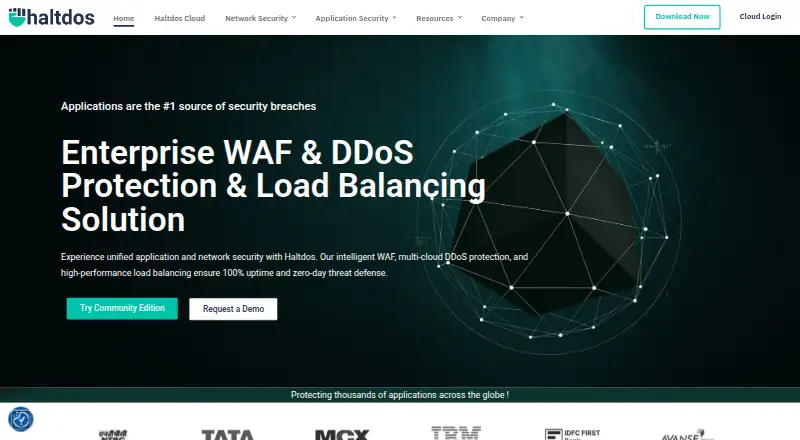
What Haltdos is
Haltdos provides security and delivery solutions for web applications and APIs across on-premise, cloud, and hybrid environments. Its Enterprise WAF protects sites and APIs against OWASP Top 10 attacks, known vulnerabilities, and zero-day vulnerabilities. It includes more than 4,000 signatures, machine-learning-based zero-day protection, file-upload antivirus scanning and sandboxing, and Layer 3 to Layer 7 DDoS protection. An API gateway provides authentication, rate limiting, transformation, and observability. Bot controls include detection and mitigation, device fingerprinting, mobile SDK protection, JavaScript and CAPTCHA challenges, and deception technology. Enterprise monitoring and compliance features include incident logging, analytics, dashboards, SIEM integration, and PCI compliance reporting. Deployment options include SaaS, virtual, hardware, or MSSP, with on-premise and public or private cloud deployments. Community WAF can run on a VM, Docker, or hardware and requires at least 2 GB RAM, 60 GB disk space, and 2 vCPU cores. Community WAF is free for one website and one security profile; Professional WAF is $30 a month, with the first 100K requests free and billing based on requests processed.
Who it suits
Haltdos suits organizations securing websites and APIs across on-premise, cloud, or hybrid environments. Community WAF offers a limited one-site option, while Enterprise WAF lists API, bot, and compliance capabilities.
What it does well
- Enterprise WAF includes 4,000+ signatures.
- API gateway includes authentication and rate limiting.
- Community WAF is free for one website.
- Supports on-premise and public or private cloud deployment.
What to know first
- Community WAF is limited to one website and profile.
- Community support has no stated response ETA.
- Community WAF requires 2 GB RAM and 60 GB disk.
Limits
Community WAF is limited to one website and one security profile. Professional WAF lists unlimited websites; the first 100K requests are free, with monthly billing based on requests processed.
Plans
| Plan | Billed and limits | Price |
|---|---|---|
| Community WAF | 1 website · 1 security profile | Free |
| Professional WAF | Monthly subscription; billed at the end of each monthly billing period based on requests processed · First 100K requests free · unlimited websites | $30 a month |
As haltdos.com lists them, read 8 Oct 2026. The maker's own page has the final word.
Getting started
- Visit https://www.haltdos.com/.
- Choose Community WAF or Professional WAF.
- For Community WAF, deploy on a VM, Docker, or hardware.
- Provide at least 2 GB RAM, 60 GB disk space, and 2 vCPU cores for Community WAF.
- Select an on-premise, public-cloud, private-cloud, SaaS, virtual, hardware, or MSSP deployment option.
Haltdos is a web application firewall and API security platform for teams that need to deploy on-premise, in the cloud, or across both. It is strongest for organizations that want WAF, bot, and API controls together; the free tier is better treated as a one-site starting point than a full-scale security package.
Overview
Haltdos brings web application and API security together with DDoS protection and bot management. The most extensive protections are in Enterprise WAF, which covers OWASP Top 10 attacks, known vulnerabilities, and zero-day vulnerabilities, with DDoS protection from Layer 3 through Layer 7. That breadth can suit teams consolidating application defenses, but buyers should distinguish Enterprise capabilities from the Community tier's sharply limited scope.
Key features
WAF, API, and bot controls
Enterprise WAF includes more than 4,000 signatures, machine-learning-based zero-day protection, and antivirus scanning and sandboxing for file uploads. Its API gateway adds authentication, rate limiting, transformation, and observability; Haltdos also identifies API discovery, runtime protection, posture management, sensitive data detection, and specification governance. Together, these controls address both application traffic and API lifecycle concerns, although they are not a reason to assume the free tier offers equivalent protection.
Bot detection and mitigation uses device fingerprinting, mobile SDK protection, JavaScript and CAPTCHA challenges, and deception technology. Incident logging, analytics and dashboards, SIEM integration, and PCI compliance reporting support monitoring and compliance workflows. Teams needing those capabilities should consider the Enterprise tier; its support includes 24x7 email and toll-free phone.
Deployment and integrations
Deployment options include SaaS, virtual, hardware, or MSSP, with on-premise and public or private cloud environments supported. Community WAF can run on a VM, Docker, or hardware, but requires at least 2 GB RAM, 60 GB disk space, and 2 vCPU cores. Its documented operating systems include Ubuntu 18.04, 20.04, and 22.04; Debian 11; Rocky Linux 8.9 and 9.3; CentOS Stream 8 and 9; Fedora 38 and 39; and RHEL 8 and 9. Integrations include SIEM, syslog, SNMP, SMTP email, SMS gateways, Active Directory/SAML, and antivirus or sandboxing through ICAP. This flexibility is useful for mixed infrastructure, while the Community deployment still has a concrete minimum resource footprint.
Pricing
Community WAF costs nothing and covers one website and one security profile. It is a sensible way to start with a single site, but the cap makes it unsuitable for organizations protecting multiple properties or separating security policies. Community support is email with no ETA.
Professional WAF costs $30 a month on a monthly subscription, billed at the end of each monthly billing period based on requests processed. The first 100K requests are free, and websites are unlimited. This tier is a better fit for teams that need broader site coverage, but the request-based billing basis matters as traffic grows. Professional support is 8x5 email within 7 days. Enterprise has custom pricing, unlimited websites, and 24x7 email and toll-free phone support; it is the fit for buyers requiring the broader protection and support set.
Platforms
Haltdos supports API, Linux, self-hosted, and web platforms. The deployment choices make it relevant to teams that need cloud-hosted and locally managed options rather than a single delivery model.
Who it's for
Haltdos is best suited to organizations securing web applications and APIs across varied infrastructure, especially those that value integrated bot defenses, DDoS protection, and API gateway controls. A single-site user can begin with Community WAF, while multi-site or high-assurance needs point toward Professional or Enterprise. It is less compelling for a buyer who only needs a narrow, low-cost network DDoS service.
Pros and cons
- Pros: Enterprise WAF combines signature-based and machine-learning-based defenses with file-upload scanning, API gateway functions, and bot mitigation.
- Pros: SaaS, virtual, hardware, MSSP, on-premise, and cloud deployment options accommodate different infrastructure arrangements.
- Cons: Community WAF is restricted to one website and one security profile, with email support that has no ETA.
- Cons: Professional's $30 a month is billed based on processed requests after the first 100K free, so the monthly price alone does not indicate the eventual bill.
Alternatives
For a dedicated DDoS option, compare DDoS Protection Software. Teams focused specifically on API controls can browse API Security Software, while buyers prioritizing WAF products can compare Web Application Firewall Software.
Choose AWS Shield if AWS customers need automatically configured common network and transport layer DDoS protection through its free Standard plan. Cloudflare DDoS Protection is an alternative for those seeking a free plan with unmetered DDoS protection and WAF. Project Shield may fit eligible organizations seeking free, unlimited DDoS protection.
Gcore DDoS Protection is another freemium DDoS alternative, while FastNetMon is a freemium option with Linux and self-hosted platforms. For API gateway needs, consider Tencent Cloud API Gateway. Fastly Image Optimizer and Oracle Cloud Infrastructure Secret Management are also alternatives.
Verdict
Choose Haltdos if you need WAF and API security with deployment flexibility and can match the tier to your protection and support requirements. Its strongest case is the breadth of Enterprise controls across application, API, bot, and DDoS threats; look elsewhere if you need only a narrow DDoS service or need more than one protected site without moving beyond Community.
Verdict
Haltdos combines web application and API security with deployment options spanning on-premise, cloud, and hybrid environments. Check the Community WAF's site limit and the listed Professional billing basis against your needs.
Questions
Is there a free plan?
Yes. Community WAF costs nothing and covers one website and one security profile.
How much does Professional WAF cost?
Professional WAF is $30 a month, billed monthly based on requests processed. The first 100K requests are free.
Where can Haltdos be deployed?
Deployment options include SaaS, virtual, hardware, or MSSP, with on-premise and public- or private-cloud deployments.
What platforms are listed?
The listed platforms are API, Linux, self-hosted, and web.
What support comes with the plans?
Community support is by email with no ETA. Professional support is 8x5 email within 7 days; Enterprise support is 24x7 email and toll-free phone.
Facts from Haltdos's own pages
- API security
- Enterprise WAF includes an API gateway with authentication, rate limiting, transformation, and observability. · haltdos.com, 8 Oct 2026
- Bot management
- Enterprise WAF offers bot detection and mitigation, device fingerprinting, mobile SDK protection, JavaScript and CAPTCHA challenges, and deception technology. · haltdos.com, 8 Oct 2026
- Community deployment
- Community WAF supports deployment on a VM, Docker, or hardware and requires at least 2 GB RAM, 60 GB disk space, and 2 vCPU cores. · docs.haltdos.com, 8 Oct 2026
- Compliance
- Enterprise WAF lists incident logging, analytics and dashboards, SIEM integration, and PCI compliance reporting. · haltdos.com, 8 Oct 2026
- Deployment
- Haltdos describes deployment as SaaS, virtual, hardware, or MSSP, and says solutions can be deployed on-premise or on public or private cloud. · haltdos.com, 8 Oct 2026
- Integrations
- Haltdos supports integrations including SIEM, syslog, SNMP, email via SMTP, SMS gateways, Active Directory/SAML, and antivirus or sandboxing via ICAP. · docs.haltdos.com, 8 Oct 2026
- Limits
- The plan comparison lists Community WAF for one website and one security profile; Professional and Enterprise list unlimited websites. · docs.haltdos.com, 8 Oct 2026
- Product
- Haltdos offers security and delivery solutions for web applications and APIs across on-premise, cloud, and hybrid environments. · haltdos.com, 8 Oct 2026
- Support
- The plan comparison lists Community support as email with no ETA, Professional support as 8x5 email within 7 days, and Enterprise support as 24x7 email and toll-free phone. · docs.haltdos.com, 8 Oct 2026
- Supported operating systems
- Community WAF documentation lists Ubuntu 18.04, 20.04, and 22.04; Debian 11; Rocky Linux 8.9 and 9.3; CentOS Stream 8 and 9; Fedora 38 and 39; and RHEL 8 and 9. · docs.haltdos.com, 8 Oct 2026
- WAF features
- Enterprise WAF includes 4,000+ signatures, machine-learning-based zero-day protection, file upload antivirus scanning and sandboxing, and Layer 3 to Layer 7 DDoS protection. · haltdos.com, 8 Oct 2026
- WAF protection
- Enterprise WAF protects websites and APIs against OWASP Top 10 attacks, known vulnerabilities, and zero-day vulnerabilities. · haltdos.com, 8 Oct 2026
Where Haltdos stands on Freedom251
- DDoS Protection Software#3 of 37
- Web Application Firewall Software#4 of 35
- API Security Software#6 of 30