Freedom251 › Manufacturing Analytics Software
Hexagon Q-DAS
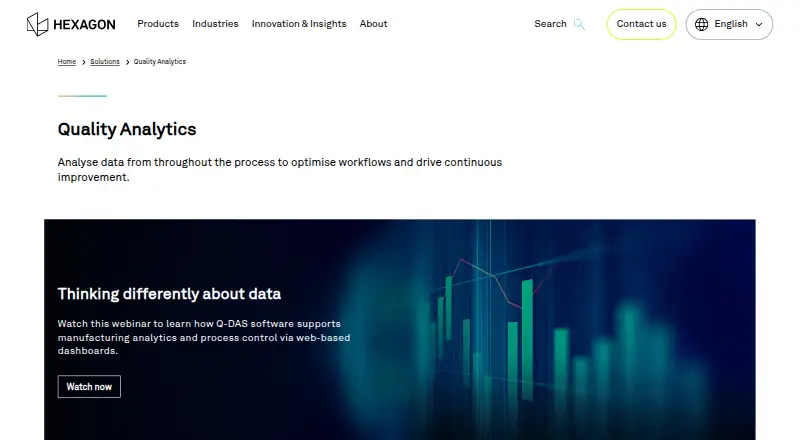
What Hexagon Q-DAS is
Hexagon Q-DAS provides statistical process control and manufacturing analytics for quality assurance, capability evaluation, and process control. Its Analysis Solution reports results from test process investigations, machine acceptance, and measurement system analyses. O-QIS displays and evaluates inspection and process data as a web-based product. Teams can enter data manually or transfer it from measuring equipment through RS232 or USB. O-QIS checks measurements against alarm conditions and can generate reports by printout, PDF, email, or SMS. Q-DAS documents a SAP QM-STI interface for evaluating measured-value information stored in SAP, and an ETQ Quality Management System integration for generating nonconformance reports after quality alarms. REST APIs support exchanges with other systems using HTTPS, authentication, and authorization. Hexagon says qs-STAT supports machine acceptance and process capability evaluations to ISO 22514-2. Intended users include quality managers and engineers, measurement-equipment staff, operators, and process engineers. Windows and web versions are listed for release 2026.2, while version 16 is supported through 30 April 2029. Pricing is on request, and software must be activated with a license key provided after purchase.
Who it suits
It suits manufacturing quality teams that need process monitoring, capability evaluation, and analysis of measurement data. The listed intended users include quality managers and engineers, measurement-equipment staff, operators, and process engineers.
What it does well
- O-QIS accepts manual and equipment-fed measurement data
- Reports can be sent by PDF, email, or SMS
- Documents SAP QM-STI and ETQ integrations
- REST APIs support authenticated data exchange
What to know first
- Pricing is available on request
- Software activation requires a license key after purchase
- Listed hotline hours are Monday through Friday, 8 a.m. to 5 p.m.
Plans
| Plan | Billed and limits | Price |
|---|---|---|
| Q-DAS | Solution packages tailored to requirements · packages can be supplemented or adapted | On request |
As hexagon.com lists them, read 4 Oct 2026. The maker's own page has the final word.
Getting started
- Visit the Hexagon quality analytics website.
- Request pricing for a Q-DAS solution package tailored to your requirements.
- Choose a Windows or web offering, or review the API options.
- After purchase, activate the software with the provided license key.
- Use manual entry or connect measuring equipment through RS232 or USB for O-QIS data capture.
Verdict
Q-DAS combines manufacturing quality analysis with shop-floor data capture, alerts, and reporting. Check the tailored package and licensing details with Hexagon before selecting it.
Questions
How is Q-DAS priced?
Pricing is on request. Solution packages can be tailored to requirements and supplemented or adapted.
Which platforms are listed?
The listed platforms are API, web, and Windows. Deployment is on-premises.
What does O-QIS do?
O-QIS displays and evaluates inspection and process data. It can check measurements against alarm conditions and generate reports by printout, PDF, email, or SMS.
Can Q-DAS connect with other systems?
Q-DAS documents a SAP QM-STI interface and an ETQ Quality Management System integration. Its REST APIs support data exchange using HTTPS, authentication, and authorization.
Who makes Q-DAS?
Q-DAS is a Hexagon solution. Hexagon lists its head office in Stockholm, Sweden.
What is the licensing process?
The downloads page says the software must be activated and that the license key is provided after purchase.
Facts from Hexagon Q-DAS's own pages
- Alerts and reports
- O-QIS checks measurements against alarm conditions and can generate and send reports by printout, PDF, email, or SMS. · hexagon.com, 4 Oct 2026
- Analysis
- The Analysis Solution reports results from test process investigations, machine acceptance, and measurement system analyses. · hexagon.com, 4 Oct 2026
- API
- Q-DAS REST APIs support HTTPS, authentication, and authorization for exchanging data with other systems. · hexagon.com, 4 Oct 2026
- Company
- Hexagon traces its origins to Eken Industri och Handel AB, founded in Stockholm in September 1975, and lists its head office in Stockholm, Sweden. · blog.hexagon.com, 4 Oct 2026
- Data capture
- O-QIS accepts manual data input and can transfer data directly from measuring equipment through RS232 or USB. · hexagon.com, 4 Oct 2026
- Founded
- 1993 · hexagon.com, 28 Sept 2026
- Headquarters
- Stockholm, Sweden · hexagon.com, 28 Sept 2026
- Integrations
- Q-DAS documents a SAP QM-STI interface for evaluating measured-value information stored in SAP and an ETQ Quality Management System integration for generating nonconformance reports after quality alarms. · hexagon.com, 4 Oct 2026
- Intended users
- Hexagon identifies quality managers, quality engineers, measurement-equipment staff, operators, and process engineers among the intended users of its Q-DAS solutions. · hexagon.com, 4 Oct 2026
- Licensing
- The downloads page states that software must be activated and that the license key is provided after purchase. · training.q-das.de, 4 Oct 2026
- Process monitoring
- O-QIS displays and evaluates inspection and process data, and is available as a web-based product. · hexagon.com, 4 Oct 2026
- Purpose
- Q-DAS provides statistical process control and manufacturing analytics for quality assurance, capability evaluation, and process control. · hexagon.com, 4 Oct 2026
- Standards
- Hexagon describes qs-STAT as supporting machine acceptance and process capability evaluations to ISO 22514-2. · hexagon.com, 4 Oct 2026
- Support
- The Q-DAS technical hotline page lists support hours as Monday through Friday, 8 a.m. to 5 p.m. · training.q-das.de, 4 Oct 2026
- Supported version
- The Q-DAS downloads page lists Windows and Web versions for release 2026.2 and states that version 16 is currently supported through 30 April 2029. · training.q-das.de, 4 Oct 2026
Where Hexagon Q-DAS stands on Freedom251
- Manufacturing Analytics Software#8 of 29