
Hex Editor Neo
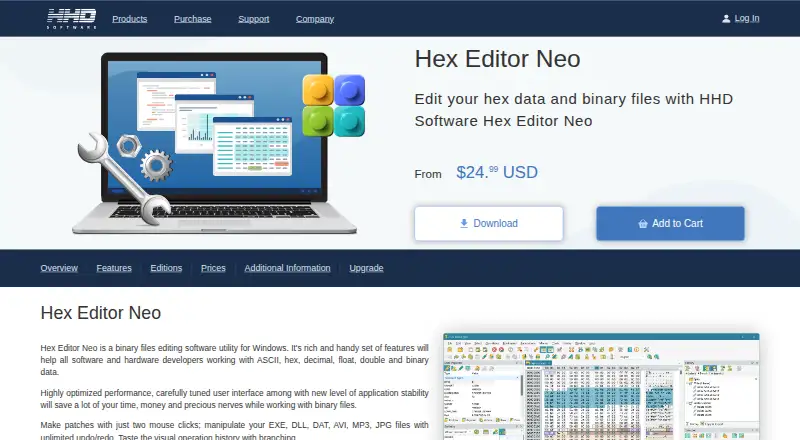
What Hex Editor Neo is
Hex Editor Neo is Windows software for editing binary files, including files of any size and physical disks such as HDDs, SSDs, optical discs, and USB disks. Editing operations include typing, cutting, copying, pasting, filling, deleting, inserting, importing, and exporting data. Search can match binary, hexadecimal, decimal, octal, float, double, character, ASCII, or Unicode patterns, including wildcards; replacement supports arbitrary-length patterns and regular expressions. The editor offers unlimited undo and redo, and operation history can be saved or loaded. It can create 32-bit and 64-bit binary patches, plus self-installing executable patches with file-hash checking. Portable installation does not change the registry, use shell extensions, or create shortcuts. More than 130 text encodings are supported, including UTF-8 and UTF-16. The free plan costs nothing and includes basic editing features. Support for Free Edition users is limited or unavailable; registered users of Standard, Professional, and Ultimate editions receive email and phone technical support. Listed system requirements include a compatible multi-core x86, x64, or ARM64 CPU, 2 GB of memory, and 31.14 MB of storage.
Who it suits
Hex Editor Neo suits Windows users who need to inspect or modify binary files, physical disks, or data in varied encodings. Its free plan offers basic editing features, with limited or no support.
What it does well
- Designed to edit files of any size.
- Supports physical disks, including HDDs and USB disks.
- Offers unlimited undo and redo.
- Searches many numeric, text, and character formats.
- Portable installation avoids registry changes and shortcuts.
What to know first
- Available for Windows.
- Free Edition users receive limited or no support.
- Free plan includes basic editing features.
Limits
The free plan includes basic editing features, and Free Edition users receive limited or no support. The free plan is listed as free.
Plans
| Plan | Billed and limits | Price |
|---|---|---|
| Free Hex Editor Neo | basic editing features · limited or no support | Free |
As hhdsoftware.com lists them, read 1 Oct 2026. The maker's own page has the final word.
Getting started
- Visit the Hex Editor Neo website.
- Use the Windows installer to install the editor.
- Choose portable installation if you want to avoid registry changes, shell extensions, and shortcuts.
- Start with the Free Edition, or use the available free trial.
Verdict
Hex Editor Neo provides a broad set of binary editing, search, replacement, and patching tools for Windows. The free plan is limited to basic editing features, and its users have limited or no support.
Questions
Is Hex Editor Neo free?
A free plan is available free of charge. It includes basic editing features.
Is there a free trial?
Yes, a free trial is available.
Which operating system does it support?
Hex Editor Neo is listed for Windows.
Can it edit physical disks?
Yes. It can open and edit HDDs, SSDs, optical discs, and USB disks.
What support is available?
Free Edition users receive limited or no support. Registered users of Standard, Professional, and Ultimate editions receive email and phone technical support.
Who makes Hex Editor Neo?
The product is offered through the Hex Editor Neo website at hhdsoftware.com.
Facts from Hex Editor Neo's own pages
- Disk editing
- Hex Editor Neo can open and edit physical disks, including HDDs, SSDs, optical discs and USB disks. · hhdsoftware.com, 1 Oct 2026
- Editing
- It supports typing, cutting, copying, pasting, filling, deleting, inserting, importing and exporting data. · hhdsoftware.com, 1 Oct 2026
- Encodings
- The editor supports more than 130 text encodings, including UTF-8 and UTF-16. · hhdsoftware.com, 1 Oct 2026
- File size
- The editor is designed to edit files of any size. · hhdsoftware.com, 1 Oct 2026
- Headquarters
- Hallandale Beach, Florida, United States · hhdsoftware.com, 28 Sept 2026
- License security
- Customer accounts used to manage purchased products and license files are password protected. · hhdsoftware.com, 1 Oct 2026
- Patching
- The product can create 32-bit or 64-bit binary patches and self-installing executable patches with file-hash checking. · hhdsoftware.com, 1 Oct 2026
- Portable mode
- The installer supports portable installation, which does not modify the registry, use shell extensions or create shortcuts. · hhdsoftware.com, 1 Oct 2026
- Purpose
- Hex Editor Neo is binary-file editing software for Windows. · hhdsoftware.com, 1 Oct 2026
- Replacement
- Replace supports patterns of arbitrary length, including empty replacements, and regular expressions. · hhdsoftware.com, 1 Oct 2026
- Search
- Find supports binary, hexadecimal, decimal, octal, float, double, character, ASCII and Unicode patterns, including wildcards. · hhdsoftware.com, 1 Oct 2026
- Settings integration
- Settings Manager can store settings in the Windows registry, local files or shared locations such as OneDrive and Dropbox. · hhdsoftware.com, 1 Oct 2026
- Support
- Email and phone technical support is provided to registered users of Standard, Professional and Ultimate editions, while Free Edition users receive limited or no support. · hhdsoftware.com, 1 Oct 2026
- System requirements
- The listed requirements include Windows, a multi-core x86, x64 or ARM64-compatible CPU, 2 GB of memory and 31.14 MB of storage. · hhdsoftware.com, 1 Oct 2026
- Undo history
- The product provides unlimited undo and redo and can save or load operation history. · hhdsoftware.com, 1 Oct 2026
Where Hex Editor Neo stands on Freedom251
- Hex Editors#13 of 32