Freedom251 › Web Application Security Scanners
HCL AppScan Source
What HCL AppScan Source is
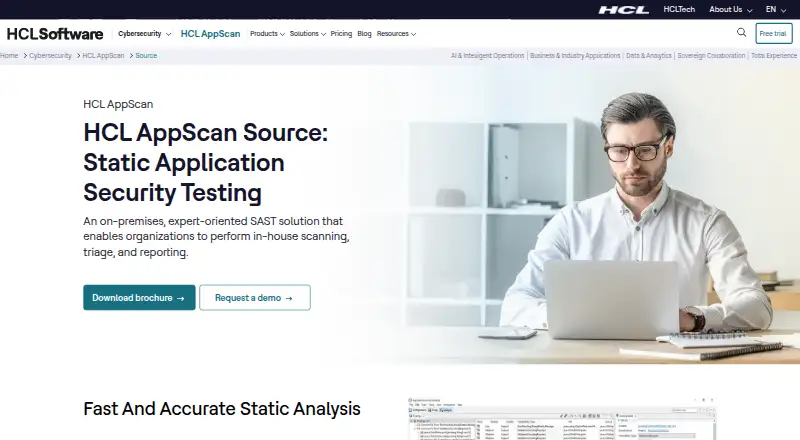
HCL AppScan Source is a static application security testing product that examines source code for vulnerabilities early in development. HCL presents it for AppSec program managers, security analysts, and development teams, with use as a desktop application, IDE plugin, or automation tool. Intelligent Finding Analytics and Intelligent Code Analytics broaden code coverage, reduce false positives, and draw attention to critical issues; HCL says Intelligent Finding Analytics can reduce false positives by up to 98%. The product can identify and prioritize secrets and misconfigurations in Infrastructure as Code files. Scanning, storage, and analysis can remain entirely inside a customer’s infrastructure. AppScan Source supports a broad set of programming languages and includes a bring-your-own-language capability. Documented IDE integrations include Eclipse, JetBrains IDEs, Microsoft Visual Studio, and Visual Studio Code, while Ounce/Maven is listed for continuous integration and delivery pipelines. Compliance reports cover CWE Top 25, DISA Application Security and Development STIG, OWASP Top 10, OWASP Mobile 10, OWASP API 10, and PCI DSS. Installation runs on Windows and Linux. HCL says macOS and iOS Xcode project scanning have not been supported since version 9.0.3.11, and Windows 10 and Windows Server 2016 are not supported as of version 10.11.0.
Who it suits
AppScan Source fits AppSec program managers, security analysts, and development teams responsible for source-code security. It suits organizations that want desktop, IDE, or automated scanning while keeping analysis within their own infrastructure.
What it does well
- Static testing finds source-code vulnerabilities early
- False positives can be reduced by up to 98%
- Prioritizes secrets and IaC misconfigurations
- Supports Eclipse, JetBrains, Visual Studio, and VS Code
- Provides listed OWASP, CWE, DISA, and PCI reports
- Offers authorized-user and floating-user licensing
What to know first
- Pricing is available only on request
- macOS scanning is not supported since version 9.0.3.11
- iOS Xcode project scanning is not supported since version 9.0.3.11
- Windows 10 and Server 2016 are unsupported in version 10.11.0
Limits
Pricing is not published for either the Per Authorized User or Per Floating User plans. macOS and iOS Xcode project scanning are unsupported, and Windows 10 and Windows Server 2016 are unsupported as of AppScan Source 10.11.0.
Plans
| Plan | Billed and limits | Price |
|---|---|---|
| Per Authorized User | SAST license · tied to specific team members | On request |
| Per Floating User | SAST license · shared among team members | On request |
As hcl-software.com lists them, read 9 Oct 2026. The maker's own page has the final word.
Getting started
- Review HCL product documentation and system requirements
- Choose an authorized-user or floating-user SAST license
- Install the wizard on Windows or Linux
- Use AppScan Source as a desktop application, IDE plugin, or automation tool
- Connect a supported IDE or Ounce/Maven pipeline
Verdict
Choose HCL AppScan Source if your security or development team needs source-code SAST with IDE and CI/CD integration, custom language support, and on-premises control. Its analytics and compliance reporting cover many listed security workflows. Consider another option if you require macOS or iOS Xcode project scanning, or need published pricing.
Questions
What does AppScan Source cost?
HCL lists pricing on request. The available license models are Per Authorized User and Per Floating User.
Which operating systems are supported?
The installation wizard runs on Windows and Linux. HCL says macOS and iOS Xcode project scanning have not been supported since version 9.0.3.11.
Can it integrate with IDEs and CI/CD?
Yes. Documented IDE integrations include Eclipse, JetBrains IDEs, Microsoft Visual Studio, and Visual Studio Code. Ounce/Maven is listed for continuous integration and delivery pipelines.
Can scanning stay inside our infrastructure?
Yes. HCL says scanning, storage, and analysis can be configured entirely within the customer’s own infrastructure.
What does it analyze?
AppScan Source performs static testing of source code and can also identify secrets and misconfigurations in Infrastructure as Code files.
Does it have a free plan?
No. HCL lists the product as paid, with pricing available on request.
Facts from HCL AppScan Source's own pages
- AI analysis
- Intelligent Finding Analytics and Intelligent Code Analytics expand code coverage, reduce false positives, and highlight critical issues. · hcl-software.com, 9 Oct 2026
- Build integration
- The documentation lists Ounce/Maven for continuous integration and delivery pipelines. · help.hcl-software.com, 9 Oct 2026
- Delivery options
- It can be used as a desktop application, an IDE plugin, or an automation tool. · hcl-software.com, 9 Oct 2026
- Deployment control
- HCL says scanning, storage, and analysis can be configured entirely within the customer’s own infrastructure. · hcl-software.com, 9 Oct 2026
- False positives
- HCL says Intelligent Finding Analytics can reduce false positives by up to 98%. · hcl-software.com, 9 Oct 2026
- IDE integrations
- Documented IDE integrations include Eclipse, JetBrains IDEs, Microsoft Visual Studio, and Visual Studio Code. · help.hcl-software.com, 9 Oct 2026
- Intended users
- HCL describes it for AppSec program managers, security analysts, and development teams. · hcl-software.com, 9 Oct 2026
- Language coverage
- AppScan Source supports a broad range of programming languages and offers a bring-your-own-language capability. · hcl-software.com, 9 Oct 2026
- Notable platform limit
- As of AppScan Source 10.11.0, HCL says Windows 10 and Windows Server 2016 are no longer supported. · help.hcl-software.com, 9 Oct 2026
- Operating systems
- The installation wizard runs on Windows and Linux; the documentation says macOS and iOS Xcode project scanning have not been supported since version 9.0.3.11. · help.hcl-software.com, 9 Oct 2026
- Purpose
- AppScan Source uses static application security testing to find vulnerabilities in source code early in the application lifecycle. · hcl-software.com, 9 Oct 2026
- Reporting
- HCL lists compliance reports for CWE Top 25, DISA Application Security and Development STIG, OWASP Top 10, OWASP Mobile 10, OWASP API 10, and PCI DSS. · hcl-software.com, 9 Oct 2026
- Secrets and IaC
- The product can identify and prioritize misconfigurations and secrets in Infrastructure as Code files. · hcl-software.com, 9 Oct 2026
- Support
- HCL provides product documentation and directs users to HCL Support for detailed system requirements. · help.hcl-software.com, 9 Oct 2026
Where HCL AppScan Source stands on Freedom251
- Web Application Security Scanners#16 of 29
- DevSecOps Platforms#14 of 25
- Vulnerability Scanner Software#17 of 29
- Dynamic Application Security Testing Software#16 of 26
- Application Security Testing#18 of 28
- SAST Tools#19 of 26
- Static Application Security Testing Software#20 of 25