Freedom251 › Guitar Tab Software

Guitar2Tabs
What Guitar2Tabs is
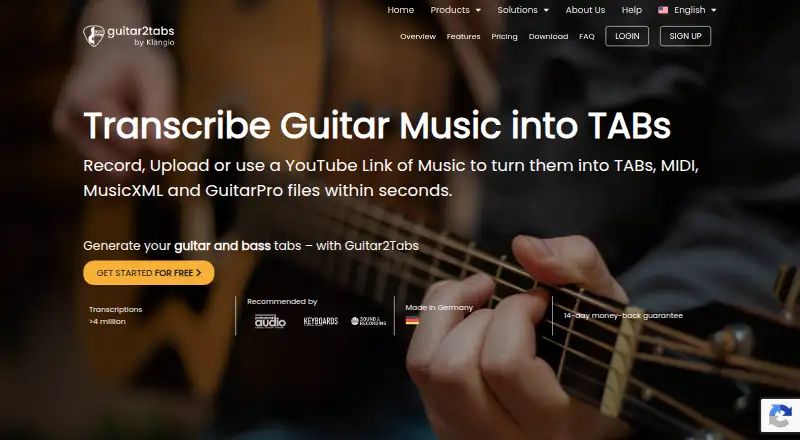
Guitar2Tabs uses AI to turn recordings or YouTube links into editable guitar tabs and sheet music. It supports acoustic, electric and bass guitar, including strummed parts and picked melodies. You can upload audio, record in the app or paste a YouTube link, then play back the transcription and edit notes before export. Notation can appear as tabs or standard notation. Export formats include PDF, quantized or unquantized MIDI, MusicXML and Guitar Pro, compatible with tools such as MuseScore, Sibelius, Ableton Live, Logic Pro, FL Studio, Cubase and GarageBand. A personal songbook stores files and makes transcriptions accessible on desktop devices. The free demo allows unlimited transcriptions of up to 20 seconds each without signup; the Free plan includes PDF downloads. Instrument Pro is listed at $6.24/user/mo (annual), with 50 full transcriptions per month, up to 15 minutes each, additional export formats and a browser-based editor. It is available on the web, Android and iOS. Klangio says uploaded content is processed to create transcriptions, not hosted as audio or video for third parties.
Who it suits
It suits guitarists who want to convert recordings or YouTube links into editable notation, then play it back or export it. Its support for acoustic, electric and bass guitar, plus desktop-accessible songbooks, may fit musicians working across devices.
What it does well
- Supports acoustic, electric and bass guitar.
- Accepts uploads, recordings and YouTube links.
- Offers tabs and standard notation.
- Exports MIDI, MusicXML and Guitar Pro files.
- Free demo needs no signup.
What to know first
- Free demo transcriptions are limited to 20 seconds.
- Free plan includes PDF downloads, not other listed export formats.
- No free trial is listed.
Limits
The free demo transcribes up to 20 seconds per transcription and includes PDF downloads. Instrument Pro includes 50 full transcriptions monthly, with each transcription limited to 15 minutes.
Plans
| Plan | Billed and limits | Price |
|---|---|---|
| Free | unlimited demos · up to 20 seconds · PDF download · no MIDI/MusicXML/Guitar Pro export · no browser editor | Free |
| Instrument Pro | monthly · 50 full transcriptions/month · up to 15 minutes per transcription · MIDI, MusicXML and Guitar Pro exports · browser-based editor | $14.99 a month |
| Instrument Pro (Guitar2Tabs Pro) | $14.99 per month; equivalent to $6.24 per month with annual billing · 50 full transcriptions/month · up to 15 minutes · unlimited demos · PDF, MIDI, MusicXML and Guitar Pro exports · browser editor | $14.99 a month |
| Transcription Studio Pro | $19.99 per month; $8.33 billed annually · 50 full transcriptions/month · up to 15 minutes · multi-instrument transcription · PDF, MIDI, MusicXML and Guitar Pro · browser editor | $19.99 a month |
| Ultimate | $29.99 per month; $12.49 billed annually · 250 full transcriptions/month · up to 15 minutes · Transcription Studio and Plugin · multi-instrument · PDF, MIDI, MusicXML and Guitar Pro · browser editor | $29.99 a month |
| Instrument Pro | $74.88 per year (= $6.24/month, billed annually) · 50 full transcriptions/month · up to 15 minutes per transcription · MIDI, MusicXML and Guitar Pro exports · browser-based editor | $74.88 a year |
As guitar2tabs.klang.io lists them, read 15 Oct 2026. The maker's own page has the final word.
Getting started
- Visit https://guitar2tabs.klang.io/ or use the Android or iOS app.
- Try a free demo without signup, or choose a plan.
- Upload an audio file, paste a YouTube link, or record in the app.
- Play back and edit the transcription, then export it or store it in your songbook.
Guitar2Tabs is an AI transcription service for acoustic, electric and bass guitar. It suits players, teachers and producers who need editable tab or notation from recordings, YouTube links or a quick in-app take. Its strongest case is moving a guitar part into a notation or DAW workflow; the free tier is mainly an excerpt sampler.
Overview
Provide audio by uploading a file, pasting a YouTube link or recording in the app. Guitar2Tabs recognizes both strummed accompaniment and picked melodies, then presents results in tab and standard notation. Playback helps you check the generated part, while the editor lets you alter notes before committing to a file.
The service includes a personal songbook for storing work, with transcriptions accessible on desktop devices. Klangio says uploaded material is processed to generate the transcription and is not hosted as audio or video for third parties. Its website runs in a European Union data center, and the company describes its personal-data handling under its privacy policy and GDPR-related agreements. A Help Center and support chat cover assistance.
Key features
- Flexible capture: Upload audio, use a YouTube URL or record directly, so the workflow fits existing clips as well as new ideas.
- Guitar-focused recognition: Acoustic, electric and bass support, with both strumming patterns and picked lines, keeps the output relevant to common guitar arrangements.
- Review before export: Tab and standard notation, playback and note editing provide a way to correct a first-pass transcription rather than treating it as a finished score.
- Production-ready exports: PDF, quantized or unquantized MIDI, MusicXML and Guitar Pro files cover print, notation and sequencing needs. Files work with MuseScore, Sibelius, Guitar Pro, Ableton Live, Logic Pro, FL Studio, Cubase and GarageBand.
- Sharing: The product supports sharing or publishing, in addition to keeping material in the songbook.
Pricing
The Free plan costs nothing and includes unlimited demo transcriptions, but each is capped at 20 seconds. It allows PDF download and requires no signup for the demo. This is suitable for checking a riff or deciding whether the recognition fits your playing; it is not a practical whole-song plan.
Instrument Pro costs $14.99 a month, billed monthly. It includes 50 full transcriptions each month, with recordings up to 15 minutes, plus MIDI, MusicXML and Guitar Pro exports and a browser-based editor. The wider pricing note gives paid access from $6.24/user/mo on an annual term, so readers should distinguish that annual starting rate from the separately stated monthly Instrument Pro price. There is no free trial. Pro is the meaningful choice for regular transcription, while occasional users may prefer the free 20-second checks.
Platforms
Guitar2Tabs runs on the web and has iOS and Android apps. Desktop access to songbook transcriptions complements the mobile recording options, while the browser editor is included with Instrument Pro.
Who it's for
Choose it if you need to turn guitar or bass audio into a modifiable score and then continue in notation or music-production software. It is particularly apt for players extracting parts from recordings, arrangers who need both tab and standard notation, and producers who want MIDI or MusicXML. Look elsewhere if you need unrestricted full-song transcription without a monthly quota, or if a 20-second sample cannot represent your material.
Pros and cons
Pros
- Three input methods cover files, YouTube and direct recording.
- Tab, standard notation, playback and editing make the result reviewable and adaptable.
- Quantized and unquantized MIDI plus MusicXML and Guitar Pro exports support varied downstream tools.
- The no-signup 20-second demo provides a low-commitment quality check.
Cons
- The free plan limits each transcription to 20 seconds and PDF output.
- Instrument Pro limits full transcriptions to 50 per month and 15 minutes each.
- No free trial is offered, so longer evaluation requires using the demo or paying.
Alternatives
Cesure is a better fit for score-focused users who want a 5-transcription monthly free allowance, three saved scores and unlimited version history across more desktop platforms. Guitar Tab Maker suits anyone wanting a completely free, no-account tab tool with no credits or watermarks. Guitar Tabs X is worth considering for basic free functionality across mobile and desktop systems. GuitarTab provides an ad-supported free option. Soundslice is preferable when unlimited slices and scan-based notation are the priority. TabMaker offers local browser storage and a lower-cost 3.99 USD monthly subscription. TuxGuitar is a free tablature editor rather than an AI audio transcription service. Fretride is an iOS and macOS alternative with up to three saved songs on its free plan.
Verdict
Guitar2Tabs is a strong choice for guitarists who want AI-generated parts they can hear, edit and export into established notation or DAW software. Its decisive advantage is the combination of guitar-specific inputs and broad editable exports. Look elsewhere if your priority is unlimited long-form work at no cost, since the free tier is limited to 20-second samples and Pro is quota-based.
Verdict
Guitar2Tabs combines transcription, playback, note editing and several export options for guitar parts. The free demo is limited to short clips, while Instrument Pro adds longer transcription capacity and more export formats.
Questions
Is Guitar2Tabs free?
Yes. Its Free plan allows unlimited demo transcriptions of up to 20 seconds each and includes PDF downloads. The demo does not require signup.
How much does Instrument Pro cost?
The listed monthly plan is $14.99 per month, billed monthly. The pricing note lists paid access from $6.24/user/mo when billed annually.
Which platforms are supported?
Guitar2Tabs is available on the web, Android, and iOS.
What instruments and notation does it support?
It supports acoustic, electric, and bass guitar, including strumming patterns and picked melodies. Transcriptions can be shown as tabs or standard notation.
Which export formats are available?
Exports include PDF, quantized or unquantized MIDI, MusicXML, and Guitar Pro files. The files are compatible with MuseScore, Sibelius, Guitar Pro, Ableton Live, Logic Pro, FL Studio, Cubase, and GarageBand.
How does Guitar2Tabs handle uploaded content?
Klangio says uploaded content is processed to generate the transcription and is not hosted as audio or video content for third parties. The website is hosted in a European Union data center, and Klangio says it processes personal data under its privacy policy and GDPR-related agreements.
Facts from Guitar2Tabs's own pages
- Android requirements
- The Google Play listing requires Android 5.0 or newer, internet access and microphone permission. · play.google.com, 15 Oct 2026
- API access model
- The transcription API documentation provides a request-access workflow rather than a self-serve public SDK download. · api-docs.klang.io, 15 Oct 2026
- API capabilities
- The API documentation describes music transcription, source separation, beat tracking and chord recognition for piano, guitar, bass and vocals. · api-docs.klang.io, 15 Oct 2026
- Company identity
- LinkedIn identifies Klangio as a software-development company founded in 2018 with 11–50 employees and headquarters in Karlsruhe, Germany. · linkedin.com, 15 Oct 2026
- Documentation
- The Help Center documents uploads, transcription settings, editing, exports, subscriptions and troubleshooting. · klang.io, 15 Oct 2026
- Editing
- The browser editor allows adding and changing fret numbers, capo settings and tuning. · klang.io, 15 Oct 2026
- Export formats
- Transcriptions can be exported as PDF, quantized or unquantized MIDI, MusicXML and Guitar Pro files. · guitar2tabs.klang.io, 1 Oct 2026
- Founded
- 2018 · guitar2tabs.klang.io, 28 Sept 2026
- Free demo
- The free demo transcribes the first 20 seconds of guitar or bass audio, YouTube links or audio files without signup. · guitar2tabs.klang.io, 1 Oct 2026
- Headquarters
- Karlsruhe, Germany · guitar2tabs.klang.io, 28 Sept 2026
- Independent review complaints
- MuseHub reviews reported completely wrong generated songs, being stuck in demo mode after paying and uploads failing partway through processing. · musehub.com, 15 Oct 2026
- Independent review praise
- MuseHub reviewers described the product as a useful learning tool that can save substantial manual transcription time. · musehub.com, 15 Oct 2026
- Input methods
- Users can upload audio or video, paste YouTube links, or record an instrument directly. · klang.io, 15 Oct 2026
- Integrations
- The Android listing names compatibility with MuseScore, Sibelius, Guitar Pro, Ableton Live, Logic Pro, FL Studio, Cubase and GarageBand. · play.google.com, 15 Oct 2026
- Legal name and founders
- Crunchbase lists the legal name as Klangio GmbH and names Alexander Lüngen and Sebastian Murgul as founders. · crunchbase.com, 15 Oct 2026
- Limit: accuracy and downloads
- Trustpilot’s summary reports complaints about incorrect notes or chords, PDF download problems and unwanted subscription renewals. · ie.trustpilot.com, 15 Oct 2026
- Limit: mobile reliability
- Google Play reviewers reported a blank Android share screen that prevented MIDI downloads and another reviewer reported inaccurate transcription with buggy downloads. · play.google.com, 15 Oct 2026
- Limit: multi-instrument recognition
- The Apple listing warns that Guitar2Tabs cannot separate multiple instruments and may produce poor results when other instruments play simultaneously. · apps.apple.com, 15 Oct 2026
- Limit: simple material
- An Apple reviewer said results were only partly correct on a two-guitar MP3, missed bends and had odd rhythm, while the free version covered only 20 seconds. · apps.apple.com, 15 Oct 2026
- Notable news: licensed training data
- Klangio announced on LinkedIn in 2026 that it was the first company to license AI-training music data from GEMA through PLAI. · linkedin.com, 15 Oct 2026
- Output formats
- Results can be downloaded as PDF, MIDI, MusicXML and Guitar Pro files. · klang.io, 15 Oct 2026
- Playback
- The app provides playback of transcription results. · play.google.com, 1 Oct 2026
- Playback and sharing
- The app lets users play back transcriptions, keep files in a songbook and share tabs. · play.google.com, 15 Oct 2026
- Playing modes
- The Android app offers fingerpicking and strumming modes. · play.google.com, 15 Oct 2026
Where Guitar2Tabs stands on Freedom251
- Guitar Tab Software#3 of 32
- AI Music Transcription Software#3 of 29
- Music Transcription Software#4 of 31
- AI Audio-to-MIDI Software#4 of 29