Freedom251 › Guitar Tab Software
Guitar Tabs X
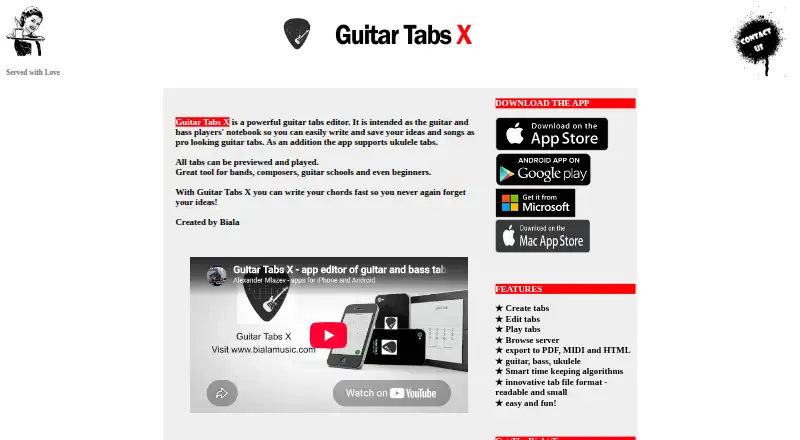
What Guitar Tabs X is
Guitar Tabs X is an editor for writing and saving songs and ideas as tablature. It supports guitar, bass, and ukulele tabs, with tools to create and edit tabs and enter or change chords. Users can preview and play their work, then export songs to PDF, MIDI, or HTML, including as web pages. The app also offers a server of songs shared by other users, which can be browsed without registration. Guitar Tabs X is available on Android, iOS, macOS, and Windows, and tablature is its listed notation mode. The maker describes its tab file format as readable and small. Basic functionality is available on the Free plan at no cost. The Pro plan has additional features, with monthly, yearly, or one-time subscription options; prices and subscription periods are shown in app stores. The privacy policy says user data is not stored apart from songs shared to the server, and that shared songs cannot be traced to users. Its terms advise saving stored songs elsewhere regularly and state that Guitar Tabs X is not responsible for lost data.
Who it suits
It suits guitarists, bassists, and ukulele players who want to write, play, and export tablature. Users seeking standard notation should note that tablature is the listed notation mode.
What it does well
- Supports guitar, bass, and ukulele tabs.
- Tabs can be previewed and played.
- Exports songs as PDF, MIDI, or HTML.
- Shared songs can be browsed without registration.
- Basic functionality is available on a free plan.
What to know first
- Tablature is the only listed notation mode.
- The terms advise saving songs elsewhere to avoid data loss.
- Pro prices and subscription periods are shown in app stores.
Limits
The free plan provides basic functionality. Pro features require the Pro plan; subscription options are monthly, yearly, or one-time, with details shown in app stores.
Plans
| Plan | Billed and limits | Price |
|---|---|---|
| Free | Basic functionality available free | Free |
| Pro | Prices and subscription periods are shown in the app stores · Pro features; monthly, yearly, or one-time subscription options | On request |
As guitartabsx.com lists them, read 4 Oct 2026. The maker's own page has the final word.
Getting started
- Visit guitartabsx.com.
- Choose an available platform: Android, iOS, macOS, or Windows.
- Use the product without registering, or register to share songs to its server.
- Start with the free plan, or choose Pro in an app store.
Guitar Tabs X is a tablature editor for writing, saving, and playing guitar, bass, and ukulele songs. It suits players who work directly in tab and want an editor across desktop and mobile; those who need notation beyond tablature should look elsewhere.
Its strongest case is the combination of editing, playback, exports, and a browsable collection of shared songs. The important caution is to keep your own copies of songs rather than relying on the app as storage.
Overview
The editor brings tab creation, chord entry, and playback together, with PDF, MIDI, and HTML export, including the option to export a song as a web page. This is a useful scope for developing an idea and sharing it in different forms. Its notation remains tablature only, so it is not a fit for players whose work depends on other notation modes.
Users can browse songs shared to the server without registering. The maker says shared songs receive manual preview and validation before publication. Its privacy policy says it stores no user data apart from songs shared to the server, and that those songs cannot be traced to actual users. Registration is not required. The terms advise saving stored songs elsewhere and disclaim responsibility for lost data, so the app should not be treated as a backup service.
Key features
- Tab and chord editing: Create and edit guitar, bass, and ukulele tabs with an interactive tablature interface and chord-entry tools. The three instrument options widen its usefulness for players who switch between them, but the tab-only format is a hard boundary for other notation needs.
- Playback and MIDI: Tabs can be previewed and played, and MIDI is supported. That makes the app more than a place to store written parts: players can check an idea in playback and use MIDI in their workflow.
- Exports: PDF, MIDI, and HTML export give users several ways to carry songs out of the editor, including as web pages. This flexibility is valuable for sharing or keeping copies, though it does not replace regular backups of stored songs.
- Shared-song browsing: Browse songs published by other users without an account. Manual preview and validation before publication may make the collection more considered than an unreviewed upload space, while the maker's privacy policy says shared songs cannot be traced to actual users.
- Compact file format: The maker describes its tab format as readable and small, a practical advantage for keeping and moving song files.
Pricing
Guitar Tabs X uses a freemium model. The Free plan costs nothing and provides basic functionality, making it a sensible starting point for players who want to write or save tabs without paying. No free-plan caps are stated here, so the value of the free tier is best judged by whether its basic functionality covers your needs.
Pro has custom pricing: prices and subscription periods are shown in the app stores. It adds Pro features and offers monthly, yearly, or one-time subscription options. That flexibility can suit users who want an upgrade, but the actual cost depends on the store and chosen term. The free plan gives up Pro features; no seat or usage quota is stated.
Platforms
Guitar Tabs X is available for Android, iOS, macOS, and Windows. That combination suits players who want to use the editor across phones, tablets, and computers, though no web platform is offered.
Who it's for
Choose Guitar Tabs X if you write or collect guitar, bass, or ukulele parts in tablature and want editing, playback, export, and shared-song browsing in one product. It is a particularly practical fit for users who value free basic functionality and do not want registration as a prerequisite. Skip it if you need notation beyond tablature or expect the app to preserve your songs without separate copies.
Pros and cons
- Pros: Supports guitar, bass, and ukulele tabs, with chord tools and playback, so it covers both writing and checking parts.
- Pros: PDF, MIDI, and HTML exports provide useful routes for sharing and carrying songs elsewhere.
- Pros: Shared songs can be browsed without registration, and the maker says submissions are manually reviewed before publication.
- Cons: Tablature is the only notation mode, excluding workflows that rely on other notation.
- Cons: The terms put responsibility for backups on users and disclaim responsibility for lost songs.
- Cons: Pro's price depends on app-store pricing and subscription choice, so the cost is not fixed here.
Alternatives
Guitar Tab Software is the broader directory for comparing guitar-tab tools. Choose Cesure instead if you want an editor with web and Linux platforms, a free tier with three saved scores and unlimited version history, or five AI transcriptions a month; its free plan costs nothing and a free trial is offered.
Guitar Tab Maker is a free option across web and desktop as well as mobile, with no account, credits, or watermarks. TabMaker may suit users who prefer browser-based storage: its free plan costs nothing, requires no registration, and stores data locally in the browser, with no cloud backup.
Guitar2Tabs is the alternative to consider for transcription-focused work: its free plan costs nothing and includes unlimited demo transcriptions of up to 20 seconds each and PDF downloads. Soundslice instead offers a free plan at no cost with unlimited slices and limited scan allowances, for readers who want its slice-based workflow.
TuxGuitar is a free guitar tablature editor on Android, Linux, macOS, and Windows. Fretride is an iOS and macOS alternative with a free tier that allows up to three saved songs without an account. Guitar Tab Creator is another free option on iOS and web, with a standard editor that works without an account and saved tabs and an advanced editor available through a free account.
Verdict
Guitar Tabs X is a good choice for players who want a cross-platform, tab-first workspace for guitar, bass, or ukulele, especially if playback and multiple export formats matter. Its free basic functionality lowers the barrier to trying that workflow. Look elsewhere if you need other notation modes, and keep song copies outside the app if losing stored work is not an acceptable risk.
Verdict
Guitar Tabs X combines tablature editing, playback, exports, and browsing of shared songs, with basic functionality available free. Its listed notation mode is tablature, and the terms advise keeping separate copies of stored songs.
Questions
Is Guitar Tabs X free?
Yes. Its free plan costs nothing and provides basic functionality.
What instruments and notation does it support?
It supports guitar, bass, and ukulele tabs. Tablature is its listed notation mode.
Can I play and export tabs?
Yes. Tabs can be previewed and played, and songs can be exported as PDF, MIDI, or HTML.
Which platforms are supported?
Guitar Tabs X runs on Android, iOS, macOS, and Windows.
Do I need an account to use it or browse shared songs?
Registration is not required to use the product or browse songs shared to its server.
Who makes Guitar Tabs X?
The terms identify it as a product of Aleksandar Mlazev, operated from Burgas, Bulgaria.
Facts from Guitar Tabs X's own pages
- Data backup
- The terms advise users to regularly save stored songs elsewhere and say Guitar Tabs X is not responsible for lost data. · guitartabsx.com, 4 Oct 2026
- Editing
- Features include creating and editing tabs, an interactive tablature interface, and chord entry and editing tools. · guitartabsx.com, 4 Oct 2026
- Export
- The product lists PDF, MIDI, and HTML export, including exporting songs as web pages. · guitartabsx.com, 4 Oct 2026
- File format
- The maker describes its tab file format as readable and small. · guitartabsx.com, 4 Oct 2026
- Headquarters
- Burgas, Bulgaria · guitartabsx.com, 28 Sept 2026
- Instruments
- It supports guitar, bass, and ukulele tabs, which can be previewed and played. · guitartabsx.com, 4 Oct 2026
- Maker and location
- The terms identify Guitar Tabs X as a product of Aleksandar Mlazev operated from Burgas, Bulgaria. · guitartabsx.com, 4 Oct 2026
- Privacy
- The privacy policy says Guitar Tabs X stores no user data except songs shared to its server and says shared songs cannot be traced to actual users. · guitartabsx.com, 4 Oct 2026
- Purpose
- Guitar Tabs X is a guitar tabs editor for writing and saving songs and ideas as tablature. · guitartabsx.com, 4 Oct 2026
- Registration
- The terms state that registration is not required to use Guitar Tabs X. · guitartabsx.com, 4 Oct 2026
- Shared tabs
- Users can browse a server of songs shared by other users; registration is not required. · guitartabsx.com, 4 Oct 2026
- Song review
- The privacy policy says songs are published to the server only after manual preview and validation. · guitartabsx.com, 4 Oct 2026
- Support
- The maker lists [email protected] for questions and support. · guitartabsx.com, 4 Oct 2026
Where Guitar Tabs X stands on Freedom251
- Guitar Tab Software#6 of 32