Freedom251 › Reverse Image Search Software
GSE
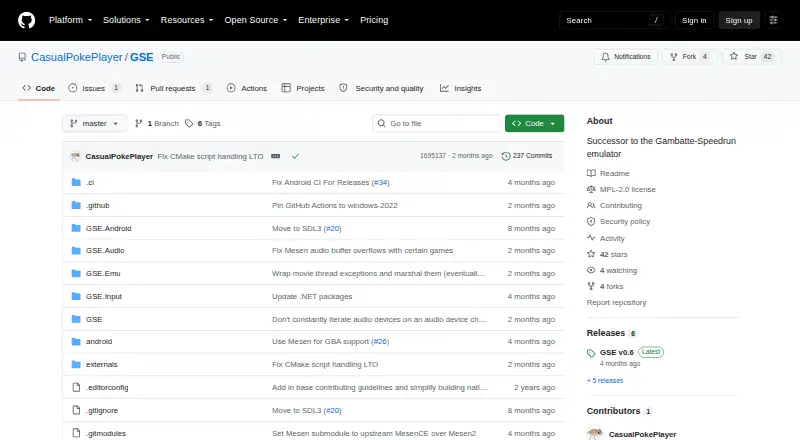
What GSE is
GSE is a free emulator for Game Boy, Game Boy Color, and Game Boy Advance, intended primarily for speedrunners. It uses Gambatte for Game Boy and Game Boy Color and Mesen’s GBA core for Game Boy Advance. GSE runs at approximately 59.7275 FPS and uses clock synchronization for consistent frame pacing and low input lag. An optional Low Latency Mode can lower input lag, with less consistent frame pacing as a possible tradeoff. The emulator stores input logs for runs as an additional source for verification and offers 100 savestate slots in ten sets. It supports ROMs compressed as 7z, rar, tar, gz, and zip, as well as controllers through SDL3, including GameCube USB Adapter and Switch controllers. Discord Rich Presence is configurable but off by default. Bootrom or BIOS files are required. Supported systems include Windows 7 SP1 or newer, macOS 10.15 or newer, Linux with specified glibc or libstdc++ versions, and Android 5.0 or newer. Cheat-code support is omitted because it is not considered useful for speedrunning. The project uses the Mozilla Public License 2.0, whose covered software is provided as-is without warranty.
Who it suits
GSE is aimed primarily at speedrunners playing Game Boy, Game Boy Color, or Game Boy Advance games. Its supported operating systems include desktop and Android devices, subject to the stated requirements.
What it does well
- Stores input logs to support run verification.
- Provides 100 savestate slots in ten sets.
- Supports several compressed ROM formats.
- Offers optional Low Latency Mode.
What to know first
- Bootrom or BIOS files are required.
- Cheat-code support is omitted.
- Low Latency Mode may make frame pacing less consistent.
- Covered software is provided without warranty.
Limits
GSE requires bootrom or BIOS files. Cheat-code support is omitted. Its optional Low Latency Mode may reduce input lag at the cost of less consistent frame pacing.
Getting started
- Choose the download for your operating system and CPU architecture.
- Install or use a supported Windows, macOS, Linux, or Android version.
- Provide the required bootrom or BIOS files.
- Load a ROM in 7z, rar, tar, gz, or zip format.
- Configure controller support or Discord Rich Presence if wanted; Rich Presence is off by default.
Verdict
GSE focuses on speedrunning timing, run verification, and practice features across three Game Boy systems. Check its system requirements and bootrom or BIOS requirement before using it.
Questions
How much does GSE cost?
GSE is free, with a free plan.
Which systems does it emulate?
Game Boy, Game Boy Color, and Game Boy Advance.
Which platforms does GSE support?
Windows 7 SP1 or later, macOS 10.15 or later, Linux with glibc 2.31 or libstdc++ 3.4.28 or later, and Android 5.0 or later.
Does GSE need BIOS or bootrom files?
Yes. Bootrom or BIOS files are required to use it.
Does it support save states?
Yes. It has 100 savestate slots arranged as ten sets of ten.
What license does GSE use?
It is distributed under the Mozilla Public License 2.0. The license states that covered software is provided as-is without warranty.
Facts from GSE's own pages
- Boot requirements
- Bootrom or BIOS files are required to use GSE. · github.com, 2 Oct 2026
- Cheat support
- Features that are not useful for speedrunning are omitted, including cheat-code support. · github.com, 2 Oct 2026
- Console accuracy
- The emulator provides battleground-tested Game Boy and Game Boy Color emulation and console-accurate Game Boy Advance emulation for speedrunning. · github.com, 1 Oct 2026
- Controller support
- Controller support is provided through SDL3, including the official GameCube USB Adapter and Switch controllers. · github.com, 2 Oct 2026
- Discord integration
- Discord Rich Presence is available as a configurable option and is off by default. · github.com, 2 Oct 2026
- Emulation cores
- GSE uses Gambatte for Game Boy and Game Boy Color emulation and Mesen's core for Game Boy Advance emulation. · github.com, 2 Oct 2026
- Feature limitation
- Features not useful for speedrunning runs or practice, such as cheat-code support, are not included. · github.com, 1 Oct 2026
- Input limits
- GSE prohibits binding different game inputs to the same host input and prohibits Left+Right and Up+Down combinations. · github.com, 2 Oct 2026
- Input logs
- Input logs are stored for all runs and provide run verifiers with a secondary source of proof. · github.com, 1 Oct 2026
- Input verification
- GSE stores input logs for runs as a secondary source of proof for run verification. · github.com, 2 Oct 2026
- Latency mode
- An optional Low Latency Mode provides lower input latency at the potential cost of less consistent frame pacing. · github.com, 2 Oct 2026
- Latest release
- GSE v0.6 replaces the GBA emulation core with Mesen's core and offers downloads for multiple operating systems and CPU architectures. · github.com, 1 Oct 2026
- License
- The repository's original GSE code is licensed under the Mozilla Public License 2.0. · github.com, 2 Oct 2026
- Low latency
- An optional Low Latency Mode provides lower input lag at the potential cost of less consistent frame pacing. · github.com, 1 Oct 2026
- Operating systems
- The documented requirements are Windows 7 SP1 or later, macOS 10.15 or later, Linux with glibc 2.31 or libstdc++ 3.4.28 or later, and Android 5.0 or later. · github.com, 1 Oct 2026
- Purpose
- GSE is a Game Boy, Game Boy Color, and Game Boy Advance emulator written in C# for speedrunners. · github.com, 2 Oct 2026
- Release downloads
- The v0.6 release provides download options for multiple operating systems and CPU architectures, with GSE-win-x64.zip recommended for most Windows x64 users. · github.com, 2 Oct 2026
- Requirements
- Bootrom or BIOS files are required for usage. · github.com, 1 Oct 2026
- ROM formats
- The emulator supports 7z, rar, tar, gz, and zip compressed ROMs. · github.com, 1 Oct 2026
- Savestates
- GSE provides 100 savestate slots organized as 10 sets of 10 slots. · github.com, 2 Oct 2026
- Speedrunning timing
- The emulator runs at approximately 59.7275 FPS and provides clock synchronization for consistent frame pacing and low input lag. · github.com, 2 Oct 2026
- System requirements
- Supported systems are Windows 7 SP1 or newer, macOS 10.15 or newer, Linux with specified glibc and libstdc++ versions, and Android 5.0 or newer. · github.com, 2 Oct 2026
- Timing
- GSE runs at approximately 59.7275 FPS and uses clock synchronization for consistent frame pacing and low input lag. · github.com, 1 Oct 2026
- Warranty
- The MPL-2.0 license states that covered software is provided as-is without warranty. · raw.githubusercontent.com, 2 Oct 2026
Where GSE stands on Freedom251
- Reverse Image Search Software#9 of 21
- Game Boy Advance Emulators#13 of 29