Freedom251 › Shopping List Apps
Grocery List
What Grocery List is
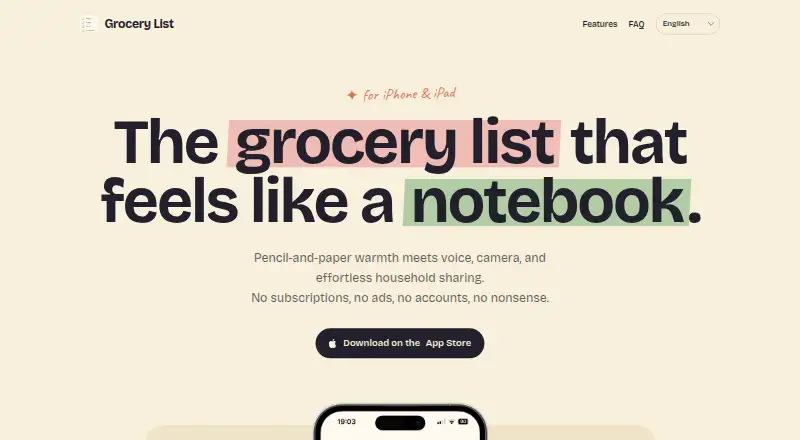
Grocery List is an iPhone and iPad app for capturing and organizing shopping lists. Add several items at once by voice, including quantities and brands, or photograph a handwritten list and convert it into typed items. You can also share a recipe from a supported website or app to make a list from its ingredients. Lists support sharing, editable categories, search, and sorting. iCloud syncs them between iPhone and iPad, and you can add or check off items offline for syncing once you reconnect. The app uses your Apple account and does not require a separate sign-up, password, or email. Its maker says list data stays in your personal iCloud account and is not visible to the developer. The free plan costs nothing. Premium costs $12.99, paid once as a one-time purchase and unlocks shared lists and advanced imports. Family Sharing is enabled, and people invited to shared lists do not need Premium. The App Store listing requires iOS 26.0 or later and iPadOS 26.0 or later; Mac compatibility is listed but not verified.
Who it suits
It suits iPhone and iPad users who want to build grocery lists by voice, photo, or recipe import. It may also suit households sharing lists through iCloud.
What it does well
- Voice entry accepts quantities and brands.
- Handwritten lists can be converted from photos.
- Recipe ingredients can become grocery lists.
- Lists sync and support offline edits.
- No separate account or password is required.
What to know first
- Requires iOS 26.0 or later.
- Shared lists and advanced imports require Premium.
- Mac compatibility is not verified.
Limits
The Free plan costs nothing but does not include shared lists or advanced imports. Premium costs $12.99, paid once as a one-time purchase and unlocks those features.
Plans
| Plan | Billed and limits | Price |
|---|---|---|
| Free | App use; shared lists and advanced imports require a one-time premium purchase | Free |
| Premium | One-time purchase · Unlocks shared lists and advanced imports | $12.99, paid once |
As getgrocerylist.app lists them, read 9 Oct 2026. The maker's own page has the final word.
Getting started
- Open https://getgrocerylist.app/
- Install Grocery List on an iPhone or iPad meeting the listed OS requirement
- Use your Apple account with iCloud; no separate sign-up is required
- Create a list by typing, speaking items, photographing a handwritten list, or importing recipe ingredients
- Purchase Premium once for shared lists and advanced imports
Verdict
Grocery List combines several ways to create shopping lists with iCloud syncing and offline editing. The free plan covers app use, while shared lists and advanced imports require a one-time Premium purchase.
Questions
What platforms does Grocery List support?
The App Store listing requires iOS 26.0 or later and iPadOS 26.0 or later. Mac compatibility requires macOS 26.0 or later and Apple M1 or later, but is marked not verified for macOS.
Is there a free plan?
Yes. The Free plan costs nothing.
What does Premium cost?
Premium costs $12.99, paid once as a one-time purchase.
What does Premium unlock?
Premium unlocks shared lists and advanced imports. Family Sharing is enabled, and people invited to a shared list do not need Premium.
Does the app require an account?
It requires no separate sign-up, password, or email account. It works through the user's Apple account with iCloud.
Where are list data stored?
Apple iCloud stores list data through CloudKit in the user's personal iCloud account. The maker says the developer cannot see lists or personal data.
Facts from Grocery List's own pages
- Account requirement
- The app requires no sign-up, password, or email account and works through the user's Apple account with iCloud. · getgrocerylist.app, 9 Oct 2026
- Compatibility
- The App Store listing says the app requires iOS 26.0 or later and iPadOS 26.0 or later; Mac compatibility requires macOS 26.0 or later and Apple M1 or later, but is marked not verified for macOS. · apps.apple.com, 9 Oct 2026
- Data handling
- The privacy policy says Apple iCloud holds list data, the App Store handles premium billing, and the maker shares nothing else with anyone. · getgrocerylist.app, 9 Oct 2026
- Developer
- The App Store identifies the seller as Mariano Wadi Jacobo. · apps.apple.com, 9 Oct 2026
- Integrations
- The app uses Apple iCloud with CloudKit to store lists and supports recipe imports from supported apps and websites. · getgrocerylist.app, 9 Oct 2026
- Lists and organization
- The app offers shared lists, editable categories, search, and sorting. · getgrocerylist.app, 9 Oct 2026
- Photo scanning
- The app can turn photographed handwritten lists into typed list items. · getgrocerylist.app, 9 Oct 2026
- Premium sharing
- Family Sharing is enabled, and people invited to a shared list do not need the premium upgrade. · getgrocerylist.app, 9 Oct 2026
- Privacy
- The maker says lists are stored in the user's personal iCloud account and the developer cannot see them or the user's personal data. · getgrocerylist.app, 9 Oct 2026
- Recipe imports
- Users can share recipes from websites or supported apps to turn their ingredients into a grocery list. · getgrocerylist.app, 9 Oct 2026
- Support
- The maker lists [email protected] for questions and support. · getgrocerylist.app, 9 Oct 2026
- Sync and offline use
- Lists sync between iPhone and iPad with iCloud, and users can add or check off items offline for syncing when back online. · getgrocerylist.app, 9 Oct 2026
- Voice input
- Users can speak multiple grocery items, including quantities and brands, to add them to a list. · getgrocerylist.app, 9 Oct 2026
- What it does
- Grocery List is a grocery-list app for iPhone and iPad with a notebook-like design. · getgrocerylist.app, 9 Oct 2026
Where Grocery List stands on Freedom251
- Shopping List Apps#18 of 31