Freedom251 › Desktop Organization Software
Grida
What Grida is
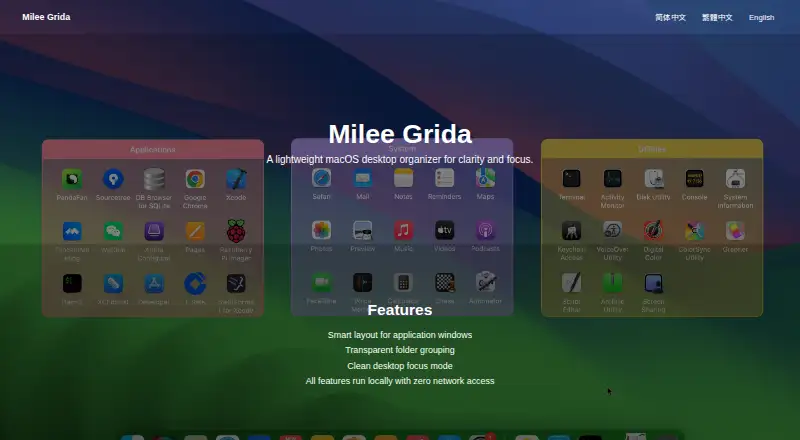
Milee Grida is a macOS desktop organizer for arranging windows, grouping folders, and keeping the desktop focused. Smart layout manages application windows, while transparent folder grouping organizes files by reference without moving the originals. A focus mode provides a cleaner desktop view. Users can customize window colors, opacity, backgrounds, text, fonts, and borders. Utility windows include a clock, clipboard history, shortcut reference, calculator, and Switch. Switch uses macOS Shortcuts for controls such as Dark Mode and keeping the Mac awake. Grida supports multiple monitors and automatic sorting. The maker says every feature runs locally with zero network access and that the app does not collect, upload, or transmit user data. The App Store requires macOS 13.0 or later. A free plan and free trial are listed. One-time options are EarlyBird Member at $6.99, paid once and Lifetime at $9.99, paid once. The seller is 平 王.
Who it suits
Grida suits Mac users who want window layouts, virtual folder organization, focus controls, and local utilities. It is relevant for setups using multiple monitors and macOS Shortcuts.
What it does well
- Smart application-window layouts
- Organizes files without moving originals
- Local operation with no network access
- Multiple monitors and automatic sorting
- Free plan and free trial listed
What to know first
- Requires macOS 13.0 or later
- macOS-only platform
- Lifetime purchase costs $9.99, paid once
Plans
| Plan | Billed and limits | Price |
|---|---|---|
| EarlyBird Member | EarlyBird membership | $6.99, paid once |
| Lifetime | Lifetime purchase | $9.99, paid once |
As mileeapp.com lists them, read 4 Oct 2026. The maker's own page has the final word.
Verdict
Grida combines desktop organization, focus features, utility windows, and local processing for Mac users. Its plan choices and macOS requirement define the main buying considerations.
Facts from Grida's own pages
- Customization
- The App Store description lists customizable window colors, opacity, backgrounds, text, fonts, and borders. · apps.apple.com, 4 Oct 2026
- File organization
- The App Store description says users can organize files by reference without moving the original files. · apps.apple.com, 4 Oct 2026
- Focus mode
- The maker lists a clean desktop focus mode as a feature. · mileeapp.com, 4 Oct 2026
- Folder grouping
- The maker lists transparent folder grouping as a feature. · mileeapp.com, 4 Oct 2026
- Free trial
- The App Store version history says first-time free users can start a 30-minute trial with access to all premium features. · apps.apple.com, 4 Oct 2026
- Integration
- The Switch window uses macOS Shortcuts to provide system toggles such as Dark Mode and keeping the Mac awake. · apps.apple.com, 4 Oct 2026
- Local operation
- The maker says all features run locally with zero network access. · mileeapp.com, 4 Oct 2026
- Platform requirement
- The App Store listing says the app requires macOS 13.0 or later. · apps.apple.com, 4 Oct 2026
- Privacy
- The maker says Grida does not collect, upload, or transmit user data and that its functions run entirely on the local device. · mileeapp.com, 4 Oct 2026
- Seller
- The App Store lists 平 王 as the seller. · apps.apple.com, 4 Oct 2026
- Support
- The maker directs technical support and business inquiries to [email protected]. · mileeapp.com, 4 Oct 2026
- Utilities
- The App Store description lists clock, clipboard history, shortcut reference, calculator, and Switch utility windows. · apps.apple.com, 4 Oct 2026
- What it does
- Milee Grida is described as a lightweight macOS desktop organizer for clarity and focus. · mileeapp.com, 4 Oct 2026
- Window layout
- The maker lists smart layout for application windows as a feature. · mileeapp.com, 4 Oct 2026
Where Grida stands on Freedom251
- Desktop Organization Software#16 of 47