Freedom251 › AI Voice Biometrics Software
GoVivace Speaker Verification API
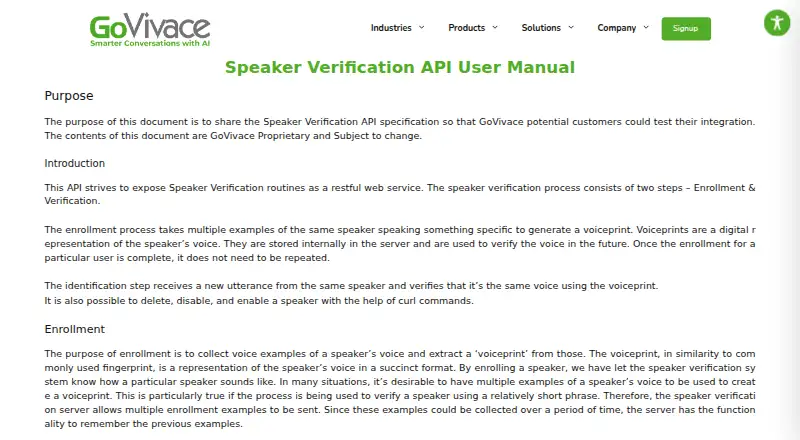
What GoVivace Speaker Verification API is
GoVivace Speaker Verification API enrolls a speaker’s voice and compares a later utterance with the stored voiceprint. The manual recommends collecting repeated voice examples until enrollment audio totals at least 60 seconds. Developers can send REST requests or use a WebSocket API; a Python client example is documented, using 16-bit linear PCM audio at 8 kHz. API actions include enrolling, searching, deleting, disabling, and enabling speakers. Search returns the closest enrolled speakers and accepts a maximum match count and score threshold. Voiceprints are stored on the server, and deleting a speaker permanently removes that speaker’s information. GoVivace generates API keys for authentication. The company describes encryption in transit, configurable encryption at rest, access controls, and audit logging. Authenti is offered as managed cloud or private cloud/on-premise deployment, with regional hosting options including US public cloud, India sovereign hosting, and EU-localized hosting. Pricing is on request.
Who it suits
It suits organizations in banking, healthcare, government, telecom, or contact centers that need voice enrollment and verification through an API or self-hosted deployment.
What it does well
- REST and WebSocket interfaces are documented.
- Supports speaker enrollment, search, and deletion.
- Search accepts match-count and score-threshold limits.
- Managed cloud and private deployment options.
- Audio and voiceprint retention can be configured per deployment.
What to know first
- Pricing is available on request.
- Enrollment guidance recommends at least 60 seconds of audio.
- Voiceprints are stored on the server.
- The manual may change.
Limits
The manual recommends collecting at least 60 seconds of enrollment audio. Pricing is on request.
Getting started
- Review the API manual and developer resources on GoVivace’s website.
- Contact GoVivace for pricing and to discuss managed cloud or private deployment.
- Obtain an API key generated by GoVivace for authentication.
- Choose REST or WebSocket integration; the manual also includes a Python client example.
- Send repeated enrollment samples until the audio totals at least 60 seconds.
- Use the speaker search and management actions as needed.
Verdict
The API covers voice enrollment, verification, and speaker management, with both managed and private deployment options. Teams should account for the recommended enrollment audio and server-side voiceprint storage.
Questions
How is the API priced?
GoVivace lists it as paid, with pricing available on request.
What interfaces can developers use?
The manual documents REST requests and a WebSocket API, and includes a Python client example.
What deployment options are available?
GoVivace lists managed cloud and private cloud or on-premise deployment for Authenti.
How are voiceprints handled?
The manual says voiceprints are stored internally on the server. Deleting a speaker permanently removes that speaker’s information, and Authenti says retention can be configured per deployment.
What does speaker search return?
It returns the closest matches among enrolled speakers and accepts a maximum match count and score threshold.
What security measures does GoVivace describe?
Its developer page describes API authentication, encryption in transit, configurable at-rest encryption, access controls, and audit logging.
Facts from GoVivace Speaker Verification API's own pages
- Audience
- GoVivace positions the product for banking, healthcare, government, telecom, and contact centers. · govivace.com, 3 Oct 2026
- Audio format
- The manual’s example request sends audio in 16-bit linear PCM at 8 kHz. · govivace.com, 4 Oct 2026
- Authenti capabilities
- GoVivace’s Authenti API page lists speaker verification, speaker identification, voice enrollment, speaker characteristics, anti-spoofing, and streaming processing. · govivace.com, 4 Oct 2026
- Authentication
- The manual says API keys are generated by GoVivace and used for authentication. · govivace.com, 3 Oct 2026
- Data controls
- Authenti’s page says audio and voiceprint retention can be configured per deployment and API activity can be logged. · govivace.com, 4 Oct 2026
- Data handling
- The manual says voiceprints are stored internally on the server, and speaker deletion permanently removes that speaker’s information. · govivace.com, 3 Oct 2026
- Deployment
- Authenti is offered in managed cloud and private cloud or on-premise deployment models, including air-gapped deployment. · govivace.com, 4 Oct 2026
- Enrollment
- The manual recommends sending repeated voice samples until enrollment audio totals 60 seconds or more. · govivace.com, 3 Oct 2026
- Enrollment guidance
- The manual recommends sending new enrollment examples until enrollment audio time reaches 60 seconds or more. · govivace.com, 4 Oct 2026
- Integrations
- Authenti is described as integrating into applications, contact centers, voicebots, and enterprise workflows through APIs and SDKs. · govivace.com, 4 Oct 2026
- Interfaces
- The API manual documents HTTP requests and a WebSocket interface, with a Python client example. · govivace.com, 4 Oct 2026
- Limit
- The manual says its contents are proprietary and subject to change. · govivace.com, 3 Oct 2026
- Purpose
- The API provides speaker verification as a RESTful web service using enrollment and later voice comparison. · govivace.com, 4 Oct 2026
- Regional hosting
- GoVivace’s policy lists US public cloud, customer-hosted private cloud, India sovereign hosting, and EU-localized hosting options. · govivace.com, 4 Oct 2026
- Security
- The Authenti page states that API requests are authenticated, data in transit is encrypted, and stored data is encrypted according to deployment configuration. · govivace.com, 4 Oct 2026
- Security posture
- The product page describes GDPR-aligned handling and SOC 2 and ISO 27001 readiness; it says certification status is not confirmed where applicable. · govivace.com, 3 Oct 2026
- Speaker management
- The API supports deleting, disabling, and enabling a speaker. · govivace.com, 4 Oct 2026
- Speaker search
- The search action returns the closest matches from the list of enrolled speakers and accepts a maximum match count and score threshold. · govivace.com, 4 Oct 2026
- Support
- GoVivace’s contact page lists a support email address and a US office at 1775 Tysons Blvd, Tysons, Virginia 22102. · govivace.com, 4 Oct 2026
- Voiceprints
- Enrollment uses multiple voice examples to create a voiceprint that is stored on the server for future verification. · govivace.com, 4 Oct 2026
Where GoVivace Speaker Verification API stands on Freedom251
- AI Voice Biometrics Software#15 of 22